SEO Title: Chilean Number for App Verification: OTPGET Step-by-Step Guide
Chilean Number for App Verification: Step-by-Step Help
An app may ask for a phone number before allowing you to create an account, activate a feature, or complete a login. The reason is usually straightforward: the service wants to send an SMS containing a one-time password, or OTP, that confirms control of the number.
The challenge comes when the app requires a number from a specific country. If the service expects a Chilean number, using an unrelated international number may not work. This is where a Chilean number for app verification can be useful for legitimate registration, testing, and other supported purposes.
A service such as OTPGET can be a practical option when you need access to a Chilean verification number and want to receive an SMS code without relying on your everyday personal number. The exact availability and compatibility can vary by service, so it is important to follow the instructions provided by both the app and the number provider.
This guide explains how phone verification works, how to use a Chilean number, what to do when an OTP does not arrive, and how OTPGET fits into the process.
Why Do Apps Require Phone Number Verification?
Phone verification is commonly used to add another layer of account validation. During signup or login, an app can send a randomly generated code to the phone number entered by the user.
The basic process is simple:
Phone number entered → SMS sent → OTP received → Code entered → Number verified
An OTP, or one-time password, is a temporary verification code. It is generally intended for a single verification attempt and may expire after a limited period.
Apps may use phone verification for several reasons:
- Account registration: A service may ask for a phone number when creating a new account.
- Login verification: A phone number can be used as an additional verification method.
- Abuse prevention: Requiring a number can make automated or repeated account creation more difficult.
- Account recovery: Some services use verified phone numbers as part of recovery workflows.
- Country-specific services: Certain apps or features may require a number associated with a particular country.
Phone verification is not the same across every platform. Some apps accept virtual numbers, while others restrict or reject them. Always check the individual service's requirements before attempting verification.
Why Use a Chilean Number for App Verification?
A Chilean phone number for verification can be useful when an app or service specifically supports or requires a Chilean number.
For example, legitimate use cases can include:
- Accessing a service that requires a Chilean phone number
- Testing a Chile-specific registration or signup flow
- Receiving SMS verification codes associated with a supported Chilean number
- Testing localized app functionality during development
- Registering for services that explicitly accept Chilean numbers
A Chile number can also be relevant for users who do not want to use their personal number for a particular supported registration. However, privacy and account-recovery implications should always be considered before choosing a number type.
If a service prohibits temporary or virtual numbers, attempting to use one may result in rejection. A country code alone does not guarantee that an app will accept the number.
How to Get a Chilean Number for App Verification
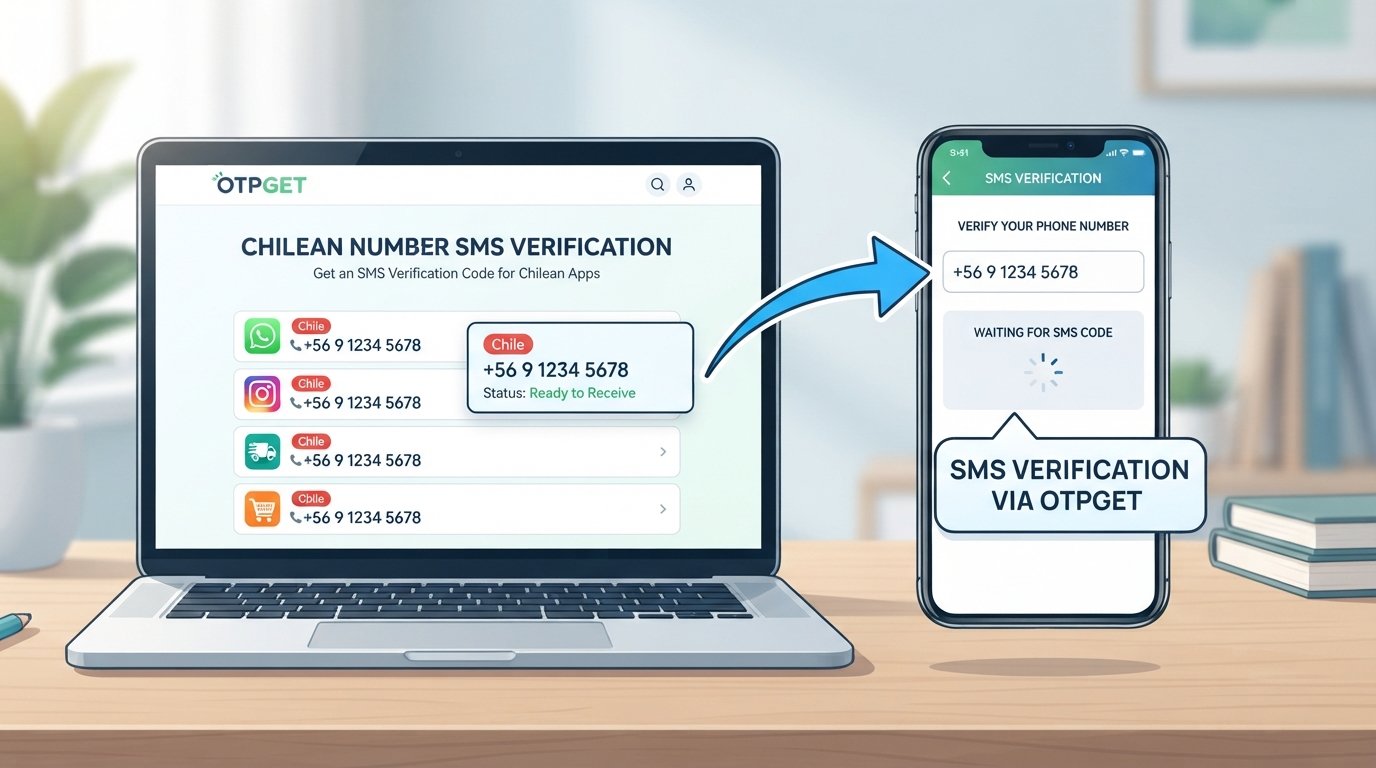
The general workflow for using OTPGET for Chile SMS verification is straightforward. Exact screens, availability, and service options can vary, so follow the current instructions displayed by OTPGET.
1. Visit OTPGET
Start by accessing OTPGET and reviewing the available options for verification numbers.
Look for a Chilean number or a service option that matches your intended verification use.
2. Choose a Chilean Number or Relevant Service
Select the appropriate Chile option if it is available for your intended purpose.
If OTPGET provides service-specific choices, select the relevant app or service when applicable. If a particular service is not listed, follow the available instructions rather than assuming compatibility.
3. Obtain the Available Number
After selecting the appropriate option, use the number provided through the available OTPGET workflow.
Keep the number accessible because you will need to enter it into the app requesting verification.
4. Enter the Number in the App
Open the app or website where you need to complete verification.
Enter the Chilean number carefully, including the correct country-code format requested by the service. Avoid adding or removing digits unless the app specifically instructs you to do so.
5. Request the OTP
Submit the phone number and request the verification SMS.
The app should generate an OTP if the number and service are supported.
6. Check OTPGET for the Incoming SMS
Return to the relevant OTPGET interface and look for the incoming verification message.
Depending on the service and available workflow, the SMS may take a short time to appear.
7. Enter the Verification Code
Copy the latest OTP from the SMS and enter it into the app's verification field.
Be careful when entering the code because OTPs are often time-sensitive.
8. Complete Verification
Once the app accepts the code, the phone verification step should be completed.
If the verification fails, do not repeatedly request codes without checking the cause. Review the troubleshooting steps below and the requirements of the app.
Why OTPGET Can Be a Convenient Solution
For users specifically looking for a Chilean number for app verification, OTPGET is relevant because the core requirement is not simply having a phone number—it is having an appropriate number through which a supported verification SMS can be received.
A practical verification workflow can be useful when:
- You need a Chile-associated number for a supported service
- You want to receive an SMS OTP
- You prefer not to use your everyday personal number for a legitimate registration
- You are testing a Chile-specific signup flow
- You need a country-specific number for an appropriate app verification task
OTPGET can therefore fit naturally into the process of obtaining a number, entering it into a supported app, receiving the verification SMS, and using the OTP to complete the verification step.
That said, OTPGET should not be treated as a guarantee that every application will accept every number. App-specific restrictions still apply, and some platforms may distinguish between mobile, virtual, temporary, or other number types.
How SMS OTP Verification Works
SMS OTP verification is easier to understand when broken into four stages.
1. Enter the phone number:
You provide a supported phone number during signup, login, or another verification process.
2. The app sends an OTP:
The service generates a temporary verification code and sends it by SMS.
3. The SMS is received:
The code arrives through the selected phone number's SMS verification workflow.
4. Enter the OTP:
You enter the code into the app. If it matches the expected code and is still valid, the service can complete the verification step.
The important point is that an OTP is usually temporary. If the code expires, requesting a new verification SMS may be necessary.
Common Problems With Chilean Number Verification
Even when the process is correct, verification can fail. Here are some common issues and practical responses.
OTP Not Arriving
An SMS may be delayed or may not be delivered at all.
What to do: Wait briefly, confirm that the number is correct, and check whether the service supports the selected number. Avoid repeatedly requesting codes immediately.
Incorrect Number Format
Some services require a specific Chilean country-code format.
What to do: Follow the formatting shown by the app. Check the country selection and make sure the number has not been entered with extra digits.
Unsupported Service
A number provider may not support every application.
What to do: Check whether the intended app or service is supported. If it is not listed, do not assume that verification will work.
Expired OTP
Verification codes can become invalid after a period of time.
What to do: Request a fresh code and enter the latest OTP rather than an older message.
App Rejects the Number
Some apps restrict virtual or temporary numbers.
What to do: Review the app's verification policy and number requirements. If virtual numbers are not accepted, a different eligible number type may be required.
Number Already Used
An app may associate a number with an existing account or restrict repeated registrations.
What to do: Follow the service's account and registration rules rather than attempting to circumvent its restrictions.
Tips for a Smooth App Verification Process
A few simple habits can reduce avoidable verification problems:
- Confirm the Chile country code before submitting the number.
- Enter the number exactly as requested by the app.
- Check that the service supports Chilean numbers.
- Request only one OTP at a time when possible.
- Give a delayed SMS a little time to arrive.
- Use the newest verification code available.
- Check whether the app permits virtual or temporary numbers.
- Follow the app's terms and verification requirements.
- Keep verification codes private and do not share them with other people.
- Use a number and verification service for legitimate purposes.
If you are using OTPGET, follow the available instructions for the selected number and service rather than relying on assumptions about how a particular app handles SMS verification.
Chilean Number vs. Personal Phone Number for Verification
Both options can serve different purposes. The right choice depends on the app's requirements, your privacy preferences, and whether the service permits the number type.
| Feature | Chilean/Virtual Number | Personal Number |
|---|---|---|
| Country-specific verification | Useful when a supported service requires a Chilean number | Works when your personal number matches the required country |
| Privacy considerations | Can help separate a supported registration from your everyday number | Directly associates verification with your personal number |
| Convenience | Practical for certain SMS-based verification workflows | Convenient when you already have an eligible mobile number |
| SMS OTP reception | Depends on provider and app compatibility | Depends on mobile carrier and app compatibility |
| Suitable use cases | Supported registrations, testing, and country-specific verification | Personal accounts and services that require your own number |
Neither option is universally accepted. The app's own rules remain the deciding factor.
Is Using a Chilean Number for App Verification Safe?
Using a Chilean number for verification can be appropriate for legitimate purposes, but safety depends on how the number, provider, and account are used.
First, consider privacy. If you use a number for registration, understand what information the app may associate with that number.
Second, consider the provider. Use a service you trust and follow its available instructions. Do not enter sensitive credentials into unfamiliar pages simply because they claim to provide verification services.
Third, check the app's terms and policies. Some platforms may not permit virtual or temporary phone numbers. A rejected number does not necessarily indicate a problem with the SMS itself; it may reflect the platform's own rules.
Finally, never use a verification number to impersonate another person, bypass account restrictions, create fraudulent accounts, or defeat security controls. A Chile number for SMS verification should be used only for legitimate purposes.
Frequently Asked Questions
What is a Chilean number for app verification?
It is a phone number associated with Chile that can be used for a supported app's phone verification process. The app may send an SMS OTP to confirm the number.
Can I receive an OTP with a Chilean number?
Yes, a Chilean number can receive an OTP when the relevant app supports that number and SMS delivery is available. Compatibility varies by service.
How does Chile SMS verification work?
The process generally involves entering a Chilean number, requesting verification, receiving an SMS containing an OTP, and entering that code into the app.
Can I use OTPGET for app verification?
OTPGET can be a practical option when you need a Chilean verification number for a supported use case. Follow the available OTPGET instructions and the app's own verification requirements.
Why is my verification SMS not arriving?
Possible causes include SMS delays, incorrect number formatting, unsupported services, temporary availability issues, or restrictions on the number type. Check the number and service requirements before requesting another code.
Can an app reject a virtual Chilean number?
Yes. Some apps may reject virtual or temporary numbers as part of their verification policies. A Chilean country code does not automatically mean every number will be accepted.
What should I do if my OTP expires?
Request a new verification code and use the latest OTP. Avoid entering an older code after a fresh one has been issued, as the previous code may no longer be valid.
Final Thoughts
A Chilean number for app verification can be useful when a service requires or supports a Chile-associated phone number for SMS-based verification. The process is generally simple: obtain an eligible number, enter it into the app, request an OTP, receive the verification SMS, and submit the latest code.
For users who need a practical way to work with a Chilean verification number, OTPGET can fit into this workflow by providing an option for obtaining and using a number for supported SMS verification purposes.
The key is to check compatibility, use the correct country-code format, follow the app's requirements, and use verification services only for legitimate activities. When those conditions are met, the process becomes much easier to understand and troubleshoot.