SEO Title: Get OTP Without a SIM: Fast SMS Codes Online for Web | OTPGET
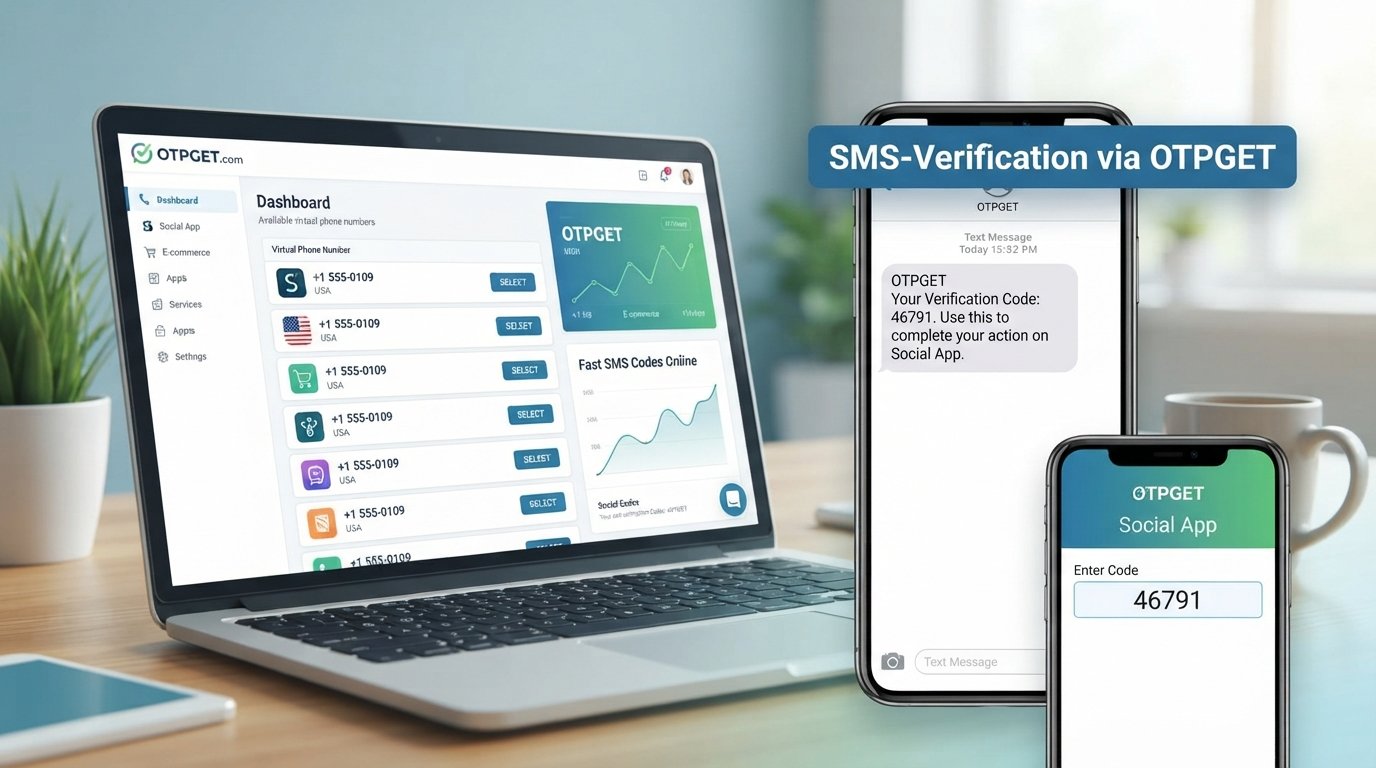
Get OTP Without a SIM: Fast SMS Codes Online for Web | OTPGET
Introduction
Need to get OTP without a SIM or keep your personal phone number out of an online verification process? Many websites and apps use SMS OTPs to confirm that a number is available and complete a registration, login, or other verification step. But not everyone wants every verification message tied to their everyday mobile number.
That is where online and virtual phone numbers can be useful. Instead of relying on a physical SIM, an SMS receiving service can provide a number that receives supported verification messages online.
OTPGET is designed around this general use case, giving users an alternative way to handle SMS verification where virtual or temporary numbers are accepted. The basic idea is straightforward: choose an appropriate number, use it for a legitimate verification request, check the incoming SMS, and enter the code on the original service.
Before using any online number, however, it is worth understanding how OTP verification works, where virtual numbers fit in, and what limitations you may encounter.
What Is an OTP and Why Is It Used?
OTP stands for one-time password. In an SMS-based verification process, a website or app sends a short, temporary code to a phone number. This is commonly called an SMS OTP, SMS verification code, or one-time verification code.
The code is generally used to confirm that the person completing a particular action can access the specified phone number. Depending on the service, OTP verification may be used for:
- Creating or confirming an account
- Signing in
- Confirming a phone number
- Completing a registration process
- Testing verification workflows
- Confirming certain account or service actions
For some users, using a personal number for every online service is not ideal. They may prefer to separate personal communications from online verification, use an alternative number for testing, or avoid adding their everyday number to a service when another supported option is available.
Can You Get an OTP Without a SIM?
Yes, an OTP can sometimes be received without using a physical SIM, provided the service accepts the virtual or online number being used.
The important distinction is between the number and the physical SIM associated with a traditional mobile connection.
| Option | Physical SIM required? | Typical purpose | Convenience |
|---|---|---|---|
| Physical SIM | Yes | Everyday mobile communication and verification | Familiar and broadly supported |
| Virtual/online number | No physical SIM for the user | Online SMS and supported verification | Convenient for online access |
| Temporary phone number | No physical SIM for the user | Short-term or specific verification needs | Useful when appropriate, but availability can vary |
| OTPGET-based approach | Depends on the number/service provided | Supported SMS verification workflows | Designed around online OTP/SMS use |
A virtual phone number is a phone number that can be used through an online service rather than requiring the user to insert a physical SIM into a phone. A temporary phone number is generally intended for a limited or specific purpose.
An SMS receiving service such as OTPGET can therefore provide an alternative to entering your personal mobile number when the target service permits that type of number.
However, virtual numbers are not universally accepted. Some websites require a mobile carrier number or apply restrictions to temporary and online numbers.
How to Receive an OTP Without a SIM
The process is straightforward in principle. The exact experience can vary depending on the service you are verifying and the number available through OTPGET.
1. Choose an appropriate number through OTPGET
Start by selecting an available number or service option that fits your legitimate verification requirement. Consider whether the website or app you are using allows virtual or temporary numbers.
2. Enter the number on the original service
At the phone verification stage, enter the applicable number instead of your personal number.
The number should only be used for a legitimate verification request and in accordance with the service's rules.
3. Request the SMS verification code
Submit the verification request on the original website or app. If the number is supported, the service may send an SMS containing an OTP.
4. Check for the incoming message
Return to the applicable OTPGET interface or service area to check whether the SMS has arrived.
The message may contain a short numerical code or another form of one-time verification information.
5. Enter the OTP
Copy the SMS verification code into the verification field on the original service.
6. Complete verification
If the service accepts the number and the code is valid, the verification process can be completed.
This is the basic answer to how to receive OTP without SIM: use a supported online number instead of a physical SIM-based personal number, then receive the verification SMS through the applicable service.
Why Use OTPGET for SMS Verification?
The biggest appeal of an online OTP solution is convenience. You do not necessarily need to make your personal mobile number the default choice for every legitimate online verification workflow.
OTPGET can be useful when you need an alternative approach for supported SMS verification scenarios.
Potential benefits include:
- Less dependence on a physical SIM: An online number can provide an alternative to using a traditional SIM for applicable SMS workflows.
- Separation from your personal number: Keeping certain verification messages separate can make your personal communications easier to manage.
- Convenient online access: A web-based SMS receiving workflow can be more practical than switching between devices or SIM cards.
- Useful for testing: Developers and QA teams may need alternative numbers when testing registration and verification flows.
- Flexible verification workflows: Users can consider an online phone number when a service explicitly permits it.
The key word is supported. OTPGET should be viewed as a practical option for legitimate use cases, not as a guarantee that every website, app, or verification system will accept an online number.
OTP Without SIM vs. Traditional SIM Verification
Both approaches can serve legitimate verification needs, but they have different characteristics.
| Factor | Physical SIM | Virtual/Online Number | OTPGET-Based Approach |
|---|---|---|---|
| Requires a physical SIM | Yes | No for the user | No physical SIM for the online-number approach |
| Accessibility | Usually tied to a mobile device | Accessed through an online service | Intended for online SMS/OTP workflows |
| Convenience | Familiar and direct | Useful for online workflows | Convenient where supported |
| Personal-number separation | Limited | Better suited to separation | Can provide an alternative to a personal number |
| SMS availability | Generally dependent on mobile service | Depends on provider and number | Depends on the applicable number/service |
| Best use cases | Personal and long-term communication | Supported online verification and testing | Supported OTP and SMS verification workflows |
A physical SIM remains the most familiar option for everyday mobile use. A virtual number is better understood as an alternative tool for situations where online SMS reception is appropriate.
Who Can Benefit From an Online OTP/SMS Number?
An online SMS number can be useful for several legitimate audiences.
Privacy-conscious users
Some people simply do not want to give their personal number to every website they use. An alternative number can help separate personal communication from supported online verification.
Developers and QA testers
Testing a registration or login flow can require verification codes. An online number may be useful when a test environment supports it and multiple verification scenarios need to be evaluated.
Businesses and teams
Teams working on onboarding or verification workflows may need alternative numbers for legitimate testing and operational processes.
Users needing an alternative number
If a service permits virtual numbers, an online phone number can be a practical alternative to a personal mobile number.
The purpose matters. Online numbers should not be used for spam, fraudulent registrations, impersonation, or bypassing restrictions imposed by a website or app.
Is It Safe to Receive OTPs Online?
Receiving an OTP online can be reasonable for supported, legitimate use cases, but users should treat OTPs as sensitive credentials.
Keep these points in mind:
- Use a reputable SMS receiving service.
- Never share an OTP with another person who does not need it.
- Follow the terms and conditions of the service you are verifying.
- Understand that some websites restrict temporary or virtual numbers.
- Avoid relying on a temporary number for a critical account if you may later need that number for account recovery.
- Do not assume an online number provides complete anonymity or guaranteed privacy.
- Be careful about entering sensitive account information into unfamiliar services.
An OTP is designed to help verify access to a number or complete a specific action. It should be handled with the same care you would give other account credentials.
When a Virtual or Temporary Number May Not Work
One of the most important limitations is compatibility.
A website or app may:
- Block known virtual numbers.
- Reject temporary SMS numbers.
- Require a number from a particular mobile carrier.
- Require a specific country or numbering region.
- Limit repeated verification attempts.
- Restrict certain types of online numbers.
- Use additional verification methods beyond SMS.
For this reason, there is no universal online verification number that works everywhere.
If a service rejects an OTPGET number, that does not necessarily mean the SMS receiving process is broken. The target service may simply have rules that prevent virtual or temporary numbers from being used.
FAQs
Can I receive an OTP without a SIM?
Yes, you can sometimes receive an OTP without using a physical SIM by using a supported virtual or online phone number. The website or app must allow that type of number.
How can I receive an SMS verification code online?
You can use an online SMS receiving service such as OTPGET where the relevant service permits virtual numbers. The general process is to use the online number for verification, wait for the SMS, and enter the received code.
What is a virtual phone number?
A virtual phone number is a phone number that can be used through an online service rather than requiring the user to have a physical SIM for that number. Its capabilities and availability depend on the provider.
Is OTPGET useful for SMS verification?
OTPGET can be a practical option for supported SMS and OTP verification workflows, particularly when you want an alternative to using your personal phone number. Acceptance depends on the website or app being verified.
Can every website accept a virtual number?
No. Some services accept virtual numbers while others block them, require carrier-issued numbers, or impose country-specific requirements.
Can I use a temporary number for OTP verification?
You can use a temporary number when the relevant service allows it and the number is suitable for your verification need. Temporary numbers may not be appropriate for important accounts where future recovery depends on continued access to the same number.
What is the difference between an OTP and an SMS verification code?
An OTP is a one-time password or code used for a specific verification event. An SMS verification code is the code delivered through SMS. In many everyday situations, the terms describe essentially the same verification step.
Is it safe to use an online number for verification?
It can be appropriate for legitimate, supported uses, but users should consider privacy, service policies, number availability, and account-recovery requirements. Never treat an online number as automatically anonymous or universally secure.
Conclusion
The ability to get OTP without a SIM can be useful when you want an alternative to your personal mobile number for legitimate online verification. Virtual and temporary numbers provide a different way to receive SMS verification codes without relying on a physical SIM in the user's device.
OTPGET offers a practical option to consider for supported SMS and OTP workflows. The process is simple in concept: choose an appropriate online number, use it with a service that permits virtual numbers, receive the verification SMS, and enter the one-time code.
The important thing is to choose the right approach for the service involved and understand its restrictions. Ready to simplify SMS verification? Explore OTPGET and see how an online number can fit your verification workflow.


