SEO Title: Nicaraguan Number for App Verification: Easy Step-by-Step Guide
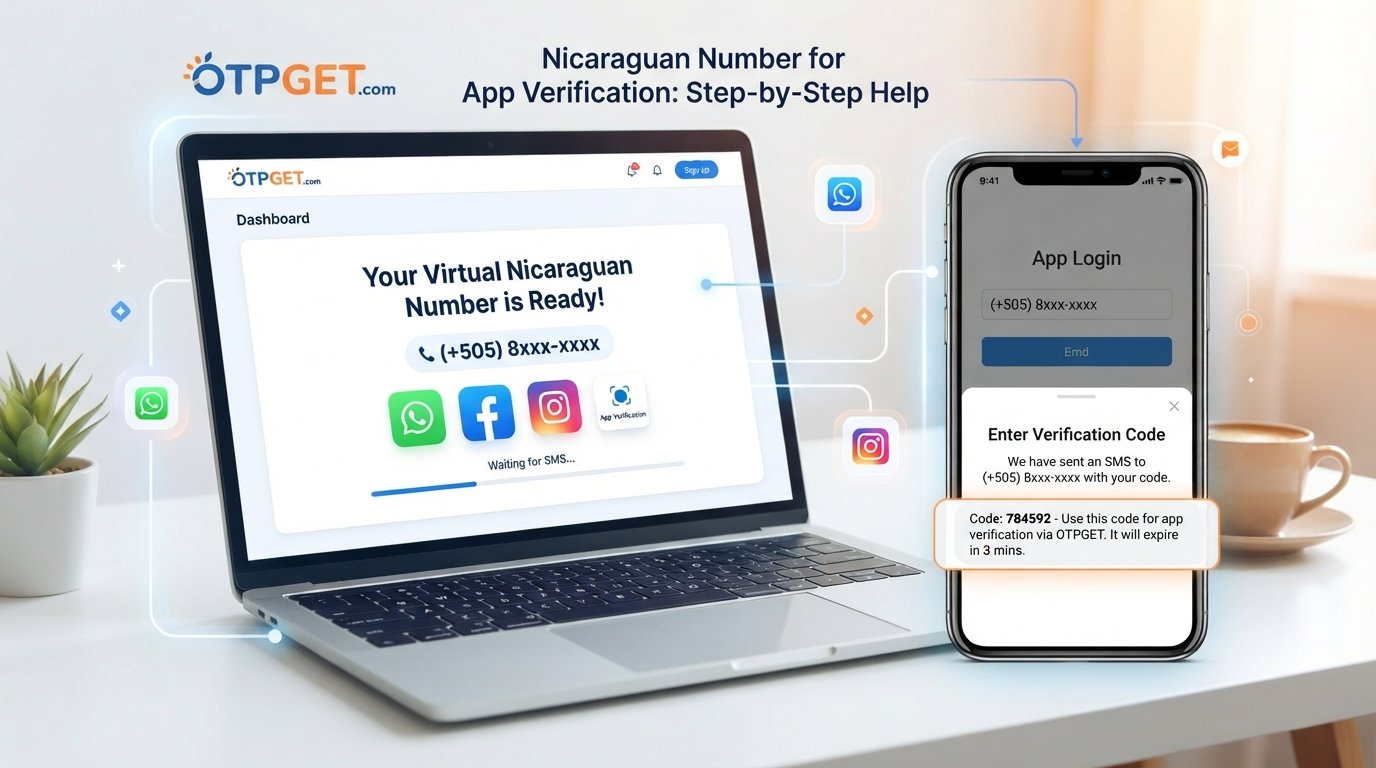
Nicaraguan Number for App Verification: Step-by-Step Help
Need a Nicaraguan number for app verification but don't have access to a local SIM card? You're not alone. Many apps and online services ask users to confirm a phone number before they can create an account, activate a feature, or complete a login.
The challenge becomes more noticeable when the service requires a number from a specific country.
A virtual number can make that process more convenient. Instead of purchasing another physical SIM, users can use an online number designed to receive SMS verification messages. OTPGET provides virtual-number and SMS OTP services intended for online verification workflows, subject to the availability and requirements of the selected service.
This guide explains how the process works, what to expect from a Nicaragua virtual number, and how to use OTPGET as a practical option when you need a number for app verification.
What Is a Nicaraguan Number for App Verification?
A Nicaraguan phone number is a telephone number associated with Nicaragua. When an app requires users to verify a phone number, it typically sends a short verification code by SMS.
That code is commonly called an OTP, or one-time password.
The basic process looks like this:
-
You enter a phone number into an app.
-
The app sends an SMS containing a verification code.
-
The code is delivered to the number.
-
You enter the code into the app.
-
The app checks the code and completes verification if everything matches.
If the service specifically requires a Nicaraguan number, you need a number that meets its country and number-type requirements.
A virtual Nicaraguan number can provide an online alternative to using a physical SIM, provided the target service accepts that type of number.
Why Do Apps Require Phone Verification?
Phone verification is commonly used as an additional layer of account protection. It can help services confirm that a user has access to the number being registered.
Common reasons include:
-
Account security: A phone number can provide another verification method during registration or login.
-
Spam prevention: Requiring a phone number can make automated mass registrations more difficult.
-
Fraud prevention: Phone verification may be part of a service's broader risk-control process.
-
Account confirmation: Some platforms use an OTP to confirm that registration details are valid.
-
Two-step verification: A service may send a code when an additional authentication step is required.
Not every service uses the same verification system. Some rely on SMS, while others may use an authenticator app, email, voice call, or another method.
What Is a Virtual Nicaraguan Number?
A virtual phone number is a number that can be managed through an online service rather than requiring a physical SIM in your personal phone.
For SMS verification, the number can be used to receive a verification message when the selected service supports that number.
This can be useful when you:
-
Need a country-specific number.
-
Don't want to use your personal phone number for a particular registration.
-
Need an online Nicaraguan number for a short-term verification task.
-
Want to avoid purchasing a separate physical SIM for a single purpose.
-
Are testing an app or registration workflow where permitted.
However, a virtual number is not automatically accepted everywhere. Some platforms restrict VoIP, temporary, recycled, or previously used numbers. A service can also impose country-specific rules.
That is why it is better to think of a virtual number as a practical option rather than a universal solution.
How to Get a Nicaraguan Number for App Verification
If the app accepts the number type you plan to use, the process is generally straightforward.
1. Check the app's requirements
Before getting a number, confirm that the app supports Nicaraguan phone numbers and SMS verification.
If the platform specifically excludes virtual or temporary numbers, obtaining one may not solve the problem.
2. Open OTPGET
Visit OTPGET and review the available virtual-number options.
OTPGET's documentation describes a workflow in which users select an available country and service before requesting a number. Availability can vary by provider, country, and service.
3. Select Nicaragua when available
Choose Nicaragua as the country if it is available for the service you need.
Don't assume that every country and app combination will always be available. Number inventory can change, so check the options presented by the service at the time you need them.
4. Choose the relevant service or number option
If the platform lets you select a specific service, choose the one corresponding to the app you are verifying.
This matters because number availability and compatibility can differ between services.
5. Enter the Nicaraguan number in the app
Copy the assigned number and enter it into the app's phone-number field.
Pay attention to the country code and formatting. If the app already displays the Nicaragua country code, avoid entering it twice.
6. Request the verification code
Submit the number and ask the app to send its SMS verification code.
At this point, the app controls whether the message is sent, while the number service handles receipt of the SMS.
7. Check OTPGET for the incoming OTP
If the SMS is successfully delivered and the number supports the selected service, look for the verification message through the available OTPGET interface.
OTPGET's documented SMS OTP workflow includes requesting a number and checking its activation status for an incoming SMS.
8. Enter the OTP into the app
Copy the verification code and enter it into the app before it expires.
Avoid sharing the code with anyone else. An OTP is intended to prove access to the verification channel.
9. Complete the verification process
If the code is accepted, the app should complete its verification step.
Keep in mind that successfully receiving an OTP does not necessarily guarantee account approval. The platform may perform additional checks.
How OTPGET Helps With Nicaraguan App Verification
For someone searching specifically for a Nicaraguan number for app verification, OTPGET can simplify the number-and-OTP part of the process.
Its platform is designed around virtual numbers and SMS OTP verification, with documentation covering country selection, service selection, number requests, and SMS status checking.
The main practical advantages are convenience and flexibility. Instead of finding a physical SIM solely for a verification task, you can check whether an appropriate virtual number is available through the service.
OTPGET also supports different number-related options, including temporary virtual numbers and longer-term rental services.
The important qualification is compatibility. No virtual-number provider can reasonably guarantee that every app will accept every number. Some services may reject certain number types, require a mobile number, detect previously used numbers, or restrict virtual and VoIP ranges.
For that reason, use OTPGET as a practical verification option while checking the requirements of the specific app you're using.
Nicaraguan Number vs. Regular Phone Number
The choice between a physical SIM and a virtual number depends largely on what you need the number for.
| Feature | Physical SIM | Virtual Number |
|---|---|---|
| Physical device required | Usually | No |
| Setup | Requires SIM/service access | Typically online |
| SMS verification | Yes, where supported | Yes, where supported |
| Country selection | Depends on carrier | Depends on provider availability |
| Convenience for one-time use | Less convenient | Often more convenient |
| Long-term personal use | Well suited | Depends on rental/service type |
| Platform compatibility | Generally broad, but service-specific | Can vary by platform |
A physical Nicaraguan SIM may make more sense if you need a conventional number for ongoing personal communication. A virtual number can be more practical for a limited verification task when the target service accepts it.
Common Problems With Nicaraguan SMS Verification
Even when the process looks simple, verification can fail for several reasons.
The SMS doesn't arrive
The app may have delayed the message, the number may not currently be available for that service, or the platform may have rejected the number internally.
Wait briefly before requesting another code. Repeated requests can sometimes trigger additional restrictions.
The app rejects the number
Some services do not accept virtual, VoIP, temporary, or previously used numbers.
If OTPGET shows an available number but the app refuses it, check the platform's phone-number requirements rather than repeatedly requesting codes.
The country code is incorrect
Make sure Nicaragua is selected and that the number is entered in the format requested by the app.
The number has already been used
Some platforms limit how many accounts can be associated with a phone number. A previously used number may therefore be unsuitable for your particular registration.
The service is temporarily unavailable
Number inventory and SMS routing can change. If an appropriate Nicaraguan number is not available, check again later or consider another legitimate verification method offered by the app.
If you're troubleshooting through OTPGET, also verify that you selected the correct country and service before requesting a number.
Tips for Successful App Verification
A few simple habits can make the process smoother:
-
Confirm that the app supports Nicaraguan numbers before purchasing or requesting one.
-
Check whether virtual or temporary numbers are permitted.
-
Enter the number with the correct country code.
-
Request the OTP only when you're ready to complete verification.
-
Don't repeatedly request codes within a short period.
-
Keep the verification screen open while waiting for the message.
-
Use the correct service selection when ordering a verification number.
-
Never share an OTP with another person.
-
Check the app's terms if you're unsure whether virtual numbers are permitted.
These steps won't guarantee successful verification, but they can eliminate many avoidable problems.
Is a Nicaraguan Virtual Number Safe to Use?
A virtual number can be useful, but safety depends on how and where you use it.
For a one-time registration, a temporary number may be sufficient. For an account that you expect to keep for a long time, consider whether you will need the same number later for password recovery, security alerts, or account restoration.
That distinction matters because temporary access and long-term account ownership are different needs.
Privacy is another consideration. Before using any number service, review its policies and understand what information is collected and how the service operates. OTPGET's published policies describe information handling and also prohibit illegal, fraudulent, abusive, or harmful uses of its services.
Most importantly, follow the rules of the app you are verifying. If a platform requires a personal mobile number or prohibits temporary numbers, use an approved alternative.
Frequently Asked Questions
How can I get a Nicaraguan number for app verification?
You can use a virtual-number service such as OTPGET when a suitable Nicaragua number is available for the app or service you need. Select the country and relevant service, obtain the number, enter it in the app, and wait for the SMS verification code.
Can I receive an OTP with a Nicaraguan virtual number?
Yes, a virtual number can receive SMS OTPs when the number supports the requested service and the platform sends the message successfully. Compatibility varies by app and number type.
What is a Nicaraguan virtual phone number?
It is a phone number associated with Nicaragua that is provided through an online service rather than requiring you to use a physical SIM card in your own device.
Can I use a Nicaraguan number for SMS verification?
You can use one when the app accepts Nicaraguan numbers and supports the relevant type of number. Some platforms may restrict temporary or virtual numbers.
Why is my verification code not arriving?
Possible causes include SMS delays, unavailable numbers, platform restrictions, incorrect number formatting, or incompatibility with the selected service. Check the country and service selection first, then follow the platform's troubleshooting instructions.
Does every app accept virtual Nicaraguan numbers?
No. Acceptance depends on the app's verification system, country requirements, number type, and internal policies. A virtual number should never be treated as a guaranteed solution for every platform.
How does OTPGET help with app verification?
OTPGET provides virtual-number and SMS OTP functionality designed to simplify verification workflows. Its documented process includes selecting countries and services, requesting numbers, and checking for incoming SMS codes.
Final Thoughts
Finding a Nicaraguan number for app verification doesn't have to mean buying a separate physical SIM just to receive one verification message.
A virtual number can provide a convenient alternative when the target app supports that type of number. The basic workflow is simple: choose an appropriate number, enter it into the app, request the OTP, retrieve the verification message, and submit the code.
For users who want a practical online option, OTPGET brings the number-request and SMS OTP process together in one service. Its documented tools support virtual-number requests and SMS status checking, although availability and compatibility can vary by country and platform.
Before starting, always check the app's requirements and make sure virtual or temporary numbers are permitted. That small step can save time and help you choose the right verification method from the beginning.