SEO Title: OTPGet Login: Sign In and Receive OTP Codes Safely and Easily
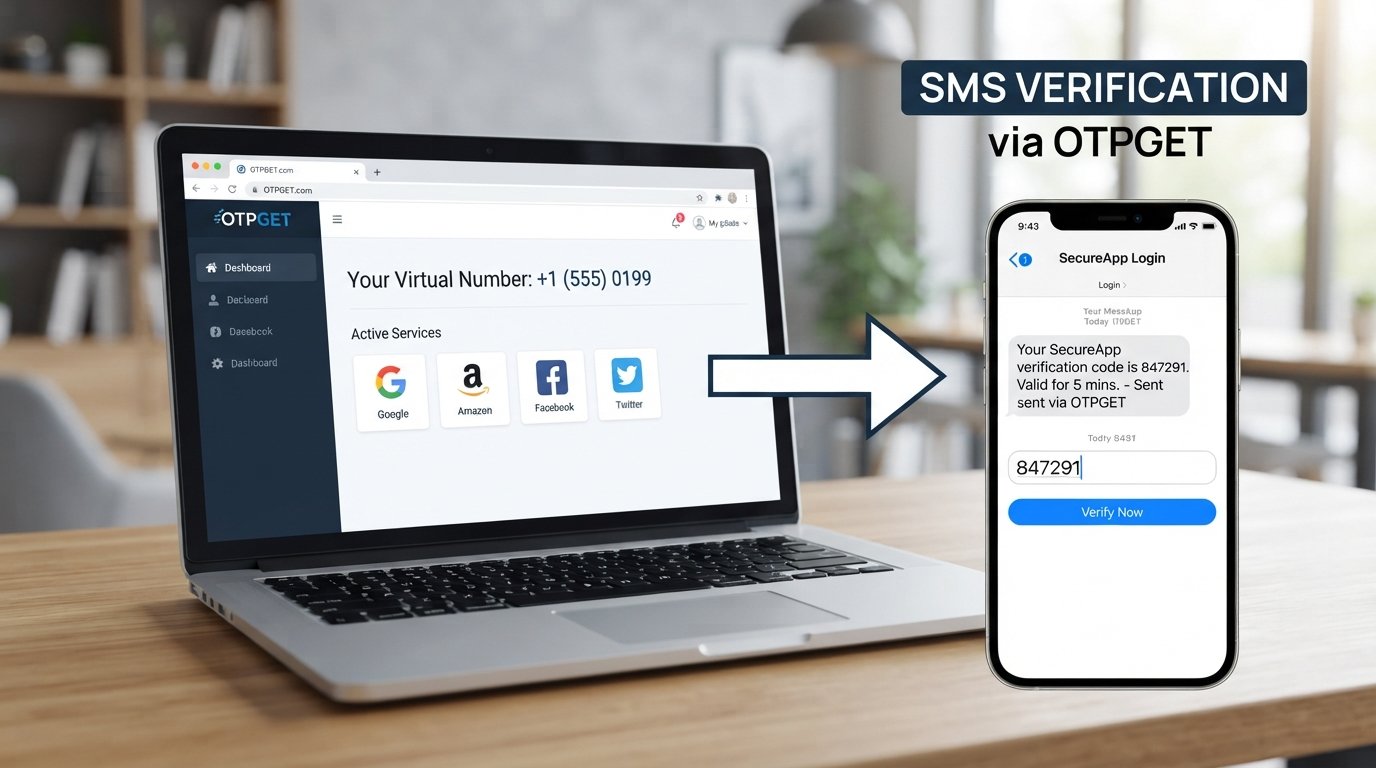
OTPGet Login – Sign In and Receive OTP Codes
Waiting for a verification SMS can turn a simple signup or login into a frustrating process. Sometimes the message is delayed, sometimes you need a number for a legitimate verification workflow, and sometimes managing several verification requests becomes unnecessarily complicated.
That is where OTPGET comes into the picture. OTPGET is a platform focused on virtual numbers and OTP verification, giving users a practical way to work with SMS verification codes and temporary phone-number workflows. Its platform also provides options such as number rentals and developer-oriented OTP tools.
If you are looking for information about OTPGet login, this guide explains how to sign in, how receiving OTP codes generally works, what to do when a code is delayed, and how to make the overall verification process smoother.
What Is OTPGET?
OTPGET is an online platform designed around virtual phone numbers and OTP verification. In a typical workflow, a user selects an available country and service, obtains a suitable virtual number, and uses that number for a legitimate SMS verification process. When the verification message arrives, the OTP can be accessed through the relevant OTPGET workflow.
The platform's documentation describes an SMS OTP process that includes selecting countries and services, requesting a number, checking the activation status, and retrieving the received SMS code.
For everyday users, the important idea is simple: OTPGET can help organize the process of receiving verification messages without requiring every verification workflow to rely on a personal mobile number.
Depending on the service and workflow, OTPGET also offers virtual numbers, rental numbers, temporary email options, and developer APIs.
OTPGET Login – How to Sign In
The exact screen and account options can change as a platform develops, so it is best to follow the sign-in interface presented by OTPGET rather than rely on a fixed description of individual buttons or fields.
A general OTPGet sign in process looks like this:
-
Visit the OTPGET platform. Open the official OTPGET website and go to the account access area.
-
Choose the login or sign-in option. Look for the platform's current account-login option.
-
Enter your account information. Provide the requested credentials or account details accurately.
-
Complete any requested verification. If OTPGET asks you to complete an additional verification step, follow the instructions shown on screen.
-
Access your account. After successful authentication, continue to the available OTPGET services relevant to your needs.
If you cannot sign in, first check that your login information is correct and that you are using the official OTPGET platform. Avoid repeatedly submitting incorrect credentials or requesting unnecessary verification codes.
How to Receive OTP Codes With OTPGET
Once you are signed in, the general OTP receiving workflow is straightforward. OTPGET's documentation describes a process for checking available countries and services, requesting a number, and then checking the activation status for the incoming SMS.
A typical process is:
-
Select the appropriate receiving option. Choose a country, service, or number type that matches the legitimate verification you need to complete.
-
Request or obtain a number. OTPGET documentation describes requesting a virtual number for an SMS OTP activation.
-
Use the number for the intended verification. Enter the assigned number into the service that is legitimately asking for phone verification.
-
Wait for the verification SMS. Delivery time can vary, so avoid assuming that every SMS will arrive immediately.
-
Check the received message. Once the SMS arrives, locate the one-time verification code.
-
Enter the OTP where requested. Return to the service being verified and enter the code before it expires, when an expiration period applies.
-
Complete the verification process. After the service accepts the code, follow its remaining instructions.
OTPGET's API documentation also describes status responses that distinguish between waiting for a code and receiving an OTP, which illustrates how the underlying workflow can track an activation.
Why People Use OTPGET
There are several practical reasons an individual or organization may consider an OTP receiving service.
Convenience
A dedicated online OTP workflow can be easier to manage than switching between different devices, SIM cards, and message inboxes.
Simpler verification workflows
OTPGET brings number selection and OTP reception into a service-oriented workflow, which can make verification tasks easier to organize.
Access to verification messages
For supported services, virtual numbers can be used to receive SMS verification codes without depending on a personal mobile number.
Temporary-number workflows
A temporary number can be useful when a legitimate verification task calls for a separate number rather than a user's primary phone.
Practical account management
For developers, businesses, testers, or users handling multiple legitimate verification workflows, OTPGET also documents API-based options for programmatic number and OTP management.
The availability of a number or successful delivery should never be assumed. Services can have their own restrictions, and OTP delivery can depend on the destination service, number, country, and other factors.
OTPGET for OTP Verification
OTP verification uses a one-time password or code to confirm that a user has access to a particular communication channel.
For example, a legitimate service may send a verification code by SMS after a user enters a phone number. The user receives the message and enters the OTP into the original service to complete verification.
OTPGET can fit into workflows involving:
-
SMS verification
-
One-time passwords
-
Login verification
-
Account confirmation
-
Phone verification
-
Temporary phone numbers
-
Online verification
-
SMS OTP workflows
The key point is responsible use. OTPs should only be used for legitimate verification activities, and users should follow the terms, identity requirements, and verification policies of the service they are accessing.
OTPGET vs. Manual OTP Verification
An OTP receiving platform can simplify the process by bringing number selection and message reception into one workflow.
| Factor | Traditional/manual approach | OTPGET-based workflow |
|---|---|---|
| Convenience | Often depends on a personal phone or SIM | Uses an online number workflow |
| OTP access | Check the phone's SMS inbox | Check the relevant OTPGET receiving workflow |
| Workflow simplicity | Can involve multiple devices or steps | Number and OTP activity can be managed through one platform |
| Verification management | More manual for repeated tasks | Designed around OTP receiving workflows |
| User experience | Familiar but sometimes inconvenient | More centralized for supported use cases |
This does not mean one approach is always better. The right choice depends on the verification requirements of the service and the user's legitimate purpose.
Tips for a Smooth OTPGET Login and Verification
A few simple habits can prevent common problems:
-
Check your login information carefully before submitting it.
-
Make sure you select the correct receiving option for the service.
-
Allow reasonable time for an SMS to arrive.
-
Check the OTP carefully before entering it.
-
Use the code before it expires when the destination service imposes a time limit.
-
Avoid repeatedly requesting new codes unless necessary.
-
Keep your account information private.
-
Use OTP services only for legitimate verification.
-
Follow the terms and verification rules of the service you are accessing.
If a verification message does not arrive, requesting another code too quickly can sometimes make troubleshooting more difficult.
Common OTPGET Login or OTP Issues
Why am I not receiving an OTP?
First, check that the number and receiving option were entered correctly. Then allow enough time for the SMS to arrive. If the message still does not appear, the destination service or selected number may not have completed the delivery.
What should I do if an OTP expires?
Request a new code through the service being verified and use the newest valid code. Avoid entering an older OTP after a replacement has been issued.
Why is my verification code not working?
Check that you copied the code accurately and that you are entering the latest code. Some services invalidate previous codes when a new one is requested.
What if the SMS is delayed?
Wait briefly and check the OTP receiving area again. If the service continues to show no message, review the selected number and service requirements before trying another legitimate verification option.
Can I request another OTP?
Usually, the service sending the verification code controls whether another OTP can be requested. If a resend option is available, use it rather than repeatedly submitting requests.
Why can't I sign in to OTPGET?
Start by checking your account credentials and internet connection. If the problem involves an additional verification step, carefully follow the instructions shown by OTPGET. Persistent account-access problems may require assistance through the platform's available support channels.
Is OTPGET Easy to Use?
The basic idea behind OTPGET is straightforward: access the platform, select an appropriate verification option, obtain a number where applicable, and monitor the resulting SMS or OTP.
That simplicity is useful because the difficult part of verification is often not the code itself. It is managing the number, waiting for the message, and keeping track of the correct verification step.
OTPGET's documented workflow is centered on these tasks, while its broader platform also includes virtual numbers, rental options, temporary email, and developer API functionality.
Why Choose OTPGET?
If your goal is to make a legitimate OTP or SMS verification workflow more manageable, OTPGET offers a focused platform for that purpose.
The main reasons to consider OTPGET include:
-
Convenience: Work with virtual numbers through an online platform.
-
Straightforward workflows: Select a relevant service and follow the receiving process.
-
OTP access: Retrieve verification messages through the applicable workflow.
-
Practicality: Useful for appropriate temporary-number and verification scenarios.
-
Additional options: OTPGET also documents rental numbers and API-based tools for different use cases.
Rather than treating an OTP receiving service as a shortcut around verification rules, use OTPGET as a practical tool for verification tasks you are authorized to perform.
Conclusion
A verification code should make authentication easier, not turn a simple task into a frustrating waiting game. OTPGet login gives users a starting point for accessing the platform, while its virtual-number and OTP workflows can help with legitimate SMS verification needs.
The general process is easy to understand: sign in, choose the appropriate receiving option, obtain a suitable number where applicable, wait for the verification SMS, and enter the valid OTP into the service requesting it.
For users who need a practical way to manage temporary numbers and verification codes, OTPGET keeps the focus on the core task: receiving the information needed to complete an authorized verification process.
Ready to simplify your OTP verification workflow?
Explore OTPGET and see how its virtual-number and OTP receiving options can fit your legitimate verification needs.


