SEO Title: Telegram Verification Codes Online: A Simple Guide | OTPGET
How to Receive Telegram Verification Codes Online
Need a Telegram verification code but don't want to rely on your personal phone number? Or perhaps your regular SIM is unavailable when you need to complete a login or signup?
For some users, an online SMS verification service can provide another way to access a phone number capable of receiving verification messages. Virtual numbers can be useful when separating personal and online accounts, handling temporary verification workflows, or simply needing access to SMS without using a primary number.
That's where OTPGET can be useful. OTPGET provides virtual numbers and SMS OTP services that can be used for supported verification workflows, including Telegram. Its available service options can vary, so users should always check the current availability and suitability of a number before proceeding.
Before using any online number, it's also important to understand how Telegram verification works and why some numbers may not be accepted.
What Is a Telegram Verification Code?
A Telegram verification code is a temporary code used to confirm access to a phone number during an account registration or login process.
When Telegram sends an SMS code, the message is associated with the phone number entered during authentication. Telegram's official documentation explains that login codes can be delivered through several methods depending on the circumstances, including SMS and codes delivered through Telegram itself.
An OTP, or One-Time Password, is different from an ordinary SMS message because it is intended for a specific verification event and is generally valid only for a limited period or authentication attempt.
For example, a typical verification flow may look like this:
- Enter a mobile number into Telegram.
- Telegram initiates the authentication process.
- A verification code is delivered through an available method.
- Enter the code into the Telegram app.
- If additional account protection is enabled, Telegram may request another authentication factor.
The key point is that the verification code confirms control of the number or authorized login channel. Telegram also advises users never to share login codes with other people.
Why Do People Look for Telegram Verification Codes Online?
There are several legitimate reasons someone might search for a way to receive a Telegram verification code online.
Privacy and number separation
Some users prefer not to give their primary personal number to every online service. A separate virtual number can create clearer boundaries between personal communications and online account activity.
Access when a primary phone is unavailable
If a user's usual SIM is temporarily inaccessible, an online SMS receiving option may be worth considering, provided the number is compatible with Telegram's verification process.
Separate online accounts
Businesses, developers, testers, and other users may need numbers that are separate from their everyday personal contact information. The appropriate use depends on the service's rules and the user's legitimate purpose.
Convenience
An online OTP receiving service can put the number and incoming verification message in one digital environment instead of requiring access to a physical SIM card.
However, convenience should not be confused with guaranteed acceptance. Telegram controls its own verification process, and not every virtual or temporary number will necessarily work.
Can You Receive Telegram Verification Codes Online?
Yes, a Telegram verification code may be received through an online SMS or virtual-number service when the selected number is supported and accepted by Telegram. However, availability and acceptance can vary depending on the number, region, provider, previous usage, and Telegram's verification systems.
Telegram itself notes that SMS delivery reliability can vary by region and provider. Its authentication system can also use alternative delivery methods under certain circumstances.
This means an online number should be treated as an available option rather than a guaranteed solution.
For users specifically looking for an online SMS verification option, OTPGET provides virtual numbers for OTP verification and lists Telegram among its supported services. Its documentation also describes an SMS OTP workflow for obtaining a number and checking whether an SMS code has arrived.
How OTPGET Can Help You Receive Telegram Verification Codes
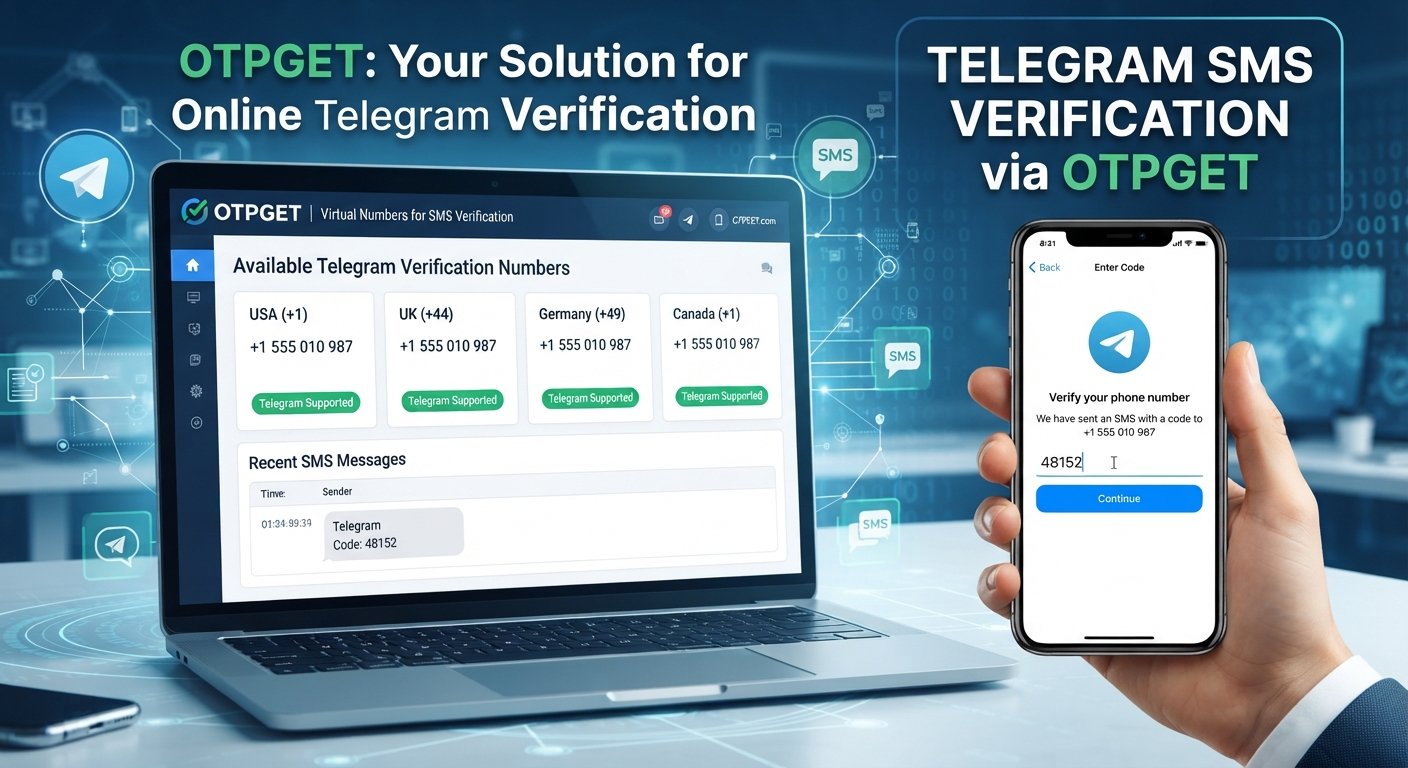
OTPGET is designed around virtual numbers and OTP receiving. Its published documentation describes a workflow in which users can select available countries and services, request a number, and check the status of the resulting SMS verification.
The general process is straightforward:
- Visit OTPGET. Explore the currently available virtual-number and OTP options.
- Select a suitable number and service. Availability depends on the country, provider, and service options currently offered.
- Use the provided number where permitted. Enter the number into Telegram during a legitimate signup or login process.
- Request the Telegram verification code. Telegram determines whether and how the code is delivered.
- Check OTPGET for the incoming SMS. When supported, the received code can appear through the available OTP receiving workflow.
- Enter the verification code in Telegram. Use the code only for the authentication attempt for which it was requested.
OTPGET's published API documentation also shows that its SMS OTP system can return a status indicating that a code is waiting and another status when an SMS code has been received.
The exact experience can depend on the number and service selected, so it's sensible to review the available options before starting verification.
Step-by-Step Guide to Receive a Telegram OTP Online
If you're new to Telegram OTP online services, the process can be easier to understand when broken down into a few simple stages.
Step 1: Choose an appropriate online number
Look for a number that is currently available for the required service. A virtual phone number for Telegram may be suitable for a one-time verification workflow, while a longer-term number may be more appropriate when continued access is important.
Step 2: Enter the number in Telegram
Use the number in Telegram's normal signup or login process. Make sure the country code and phone number are entered correctly.
Telegram specifically recommends entering mobile numbers in international format when troubleshooting login or SMS problems.
Step 3: Wait for the verification message
Request the code and allow reasonable time for delivery. Depending on Telegram's authentication flow, the code may not always arrive through SMS. For example, Telegram can sometimes send a login code to an already connected Telegram session instead.
Step 4: Check the online OTP service
If SMS delivery is being used, check the OTP receiving service for the incoming message. With OTPGET, its documented SMS workflow allows an order's status to be checked for a received code.
Step 5: Enter the code promptly
Once you receive the Telegram verification code, enter it into the appropriate Telegram screen. Avoid sharing the code with anyone else.
Benefits of Using an Online SMS Verification Service
An online SMS verification service can be useful in situations where a separate number makes sense.
Potential benefits include:
- Convenience: Receive SMS through an online platform instead of relying on a physical SIM.
- Number separation: Keep personal and online account numbers separate.
- Accessibility: Access verification messages through a web-based or digital workflow where supported.
- Simpler temporary workflows: A temporary number for SMS verification may be useful for appropriate short-term activities.
- Flexible options: Depending on availability, services such as OTPGET can offer different countries or number types for supported verification needs.
The right choice depends on what you're trying to accomplish. A temporary number can be convenient for a short verification process, but it may not be appropriate for an account that you expect to recover or use for a long time.
Things to Consider Before Using an Online Number for Telegram
An online number is not automatically equivalent to a personal mobile number. There are several important considerations.
Telegram may not accept every number
Virtual and temporary numbers can differ in how they are treated by verification systems. A number that works for one service may not work for another.
Previous number usage can matter
Some virtual numbers may have been used previously. This can create complications if the number is already associated with an account or has a history that affects verification.
SMS delivery can vary
Delivery depends on the number, provider, network conditions, and the service sending the message. No online SMS provider should be assumed to guarantee delivery for every verification attempt.
Temporary numbers may not be ideal for recovery
If you plan to keep a Telegram account for a long time, consider whether you will retain access to the number. Telegram advises users to keep their account connected to a phone number they control because losing access to the number can create account-access problems.
Protect your verification code
Treat a Telegram login code as sensitive information. Never give it to another person simply because they ask for it. Telegram explicitly warns users not to share login codes.
Most importantly, use online numbers responsibly and follow Telegram's applicable terms and any relevant laws or service rules.
Telegram Verification Code Not Received? Try These Steps
If your Telegram verification SMS online does not arrive, don't immediately assume the number or service has failed.
Try these checks:
- Confirm the phone number. Check the country code and number carefully.
- Wait briefly for delivery. SMS messages can sometimes be delayed.
- Check whether Telegram sent the code elsewhere. If you're already logged in on another device, Telegram may deliver a login code through the app instead of SMS.
- Avoid repeated requests. Requesting codes too frequently can trigger temporary restrictions. Telegram's authentication documentation includes errors associated with excessive code requests.
- Check the number's suitability. Some virtual numbers may not be accepted for the particular verification attempt.
- Check the OTP service. If the service shows that the SMS is still pending, allow additional time before taking another action.
- Try an appropriate alternative. If the number is unavailable or unsuitable, another supported number may be necessary.
If the problem continues, use Telegram's official support resources rather than repeatedly requesting verification codes.
Why OTPGET Is a Convenient Option for Online OTP Receiving
For users searching for an online OTP service, OTPGET offers a dedicated platform for virtual numbers and SMS verification rather than requiring users to arrange a physical SIM for every verification workflow.
Its published service information includes virtual numbers for OTP verification, rental numbers, and an SMS OTP API for automated workflows. Telegram is listed among the services supported by its virtual-number offering.
That makes OTPGET worth considering when the goal is to explore an online number for a supported verification process.
The important distinction is that OTPGET provides the number and SMS receiving infrastructure; Telegram still controls whether a particular number and verification attempt are accepted.
Frequently Asked Questions
Can I receive a Telegram verification code online?
Yes, you can sometimes receive a Telegram verification code through an online SMS or virtual-number service when the number is accepted by Telegram and SMS delivery is available. Acceptance can vary by number and verification circumstances.
Can I use a temporary number for Telegram verification?
A temporary number may work for some verification attempts, but it should not automatically be considered suitable for long-term account access. If ongoing recovery matters, maintaining access to the associated number is important.
How does Telegram OTP verification work?
Telegram asks for a phone number during applicable signup or login flows and may send an authentication code through SMS or another available delivery method. The code is then entered into Telegram to complete the verification process.
Why am I not receiving my Telegram verification SMS?
Possible reasons include an incorrect number, SMS delays, restrictions caused by repeated requests, an unsupported number, or Telegram delivering the code through another available method. Check the number carefully and avoid repeatedly requesting new codes.
Can I receive Telegram OTPs through an online SMS service?
Yes, an online SMS service can provide a number capable of receiving an OTP when the number and service are supported. OTPGET specifically offers virtual numbers and SMS OTP functionality for supported services.
Is an online number suitable for long-term Telegram accounts?
Not necessarily. A temporary number can be convenient for a short verification workflow, but long-term accounts require careful consideration of continued number access and account recovery.
How does OTPGET help with receiving verification codes?
OTPGET provides virtual numbers and an SMS OTP workflow. Depending on the available service options, users can obtain a number, use it for an eligible verification request, and check the service for an incoming SMS code.
Final Thoughts
Receiving Telegram verification codes online can be a practical option when you need a separate number for an appropriate verification workflow. Online SMS and virtual-number services can provide convenience, privacy-oriented number separation, and an alternative to relying exclusively on a personal SIM.
At the same time, virtual-number acceptance and SMS delivery can vary. Telegram may also choose another verification method, and temporary numbers are not always appropriate for long-term account recovery.
For users looking for an online OTP receiving option, OTPGET provides virtual numbers and SMS OTP services that can be explored for supported Telegram verification needs.
Ready to explore an online OTP receiving option? Visit OTPGET and check the available verification services for your needs. Visit OTPGET