SEO Title: Verify GitHub with a Virtual Number – OTPGet Practical Guide
Verify GitHub with a Virtual Number – OTPGet
If GitHub asks you to verify a phone number, you may not want to connect your primary personal number to another online service. For privacy-conscious users, developers working across different environments, or anyone who wants to keep personal and online communications separate, a virtual phone number can be worth considering.
A virtual number can receive SMS messages online without requiring a traditional physical SIM in your phone. Services such as OTPGET are designed around virtual numbers and SMS-based OTP verification, giving users an alternative way to receive supported verification messages.
However, there is an important limitation: a virtual number is not guaranteed to work with every GitHub verification flow. Acceptance can depend on GitHub's requirements, the number's type, its carrier or routing, and whether SMS verification is supported for the relevant use case.
This guide explains what GitHub phone verification involves, how virtual numbers work, how OTPGET fits into the process, and what to consider before using one.
Why Does GitHub Ask for Phone Verification?
Phone-based verification is one of several ways online platforms can add an additional layer of account security.
Depending on the situation, GitHub may require or offer additional verification to help confirm that an account or sign-in attempt is legitimate. GitHub also uses authentication mechanisms such as two-factor authentication (2FA), which can use SMS among other methods.
Common reasons for phone or additional verification include:
- Account security: An additional verification factor can make unauthorized access harder.
- Account confirmation: A phone number may be requested as part of an authentication or verification workflow.
- Abuse prevention: Verification can help platforms protect their systems from automated or abusive activity.
- Unrecognized activity: A new device, browser, or unusual sign-in may trigger additional security checks.
- 2FA requirements: Users who choose SMS as a two-factor authentication method need a number capable of receiving the relevant codes.
It is also worth remembering that GitHub does not require a phone number for every authentication scenario. For example, GitHub supports alternatives such as TOTP authenticator apps, security keys, passkeys, and GitHub Mobile depending on the authentication flow. GitHub specifically recommends TOTP apps and security keys over SMS for 2FA.
What Is a Virtual Number?
A virtual phone number is a telephone number that is managed through an online service rather than being tied directly to a physical SIM card in your personal phone.
For SMS verification, the basic idea is straightforward:
- You obtain an eligible virtual number.
- A website sends an SMS verification code to that number.
- The provider receives the message.
- You view the code through the provider's online interface or supported system.
An SMS-enabled virtual number is therefore different from simply having an internet connection. It must be capable of receiving the type of message the service sends.
People may use virtual numbers when they want to:
- Keep a personal number separate from online services
- Receive supported OTP messages online
- Maintain separation between personal and work communications
- Avoid adding another physical SIM to a device
- Use a number for a specific legitimate verification purpose
OTPGET documents virtual numbers for SMS OTP verification as well as rental-number options and an API for technical integrations.
Can You Verify GitHub with a Virtual Number?
Sometimes, yes—but there is no universal guarantee.
A virtual number may be usable for an SMS-based GitHub verification flow when the number is eligible, supports incoming SMS, and is accepted by GitHub. But the fact that a number can receive SMS does not automatically mean GitHub will accept it.
Several factors can affect the result:
- The type of virtual number
- Carrier and routing characteristics
- Whether the number has been previously used
- GitHub's current verification requirements
- Whether SMS authentication is supported in the relevant region
- Temporary delivery or service issues
GitHub notes that SMS authentication is only supported in certain countries and regions because of SMS delivery reliability.
That is why it is better to think of a virtual number as an alternative verification option, not a guaranteed replacement for a personal mobile number.
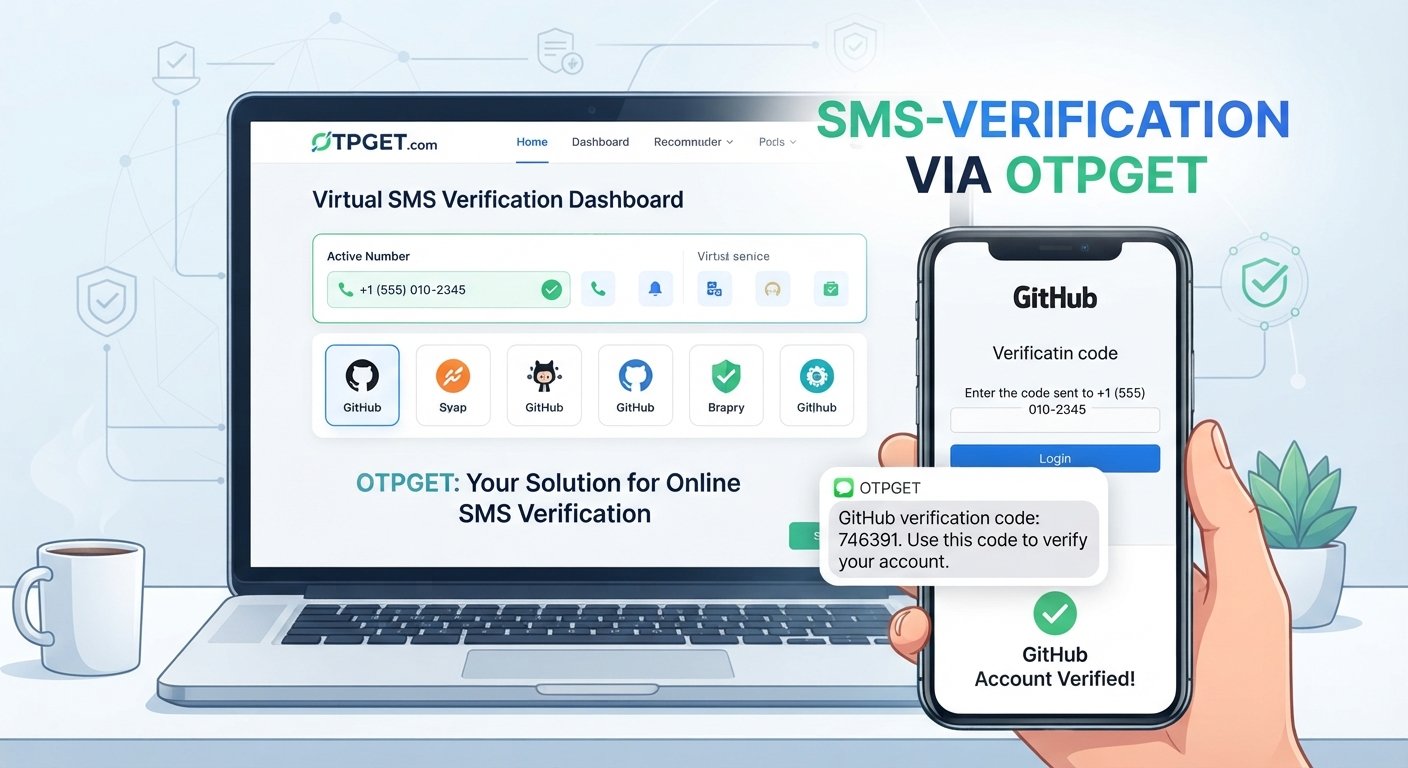
For users who want to keep their personal number separate, OTPGET can be a practical place to look for an SMS-capable virtual number. Its documentation describes selecting a country and service, obtaining a number, and checking for an incoming SMS code.
How to Verify GitHub with a Virtual Number Using OTPGET
If GitHub presents an SMS-based verification step and you want to use a virtual number for a legitimate account you control, the general workflow is simple.
1. Visit OTPGET
Open OTPGET and review the available virtual-number options.
Choose a number appropriate for the verification purpose and make sure it supports incoming SMS.
2. Select an appropriate virtual number or service
OTPGET's documented SMS OTP workflow allows users to select available countries and services before requesting a number. Availability can vary.
Do not assume that every listed number will be suitable for GitHub.
3. Enter the number where GitHub requests phone verification
If GitHub's normal verification screen asks for a phone number, enter the eligible number provided by OTPGET.
Use the number only for an account and verification process you are authorized to use.
4. Request the verification code through GitHub
Follow GitHub's normal verification process and request the SMS code.
There is no need to attempt to manipulate, circumvent, or bypass any additional security checks.
5. Check OTPGET for the incoming SMS
Return to OTPGET and check whether the verification message has arrived.
OTPGET's documentation describes checking the activation status associated with a requested number to determine whether an SMS has been received.
6. Enter the received verification code
If the SMS arrives, enter the legitimate code into the corresponding GitHub verification field.
Treat the OTP as sensitive authentication information. Never share it with another person.
7. Complete verification if GitHub accepts the number
If GitHub accepts the number and code, complete the standard verification process.
If the number is rejected, do not try to bypass GitHub's controls. Instead, use another supported verification method or follow GitHub's official account and security guidance.
Why Use OTPGET for GitHub Verification?
The main appeal of OTPGET is straightforward: it gives users access to virtual numbers intended for SMS and OTP verification without requiring them to use their primary personal mobile number.
That can be useful when privacy and separation matter.
Potential practical advantages include:
- Personal-number separation: Keep your primary mobile number separate from online services.
- Online SMS access: Receive supported verification messages through an online service.
- Convenience: Avoid obtaining an additional physical SIM solely for a verification task.
- Flexible number options: OTPGET documents temporary SMS OTP numbers and longer-term rental options.
- Developer-friendly options: OTPGET also provides documented API access for developers who have legitimate technical integration needs.
The important distinction is between convenience and guaranteed compatibility. OTPGET can provide a virtual number, but whether GitHub accepts a particular number remains dependent on GitHub's own systems and requirements.
Virtual Number vs. Personal Phone Number for GitHub
Neither option is universally better. The right choice depends on how important long-term account recovery and number ownership are to you.
| Factor | Virtual Number | Personal Number |
|---|---|---|
| Privacy | Can keep your personal number separate | Requires sharing your personal number |
| Convenience | Useful for online SMS access | Familiar and readily available |
| Accessibility | Depends on provider and number availability | Usually available if your mobile service works |
| Reusability | Depends on the number and service | Generally tied to you long term |
| Account recovery | Can create concerns if access ends | Often easier to retain long term |
| Verification reliability | Depends on platform acceptance and routing | Usually more predictable for your own mobile service |
For an account you expect to maintain for a long time, reliable recovery matters more than simply completing one verification step.
If you use a virtual number for an important account, understand how long you can access that number and whether losing it could complicate future authentication.
What to Do If the GitHub Verification Code Does Not Arrive
An absent OTP does not necessarily mean something is wrong with your GitHub account.
Possible causes include:
- Delayed SMS delivery
- Incorrectly entered number
- Unsupported number type
- Carrier or routing delays
- GitHub not accepting the number
- Temporary service problems
Try these steps:
- Wait briefly before requesting another code.
- Confirm that the number was entered correctly.
- Check whether the virtual number supports incoming SMS.
- Avoid requesting multiple codes rapidly.
- If the number is unsupported, try another legitimate supported number.
- Check GitHub's official troubleshooting guidance if the issue continues.
GitHub's documentation notes that SMS delivery can be unreliable in some circumstances and that SMS authentication is not available in every country.
If SMS continues to cause problems, consider another authentication method supported by GitHub, such as a TOTP authenticator app.
Is Using a Virtual Number for GitHub Safe?
A virtual number can be useful, but the number itself should not be treated as a substitute for account security.
There are several considerations to keep in mind.
Privacy: A virtual number can reduce the need to expose your personal mobile number to an online service.
Account ownership: Make sure you are using the number for your own legitimate account and verification process.
Recovery: If you lose access to the virtual number, you could face problems if it is later needed for authentication.
Number recycling: Temporary or shared numbers may eventually be reassigned. Avoid relying on a number you cannot appropriately control for important long-term recovery needs.
Provider reputation: Use a provider with clear documentation and an understandable process for obtaining and receiving SMS.
GitHub itself recommends maintaining multiple authentication methods and strongly favors TOTP applications and security keys over SMS for 2FA.
Best Practices for GitHub Phone Verification
For a smoother and safer verification experience:
- Use accurate information for your GitHub account.
- Use a legitimate verification method.
- Choose a reputable virtual-number provider when appropriate.
- Confirm that the number supports incoming SMS.
- Never share your OTP with anyone else.
- Avoid repeatedly requesting verification codes.
- Keep recovery information in a secure location.
- Maintain additional authentication methods when GitHub supports them.
- Follow GitHub's verification and security requirements.
- Never use virtual numbers to evade restrictions, bans, or security controls.
A verification number should support legitimate account security—not undermine it.
Why OTPGET Can Be a Practical Choice
If you searched for virtual number for GitHub, GitHub SMS verification, GitHub OTP, online number for GitHub verification, or a way to receive GitHub verification code online, the underlying need is usually the same: access to an SMS-capable number without immediately using a personal mobile number.
That's where OTPGET fits naturally.
Its platform is built around virtual numbers and SMS OTP workflows, with documentation covering number selection, SMS reception, and status checking. It also offers rental-number functionality for situations where longer-term access is appropriate.
The practical advantage is not that OTPGET can guarantee GitHub verification. It cannot control GitHub's acceptance rules. Instead, the value is having a dedicated service for obtaining a virtual number and receiving supported SMS verification codes online.
For privacy-conscious users, that separation can be useful.
If you need a virtual SMS number for a legitimate GitHub verification task, you can explore OTPGET's virtual-number service and choose an option that fits your intended use.
Frequently Asked Questions
Can I use a virtual number to verify GitHub?
A virtual number may work with an SMS-based GitHub verification flow, but acceptance is not guaranteed. GitHub's requirements, supported regions, number type, and SMS delivery can affect whether verification succeeds.
How do I receive a GitHub verification code online?
If GitHub provides an SMS verification option, you need an eligible SMS-capable number. A service such as OTPGET can provide virtual numbers designed to receive supported SMS OTPs. You then enter the received code into GitHub's normal verification field.
Is OTPGET suitable for GitHub SMS verification?
OTPGET provides virtual numbers and SMS OTP functionality, making it a practical option to consider when you need an online number for a legitimate verification purpose. However, GitHub ultimately determines whether a particular number is accepted.
Why is my GitHub verification code not arriving?
The problem could be caused by SMS delays, an incorrectly entered number, unsupported number types, routing problems, or temporary service issues. Confirm the number, wait before requesting another code, and check whether the number supports incoming SMS.
Can I use an online number instead of my personal phone number?
Potentially. If GitHub's verification flow accepts the virtual number, it can provide separation from your personal mobile number. However, consider long-term account recovery before choosing a temporary or short-lived number.
Are virtual numbers safe for account verification?
They can be useful, but safety depends on how the number and provider are used. Consider number ownership, recycling, account recovery, provider reputation, and protection of verification codes. For important accounts, maintaining additional authentication methods is advisable.
What should I do if GitHub does not accept my virtual number?
Do not attempt to bypass GitHub's verification controls. Instead, use another supported number or authentication method and follow GitHub's official security guidance. GitHub supports authentication methods beyond SMS, including TOTP applications and security keys.
Final Thoughts
GitHub phone verification can be a normal part of account security, authentication, or SMS-based 2FA. For users who prefer not to connect their primary mobile number to every online service, a virtual number for GitHub can offer a useful alternative when the platform accepts it.
The key is to understand the limitations. Not every virtual number will work, SMS delivery can vary, and GitHub's requirements take priority. A number that receives SMS from one service may not necessarily be accepted by another.
For legitimate users who want an online number for SMS verification, OTPGET provides a practical way to obtain virtual numbers and receive supported OTP messages online. Its documented SMS OTP workflow makes the basic process straightforward, while its rental options can suit users who need access for longer periods.
If privacy, convenience, and separation from your personal number are your priorities, explore OTPGET and choose a verification option that fits your account needs and GitHub's requirements.


