How to Get an Australia Number for Telegram OTP: OTPGet Guide
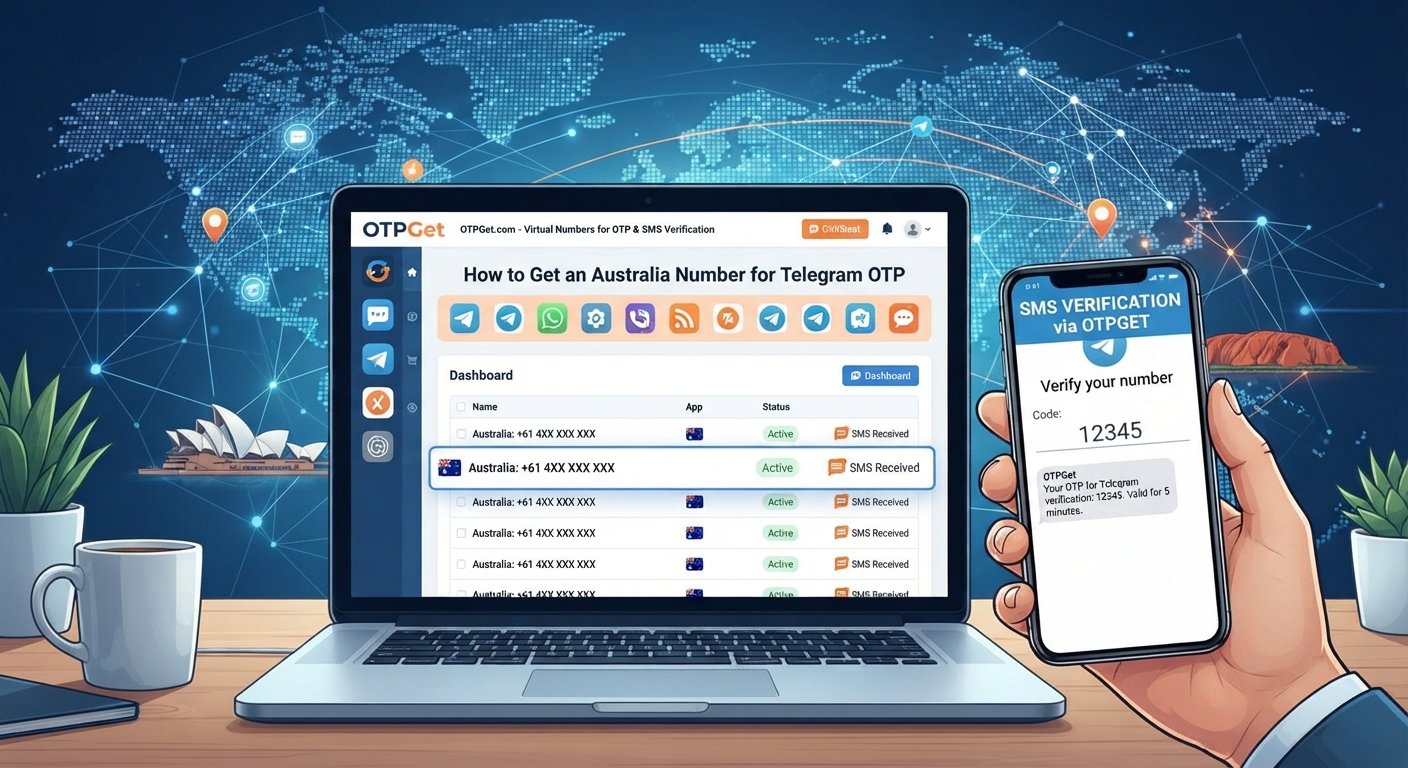
How to Get an Australia Number for Telegram OTP — OTPGet
Getting a Telegram account set up can be straightforward until you reach the phone verification step. If you prefer not to use your personal mobile number, or you specifically need an Australian number for a particular online workflow, a virtual phone number can be worth considering.
For people searching for an Australia number for Telegram OTP, the main question is usually simple: where can you find a suitable number that may receive the required verification message?
OTPGet can be a practical option to explore. It is designed around access to online numbers and OTP/SMS use cases, giving users an alternative to relying entirely on a personal SIM. However, Telegram ultimately decides whether a particular number can be used for verification, so compatibility should always be treated as conditional.
Let's look at how the process works, what virtual Australian numbers are, and what to consider before choosing one.
Why Do You Need an Australia Number for Telegram?
There are several legitimate reasons someone may want an Australian phone number for Telegram rather than using their everyday mobile number.
For example, you might want to:
- Keep personal and online communications separate
- Use a dedicated number for a business, project, or community
- Avoid unnecessarily sharing your personal mobile number
- Manage a specific online account separately from your main SIM
- Access an Australian number while you are outside Australia
- Use a dedicated number for an appropriate testing or account-setup workflow
The important point is that a separate number is primarily about convenience and separation. It should not be viewed as a way to bypass Telegram's security controls or account restrictions.
If you need an online Australia number for a legitimate purpose, OTPGet may be worth considering when a suitable number is available.
What Is a Virtual Australia Number?
A virtual Australia number is a phone number that is provided through an online service rather than being tied to a traditional physical SIM in your phone.
The basic distinction looks like this:
- Traditional SIM number: Connected to a physical SIM or mobile network account.
- Virtual phone number: Managed through an online communications platform.
- SMS-capable online number: A virtual number that can support receiving SMS messages, subject to the provider and service involved.
Virtual numbers can be useful because they don't necessarily require you to carry another physical SIM. They can also make it easier to keep a dedicated number separate from your personal mobile line.
There is an important limitation, though: not every website or app accepts every type of virtual number. Some services distinguish between mobile, landline, VoIP, and other number types. A number that works for one service may not work for another.
That is particularly relevant when looking for an Australian virtual phone number for Telegram.
Can You Use an Australia Number for Telegram OTP?
Telegram generally uses phone-number verification to confirm that you control the number associated with an account. Depending on Telegram's available verification methods and account circumstances, the verification code may be delivered through an available channel.
The basic workflow is:
- Enter a supported phone number.
- Telegram initiates the verification process.
- A verification code is delivered through an available method.
- Enter the code where Telegram requests it.
- Complete any additional verification steps if required.
An Australia number for Telegram OTP can therefore be useful if the selected number is compatible with Telegram's current verification process.
However, there is no universal guarantee that every virtual Australian number will be accepted. Telegram may reject certain numbers, a number may have previous account history, or SMS delivery may not work as expected.
This is why choosing a suitable number is just as important as having an Australian country code.
Why Choose OTPGet?
If your goal is specifically to find an online number for an OTP-related workflow, OTPGet offers a convenient alternative to obtaining another physical SIM.
For someone researching an Australian number for Telegram, potential advantages include:
- Online convenience: You can look for an available number through an online platform rather than starting with a physical SIM.
- Number separation: A dedicated number can help keep your personal mobile number separate from certain online activities.
- Country selection: When Australian numbers are available, you can look for a number associated with Australia.
- OTP-focused use: Services built around SMS and OTP workflows can be convenient when the main requirement is receiving a verification message.
- Less dependence on a personal SIM: A virtual number may be useful when carrying an additional physical SIM is inconvenient.
The key is to keep expectations realistic. OTPGet can help users looking for an Australia number for Telegram OTP, but Telegram controls its own verification and number-acceptance process. Availability, SMS delivery, and compatibility can vary.
OTPGet is not Telegram and should not be presented as affiliated with Telegram unless an official relationship has been independently established.
How to Get an Australia Number for Telegram OTP With OTPGet
If you're ready to explore the option, the process can be approached in a few simple steps.
Step 1: Visit OTPGet
Start by accessing the OTPGet platform and reviewing the available online number options.
Before selecting anything, make sure the service and number type fit your intended use.
Step 2: Choose Australia
Look for Australia as the country associated with the number.
Availability can change, so you may not always find the exact number type you want at a particular moment.
Step 3: Select a Suitable Number
Choose an available Australian number that supports the SMS or OTP functionality required for your workflow.
Pay attention to the service information provided for the number rather than assuming that every virtual number has identical capabilities.
Step 4: Enter the Number in Telegram
When Telegram asks for a phone number, enter the Australian number using the appropriate international format.
Double-check the digits before continuing. A simple number-entry mistake can prevent the verification message from reaching the intended number.
Step 5: Wait for the Verification Message
After Telegram initiates verification, wait for the code through the supported delivery method.
Avoid repeatedly requesting new codes immediately, as doing so can complicate the verification process or lead to temporary restrictions.
Step 6: Enter the OTP
If the verification code is received, enter it directly into Telegram's verification screen.
Never post your OTP publicly or give it to someone who claims they need it to "complete" your verification.
Step 7: Complete Verification
If Telegram accepts the number and verification code, follow any remaining instructions shown by Telegram.
If the number is not accepted, the best approach is to review the reason provided and use a number or verification method that Telegram supports rather than attempting to circumvent its security systems.
Benefits of Using an Australia Virtual Number
An Australian virtual number can be useful beyond a single verification workflow.
Keep Your Personal Number Separate
Using a dedicated online number can reduce the need to provide your everyday mobile number for certain online services.
Convenient Remote Access
A virtual Australia number may be useful for someone who needs an Australian number but doesn't want to obtain another physical SIM.
Dedicated Online Identity
For business projects, testing environments, or separate online activities, having a dedicated number can make account management easier.
Potentially Simpler Than a Physical SIM
When an online number meets the requirements of the service you're using, it can be more convenient than purchasing and managing another physical SIM.
Still, convenience should not be confused with universal compatibility. Always check whether the number is suitable for your intended platform.
Things to Know Before Using a Virtual Number for Telegram
Virtual numbers are useful, but they are not a magic solution for every verification problem.
Keep these limitations in mind:
- Telegram may not accept every virtual number.
- Some numbers may have been used for previous accounts.
- SMS delivery can sometimes be delayed or unavailable.
- Verification methods may vary depending on Telegram's current systems.
- Telegram may request additional verification.
- Number availability can change.
- A number's previous history may affect how a platform handles it.
- You should follow both Telegram's rules and OTPGet's terms of service.
If a particular number doesn't work, switching repeatedly without understanding the problem may not help. Check the available guidance first and consider whether the number type is appropriate.
Australia Number vs Personal SIM for Telegram
| Feature | Personal SIM | Australia Virtual Number |
|---|---|---|
| Uses personal mobile number | Yes | No |
| Online access | Limited | Typically online |
| Dedicated number | Depends | Often available |
| Physical SIM required | Yes | Usually no |
| Useful for separating online activity | Limited | Yes |
Neither option is automatically better for everyone. A personal SIM can be preferable when you want long-term control over your primary number, while a virtual number may be more convenient when you specifically need a separate online number.
Is OTPGet Right for You?
If you're specifically searching for an Australia number for Telegram OTP, OTPGet can be a practical option to investigate when an appropriate Australian number is available.
It can make sense for users who want an online number instead of immediately relying on their personal SIM. The main advantage is convenience and separation, particularly when the goal is to keep certain online activities independent from a primary mobile number.
At the same time, choosing OTPGet does not remove Telegram's own verification requirements. The number must still be available, capable of receiving the relevant message, and accepted by Telegram's verification system.
That balanced approach is important: use a suitable number for a legitimate purpose, follow the platform's instructions, and don't assume that any virtual number will work everywhere.
Tips for Telegram OTP Verification
A few simple practices can make the process easier:
- Check the number carefully before submitting it.
- Confirm that the selected number supports SMS or OTP functionality.
- Use the correct international phone-number format.
- Wait for the verification message before repeatedly requesting another code.
- Enter the OTP exactly as received.
- Never share your verification code with another person.
- Keep Telegram's available account-security features enabled.
- Follow the verification instructions displayed by Telegram.
Most importantly, treat an OTP as sensitive account information. Anyone who obtains a valid verification code may potentially gain access to an account depending on the circumstances.
Common Problems and Solutions
OTP Not Received
First, check that the number was entered correctly and that it supports the required SMS functionality. Delivery can sometimes be delayed. Follow Telegram's on-screen instructions rather than repeatedly requesting codes.
Number Not Accepted
Telegram may reject certain number types, including some virtual numbers. If this happens, the issue may be compatibility rather than a problem with the number itself.
Code Expired
Verification codes can have limited validity. If Telegram indicates that the code has expired, follow its instructions to request another code rather than continuing to use the old one.
Number Already Used
A virtual number may have previous account history. If Telegram identifies an existing account or another issue associated with the number, follow the options Telegram provides.
SMS Delivery Delay
Network or service conditions can sometimes affect message delivery. Give the verification process a reasonable amount of time and check whether the number is still active and capable of receiving messages.
Conclusion
Finding an Australia number for Telegram OTP doesn't have to mean purchasing another physical SIM. A virtual Australian number can provide a convenient way to separate your personal mobile number from certain online activities.
OTPGet is a practical option to consider when you're looking for an online number for an OTP or SMS-based workflow. You can look for an available Australian number, use it according to the provider's terms, and follow Telegram's normal verification process.
Just remember that number availability, SMS delivery, and Telegram compatibility can vary. No virtual-number provider can guarantee that Telegram will accept every number.
For the best experience, choose a suitable number, follow Telegram's verification instructions carefully, protect your OTP, and use the service for legitimate purposes.
11. FAQ Section
1. How can I get an Australia number for Telegram OTP?
You can look for an available Australian virtual number through a service such as OTPGet. Choose a number that supports the required SMS or OTP functionality, then enter it into Telegram using the correct international format. Whether Telegram accepts the number depends on its current verification systems and the characteristics or history of the selected number.
2. Can I use an Australian virtual number for Telegram?
An Australian virtual number may be suitable for Telegram verification, but acceptance is not guaranteed for every number. Telegram can distinguish between different number types and may reject certain virtual numbers. If you use a virtual number, select one with the appropriate SMS capability and follow Telegram's verification instructions.
3. What is an Australia virtual number?
An Australia virtual number is a phone number provided through an online communications service rather than through a conventional physical SIM. Depending on the provider and number type, it may support receiving SMS or OTP messages. Availability and compatibility vary, so the number's capabilities should be checked before using it for a particular service.
4. Can OTPGet provide an Australia number for Telegram OTP?
OTPGet can be considered by users looking for an Australia number for an OTP-related workflow when suitable Australian numbers are available. However, Telegram independently controls its verification process. Availability of a number and its compatibility with Telegram can vary, so users should not treat any particular number as guaranteed to work.
5. Why is my Telegram OTP not arriving?
An OTP may not arrive because of number-entry errors, SMS delivery delays, number compatibility issues, or changes in Telegram's verification process. Check the number carefully, confirm that it supports SMS, and follow Telegram's instructions. Avoid repeatedly requesting codes in quick succession, as this may complicate the verification process.
6. Can Telegram reject a virtual phone number?
Yes. Telegram may reject certain virtual phone numbers depending on its verification rules, number type, or previous account history. A virtual number is not automatically equivalent to a traditional mobile number. If a number is rejected, use the information provided by Telegram to determine the appropriate next step.
7. Is an Australia number better than using my personal number?
It depends on your needs. A personal SIM may be preferable for long-term control and account continuity, while an Australia virtual number can be useful when you want to separate online activities from your personal number. Consider number availability, compatibility, security, and how you intend to manage the account.
8. Can I receive Telegram verification codes online?
Depending on the number and Telegram's current verification method, an online SMS-capable number may be able to receive a verification code. Services such as OTPGet can be useful for users exploring this option. However, delivery and acceptance depend on both the number's capabilities and Telegram's verification system.
12. Suggested Internal Links
1. Anchor Text:
Australia virtual numbers
Suggested Destination: Australia virtual number service or category page
Why It Helps SEO: Reinforces the site's relevance for Australian virtual-number searches and provides a natural path for readers who want to explore available options.
2. Anchor Text:
Telegram OTP verification
Suggested Destination: Telegram OTP verification guide
Why It Helps SEO: Strengthens topical authority around Telegram verification and supports users who need more detailed information about OTP workflows.
3. Anchor Text:
how to receive SMS online
Suggested Destination: SMS receiving guide
Why It Helps SEO: Captures broader informational search intent around online SMS reception and connects closely related topics.
4. Anchor Text:
virtual phone numbers
Suggested Destination: Virtual phone number guide or category page
Why It Helps SEO: Builds internal topical relevance around virtual-number technology and introduces readers to related use cases.
5. Anchor Text:
OTP verification guide
Suggested Destination: OTP verification educational guide
Why It Helps SEO: Creates a strong semantic connection between this article and broader OTP-related content.
6. Anchor Text:
temporary phone numbers
Suggested Destination: Temporary phone number guide or category page
Why It Helps SEO: Captures related commercial-investigation searches while helping readers understand different types of online numbers.
7. Anchor Text:
online SMS verification
Suggested Destination: Online SMS verification guide
Why It Helps SEO: Expands topical coverage around SMS-based verification and supports a logical content cluster.