Bahamas Number for App Verification: Step-by-Step Help Guide
Bahamas Number for App Verification: Step-by-Step Help
Getting asked for a local phone number during app registration can be frustrating, especially when the service requires a Bahamas number and you do not have a Bahamas SIM. You may simply need to receive one verification code, but obtaining a physical number for that purpose can be inconvenient.
A Bahamas number for app verification can refer to a physical mobile number or a virtual number capable of receiving SMS. For supported services, a virtual number can provide a practical way to receive a verification code without relying on your personal phone number.
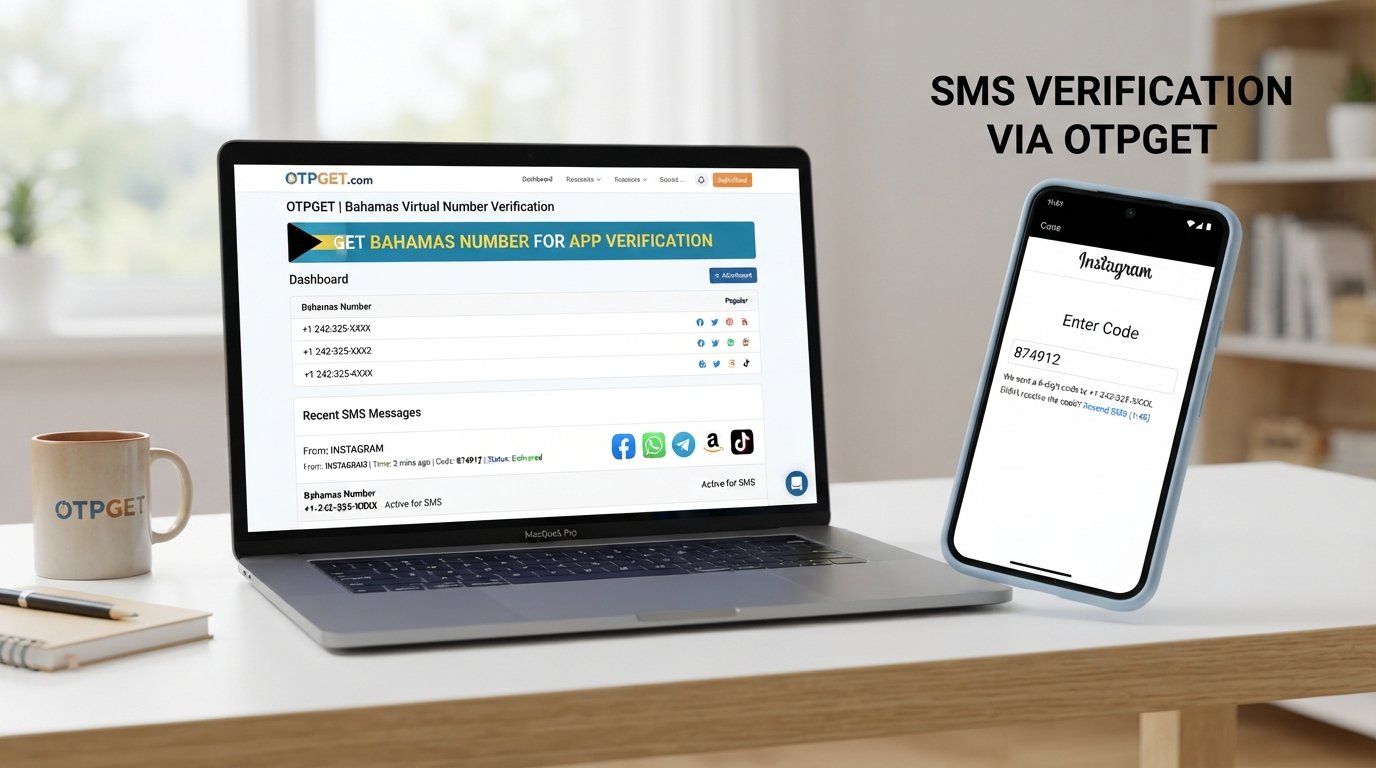
OTPGET is one option users can consider when they need access to a Bahamas number and want to receive an SMS or OTP online. Compatibility varies by app and number, so it is important to check the requirements of the service you are trying to verify.
What Is a Bahamas Number for App Verification?
A Bahamas phone number is a telephone number associated with the Bahamas numbering system. Depending on the provider, it may be connected to a physical SIM or delivered as a virtual phone number.
App verification is the process of confirming that a user can access a particular phone number. A common method is SMS-based OTP verification. The app sends a temporary code to the number, and the user enters that code back into the application.
A typical verification flow looks like this:
- You enter a supported phone number in the app.
- The app sends an SMS verification code.
- The message arrives at the associated number.
- You retrieve the OTP.
- You enter the code into the app.
- The app confirms the number if the code is valid.
The exact process differs between applications. Some services may also require email confirmation, an authenticator app, identity verification, or another security step.
Why Do Apps Ask for a Bahamas Phone Number?
Phone verification serves several purposes, and the reason can vary from one platform to another.
Common reasons include:
- Account security: A verified phone number can add another layer of account protection.
- Phone-number confirmation: The service may want to confirm that the number provided is reachable.
- Abuse prevention: Verification can make certain forms of automated or repeated account activity more difficult.
- Regional availability: Some applications operate differently depending on the user's market or supported region.
- Two-factor authentication: SMS can be used as an additional authentication method.
- Account recovery: Some services use verified phone numbers when helping users regain access.
A Bahamas number does not automatically guarantee access to a particular service. The app ultimately determines which numbers and verification methods it accepts.
What Is a Bahamas Virtual Number?
A Bahamas virtual number is a phone number that can be managed through an online service rather than through a traditional physical SIM installed in your phone.
For supported services, messages sent to the number can be displayed through an online interface. This can make receiving SMS verification codes more convenient when you do not have access to a local physical SIM.
Potential advantages include:
- Online access to SMS messages
- Convenience when a physical SIM is unavailable
- Separation from your personal phone number
- Easier access from a computer or supported device
- A practical option for certain regional verification requirements
However, a virtual number is not universally interchangeable with a mobile SIM. Some apps restrict virtual, VoIP, temporary, recycled, or previously used numbers. Always check the target service's rules before relying on a virtual number.
How to Get a Bahamas Number for App Verification
If an app legitimately requires a Bahamas number, the basic process is straightforward.
- Choose a suitable Bahamas number provider.
Look for a provider that offers numbers intended for SMS reception and supports your intended use case. - Select a Bahamas number.
Choose an available number and review the provider's information about SMS or OTP support. - Check verification compatibility.
Not every number works with every application. Where information is available, check whether the number supports the type of SMS verification you need. - Enter the number in the app.
Use the Bahamas number in the application's phone-number verification field and follow the app's instructions. - Request the verification code.
If the app accepts the number, it should send an OTP by SMS. - Open the provider's SMS interface.
Check the relevant online message area for the incoming verification code. - Retrieve the OTP.
Read the verification message and locate the temporary code. - Enter the OTP in the app.
Submit the code before it expires. - Complete any remaining verification steps.
The app may ask you to complete additional account or security checks.
For users looking for a convenient online option, OTPGET can be considered during the number-selection stage. Availability and compatibility depend on the number and the application involved.
How OTPGET Helps With Bahamas App Verification
OTPGET can be useful for people who need a Bahamas number for receiving an app verification code online, where the target service supports the number.
Instead of obtaining a physical SIM solely for a verification task, users can consider an online number option and check incoming SMS through the provider's interface. This can be particularly convenient when the goal is simply to receive a legitimate OTP and complete a supported verification process.
Potential benefits include:
- Convenient access to verification numbers
- Online SMS and OTP access
- Less dependence on a personal phone number
- A straightforward verification workflow
- Access through an online interface
- An option for users who need a Bahamas number where supported
The important qualification is where supported. OTPGET should not be presented as a universal solution for every application. Some platforms restrict virtual numbers, and others may require additional identity or security checks.
For legitimate verification needs, the simplest approach is to select a suitable number, use it according to the app's instructions, monitor the incoming SMS, and enter the received code normally.
Step 1: Choose a Bahamas Number
Start by selecting an available Bahamas number through OTPGET. Pay attention to whether the number is described as supporting SMS or verification use.
If the target application has restrictions on virtual or temporary numbers, consider those requirements before proceeding.
Step 2: Enter the Number in the App
Copy the number into the app's phone verification field. Make sure the country code and number format are entered exactly as requested.
Do not add extra spaces or characters if the application does not accept them.
Step 3: Request the OTP
Submit the phone number and request the verification SMS. If the application accepts the number and sends the message, the OTP should be delivered through the supported SMS channel.
Step 4: Check OTPGET
Open the relevant OTPGET interface and check for the incoming message. Depending on the service and number, delivery may take some time or may not occur if the application does not support that number.
Step 5: Enter the Verification Code
Once the SMS arrives, enter the OTP into the application's verification field. Treat the code as sensitive information and avoid sharing it with other people.
Step 6: Finish Setup
After successful code verification, follow any remaining instructions from the application. Some services may require additional security or identity checks before the account is fully activated.
Benefits and Limitations of a Bahamas Virtual Number
A virtual number can be useful, but it is not a universal replacement for a physical SIM.
Potential Benefits
- Convenience: Manage SMS messages online instead of obtaining another physical SIM.
- Online access: Receive supported verification messages through an online interface.
- Privacy considerations: A virtual number can keep your personal number separate from certain registrations.
- No physical SIM in some situations: Depending on the service, you may not need a physical SIM.
- Regional flexibility: A Bahamas number can be useful when an application specifically supports that region.
- Simple OTP access: For compatible services, receiving a verification code can be straightforward.
Important Limitations
- Not every app accepts virtual numbers.
- Some platforms may block certain numbers or number types.
- OTP delivery depends on both the application and the number provider.
- Some services require additional identity verification.
- A number may not be suitable for long-term account recovery unless continued access is supported.
- Apps can change their verification policies.
- Users should follow the target application's terms and verification requirements.
Physical SIM vs. Bahamas Virtual Number
| Feature | Physical SIM | Bahamas Virtual Number |
|---|---|---|
| Physical SIM required | Yes | Usually no |
| Accessibility | Requires compatible device/SIM access | Managed online where supported |
| SMS reception | Through the mobile network | Through the provider's supported interface |
| Convenience | Useful for ongoing mobile use | Useful for supported online verification |
| Privacy considerations | Can be tied to a personal mobile setup | Can separate verification from a personal number |
| Setup | Requires SIM acquisition and activation | Requires selecting and accessing a supported number |
| Best use case | Ongoing mobile communication | Supported online SMS and verification needs |
Neither option is appropriate for every situation. The better fit depends on whether you need ongoing mobile service, occasional SMS access, account recovery, or another specific use.
Common Problems and Solutions
OTP Not Arriving
First, check that the number was entered correctly and that the app actually confirmed it was sending an SMS. Give the message a reasonable amount of time to arrive before requesting another code.
If the message still does not appear, the number may not be supported by the app, or SMS delivery may not be available for that service. Checking OTPGET again can help determine whether an incoming message has appeared.
Number Not Accepted
An application may reject a number because it does not accept virtual numbers, the number has previously been used, or the service has restrictions on certain number types.
In this situation, repeatedly submitting the same number is unlikely to solve the underlying compatibility issue. Review the app's verification requirements and use a supported number where available.
Verification Code Expired
OTP codes are generally intended to be temporary. If a code expires, request a new one and enter the latest code rather than an older message.
Avoid requesting multiple codes rapidly because this can make it harder to determine which OTP is currently valid.
Too Many Verification Attempts
Repeated requests can trigger temporary restrictions on some platforms. If the app reports too many attempts, stop submitting new requests and wait according to the instructions displayed by the service.
When trying again, carefully verify the number and make sure you are entering the most recent code.
App Requires Another Verification Method
Some applications use SMS only as one part of their security process. If the service asks for email verification, identity documentation, an authenticator, or another method, a Bahamas SMS number alone may not complete the process.
Follow the application's official verification process rather than attempting to bypass additional requirements.
Frequently Asked Questions
What is a Bahamas number for app verification?
It is a Bahamas-associated phone number used to receive an app's verification SMS. It may be a physical mobile number or a virtual number, depending on the provider and the application's accepted number types.
Can I receive a Bahamas OTP online?
Yes, supported virtual-number services can provide online access to SMS messages and OTPs. Whether a particular application sends its verification code to the number depends on the app and the number's compatibility.
Can I use a Bahamas virtual number for app verification?
You can use one when the target application accepts that type of number. Some platforms restrict virtual or temporary numbers, so compatibility should always be checked first.
How does OTPGET help with Bahamas SMS verification?
OTPGET can provide an online option for users seeking a Bahamas number and access to incoming SMS or OTP messages where supported. The exact availability and compatibility depend on the number and application.
Why is my Bahamas verification code not arriving?
Possible causes include an unsupported number, delayed SMS delivery, incorrect number entry, application restrictions, or temporary service issues. Verify the number, check the SMS interface, and avoid repeatedly requesting codes.
Do all apps accept virtual Bahamas numbers?
No. Applications have their own verification rules, and some may reject virtual, temporary, recycled, or previously used numbers. Always check the target app's requirements.
Is a Bahamas virtual number the same as a physical SIM?
No. A physical SIM is associated with a mobile network and is installed in a compatible device. A virtual number is managed through an online service and may provide SMS access without a physical SIM.
Can I use a Bahamas number for account recovery?
That depends on the application's policies and whether you will retain reliable access to the number. For important accounts, make sure the service permits the number for recovery and consider its long-term accessibility before using it.
Conclusion
A Bahamas number can be useful when an application requires phone verification tied to the Bahamas and you do not have access to a local physical SIM. For supported services, a virtual Bahamas number can make SMS verification more convenient while keeping your personal number separate.
OTPGET is an option worth considering if you need a Bahamas number and online access to an OTP. The key is to confirm compatibility before starting, use the number according to the application's rules, and remember that virtual numbers are not accepted everywhere.
If your verification needs are legitimate and the target app supports the number type, explore OTPGET to see whether a suitable Bahamas number is available for your use case.