Benin Number for App Verification: Complete Step-by-Step Guide
Benin Number for App Verification: Step-by-Step Help
Need a phone number for an app that asks for SMS verification? If the service supports Benin numbers, a Benin number for app verification can provide a practical way to complete the phone-based signup or verification step without relying on your everyday personal number.
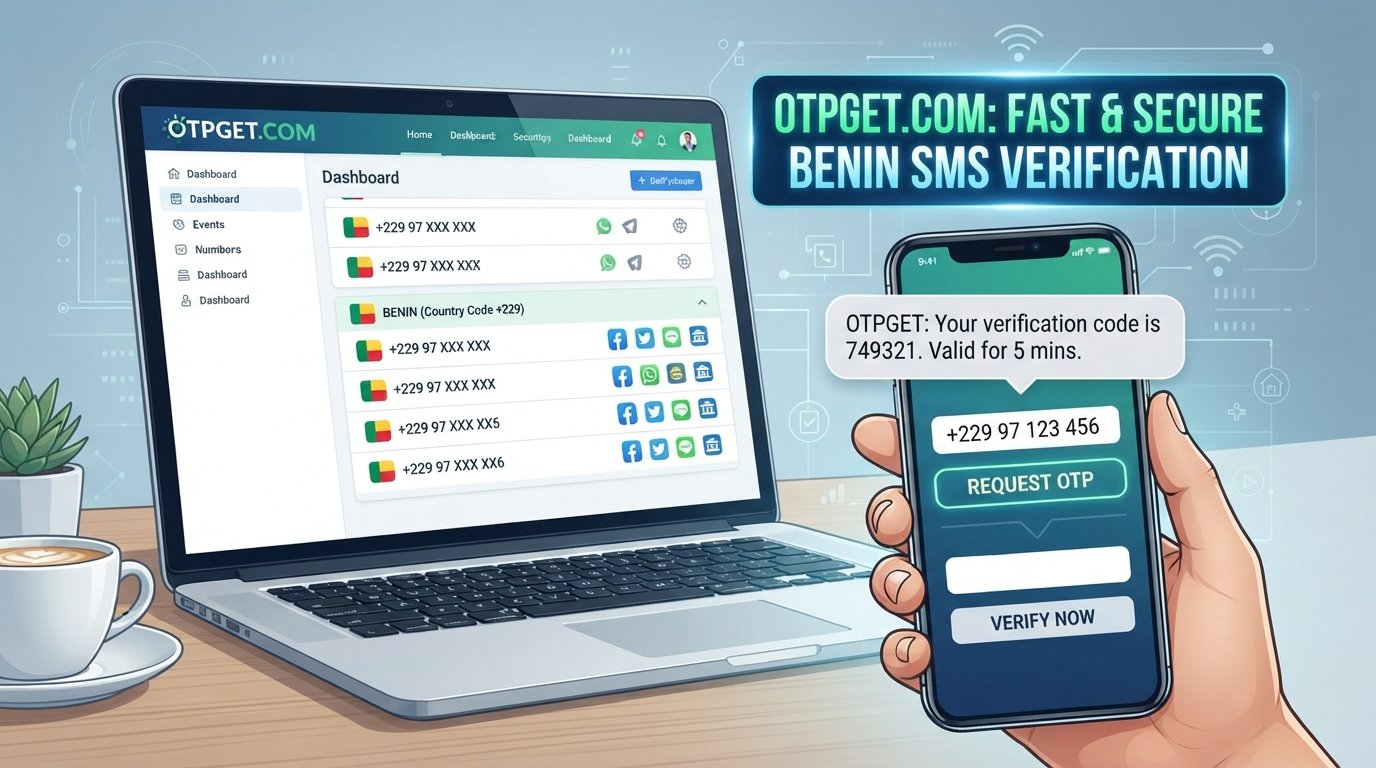
The process is usually straightforward: choose a supported number, enter it in the app, request an OTP, receive the SMS, and enter the verification code. The important part is making sure the number type is compatible with the service you are using.
OTPGET can be an option for users specifically looking for a Benin number for verification, where such numbers are available. This guide explains how the process works, what to check before starting, and what to do if your verification SMS does not arrive.
What Is a Benin Number for App Verification?
A Benin phone number is a number associated with the Benin mobile numbering system. Depending on the provider, a user may be able to access a physical or virtual number for receiving SMS messages.
App verification is the process an application uses to confirm that a phone number can receive a verification message. Many services send a one-time password, commonly called an OTP, by SMS.
A typical verification flow looks like this:
Phone number entered → Verification request → SMS sent → OTP received → Code entered → Verification completed
Apps may request phone verification for several reasons, including:
- Confirming control of a phone number
- Reducing automated or duplicate registrations
- Supporting account security
- Providing a phone-based recovery method
- Meeting the service's own registration requirements
Not every app treats virtual, temporary, or online numbers in the same way. The target service ultimately determines whether a particular Benin number is accepted.
Why Use a Benin Number for Verification?
There are several legitimate reasons someone may specifically need a Benin mobile number.
Regional account setup
Some services organize registration or phone features by country. If an app supports Benin numbers, having a number from that region can be useful when setting up an account intended for that market.
Testing and development
Developers, testers, and teams working with international products may need numbers from different countries to test phone verification flows. A virtual number can be useful when the relevant service permits this type of testing.
Separating personal communications
A separate verification number can help keep service-related SMS messages away from a personal mobile inbox. This can be convenient when you do not want routine verification messages mixed with personal communications.
Privacy considerations
Some users prefer not to provide their primary phone number to every service they use. A separate number may reduce the number of services that have access to their personal number, although it does not automatically make an account anonymous or guarantee complete privacy.
The key point is to use a number in accordance with the app's rules and intended verification process.
How to Get a Benin Number for App Verification
If you need a Benin number for app verification, the general process is simple. OTPGET can be considered when a suitable Benin verification option is available.
Step 1: Visit OTPGET
Start by visiting OTPGET and reviewing the available verification-number options.
Step 2: Select the relevant verification option
Choose the service or verification category that matches your intended use, if the platform provides service-specific choices.
Step 3: Choose a Benin number
Select a Benin number when one is available and appropriate for the service you want to verify.
Step 4: Enter the number in the target app
Copy the number carefully and enter it into the phone-number field in the application requesting verification.
Make sure the country code and number are entered exactly as required by the app.
Step 5: Request the verification code
Submit the phone number through the app's normal verification process. The service will send an SMS containing a one-time verification code if the number is accepted.
Step 6: Retrieve the OTP
Return to the relevant OTPGET interface or provided message area and check whether the verification SMS has arrived.
Step 7: Enter the code
Copy the verification code and enter it into the app before the code expires.
Step 8: Complete verification
If the code is valid and the service accepts the number, the phone verification step should be completed.
Availability, supported services, and number types can vary, so always follow the instructions shown by the relevant service.
How OTPGET Can Help With Benin SMS Verification
For users searching specifically for a Benin number for verification, OTPGET can provide a convenient place to explore available options.
The basic value is the workflow: obtain a supported number, use it with the target service, and retrieve the verification SMS where supported.
Depending on the available option, this can be useful for:
- Accessing a Benin number without using your primary personal number
- Receiving an OTP for supported verification scenarios
- Keeping verification-related messages separate from personal SMS
- Following a centralized verification workflow
- Handling a specific Benin SMS verification requirement
However, a number provider cannot determine whether a third-party app will accept a particular number. App policies, number types, geographic requirements, and verification systems can differ.
That is why it is best to check the target service's requirements before starting.
Step-by-Step Example of App Verification
Imagine an app asks you to verify a phone number by SMS and supports Benin numbers.
The process would generally look like this:
- Choose a Benin number through a supported provider such as OTPGET.
- Enter the number into the app's phone verification field.
- Request an OTP using the app's normal verification option.
- Wait for the SMS containing the verification code.
- Retrieve the OTP through the available message interface.
- Enter the code into the app.
- Finish verification once the app confirms the code.
In short:
Choose number → Enter number → Request OTP → Receive SMS → Enter OTP → Complete verification
The exact screens and wording will depend on the app.
What If the OTP Does Not Arrive?
An SMS verification code may occasionally be delayed or unavailable. That does not necessarily mean something is wrong with your account.
Try these troubleshooting steps:
- Check the number: Confirm that you entered the Benin number and country code correctly.
- Wait briefly: SMS delivery can sometimes experience temporary delays.
- Check the verification session: Some codes expire quickly, so an older request may no longer be valid.
- Avoid repeated requests: Requesting multiple codes in rapid succession can create additional delays or trigger temporary restrictions.
- Check compatibility: The app may not accept the particular type of virtual or temporary number.
- Look for service restrictions: Some services limit verification attempts or numbers from certain categories.
- Use the newest code: If multiple messages arrive, the latest valid code may be the one required.
- Contact the relevant service: If the app continues to reject the number, check its official support or verification requirements.
If the target service does not support the number type, trying the same process repeatedly is unlikely to solve the underlying compatibility issue.
Tips for Successful Benin Number Verification
A few simple habits can make the process smoother:
- Check the country code before submitting the number.
- Copy the number exactly as provided.
- Make sure the target app supports Benin numbers.
- Check whether the service accepts virtual or temporary numbers.
- Request only the OTP you need.
- Avoid repeatedly requesting codes within a short period.
- Enter the SMS code before it expires.
- Do not share verification codes with other people.
- Review the app's account recovery requirements before relying on a temporary number.
- Keep any relevant access information according to the service's rules.
These steps can reduce common errors without attempting to circumvent the app's security controls.
Benin Virtual Number vs. Personal Phone Number
A virtual number and a personal mobile number can serve different purposes. Neither is universally suitable for every verification situation.
| Feature | Benin Virtual Number | Personal Phone Number |
|---|---|---|
| Regional number | Yes, where available | Depends on location |
| Separation from personal number | Possible | No |
| Suitable for verification | Depends on service | Usually |
| SMS access | Depends on provider | Yes |
| Account recovery considerations | Important | Important |
The biggest consideration is long-term access. If an account may later require the same number for password recovery, security alerts, or re-verification, make sure you understand how continued access to that number works before choosing a temporary or virtual option.
Is a Benin Number Right for Your Verification Needs?
A Benin number may be useful if you have a legitimate reason to use a Benin-based number and the target service supports it.
It can be particularly relevant for:
- Regional services
- International testing
- Service-specific verification
- Users who want to separate personal and service communications
- Applications that explicitly support Benin phone numbers
There are also limitations to consider.
Not every app accepts every virtual number. Some platforms may distinguish between mobile, virtual, temporary, and other number types. Verification policies can also change, and some services may impose additional requirements.
Before choosing a number, check:
- Whether the target app supports Benin numbers.
- Whether it accepts the particular number type.
- Whether SMS verification is available.
- Whether you may need the same number for future recovery.
- Whether the intended use complies with the app's terms.
Why Consider OTPGET?
If your specific requirement is a Benin number for app verification, OTPGET is worth exploring as a practical verification-number option.
The workflow is designed around the basic requirement: find an appropriate number where available, use it with the supported service, receive the verification SMS, and enter the OTP into the app.
This can be convenient when you want to keep verification messages separate from your primary phone number or need a number associated with Benin for a supported service.
The important qualification is compatibility. OTPGET cannot guarantee that every application will accept every available number. Availability and supported verification scenarios may also vary.
For that reason, approach the process by first checking what the target app requires, then selecting a compatible option through OTPGET.
Frequently Asked Questions
1. What is a Benin number for app verification?
It is a Benin phone number used to receive an SMS verification code when an application supports Benin numbers. The code is then entered into the app to complete phone verification.
2. Can I receive an OTP on a Benin virtual number?
You may be able to receive an OTP on a Benin virtual number when the provider supports SMS reception and the target app accepts that type of number. Compatibility varies by service.
3. How do I get a Benin number from OTPGET?
Visit OTPGET, review the available verification options, and select a Benin number when one is available for your intended service. Follow the displayed instructions to retrieve the verification SMS.
4. Will every app accept a Benin virtual number?
No. Apps have different verification policies. Some may accept virtual numbers, while others may require a particular type of mobile number or impose additional restrictions.
5. What should I do if my verification SMS does not arrive?
First, check the number and country code, wait for possible delivery delays, and avoid repeatedly requesting new codes. If the problem continues, check whether the app supports the number type or contact the relevant service.
6. Is a Benin number suitable for account recovery?
It depends on your access to the number and the app's recovery process. If you may need the number again later, understand the provider's access conditions before using it for an account that depends on long-term recovery.
7. Can I use a Benin number without sharing my personal number?
Where the target service accepts a Benin virtual number, using a separate number can help keep your personal number separate from that service. It does not guarantee anonymity or eliminate other account-identification methods.
8. What should I check before choosing a verification number?
Check the target app's country and number-type requirements, whether SMS verification is supported, how long you may need access to the number, and whether the intended use follows the service's rules.
Need a Benin Number for App Verification?
If you specifically need a Benin number for app verification, OTPGET can be a practical place to explore available verification options.
Check the available Benin numbers, confirm that your target service supports the relevant number type, and follow the normal OTP verification process from number selection to SMS code entry.
Explore OTPGET to check the available Benin verification options and get started with the verification process.