Buy a Number on OTPGet – Pick an App and Get Your OTP Code
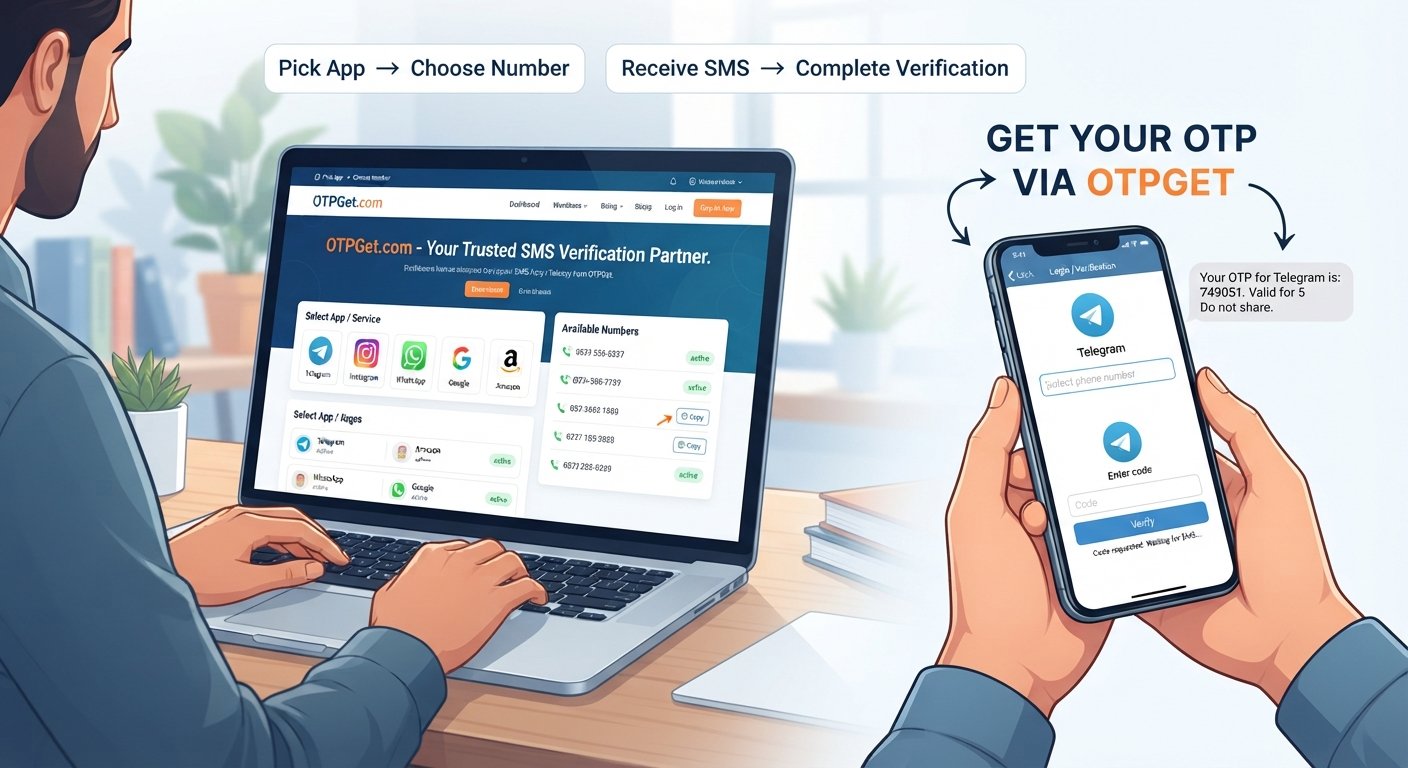
Buy a Number on OTPGet.com – Pick App, Get Code
Need a phone number for an OTP verification process? Getting a verification SMS can be inconvenient when you want to keep personal and online communications separate, need a dedicated number for a supported service, or simply prefer not to use your everyday phone number.
That is where a virtual phone number can be useful.
With OTPGet, the basic idea is straightforward: choose a supported app or service, select an available number, use it for the relevant verification process, and check OTPGet for the incoming verification code.
If you are searching for how to buy a number on OTPGet.com, receive an OTP online, or get a number for app verification, this guide explains the process and what to consider before getting started.
Why Might You Need a Number for OTP Verification?
Many websites and apps use SMS verification as part of account registration, login, recovery, or another verification process. Usually, the service sends a one-time password, or OTP, to the phone number entered during the verification step.
Using a dedicated verification number can be convenient in legitimate situations.
For example, you may want to:
-
Keep verification messages separate from personal texts.
-
Use a dedicated number for supported online services.
-
Test a service that allows verification through an alternative number.
-
Organize SMS verification messages more easily.
-
Handle a temporary verification requirement without relying on your everyday number.
The important point is compatibility. Not every website or app accepts virtual, temporary, or online numbers. The target service ultimately determines which verification methods it allows.
What Is a Virtual Phone Number?
A virtual phone number is a number that can be used for communication or verification without necessarily being tied to a traditional physical SIM in the same way as a personal mobile number.
Depending on the service providing it, a virtual number may be able to receive SMS messages through an online platform. This makes it useful for supported verification scenarios where a service sends an SMS verification code.
You may also see terms such as:
-
Virtual number for verification
-
Online phone number
-
SMS receiving number
-
Phone number for verification
-
Online SMS number
-
Virtual number for SMS
-
OTP receiving number
The exact capabilities of a number depend on the provider and the service where you intend to use it. A virtual number should not be treated as automatically anonymous or universally accepted.
What Is OTPGet?
OTPGet.com is designed around a simple verification workflow: users can select a supported app or service, choose an available number, and use that number to receive an OTP or SMS verification code through the platform.
The goal is to make the process easier to understand.
Instead of searching for a number separately and wondering where an incoming verification message will appear, OTPGet brings the key steps together around the supported app or service you want to verify.
The process can be summarized as:
Pick an app → Choose a number → Receive the OTP → Complete verification
That makes OTPGet a practical option for users who have a legitimate need for a dedicated number during a supported verification process.
How to Buy a Number on OTPGet.com
If you want to buy a number on OTPGet.com, the process is designed to be easy to follow.
Step 1: Visit OTPGet.com
Start by visiting OTPGet.com and reviewing the available options.
Your first step is to identify the app or service for which you need a verification number.
Step 2: Pick the App or Service
Select the supported app or service you want to verify.
Choosing the correct service matters because number availability and verification compatibility can vary. Do not assume that a number intended for one service will work for another.
Step 3: Choose an Available Number
After selecting the relevant app or service, choose an available number from the options displayed.
Before using it, double-check that the selected number matches the service and verification process you intend to use.
Step 4: Use the Number for Verification
Enter the selected number into the supported app or website when it asks for a phone number.
Follow the target service's normal verification instructions. If it accepts the number and sends an SMS verification request, the OTP should be associated with that verification session.
Step 5: Receive the OTP
When the service sends the SMS verification code, check OTPGet for the incoming message.
The code is typically a short, one-time sequence used by the service to confirm the verification request.
Step 6: Enter the Verification Code
Enter the latest valid OTP into the relevant app or website.
If the code is accepted, the service can complete its verification step according to its own process.
The entire workflow is essentially: select the app, choose the number, receive the SMS, and enter the code.
Why Use OTPGet?
The biggest advantage of OTPGet is the simplicity of its verification workflow.
Rather than dealing with unnecessary complexity, users can focus on the specific app or service they need to verify.
Potential benefits include:
-
Simple number selection: Choose from available numbers associated with the supported service.
-
Convenient OTP receiving: Check the platform when the verification SMS is sent.
-
App-focused workflow: Start with the service you actually need to verify.
-
Less clutter: Keep verification messages separate from everyday personal communications.
-
Straightforward process: The basic steps are easy to understand even if you have never used an online verification number before.
-
Useful for supported scenarios: A dedicated number can be convenient when the target service accepts it.
Availability, compatibility, and acceptance can vary. That is why it is important to select the correct service and follow its verification requirements.
OTPGet vs. Using Your Personal Number
For many people, using a personal mobile number is perfectly appropriate. It may even be the better choice for important accounts that you expect to use for a long time.
However, there are situations where a dedicated verification number may be more convenient.
A separate number can help organize verification messages and create a clearer distinction between personal communications and online service activity.
It can also be useful when you simply do not want every verification SMS arriving alongside your normal messages.
That does not mean a virtual number provides complete privacy or anonymity. Users should still understand how the number works, what information the target service collects, and what security options are available.
For sensitive or long-term accounts, a permanent personal number and stronger authentication methods may be preferable.
Common Use Cases for OTP and Virtual Numbers
A phone number for verification can be useful in several legitimate scenarios, provided the target service allows it.
App Verification
Some applications request an SMS OTP during registration or another verification step. If the app supports the number you select, OTPGet can provide a convenient way to receive that verification message.
SMS Verification
A dedicated SMS verification number can help keep verification messages separate from personal communications.
Testing Supported Services
Developers, testers, or users evaluating a supported service may sometimes need a separate number for legitimate testing or verification purposes.
Separating Personal and Online Activity
Some users prefer to keep personal communications and online account verification separate. A dedicated number can help with that organization.
Temporary Verification Needs
For a short-term, legitimate verification requirement, an available temporary number may be convenient when the service accepts that type of number.
Always follow the terms, verification policies, and account rules of the service you are using.
Tips for Getting an OTP Successfully
A few simple checks can prevent unnecessary frustration.
-
Select the correct app or service. Make sure the number is intended for the service you are trying to verify.
-
Double-check the number. Enter it exactly as displayed and follow the target service's required format.
-
Confirm compatibility. Some services restrict virtual or temporary numbers.
-
Give the SMS time to arrive. Messages can sometimes take a little while to appear.
-
Check OTPGet again. If the message does not appear immediately, review the platform before requesting another code.
-
Avoid repeated requests. Multiple OTP requests can sometimes invalidate earlier codes or trigger temporary restrictions.
-
Use the latest valid code. If several codes are generated, the newest one may be the only one accepted.
-
Follow the service's rules. Verification requirements differ from one app or website to another.
These steps are simple, but they can make the verification process much smoother.
What If the OTP Does Not Arrive?
An OTP may not appear for several reasons, and not all of them are related to the number itself.
Possible causes include:
-
The wrong app or service was selected.
-
The service does not support the type of number being used.
-
The SMS is delayed.
-
The verification session has expired.
-
The original verification request was cancelled.
-
The target service has restrictions on virtual or temporary numbers.
-
The selected number is temporarily unavailable for the required verification flow.
If the OTP does not arrive, first check that you selected the correct service and entered the number correctly.
Next, allow some time for the SMS to arrive and check OTPGet again. If the verification session has expired, starting a new request may be necessary.
Avoid repeatedly requesting codes without checking the status of the existing request. Some services can invalidate previous codes or temporarily limit verification attempts.
Is Using an OTP Number Safe?
An OTP number can be useful when used responsibly, but it is important to understand its limitations.
Use an online or virtual number only for legitimate verification purposes. Do not use verification numbers for fraud, impersonation, abuse, unauthorized access, or attempts to bypass security controls.
You should also remember that not every service accepts virtual or temporary numbers. A website may reject a number based on its own verification policies, technical controls, or account-security requirements.
For important accounts, especially accounts containing sensitive information, consider whether a permanent personal number or a stronger authentication method is more appropriate.
The safest approach is to understand both sides of the process: what OTPGet provides and what the target service permits.
Why OTPGet Can Be a Convenient Choice
When a supported service requires an SMS verification code, the process should not feel unnecessarily complicated.
OTPGet focuses on a simple workflow:
Pick an app → Choose an available number → Receive the OTP → Complete verification
That straightforward approach can be useful for people who need a dedicated number for a supported app verification or SMS verification process.
If you are looking to buy a number on OTPGet.com, the main thing to remember is to start with the correct app or service, select an available number, and follow the target platform's verification instructions.
OTPGet does not need to be complicated to be useful. When your verification scenario is supported, having the number-selection and OTP-receiving process organized in one place can make the task easier to manage.
Frequently Asked Questions
What is OTPGet?
OTPGet is a platform designed to help users select an available number for a supported app or service and receive an OTP or SMS verification code through the platform.
How do I buy a number on OTPGet.com?
Visit OTPGet.com, select the supported app or service you need, choose an available number, and use it during the service's verification process. If an SMS is sent, check OTPGet for the incoming code.
Can I receive an OTP online with OTPGet?
For supported services, OTPGet allows users to receive the verification SMS through the platform rather than relying on their regular personal number.
What is a virtual phone number for verification?
A virtual phone number is an online number that can be used for supported communication or verification purposes. Depending on the provider and target service, it may be able to receive SMS verification codes.
Can I use OTPGet for app verification?
You can use OTPGet for app verification where the relevant app or service supports the available number and its verification method. Compatibility is determined by the target service.
Why might an OTP not arrive?
An OTP may be delayed, the wrong service or number may have been selected, the verification session may have expired, or the target service may restrict virtual or temporary numbers.
Are virtual numbers accepted by every service?
No. Some websites and apps accept virtual numbers while others may restrict or reject them. Always check the requirements of the service you are trying to verify.
Ready to Get Your Verification Number?
If you have a legitimate need for a number for a supported verification process, OTPGet gives you a straightforward place to start.
Visit OTPGet.com, choose the app or service you need, select an available number, and check the platform for your verification SMS. When the service supports the selected number, you can use the received OTP to complete its verification process.
Pick your app, choose your number, receive your code, and move on with your verification.


