How to Get CodeSignal Login Without Phone Number: Safe Guide
How to Get CodeSignal Login Without Phone Number
Needing a CodeSignal login does not always mean you want to connect your personal mobile number to another online service. You may be concerned about privacy, may not have access to your usual SIM, or may simply prefer keeping personal contact information separate from online verification.
The important distinction is that not using your personal phone number is different from bypassing verification. If a CodeSignal flow asks for a verification method, the safest approach is to use an authentication option that CodeSignal accepts and that you are authorized to use.
CodeSignal's current help documentation shows that assessment access can depend on the invitation and account flow, while some organizations can also require additional authentication such as multi-factor authentication.
So, can you get a CodeSignal login without phone number? Potentially, depending on the specific CodeSignal flow and verification requirements presented to you. If phone verification is required, an alternative number service such as OTPGET can be an option when that type of number is accepted by the service.
Why Does CodeSignal Ask for Phone Verification?
Phone verification is commonly used by online platforms as an additional authentication or account-verification layer. It can help associate an account with a reachable contact method and add another step beyond a password or email address.
However, it is important not to assume that every CodeSignal login requires SMS verification. CodeSignal's documented sign-in process for assessments starts from an assessment invitation and asks users to create or access an account using the relevant email address. Some enterprise environments also support SSO, while certain assessments can require MFA or identity verification.
That means the exact verification experience can vary.
If you see a phone-number prompt, follow the instructions displayed by CodeSignal. If another authentication method is offered, using that supported method may be preferable to introducing a temporary number.
Can You Access CodeSignal Without Using Your Personal Number?
Possibly, depending on the login or assessment flow. A CodeSignal account may be accessed through different authentication arrangements, and some organizational setups support SSO. If the particular flow requires SMS verification, however, you should provide a number that the service accepts rather than attempting to defeat or circumvent the verification step.
There are several legitimate possibilities:
-
Use your personal mobile number if you are comfortable doing so.
-
Use another phone number that you legitimately control.
-
Use an organizational or work number when appropriate.
-
Use an alternative virtual number if CodeSignal accepts it for the relevant verification.
-
Contact CodeSignal or the organization that issued an assessment invitation if you cannot complete the required verification.
The last option is particularly important for assessments involving identity verification or proctoring. CodeSignal states that certain assessments can require identity verification, and its documentation recommends contacting the relevant company when an identity-verification concern arises.
Common Options for Receiving Verification Codes
Using Your Personal Phone Number
A personal mobile number is usually the simplest option when you are comfortable providing it. You have direct control of the SIM, can receive future messages, and are less likely to lose access to the number unexpectedly.
For long-term accounts, these benefits can matter because a number may sometimes be useful for account recovery or additional authentication.
The downside is privacy. If your goal is to keep personal contact information separate from online services, using your primary number may not fit your preference.
Using an Alternative Number
Another legitimate option is a secondary number that you control. This could be a separate SIM, business number, or another service that provides a dedicated phone number.
The advantage is separation: your personal number does not have to be used for every online service.
The key consideration is ownership and continued access. If you expect to use the number for account recovery later, make sure you can continue accessing it.
Using a Temporary Number for Verification
A temporary number can be useful for a one-time SMS verification scenario when the platform permits it.
Services such as OTPGET provide virtual numbers designed to receive SMS verification codes. OTPGET's documentation describes both temporary SMS numbers and longer-term rental numbers.
However, a temporary number is not a magic workaround. Some websites reject virtual, VoIP, recycled, or temporary numbers. Others may accept one type of number but reject another. CodeSignal compatibility should therefore be treated as something to verify, not something to assume.
How OTPGET Can Help With Verification
What Is OTPGET?
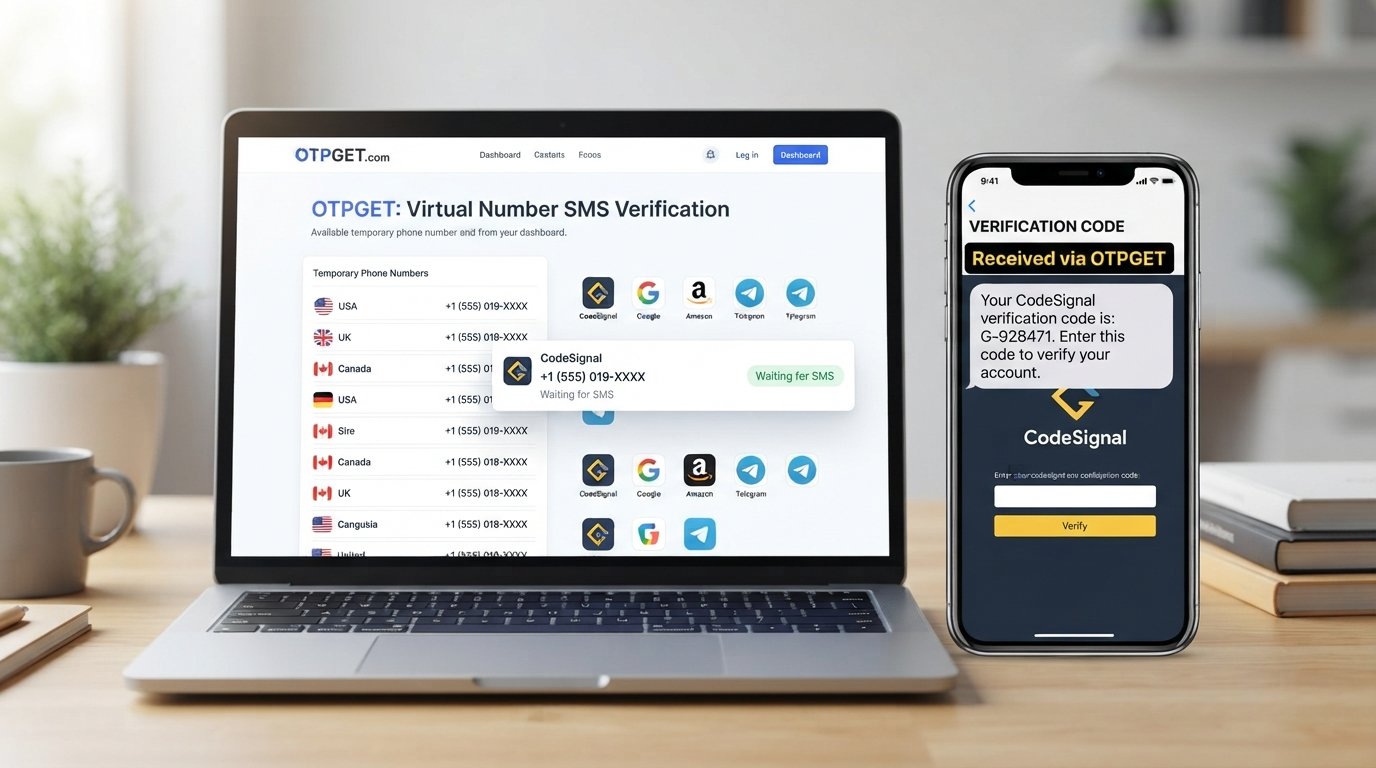
OTPGET is a virtual-number and OTP-verification service that provides temporary numbers for receiving SMS verification messages, along with longer-term rental options. Its published documentation describes number selection by country and service, followed by receiving SMS status and verification information through its supported interface.
For someone searching for a CodeSignal verification code without wanting to expose a personal mobile number, this can provide an alternative route when the platform accepts the selected number.
The important qualification is that OTPGET does not remove CodeSignal's authentication requirements. It simply provides another number through which an SMS may be received.
How the OTPGET Process Works
The basic concept is straightforward:
-
Choose an available virtual or temporary number.
-
Use that number where the service requests SMS verification.
-
Wait for the verification message.
-
View the received OTP through the supported OTPGET interface.
-
Enter the code into the service requesting verification.
OTPGET's documentation indicates that users can select available countries and services before requesting a number and checking its SMS status.
Whether that process works for a particular CodeSignal flow depends on CodeSignal's acceptance of the number and verification method.
Step-by-Step: Using OTPGET for an Online Verification Code
If CodeSignal legitimately presents an SMS verification requirement and you prefer not to use your personal number, the workflow can look like this:
1. Visit OTPGET.
Open the OTPGET service and review the available number options.
2. Select an appropriate available number or service.
Choose a country and service combination that is actually available and suitable for your situation.
3. Enter the number where CodeSignal requests verification.
Only do this if the CodeSignal verification screen permits an alternative number and you are complying with the applicable account and assessment requirements.
4. Wait for the verification SMS.
If the number is compatible, the verification message may appear through the supported OTPGET interface.
5. Retrieve the verification code.
Use the OTPGET interface to view the received SMS or verification status.
6. Enter the code on CodeSignal.
Submit the OTP normally. If the number is rejected, do not attempt to circumvent the restriction. Use another supported authentication method or contact the relevant support team.
This approach is about using an alternative verification number, not bypassing CodeSignal's security controls.
Things to Know Before Using a Temporary Number
A temporary number can be convenient, but there are important trade-offs.
Platform compatibility
Not every website accepts temporary or virtual numbers. A number that works with one service may not work with another.
Number availability
Temporary numbers can have limited availability. OTPGET's documentation shows that availability depends on country, provider, and service selection.
Verification limitations
A platform may reject a number because of its type, carrier, country, previous use, or internal verification rules. If that happens, changing numbers repeatedly is not a substitute for following the platform's requirements.
Account recovery
This is one of the biggest considerations. If you use a disposable number for an account that you expect to keep for a long time, you may not have access to that number later.
For important accounts, a number you control over the long term may be more appropriate.
Privacy
An alternative number can separate your personal phone number from a service, but users should still review the provider's privacy practices and understand what account or transaction information is collected.
OTPGET's published terms state that its services include temporary and rental numbers and that users are responsible for using them lawfully and appropriately.
Terms of service
Always follow CodeSignal's terms and any rules associated with an assessment. CodeSignal's terms require accurate registration information and prohibit fraudulent or deceptive use and attempts to compromise account security.
OTPGET vs. Using Your Personal Phone Number
There is no universally correct choice. The better option depends on whether you need a one-time verification or ongoing account access.
| Factor | Personal Phone Number | OTPGET / Alternative Number |
|---|---|---|
| Privacy | Shares your personal number with the service | Can keep your primary number separate |
| Convenience | Usually straightforward if your phone is available | Useful when an alternative number is appropriate |
| Accessibility | Depends on your SIM and mobile service | Depends on number availability and service compatibility |
| Long-term recovery | Generally easier if you retain the number | Temporary numbers may be unsuitable for future recovery |
| Verification compatibility | Often straightforward | Depends on whether the platform accepts the number |
| Number ownership | Typically controlled directly by you | May be temporary or rented depending on the option |
The key point is that OTPGET is an alternative-number solution, not a guarantee of CodeSignal account access.
Common Problems With Code Verification
SMS not arriving
Check that the number was entered correctly and that the selected number is still active. If the platform provides a resend option, use it according to the displayed instructions.
Number rejected
A rejected number may indicate that CodeSignal does not accept that number type or has another restriction. Do not repeatedly attempt random numbers. Instead, use another supported authentication option or contact support.
Verification code expired
OTP codes are generally time-sensitive. If the code is no longer accepted, request a new code through the normal verification process.
Too many verification attempts
Repeated failed attempts can trigger temporary restrictions. Stop retrying and follow the platform's instructions for recovering access.
Service incompatibility
A temporary number may work with one service but not another. This is why OTPGET should be viewed as an option that may help, rather than a universal solution.
Platform-specific restrictions
Some CodeSignal assessments have additional authentication requirements. For example, CodeSignal documents MFA flows using authenticator applications for assessments where MFA is required.
If the required method is an authenticator app, a temporary SMS number is not a replacement for that method.
Frequently Asked Questions
Can I log in to CodeSignal without a phone number?
It depends on the specific CodeSignal login or assessment flow. CodeSignal's documented assessment login process uses the invitation link and associated email address, while some environments can use SSO or require additional authentication. If your particular flow requires phone verification, you should use an accepted number or contact the relevant support channel rather than attempting to bypass the requirement.
Can I use a temporary phone number for verification?
Potentially, but acceptance depends on the platform. Some services reject temporary or virtual numbers, so there is no guarantee that a temporary number will work with CodeSignal. If you choose an alternative number, use it only where the service permits that verification method.
What is OTPGET?
OTPGET is a service providing virtual numbers for SMS OTP verification, along with longer-term number rental options. Its published documentation describes selecting available countries and services, obtaining a number, and checking for incoming verification messages.
How does OTPGET work?
In a typical workflow, you select an available number and the relevant service, use the number on the platform requesting verification, and then retrieve the incoming SMS through OTPGET. The exact options depend on availability and the service selected. OTPGET does not bypass a platform's authentication rules.
Why is my CodeSignal verification code not arriving?
First, check that you entered the correct number and that the number is compatible with the verification service. Also consider network or delivery delays and whether the code has expired. If the platform continues rejecting or withholding verification, use its official support process rather than repeatedly attempting different numbers.
Can every website accept temporary phone numbers?
No. Websites can apply their own rules for phone-number verification and may reject certain virtual, VoIP, temporary, or previously used numbers. This is why a service such as OTPGET should be considered on a case-by-case basis rather than as a guaranteed solution for every website.
Is it better to use a personal number for long-term account recovery?
For an account you expect to use for a long time, maintaining access to the recovery method can be important. A personal or dedicated number that you control may therefore be more practical than a temporary number. For a one-time verification where the platform accepts an alternative number, a temporary option may be more convenient.
Final Thoughts
Getting a CodeSignal login without phone number does not necessarily mean avoiding authentication. The goal is to find an authentication method that fits your privacy needs while still complying with CodeSignal's requirements.
Depending on the account and assessment flow, you may be able to use email-based access, SSO, an authenticator-based MFA method, another number you control, or an accepted alternative number. CodeSignal's own documentation confirms that different access and authentication arrangements can apply to different services and assessments.
If SMS verification is required and you do not want to expose your personal number, OTPGET can be considered as an alternative-number service. It can provide access to temporary or rental numbers for receiving SMS verification codes, but successful verification ultimately depends on the platform's rules and whether the selected number is accepted.
The safest approach is simple: use a legitimate verification method, keep control of any number you need for future recovery, and never treat a temporary-number service as a way to bypass security restrictions.