Create Amazon Account With a Virtual Number: Complete Guide!
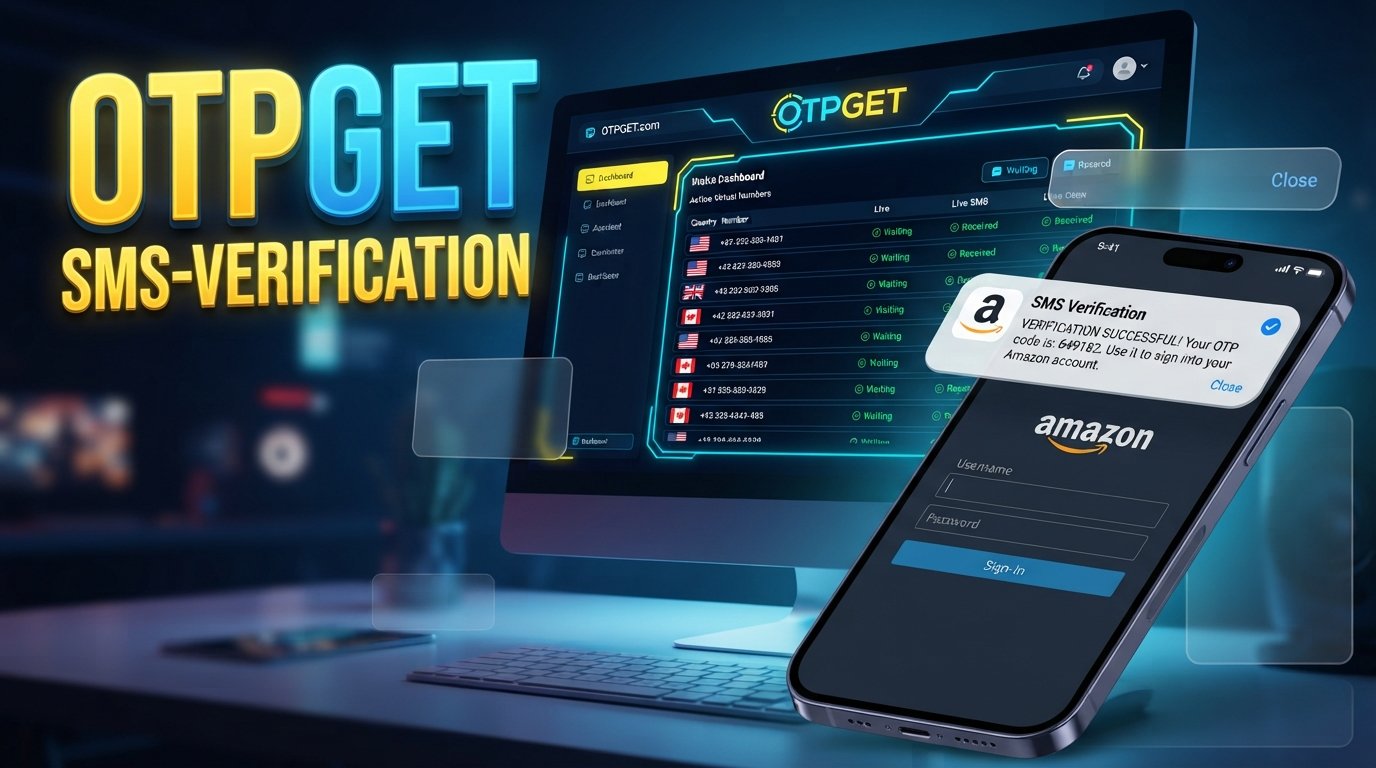
Create Amazon Account With a Virtual Number: Complete Guide!
Creating an online account often involves a simple but important step: phone verification. Depending on the account, region, and verification flow, you may be asked to provide a phone number and enter a code sent by SMS.
For people who prefer not to use their personal number for every online service, a virtual phone number can be an alternative worth considering. This is especially relevant when you want to create an Amazon account with a virtual number and need a number capable of receiving a verification message.
A virtual number does not automatically guarantee that a service will accept it. Amazon's verification requirements can vary, and users should always follow the information and instructions shown during Amazon's account-creation process.
For users looking for an online number for verification, OTPGET provides virtual-number services designed for receiving SMS verification codes. Its documentation describes a workflow for selecting a country and service, obtaining a number, and checking the status of incoming SMS messages.
Why Does Amazon Require Phone Verification?
Phone verification is commonly used as an additional account-security measure. Amazon documents SMS-based security codes as one of the methods that can be used for two-step verification, alongside options such as voice calls and authenticator apps in supported account flows.
When a verification step is required, Amazon sends a code to the phone number associated with the relevant account or verification method. The user then enters that code into the appropriate field.
The exact process can differ depending on the Amazon service, marketplace, account type, and security flow. That means a phone number that works for one Amazon-related process is not necessarily guaranteed to work for another.
The important point is simple: the phone number must be able to receive the requested verification message, and Amazon must accept that number for the particular verification flow.
What Is a Virtual Phone Number?
A virtual phone number is a phone number that can be accessed through an online service rather than relying solely on a physical SIM card in your personal smartphone.
Depending on the provider, virtual numbers can support functions such as receiving SMS messages or verification codes. Some are intended for short-term use, while rental numbers can remain available for a longer period.
A virtual phone number can therefore be useful when you need to:
- Separate personal communications from online services
- Receive SMS verification messages online
- Avoid using your primary mobile number for every registration
- Manage verification messages through an online dashboard
- Access a number for a specific legitimate verification purpose
However, virtual numbers are not universally interchangeable with traditional mobile numbers. Availability and acceptance can vary by service, country, number type, and verification system.
Can You Create an Amazon Account With a Virtual Number?
Potentially, yes, if Amazon presents a phone-verification step and accepts the particular virtual number you provide.
That distinction matters. There is no responsible way to guarantee that every virtual number will work with Amazon. Amazon's own documentation shows that supported verification methods can include SMS, voice calls, and authenticator applications, depending on the relevant account and security flow.
If you decide to use an Amazon account with a virtual number, use accurate account information and follow Amazon's instructions. A virtual number should be viewed as a communication and verification option, not a way to bypass security checks or account requirements.
How to Create an Amazon Account With a Virtual Number
If Amazon's sign-up flow requests phone verification, the general process is straightforward.
1. Choose a suitable virtual number provider
Select a provider that offers numbers capable of receiving SMS for the service you need.
OTPGET is one option to consider. Its official documentation describes virtual-number selection based on country and service, followed by SMS-status checking for incoming messages.
2. Select an available virtual number
Choose the country, service, and number type available for your intended verification.
Before using a number, check whether it is suitable for SMS verification and whether the provider indicates support for the relevant service.
3. Open Amazon's account-creation process
Go through Amazon's normal sign-up process using the official Amazon website or app.
Enter your requested account information accurately. Do not use a virtual number to misrepresent your identity or circumvent Amazon's account restrictions.
4. Enter the virtual number if phone verification is requested
When Amazon asks for a phone number, enter the selected number in the appropriate format.
Pay attention to the country code and make sure there are no unnecessary spaces or missing digits.
5. Check for the Amazon verification code
If Amazon sends an SMS verification code to the number, monitor the provider's dashboard or SMS interface.
With OTPGET, its documented SMS OTP workflow allows users to request a number and then check the activation status for an incoming message.
6. Enter the verification code
If the Amazon OTP arrives, enter it into the verification field shown by Amazon.
Treat OTPs as sensitive information. Never share a verification code with someone who contacts you unexpectedly claiming to represent Amazon.
7. Complete the remaining account setup
Once the verification step is accepted, continue through Amazon's normal account setup process.
Remember that phone verification is only one part of an account's requirements. Additional checks may apply depending on the account or service.
How OTPGET Can Help With Amazon Verification
For readers specifically looking for a virtual number for OTP, OTPGET provides a practical online option for obtaining numbers intended to receive SMS verification codes.
Its documented process is built around selecting available countries and services, requesting a number, and checking whether an SMS verification message has been received.
A typical workflow looks like this:
- Visit OTPGET.
- Choose an available virtual number suitable for the intended service.
- Copy the assigned phone number.
- Enter the number where Amazon requests a phone number.
- Submit the normal verification request through Amazon.
- Monitor OTPGET for an incoming SMS.
- If the Amazon verification code arrives, enter it into Amazon's verification field.
- Continue with Amazon's standard account setup.
The key qualification is that OTPGET cannot guarantee that Amazon will accept every number or that an OTP will always arrive. Number availability, routing, regional requirements, and the verification system can all affect the outcome.
OTPGET's API documentation also describes methods for requesting numbers and checking SMS activation status, although ordinary users may not need the API functionality.
Benefits of Using a Virtual Number
A virtual number can be useful for several legitimate reasons.
Separate personal and online communications
Some users prefer not to attach their personal mobile number to every online service they use. A separate virtual number can create a degree of separation between personal communications and online verification.
Convenient online access
A virtual number can make SMS verification accessible through an online platform instead of requiring an additional physical SIM.
Manage verification messages
If you regularly work with services that require SMS verification, an online dashboard can be more convenient than managing multiple physical phones or SIM cards.
Flexible number options
Providers may offer numbers from different countries or number pools. Availability depends on the provider and the particular service.
Privacy considerations
Using a separate number can reduce the need to distribute your personal number widely. However, a virtual number should not be treated as a guarantee of anonymity or complete privacy.
Common Problems With Amazon OTP Verification
Even when everything is entered correctly, SMS verification can sometimes fail. Here are common issues and practical responses.
OTP not arriving
Wait briefly and check whether the selected number is actually capable of receiving SMS from the requested service. Avoid repeatedly requesting codes because excessive requests can complicate verification.
Number unavailable
A particular number may no longer be available or may not support the requested service. Try another eligible number if the provider offers one.
Number already associated with another account
Some services may reject a number that is already connected to an account. If Amazon displays such a message, follow Amazon's instructions rather than attempting to circumvent the restriction.
Verification code expired
OTP codes are generally time-sensitive. If a code has expired, request another code through the normal verification process.
Virtual number not accepted
Not every online number is accepted by every verification system. If Amazon rejects the number, consider another supported verification method or follow Amazon's account-support guidance.
Incorrect number format
Check the country code, digits, and formatting before submitting the number. A small formatting error can prevent an SMS from reaching the intended destination.
SMS delivery delay
Temporary delivery delays can occur. Give the system a reasonable amount of time before requesting another code.
Tips for a Smoother Verification Process
A few simple practices can make the process easier:
- Enter the phone number exactly as requested.
- Check the correct country or region.
- Confirm that the selected number supports the required service.
- Wait before requesting another OTP.
- Avoid repeatedly submitting verification requests.
- Use accurate account information.
- Keep your Amazon credentials secure.
- Never share an OTP with an unknown person.
- Follow Amazon's instructions if additional verification is requested.
- Keep access to important account-recovery methods where possible.
Amazon specifically recommends security measures such as two-step verification and documents alternative methods, including authenticator apps, for supported account flows.
Is a Virtual Number Right for You?
A virtual number can make sense when you need a separate number for a legitimate online verification task and the service accepts that type of number.
It may be useful if you want to avoid using your personal number for every online registration, need an online SMS receiving option, or prefer managing verification messages through a web-based service.
A personal or permanent mobile number may be more appropriate when long-term account recovery and consistent access are priorities. This is particularly important for accounts that you expect to keep for a long time.
In other words, the right choice depends on how you intend to use the Amazon account and what verification and recovery methods Amazon makes available to you.
Why Consider OTPGET?
If your search is specifically for a virtual number for OTP verification, OTPGET is a practical option to explore.
The service provides access to virtual numbers and documents an SMS OTP workflow where users select an available number, use it for a supported verification request, and check for an incoming SMS code. It also documents rental-number options and API functionality for different use cases.
For an Amazon verification attempt, the main attraction is convenience: instead of obtaining another physical SIM solely for an online verification task, you can explore whether an eligible virtual number is available.
Still, the final decision belongs to the service requesting verification. OTPGET is separate from Amazon and does not control Amazon's verification policies or acceptance decisions.
Frequently Asked Questions
Can I create an Amazon account with a virtual number?
You may be able to if Amazon requests phone verification and accepts the particular virtual number. Acceptance is not guaranteed and can vary by account, region, number, and verification flow.
What is a virtual number for Amazon verification?
It is an online-accessible phone number that may be capable of receiving SMS verification messages. Whether Amazon accepts a particular number depends on its verification requirements.
How do I receive an Amazon verification code?
If Amazon sends an SMS code, it is delivered to the eligible phone number associated with the verification process. If you are using a virtual number, monitor the provider's SMS interface for the incoming message.
Why is my Amazon OTP not arriving?
Possible causes include an incorrect number, unsupported number type, delivery delay, regional limitations, or temporary verification issues. Check the number and wait before requesting another code.
Can I use a temporary phone number for Amazon?
A temporary number may work if Amazon accepts it for the relevant verification process, but there is no guarantee. For long-term account recovery, consider whether you will retain reliable access to the number.
What should I do if Amazon does not accept my virtual number?
Follow the instructions Amazon provides. You can also consider another supported verification method, such as an authenticator app where available, rather than attempting to bypass the verification process.
How can OTPGET help with OTP verification?
OTPGET provides virtual numbers intended for SMS OTP workflows. Its documentation describes selecting a number, requesting an SMS, and checking the number's activation status for an incoming verification code.
Conclusion
If you want to create an Amazon account with a virtual number, the process can be straightforward when Amazon requests SMS verification and accepts the number you choose.
The basic approach is to select an appropriate virtual phone number, enter it during Amazon's normal registration process, wait for the Amazon verification code, and complete the verification step using the received OTP.
For users who need an online number for verification, OTPGET offers a practical option for accessing virtual numbers and checking incoming SMS messages. Its availability and suitability should be evaluated for the specific verification task, since no provider can guarantee that every number will be accepted by Amazon.
If a virtual number fits your legitimate use case, explore OTPGET and check the available options before beginning the verification process.
Internal-Link Suggestions
| Suggested anchor text | Suggested page/topic | Natural placement |
|---|---|---|
| virtual phone numbers for OTP verification | Guide to choosing virtual numbers for SMS OTP | In the “What Is a Virtual Phone Number?” section |
| how to receive SMS online | Guide to receiving SMS without a physical SIM | After explaining online SMS access |
| temporary phone number for verification | Temporary versus rental virtual numbers | In the “Is a Virtual Number Right for You?” section |
| SMS OTP verification guide | Complete guide to OTP and SMS verification | Before the FAQ section |
| OTPGET virtual numbers | OTPGET virtual-number service page | In the “Why Consider OTPGET?” section |
Image SEO
Featured Image Alt Text
Create Amazon account with a virtual number using OTPGET for SMS verification
Featured Image Title
Amazon Virtual Number Verification with OTPGET
Featured Image Caption
A virtual phone number can provide an online option for receiving SMS verification codes when supported by the service.
Additional Image Ideas
1. Virtual Number Selection Dashboard
- Placement: After “What Is a Virtual Phone Number?”
- Alt text: Virtual phone number selection interface for SMS verification
2. Amazon Verification Code Concept
- Placement: Inside “How to Create an Amazon Account With a Virtual Number”
- Alt text: Smartphone displaying an SMS verification code for an online account
3. OTPGET Verification Workflow
- Placement: Inside “How OTPGET Can Help With Amazon Verification”
- Alt text: OTPGET virtual number and SMS OTP verification workflow
4. OTP Troubleshooting Illustration
- Placement: Inside “Common Problems With Amazon OTP Verification”
- Alt text: Common SMS OTP verification problems and troubleshooting steps
5. Virtual Number Versus Personal Number
- Placement: Inside “Is a Virtual Number Right for You?”
- Alt text: Comparison of virtual phone number and personal mobile number for verification


