Create a Facebook Account With a Virtual Number Using OTPGET
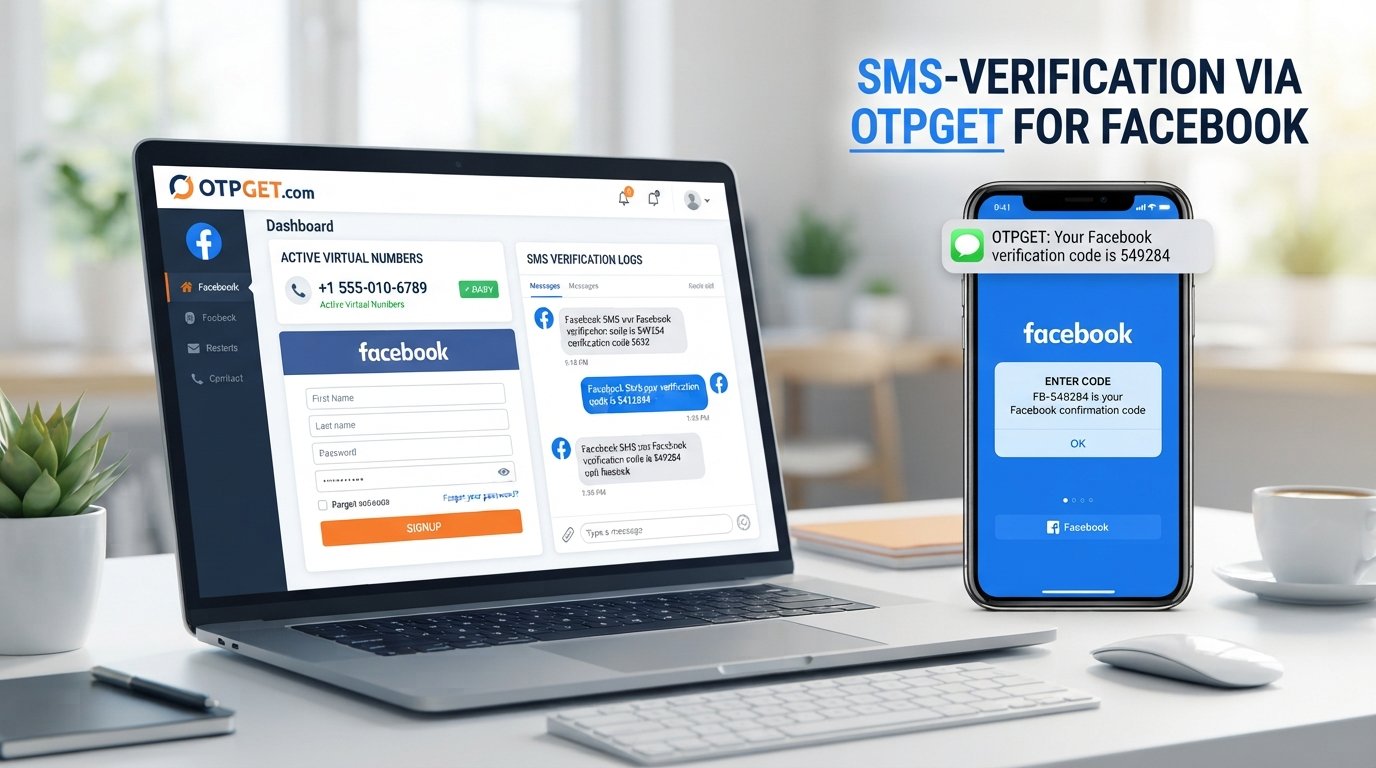
Create a Facebook Account With a Virtual Number Using OTPGET
Creating an online account does not always mean you want to share your primary phone number. Some users prefer to keep personal communications separate from account registrations, while others simply need an online number for a service that supports SMS verification.
That is where a virtual phone number can be useful. Instead of relying on a physical SIM in your everyday phone, a virtual number can provide access to SMS messages through an online service when the number and destination platform support the required workflow.
For users exploring this option, OTPGET provides virtual numbers and SMS OTP functionality designed for supported verification use cases. Its published documentation describes options for obtaining numbers, checking activation status, and retrieving received SMS through its service.
The important point is that a virtual number is not a way to bypass Facebook's security systems. Facebook decides which numbers it accepts and what verification is required. The goal is simply to use a legitimate number where the platform permits it.
What Is a Virtual Number?
A virtual number is a phone number that is provided and managed through an online service rather than being tied directly to a physical SIM card in your personal phone.
Depending on the provider and number type, a virtual number may be able to receive SMS messages, including verification codes and one-time passwords (OTPs). The incoming message can then be viewed through the provider's online dashboard or another supported interface.
A traditional mobile number is generally connected to your physical SIM or mobile account. A virtual number, by contrast, is accessed through an online platform.
People may use virtual numbers for legitimate purposes such as:
- Receiving SMS verification codes
- Keeping registration messages separate from personal texts
- Testing websites or applications
- Managing specific online services
- Using an additional number without carrying another physical SIM
- Handling supported short-term or longer-term verification needs
Not every virtual number works with every website. Acceptance depends on the destination service, number type, carrier or provider, and the verification requirements involved.
Why Use a Virtual Number for Facebook?
There are several practical reasons someone might consider a virtual number for Facebook.
The most common is separation. Your personal phone number may already be connected to banking, messaging, work, or other important services. Using another number for a supported online registration can keep those activities separate.
A virtual number may also be convenient if you do not want to use your everyday number for every online signup.
Potential reasons include:
- Separating online activity: Keep certain registration and verification messages away from your primary inbox.
- Convenience: Access SMS through an online service rather than requiring another physical SIM.
- Number flexibility: Depending on availability, you may have access to numbers from different countries or providers.
- Verification management: Keep OTP-related messages associated with a specific online verification workflow.
- Privacy considerations: Reduce the situations in which you need to disclose your primary phone number.
These benefits should not be confused with anonymity or guaranteed privacy. A virtual number is still a phone number supplied by a service, and its use may be subject to provider policies and the requirements of the platform you are accessing.
Facebook also controls its own registration and verification process. Users should follow Facebook's applicable rules and provide accurate information rather than using a virtual number to impersonate someone, create deceptive accounts, send spam, or evade restrictions.
How to Create a Facebook Account With a Virtual Number
If Facebook presents phone verification during signup and accepts the virtual number you have obtained, the general process is straightforward.
1. Choose a legitimate virtual number provider
Start with a provider that clearly explains its number and SMS functionality. OTPGET, for example, documents temporary numbers, rental numbers, and SMS OTP functionality.
2. Select an available number
Choose a number that supports the type of SMS verification you need. Availability can vary by country, provider, and service.
3. Open Facebook's official signup process
Go through Facebook's normal account registration flow. Enter the information requested by Facebook.
4. Enter the virtual number if Facebook requests one
If phone verification is presented, enter the eligible virtual number in the appropriate field.
Facebook may reject a particular number. A virtual number should never be treated as a guaranteed substitute for a personal mobile number.
5. Request the verification code
If Facebook accepts the number for the verification attempt, request the SMS verification code.
6. Check the virtual number service
Open the provider's dashboard or supported SMS interface and look for the incoming verification message.
With OTPGET, its published workflow includes obtaining a number and checking the activation status for an incoming SMS. Its rental service also provides a method for retrieving SMS associated with a rented number.
7. Enter the verification code
Enter the legitimate Facebook verification code into Facebook's verification screen.
8. Finish the account setup
Complete any remaining registration or verification steps Facebook requests.
If Facebook asks for additional confirmation, follow the instructions shown by Facebook. Do not attempt to circumvent those requirements.
How OTPGET Can Help With Virtual Number Verification
OTPGET fits into the process as a virtual-number and OTP receiving service rather than as part of Facebook itself.
Its published documentation describes an SMS OTP API and rental-number functionality. The general workflow is built around selecting an available number or rental, using it for a supported verification request, and retrieving the incoming SMS.
For a user, the process can be understood simply:
Choose a number → Use it for supported verification → Receive OTP → Enter the code → Complete verification
This can be useful when you have a legitimate reason to avoid using your primary phone number and the destination service accepts the selected number.
OTPGET also states in its terms that its services are intended for online verification and account registration and must not be used for illegal, fraudulent, abusive, or harmful activities.
That distinction matters. OTPGET can provide the number and SMS infrastructure, but it does not control Facebook's verification decisions. Whether a specific number is accepted remains up to Facebook.
Explore OTPGET's virtual number and OTP services
Benefits of Using a Virtual Number
A virtual number can offer several practical advantages when it is accepted by the service you are using.
Separation from your personal number: Verification messages can remain separate from your everyday communications.
Convenience: You may be able to access SMS through an online dashboard instead of managing another physical SIM.
Flexible use cases: Virtual numbers can be useful for supported account registrations, testing, and online verification workflows.
Simpler OTP management: Having verification messages associated with a dedicated number can make certain signup processes easier to manage.
Reduced exposure of a primary number: Where a virtual number is accepted, you may not need to disclose your everyday mobile number for that particular registration.
These advantages do not mean that every virtual number is permanent, private, anonymous, or suitable for account recovery. Always consider whether you will need continued access to the number later.
Things to Know Before Using a Virtual Number for Facebook
Before you create a Facebook account with a virtual number, keep a few limitations in mind.
- Facebook controls acceptance. A virtual number may work for one verification attempt but not another.
- Not every number is supported. Some number ranges or types may be rejected.
- A number may have previous usage. Depending on the provider, a number could have been used with another service or account.
- SMS delivery can vary. Network routing, provider availability, and destination-service rules can affect delivery.
- Additional verification may occur. Facebook can request further confirmation depending on its own systems.
- Long-term access matters. If you expect to use the number for account recovery, a temporary number may not be appropriate.
- Provider availability changes. Numbers and supported services can vary over time.
- Use the service responsibly. Do not use virtual numbers for fraud, impersonation, spam, abuse, or attempts to circumvent platform restrictions.
The safest approach is to view a virtual number as a legitimate communication and verification option, not as a method for defeating platform safeguards.
Virtual Number vs. Personal Phone Number
| Feature | Virtual Number | Personal Number |
|---|---|---|
| Separating online activity | Can help separate supported online verification from personal communications | Usually connects activity directly to your everyday number |
| SMS/OTP availability | Depends on provider, number type, and destination service | Generally available through the mobile carrier |
| Convenience | Can be convenient for online-only verification workflows | Convenient when your phone is always available |
| Long-term ownership | May be temporary or rented, depending on the service | Usually remains associated with your mobile account |
| Privacy considerations | May reduce the need to disclose your primary number where accepted | Requires sharing your personal number when used for registration |
| Availability for Facebook verification | Depends on whether Facebook accepts the number | Depends on Facebook's requirements and the number's status |
Neither option is universally better. The appropriate choice depends on how you plan to use the account, whether continued access to the number matters, and what Facebook accepts during registration.
Why Consider OTPGET?
If you are researching a virtual number for OTP verification, OTPGET is one option worth exploring.
Its published documentation describes virtual numbers, SMS OTP functionality, and rental numbers, with availability depending on the selected country, service, and number type.
The practical appeal is straightforward: instead of automatically giving your primary phone number to every service, you can investigate whether an available virtual number is suitable for your legitimate verification requirement.
The key is to check compatibility before relying on a number. A provider can supply a virtual number, but the destination platform ultimately determines whether that number can be used.
Frequently Asked Questions
Can I create a Facebook account with a virtual number?
You may be able to create a Facebook account using a virtual number if Facebook requests phone verification and accepts that particular number. Acceptance is controlled by Facebook and can vary by number and verification attempt. A virtual number should be used only for legitimate account creation and in accordance with Facebook's applicable requirements.
Can Facebook accept a virtual phone number?
Facebook may accept some virtual or online phone numbers, but acceptance is not guaranteed. Some numbers can be rejected because of their type, previous use, provider, or Facebook's verification systems. If a number is rejected, follow Facebook's normal verification options rather than attempting to bypass the restriction.
How do I receive a Facebook verification code on a virtual number?
First, obtain a virtual number that supports SMS and is suitable for the intended service. Enter it during Facebook's normal verification process if permitted, request the code, then check the provider's SMS interface for the incoming message. Enter the received code into Facebook to continue.
Is OTPGET suitable for receiving OTP codes?
OTPGET publishes virtual-number and SMS OTP functionality intended for supported verification workflows. Its documentation describes obtaining numbers and checking received SMS. Whether a specific Facebook verification message can be received depends on the number, availability, and Facebook's acceptance of that number.
Can I use the same virtual number for multiple Facebook accounts?
You should not assume that one virtual number can be reused across multiple Facebook accounts. Facebook determines its account and phone-number requirements, and a number may already be associated with an account or may not be accepted for another registration. Follow Facebook's applicable account policies.
What happens if Facebook does not accept my virtual number?
If Facebook rejects the number, do not try to bypass its verification controls. Instead, review the verification options Facebook provides and consider whether another legitimate number that meets its requirements is appropriate. You can also check whether the virtual-number provider offers another compatible number.
Is using a virtual number against Facebook's rules?
Using a virtual number is not automatically the same as violating a platform rule, but the specific account activity still needs to comply with Facebook's requirements. A virtual number should not be used for deceptive identities, fraud, spam, abuse, unauthorized access, or evasion of platform restrictions.
Conclusion
A virtual number can be a practical option for people who want to separate their primary phone number from certain online verification activities. When a service supports the number, the basic process is simple: obtain a suitable virtual number, enter it during the normal signup process, receive the SMS OTP, and complete the platform's verification steps.
For readers considering this approach, OTPGET provides virtual numbers and SMS OTP functionality for supported use cases. Its published documentation explains workflows for obtaining numbers and retrieving verification messages.
The important limitation is that no virtual-number provider can determine whether Facebook will accept a particular number. Facebook controls its own registration and verification requirements.
If you need a virtual number for a legitimate, supported OTP or SMS verification purpose, explore OTPGET and check the available numbers and service compatibility before proceeding.
8. Suggested Internal Link Anchors
- virtual numbers — Link to a general guide explaining virtual phone numbers and their use cases.
- receive OTP online — Link to a guide covering how online SMS and OTP reception works.
- SMS verification — Link to an educational article about SMS-based account verification.
- temporary phone numbers — Link to a comparison or guide explaining temporary versus longer-term numbers.
- OTP verification services — Link to a broader guide explaining how OTP receiving services work.
9. FAQ Section
Can I create a Facebook account with a virtual number?
You may be able to, provided Facebook accepts the number during its normal registration and verification process. Acceptance can vary by number and verification attempt, so a virtual number should not be treated as a guaranteed solution.
Can Facebook accept a virtual phone number?
Facebook may accept some virtual phone numbers, but not every number is necessarily eligible. The result depends on Facebook's verification requirements and the specific number being used.
How can I receive a Facebook OTP on a virtual number?
Use a virtual number that supports SMS, enter it during Facebook's permitted verification process, request the code, and check the provider's SMS interface for the incoming message. Then enter the legitimate code into Facebook.
Is OTPGET suitable for OTP verification?
OTPGET publishes virtual-number and SMS OTP services for supported verification workflows. Its documentation describes number acquisition and SMS retrieval, while actual acceptance depends on the destination platform and available number.
Can I reuse a virtual number for multiple Facebook accounts?
Do not assume that you can. Facebook controls its account and phone-number requirements, and a number may already be associated with an account or may be unsuitable for another registration.
What if Facebook rejects my virtual number?
Use Facebook's normal verification options rather than attempting to bypass its controls. You can also check whether another legitimate number that meets Facebook's requirements is available.
Is a virtual number completely anonymous?
No. A virtual number should not be described as providing absolute anonymity. The provider may maintain account, transaction, or technical information, and the destination service has its own account and verification systems. OTPGET's published terms also describe information it may collect for operational and security purposes.


