Create Gmail Account with a Virtual Number – OTPGET Easy How-To
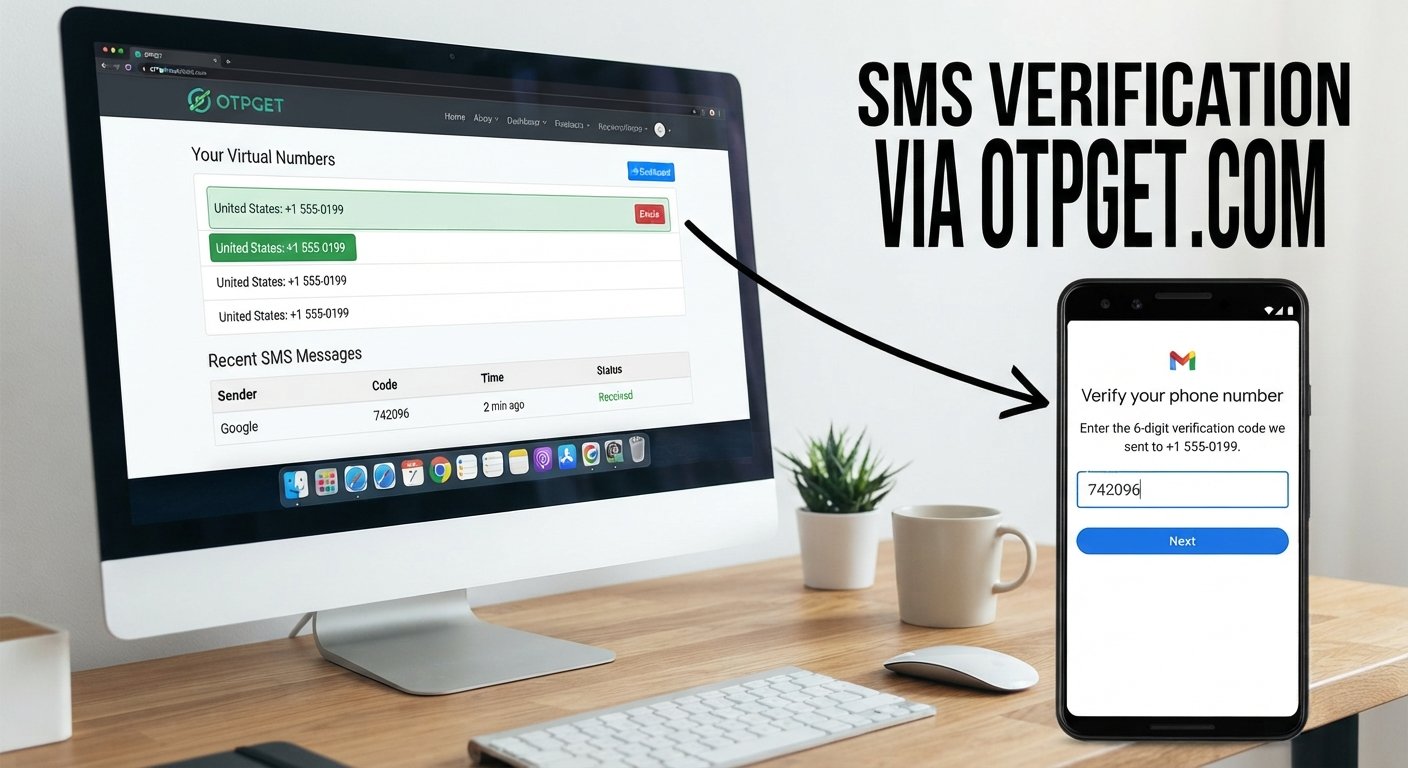
Create Gmail Account with a Virtual Number – OTPGet
Creating an online account can sometimes involve phone verification before registration is completed. For users who prefer not to use their primary phone number for every online service, a virtual number can provide another option for receiving SMS verification codes where supported.
A virtual number for Gmail can be useful when you need a separate number for an account-verification step. However, it is important to understand that Google controls its own signup and verification requirements, so no virtual number can guarantee that registration will be accepted.
One option worth exploring is OTPGET, which is designed around online OTP and SMS verification workflows where supported. In this guide, you will learn what virtual numbers are, how Gmail verification works, how OTPGET can fit into the process, common problems to expect, and why temporary verification should be considered separately from long-term account recovery.
Why Gmail May Ask for Phone Verification
Phone verification can be an important part of online account security. During account creation, Google may request a phone number to help verify that the registration is legitimate or to apply additional security checks.
Verification requirements can vary depending on factors such as the signup process, account activity, and Google's own security systems. A phone number may also have a role in account protection or recovery, depending on the options available to the user.
Common reasons for phone verification include:
- Account verification: A phone number can provide an additional way to confirm a registration.
- Abuse prevention: Verification can help online platforms reduce automated or abusive account creation.
- Unusual signup activity: Additional checks may appear when activity triggers a security review.
- Account protection: A verified contact method can sometimes be useful for security or recovery.
Because Google's requirements can change based on its systems and the circumstances of a signup, users should always follow the instructions shown during the Gmail account-creation process.
What Is a Virtual Number?
A virtual phone number is a number that is provided through an online service rather than being tied directly to a traditional physical SIM card in your phone.
Depending on the provider and service, a virtual number may be capable of receiving SMS messages online. This makes virtual numbers useful for certain online verification workflows, including services that support SMS-based verification.
A virtual number can offer several practical advantages:
- It can separate an online verification process from your personal phone number.
- It can be convenient when you need a number specifically for an SMS verification step.
- It may allow you to receive an OTP without relying on your physical SIM.
- It can be useful for legitimate online services that accept virtual numbers.
There are also limitations. Not every platform accepts every virtual or VoIP number. Some numbers may have previous usage history, while others may have restrictions associated with particular services. Availability can also vary.
For that reason, a virtual number should be viewed as a verification option rather than a guaranteed solution.
Can You Create a Gmail Account with a Virtual Number?
Yes, it may be possible to create Gmail account with a virtual number when Google accepts the selected number during the verification process.
The important word is may. Google determines which numbers and verification methods it accepts. A virtual number that works for one service may not necessarily be accepted for Gmail.
Google may reject a particular number, request another verification method, or apply additional checks. Repeatedly trying to circumvent those checks is not a good approach. If a number is not accepted, use a legitimate alternative that complies with the instructions provided during registration.
For users who need an online number for OTP verification, OTPGET can be a practical option to explore where the relevant service and number are supported.
How OTPGET Can Help With Gmail OTP Verification
OTPGET can simplify the general workflow involved in obtaining a virtual number and checking for incoming verification messages where supported.
The process typically involves these steps:
- Visit OTPGET. Open the OTPGET platform and review the verification options available.
- Select an appropriate service or option. Choose the relevant verification service if it is available on the platform.
- Obtain or select an available virtual number. Availability can depend on the service and numbers currently offered.
- Enter the number during signup. Use the number exactly as provided when Gmail requests phone verification.
- Request the OTP. Continue the verification process and wait for the SMS message.
- Check OTPGET for the incoming message. Return to the platform and look for the verification code where the service supports incoming SMS.
- Enter the OTP. Carefully enter the received code into the relevant verification screen.
- Complete registration if accepted. If Google accepts the number and the verification succeeds, continue following the account-creation instructions.
The exact experience can depend on number availability, the service being verified, and the verification requirements applied at the time.
Why Use OTPGET for Virtual Number Verification?
For someone looking for a virtual phone number for account verification, convenience is often the main consideration. Instead of connecting every verification process to a personal number, a user may prefer a separate number for a legitimate online verification task.
OTPGET can be useful in this context because its purpose is centered around receiving verification messages where supported.
Potential advantages include:
- Convenient online access: Check for verification messages through an online workflow rather than relying exclusively on a personal SIM.
- Separation from a personal number: A separate verification number can help keep certain online signup activities apart from your everyday phone number.
- OTP-focused workflow: The process is centered on obtaining a number and checking for verification messages where available.
- Practical for supported services: When the required service and number are available, the workflow can be straightforward.
- Useful for legitimate verification needs: A virtual number can be considered when a service permits it and a separate number is appropriate.
These benefits should not be confused with a guarantee of acceptance or delivery. The service being verified ultimately controls its own requirements.
Step-by-Step Guide to Using a Virtual Number for Gmail Verification
If you want to try a Gmail signup with virtual number, prepare carefully before starting.
1. Start the Gmail signup process
Follow Google's normal account-creation process. When phone verification is requested, review the instructions displayed on the screen.
2. Check the available verification requirement
Determine whether Google is asking for a phone number and whether it provides other verification choices. Use the method that fits your situation and Google's requirements.
3. Choose a supported number through OTPGET
If you decide to use a virtual number, check OTPGET for an available option that supports the relevant service. Availability may vary.
4. Enter the number accurately
Copy or enter the number exactly as provided. Incorrect formatting or an incorrect number can prevent the verification message from reaching the intended destination.
5. Request the verification code
Continue with the verification step and wait for the SMS. Avoid repeatedly requesting codes if a message is delayed, as the service may have its own limits.
6. Check for the OTP
Return to OTPGET and check for the incoming verification message where supported. If the message arrives, carefully identify the OTP.
7. Enter the code
Enter the verification code into the appropriate Google verification field. Never share an OTP with another person.
8. Finish the signup process
If Google accepts the number and the verification succeeds, continue with the remaining account-creation steps. Set up appropriate security and recovery options afterward.
Common Problems When Using a Virtual Number for Gmail
Number Not Accepted
Google may reject certain virtual, VoIP, recycled, or previously used numbers. This does not necessarily mean there is a problem with the signup itself.
What to do: Check the number and country details, follow Google's instructions, and use another legitimate verification method if the number is not accepted.
OTP Does Not Arrive
An SMS can be delayed because of temporary service issues, number availability, incorrect entry, or restrictions affecting the verification request.
What to do: Confirm that the number was entered correctly and check whether the number is still available for the selected service. If the message does not arrive, follow the available verification options rather than repeatedly attempting the same request.
Verification Fails
Google may determine that another verification method is required.
What to do: Follow the verification instructions presented by Google. A virtual number should not be treated as a way to bypass additional security checks.
Number Has Already Been Used
A virtual number may have a previous usage history. A service can limit how a number is used for account verification.
What to do: Consider another legitimate number or verification method instead of trying to work around the restriction.
Virtual Number vs. Personal Phone Number
Both options can have a place depending on what you need.
| Factor | Virtual Number | Personal Phone Number |
|---|---|---|
| Convenience | Useful for supported online verification workflows | Convenient when your phone is readily available |
| Privacy considerations | Can separate verification from your everyday number | Directly connected to your personal phone |
| Long-term recovery | May be less suitable if access is temporary | Generally easier if you retain the number |
| Number control | Depends on the provider and availability | Usually controlled directly by you |
| Verification reliability | Depends on whether the service accepts the number | Often more straightforward for services requiring traditional numbers |
| Best suited for | Certain temporary or separate verification needs | Long-term account ownership and recovery |
There is no universal choice for every situation. Think about whether you need the number only for an initial verification step or whether you may need continued access to it later.
Is a Virtual Number Suitable for Gmail Account Recovery?
This is an important distinction.
A temporary number may be useful for an initial verification purpose, but long-term account recovery is different. If you lose access to the virtual number, you may not be able to use it later if Google asks for that number during a security or recovery process.
For an account you expect to keep, consider the recovery options Google makes available to you. Keep relevant recovery information updated and make sure you understand which security methods are connected to the account.
OTPGET can be considered for supported verification workflows, but a virtual number should not be treated as a guaranteed long-term recovery method.
Tips for Safer Gmail Account Verification
Whether you use a personal number or a virtual number, good account security remains important.
- Never share an OTP with another person, website, or unsolicited support contact.
- Use a strong, unique password for your Gmail account.
- Enable appropriate security features offered through your Google account.
- Keep recovery information updated so you have options if you lose access.
- Be careful with third-party services and only use services you understand and trust.
- Avoid suspicious links that request your password or verification code.
- Do not use verification services for fraudulent or abusive activity.
- Follow Google's applicable requirements rather than attempting to bypass security controls.
A verification code is sensitive information. Treat it with the same care you would give your password.
Why OTPGET Is a Practical Option for OTP Verification
If you are looking for a virtual number for OTP verification, OTPGET provides a practical option to explore for supported services.
The main appeal is the simplicity of having an online verification workflow: obtain an available number, use it during the relevant signup or verification process, and check for the incoming OTP where supported.
OTPGET is particularly worth considering when you want to keep a verification process separate from your everyday phone number. At the same time, the service being verified remains responsible for deciding whether a particular number is accepted.
That distinction matters. OTPGET can facilitate the number-and-message side of a supported verification workflow, but it does not override Gmail's security requirements or guarantee that every number will be accepted.
If you have a legitimate need for a separate verification number, explore the available options on OTPGET and select an option that matches the service and verification requirements you are working with.
Frequently Asked Questions
1. Can I create a Gmail account with a virtual number?
You may be able to create a Gmail account with a virtual number if Google accepts that number during the verification process. However, Google determines which numbers and verification methods are accepted. A virtual number does not guarantee successful registration, so always follow the instructions shown during signup.
2. What is a virtual number for Gmail verification?
A virtual number is a phone number provided through an online service rather than directly through a traditional physical SIM. Where supported, it can receive SMS messages containing verification codes. Whether Google accepts a particular virtual number depends on its own verification and security requirements.
3. Can OTPGET receive Gmail OTP codes?
OTPGET can provide a way to receive verification messages where the relevant service and number are supported. If Gmail accepts the selected number and sends an SMS verification code, you can check the applicable OTPGET workflow for the incoming message. Availability and acceptance can vary.
4. Why is my virtual number not accepted by Gmail?
Google may reject a virtual, VoIP, recycled, or previously used number as part of its verification controls. The number may also have usage limitations. If this happens, follow Google's instructions and consider another legitimate verification method instead of attempting to bypass the restriction.
5. Why haven't I received my Gmail verification code?
A verification code may be delayed because of temporary service issues, number availability, incorrect number entry, or restrictions affecting the request. Confirm the number is correct, check the applicable OTP service, and follow Google's available verification options if the message does not arrive.
6. Can I use a temporary number for Gmail account recovery?
A temporary number may not be appropriate for long-term account recovery because you could lose access to it. Recovery requires dependable access to the methods associated with your account. Consider Google's available recovery options and maintain information you can reliably access over time.
7. Is a virtual number better than my personal phone number for verification?
Neither option is universally better. A virtual number can provide separation from your everyday phone number for certain supported verification tasks, while a personal number may be more practical for long-term access and recovery. Consider privacy, reliability, number ownership, and your intended use before choosing.
Final Thoughts
Phone verification can be an important part of creating and protecting an online account. A virtual number can provide an alternative option for SMS-based verification when the service accepts it, but it should not be viewed as a guaranteed way to complete Gmail registration.
The biggest consideration is the difference between temporary verification and long-term account recovery. A number that works for an initial OTP may not be something you can depend on later.
For users who need a virtual number for a legitimate verification purpose, OTPGET can be a practical option to explore where supported. Its online OTP-focused workflow can make the process more convenient while keeping the actual verification requirements in the hands of the service being registered with.
If you are ready to explore a virtual number for a supported verification process, visit OTPGET and review the available options before beginning your signup.


