Georgian Number for App Verification: Easy Step-by-Step Guide
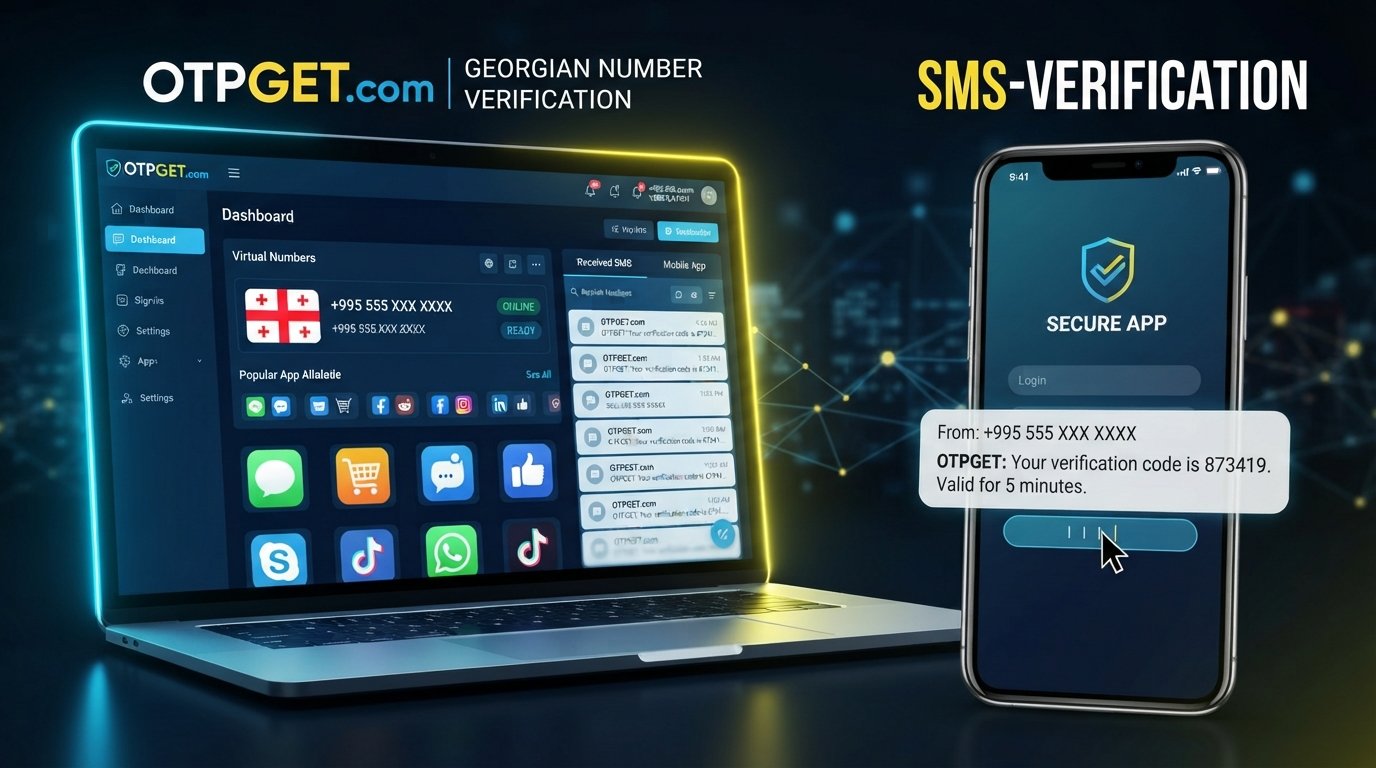
Georgian Number for App Verification: Step-by-Step Help
8. Article
Getting a Georgian number for app verification can be useful when an app or online service requires a Georgia-based phone number before allowing registration or completing account verification. For many platforms, the process is simple: enter a supported number, receive an SMS containing a one-time password (OTP), and enter that code into the app.
The challenge is having access to a suitable Georgian phone number when you do not have a local SIM card.
A Georgian virtual number may provide a practical alternative for legitimate verification needs. Services such as OTPGET can help users access a Georgian number for receiving verification messages, subject to the rules and compatibility requirements of the target platform.
This guide explains how Georgian SMS verification works, what to check before using a virtual number, and how to approach the process step by step.
What Is a Georgian Number for App Verification?
A Georgian number for app verification is a phone number associated with Georgia that can be entered when an application or online service requests phone verification.
The service typically sends a short verification message containing an OTP. The recipient then enters the code into the app to confirm access to the phone number.
Depending on the service, verification may be used for:
- Creating an account
- Confirming a phone number
- Signing in or completing account security checks
- Reducing automated or fraudulent registrations
- Confirming that a user can receive SMS messages
- Completing an SMS-based authentication step
A Georgian phone number for verification may be a physical mobile number or, where accepted, a Georgian virtual number.
The important point is compatibility. Not every application accepts every type of number, and some platforms may restrict virtual, temporary, or previously used numbers.
Why Do Apps Ask for a Georgian Phone Number?
Phone verification gives apps another way to confirm that an account registration or security action is connected to a reachable phone number.
For services that support Georgian users, a Georgian mobile number may be requested because the platform uses country-specific phone numbers as part of its registration or authentication process.
Common reasons include:
Account creation
An app may ask for a phone number during registration and send an SMS OTP before completing the account setup.
Login verification
Some services use SMS as an additional verification step when a user signs in or performs a security-sensitive action.
Fraud prevention
Phone verification can help platforms identify unusual registration activity and make automated account creation more difficult.
Account confirmation
A service may require a verification code to confirm that the submitted number can receive messages.
The exact process varies by platform, so users should always follow the service's requirements rather than assuming that every Georgia phone number will be accepted.
When Might You Need a Georgian Number Online?
There are several legitimate situations where someone may need a Georgian number online.
For example, a developer or tester working with a service that supports Georgian numbers may need to test its SMS registration flow. A user may also need a Georgia phone number online when accessing a service that specifically requires a Georgian number and when using such a number is permitted by that service.
Potential use cases include:
- Testing an app's Georgian registration flow
- Business or development testing
- Receiving an OTP for an appropriate service
- Confirming a supported Georgian account
- Temporary verification needs
- Testing SMS delivery for a service that supports Georgian numbers
A temporary Georgian number can be useful for short-term situations, but users should consider whether they will need the same number again for account recovery or future authentication.
How Georgian SMS Verification Works
The basic process behind Georgian SMS verification is straightforward.
- Enter a supported Georgian phone number.
The number is entered into the app's phone verification field, usually using the required international format. - The service sends an OTP.
The application sends an SMS containing a short verification code. - The SMS reaches the number.
If the number and platform are compatible, the verification message is delivered to the number. - Retrieve the verification code.
Check the available SMS or OTP interface associated with the number. - Enter the code into the app.
Submit the received OTP in the verification field. - The platform confirms the number.
If the code is valid and has not expired, the service can complete its verification step.
Delivery times and compatibility can vary. A platform may also reject certain virtual numbers, so receiving an SMS should never be treated as guaranteed for every application.
Why Use a Georgian Virtual Number?
A Georgian virtual number can be a convenient option for someone who needs access to a Georgian phone number without obtaining a physical SIM in person.
Potential advantages include:
- Convenience: Access to a number can be simpler than arranging a physical SIM.
- Accessibility: A virtual option may be useful when a local mobile connection is not readily available.
- Flexibility: Users with legitimate short-term verification needs may not require a permanent physical number.
- SMS access: Where supported, the number can be used to receive an SMS verification code.
- Testing: Developers and businesses may find virtual numbers useful when testing SMS-based workflows.
However, virtual numbers are not interchangeable with physical SIM cards in every situation. Some platforms distinguish between mobile, virtual, temporary, and previously used numbers.
How to Get a Georgian Number for App Verification with OTPGET
For users who need a Georgian number for app verification, OTPGET can provide a practical option for accessing a verification number for legitimate SMS-based verification purposes.
The exact options available can depend on the service and the number selected. A simple approach is:
Step 1: Choose the appropriate Georgian number
Explore the available Georgian number option in OTPGET and select a number suitable for your intended verification purpose.
Before proceeding, consider whether the target application permits the use of a virtual or temporary number.
Step 2: Select the relevant verification purpose
Identify the app or service where you need to complete verification. Make sure your intended use follows the platform's rules and account requirements.
Step 3: Enter the number in the app
Copy the Georgian number provided through OTPGET and enter it in the application's phone number field.
Use the format requested by the application. Some services require an international format, while others may format the number automatically.
Step 4: Request the verification SMS
Submit the phone number and request the verification code. The target service should then send an SMS if the number is accepted.
Step 5: Retrieve the OTP through the available OTPGET interface
Check OTPGET for the incoming verification message using the options available for the selected number.
If no message appears, avoid repeatedly requesting new codes. First check the number, country selection, and target application's requirements.
Step 6: Enter the verification code
Copy the received OTP and enter it into the app's verification field.
Treat the code as sensitive information. Do not share it with other people.
Step 7: Complete the verification process
If the code is accepted, finish the remaining account or registration steps required by the application.
OTPGET can be a useful option when a user legitimately needs access to a Georgian number, but compatibility remains dependent on the individual platform.
What to Check Before Using a Georgian Verification Number
Before using a Georgian number for SMS verification, check several practical factors.
Does the app accept virtual numbers?
Some platforms accept virtual numbers, while others restrict them. Review the service's phone verification requirements where available.
Can the number receive incoming SMS?
The number needs to support the type of message required by the target application.
Is the number temporary or reusable?
If you expect to need the account again, consider whether you will retain access to the number. A temporary number may not be suitable for long-term recovery.
Are there privacy considerations?
Avoid sharing verification codes unnecessarily. Use numbers and verification services in accordance with the privacy policies and terms of the relevant platforms.
Will you need the number later?
This matters for accounts that use SMS for password recovery, login verification, or security alerts. A number that is available only temporarily may not be appropriate for an account you expect to maintain long term.
Georgian Number vs. Physical SIM for Verification
Both virtual numbers and physical SIM cards can have legitimate uses. The appropriate choice depends on the platform, duration of use, and whether ongoing access is required.
| Factor | Georgian Virtual Number | Physical SIM |
|---|---|---|
| Access | Can be accessed through the relevant online service | Requires a physical SIM and compatible device |
| Convenience | Useful when a physical SIM is impractical | Familiar option for regular mobile use |
| Setup | Usually handled online through the provider | Requires obtaining and activating a SIM |
| SMS availability | Depends on the number and service | Depends on mobile network coverage |
| Platform compatibility | May vary by application | Often suitable for conventional mobile verification |
| Long-term recovery | Depends on continued access to the number | Can be more suitable when retained long term |
Neither option should be assumed to work for every service. The target platform's verification rules should guide the decision.
Common Problems With SMS Verification
Even when the correct number is entered, SMS verification can sometimes fail.
Common issues include:
- The verification SMS is delayed
- The application does not accept the number
- The number format is incorrect
- The number has expired
- The platform restricts virtual numbers
- Too many OTP requests were made
- The verification code has expired
- The service has temporary delivery problems
How to troubleshoot
Start by checking the country code and number format. Then confirm that the target application supports Georgian numbers and the type of number you are using.
If the code does not arrive immediately, avoid repeatedly requesting new OTPs. Multiple requests can sometimes create confusion because an earlier code may become invalid when a new one is issued.
If the number is temporary, also check whether it remains available for receiving messages.
Tips for Successful Georgian SMS Verification
A few simple habits can make the process easier:
- Enter the Georgian number in the format requested by the app.
- Confirm that the target service supports Georgian numbers.
- Check whether virtual numbers are permitted.
- Wait briefly before requesting another OTP.
- Use the newest valid verification code.
- Make sure the selected number is still active.
- Keep your OTP private.
- Follow the target platform's account and verification rules.
- If long-term account recovery matters, consider whether a temporary number is appropriate.
These steps do not guarantee successful verification, because the final decision and SMS delivery are controlled by the target service and its verification system.
Is a Georgian Virtual Number Right for You?
A Georgian virtual number may make sense when you legitimately need access to a Georgia-based phone number but do not need a physical SIM.
It can be particularly practical for short-term verification, testing, or services that explicitly support virtual numbers.
A physical Georgian SIM may be more appropriate when you need long-term access to the same mobile number, regular cellular service, or dependable account recovery tied to a number you control over an extended period.
The right choice depends on the purpose of the number and the requirements of the specific application.
Why Consider OTPGET for Georgian Number Verification?
Finding a suitable Georgian phone number for verification can be difficult if you do not have access to a local SIM. OTPGET offers a practical option for users who need access to a Georgian verification number for legitimate SMS-based use.
The main benefit is convenience: instead of focusing on obtaining a physical number solely for a verification task, users can explore the Georgian number options available through OTPGET and use an appropriate number where the target service permits it.
As with any virtual or temporary number, compatibility should be checked before starting. Some apps may restrict these numbers, and account recovery requirements may make a long-term personal number more appropriate.
For users whose needs fit those conditions, OTPGET is worth exploring as an option for Georgian SMS verification.
9. FAQ Section
How can I get a Georgian number for app verification?
You can explore a Georgian virtual number through a service such as OTPGET, then use the available number where the target app accepts Georgian numbers and virtual verification. The app typically sends an SMS OTP to the number, which you retrieve and enter during the verification process.
Can I receive a Georgian OTP online?
Yes, a Georgian virtual number may allow you to receive an OTP online when the selected number supports incoming SMS and the target service accepts that type of number. OTPGET can be explored as an option for users who need a Georgian number for legitimate verification purposes.
What is a Georgian virtual number?
A Georgian virtual number is a phone number associated with Georgia that can be accessed through an online service rather than requiring a physical SIM in your device. Depending on the provider and number, it may support incoming SMS for services that permit virtual numbers.
Can a Georgian virtual number receive SMS verification codes?
A Georgian virtual number can receive SMS verification codes when the number supports incoming SMS and the target platform accepts it. Compatibility varies between services, so a virtual number should not be assumed to work with every application or verification system.
How do I receive a verification code on a Georgian number?
Enter a supported Georgian phone number in the target app, request verification, and wait for the SMS. If the number is provided through OTPGET, check the available OTPGET interface for the incoming message, then enter the valid verification code into the app.
Does every app accept a Georgian virtual number?
No. Applications can have different verification policies and may restrict virtual, temporary, or previously used numbers. Before relying on a Georgian virtual number, check the target service's requirements and consider whether you need the number for long-term account recovery.
Can I use OTPGET for Georgian SMS verification?
OTPGET can be considered when you need access to a Georgian number for legitimate SMS verification. Select an available Georgian number that fits your intended use, enter it where the target service permits it, and retrieve the verification message through the available OTPGET service options.
10. Conclusion
A Georgian number for app verification can be useful when an application requires a Georgia-based phone number to complete an SMS OTP check. The basic process is simple: provide a supported number, receive the verification code, and enter it into the application.
A Georgian virtual number can offer a convenient alternative when obtaining a physical SIM is impractical, but compatibility depends on the individual platform. Before starting, check whether virtual numbers are accepted, whether incoming SMS is supported, and whether you will need the number again for account recovery.
If your verification needs are legitimate and a virtual number fits the target service's requirements, OTPGET can provide a practical option to explore for Georgian number verification. Check the available Georgian number options and choose an approach that matches your intended use.
SEO Notes
Primary keyword:
Georgian number for app verification
Secondary keywords used:
Georgian phone number for verification; Georgia phone number for OTP; Georgian virtual number; Georgian virtual phone number; Georgia virtual number; Georgian SMS verification; Georgia SMS verification; receive SMS online Georgia; receive OTP online; Georgian number online; temporary Georgian number; Georgian number for SMS verification; Georgia phone number online; virtual number for app verification; SMS verification number; OTP verification; app verification number; receive verification code online; Georgian mobile number; Georgian number for account verification; phone verification online; SMS OTP; verification code; online SMS verification
Search intent:
Informational with commercial investigation intent. The article explains the verification process, compares virtual and physical numbers, addresses common problems, and introduces OTPGET as a practical option.
Recommended internal links:
- Georgian virtual numbers
- SMS verification guide
- How OTP verification works
- Online phone number guide
- OTPGET verification services
Recommended external references:
- Official documentation from the relevant app or platform regarding phone-number verification
- Official Georgian telecommunications or numbering information where country-code details need verification
- Privacy or account-security documentation from the target platform when discussing verification and recovery requirements
Featured snippet opportunity:
The section “How Georgian SMS Verification Works” can target a direct-answer query such as “How does Georgian SMS verification work?” Its numbered format gives search engines a concise process to extract.
Suggested schema:
Article
FAQPage
Keyword placement summary:
The primary keyword appears in the SEO title, exact H1, introduction, dedicated H2, body copy, and conclusion. Related search terms are distributed across explanatory sections, troubleshooting guidance, and FAQs. OTPGET appears in the introduction, step-by-step solution, dedicated brand section, FAQ, and conclusion without excessive repetition.