Get OTP Number for Signups Without Your SIM: OTPGET Online Guide
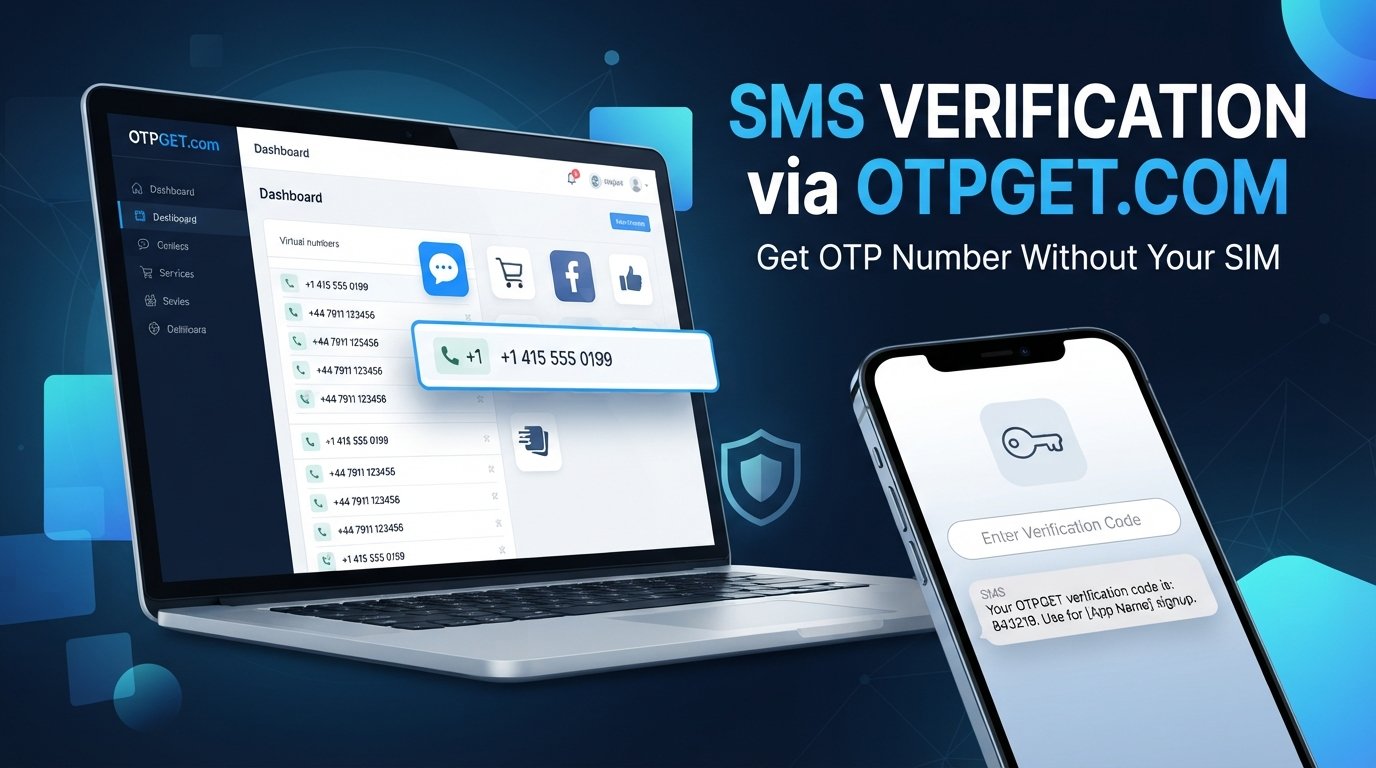
Get OTP Number for Signups Without Your SIM
Phone verification has become a routine part of creating an online account. A signup form may ask for a mobile number, send an SMS code, and require that code before the registration is complete.
That process is useful for verification, but it can also create an unwanted problem: you may not want to give your personal phone number to every service you try.
Perhaps you want to keep your personal communications separate from online registrations. Maybe you do not have access to your physical SIM at the moment. Or you simply want a dedicated number for legitimate online verification instead of using the same number everywhere.
That is where an online OTP or virtual number can be useful.
If you are looking to get OTP number for signups without your SIM, services such as OTPGET provide a practical way to explore alternative numbers for SMS-based verification, while keeping your personal number separate from certain online signup activities.
Why Do Signups Require an OTP Number?
An OTP, or one-time password, is a temporary verification code used to confirm that someone has access to a particular phone number or communication channel.
During registration, a service may send an SMS containing a short code. Entering that code confirms the verification step and allows the signup process to continue.
Phone verification can serve several purposes, including:
- Confirming access to a phone number
- Reducing automated or abusive registrations
- Adding another layer to account creation
- Helping services distinguish between different users
- Supporting account recovery or security processes
The exact verification requirements vary from one website or service to another. Some may use SMS verification, while others may require additional identity or security checks.
For users, however, the practical issue is often the same: a phone number is required before they can finish signing up.
Why You May Not Want to Use Your Personal SIM
Using your everyday phone number for every signup can be inconvenient. It can also make it harder to separate personal communication from online accounts.
There are several legitimate reasons to consider another number.
Protecting personal privacy
Your personal number is connected to your everyday communication. You may prefer not to share it with every website or online service that asks for phone verification.
A separate verification number can provide an additional layer of separation between personal contact information and online registration activity.
Keeping online activity separate
A dedicated online phone number can make it easier to distinguish between personal calls and messages and numbers used for registrations.
This can be particularly useful when you frequently test services, create accounts for legitimate projects, or manage online activities that do not need access to your primary number.
Avoiding unnecessary messages
Using your personal number for numerous registrations can lead to additional notifications or service-related messages.
A separate number can help keep your primary inbox and phone activity focused on personal communication.
When a physical SIM is not convenient
There may also be situations where you simply do not have your physical SIM available. An online number can provide an alternative approach for supported verification workflows.
Can You Get an OTP Number Without Your SIM?
Yes, in some cases you can receive an OTP without using your personal SIM.
The basic concept is straightforward. Instead of entering your personal mobile number, you use a supported virtual or online phone number for the verification process. If the service accepts that type of number, the verification code can be delivered through the corresponding online service.
These numbers may be described as:
- Virtual phone numbers
- Online phone numbers
- Temporary phone numbers
- SMS verification numbers
- OTP receiving numbers
- Temporary SMS numbers
The important point is that an online OTP number is not necessarily a replacement for your normal mobile service. Its purpose is to provide a number for supported online verification workflows.
Whether a particular website accepts an online number depends on that website's own verification policies.
How to Get an OTP Number for Signups Without Your SIM
The process is generally simple, although the exact steps can vary depending on the service you use.
1. Choose an appropriate online OTP service
Start by choosing a service that provides numbers for legitimate SMS or OTP verification.
Look for a straightforward service that clearly explains how its numbers are intended to be used.
2. Select an available number
If the service provides a selection of numbers, choose an available number that is suitable for your intended verification process.
Availability can vary, so not every number will necessarily be available at all times.
3. Enter the number during signup
Go to the signup page of the service you want to register with and enter the online number where it asks for a phone number.
Make sure the number is entered in the format requested by the signup form.
4. Request the verification code
Submit the signup form or select the option that triggers SMS verification.
The website or service will then attempt to send its OTP or SMS verification code to the number you provided.
5. Receive the OTP online
If the number and service are compatible, the verification message can be received through the supported online OTP service.
This allows you to receive verification code online rather than relying on your personal SIM.
6. Enter the OTP
Enter the received code into the original signup form to complete the verification step.
If the service does not accept the number or the message is not delivered, follow the relevant service's instructions rather than repeatedly attempting to bypass its verification requirements.
Why Use OTPGET for Online OTP Verification?
Once you understand the need for an alternative number, the next question is where to get one.
OTPGET is designed around the practical need for online OTP and verification numbers. For users who want to keep their personal SIM number separate from certain online registrations, it offers a straightforward option to explore an online number for supported verification workflows.
The main appeal is convenience.
Instead of making your personal phone number the default choice for every signup, you can consider an alternative number when a separate number makes sense.
Privacy-conscious signup
One of the biggest reasons people look for an online OTP number is privacy.
Using a separate verification number can help reduce unnecessary exposure of your personal contact information during supported signup processes.
Less dependence on a physical SIM
An online number can be useful when you need a number for an online verification process but do not want to rely on your personal physical SIM.
This can make certain signup situations more convenient, particularly when maintaining separate numbers is important to you.
Separation between personal and online activity
A dedicated verification number can create a clearer boundary between your everyday communications and selected online registrations.
That separation can be useful for people who regularly interact with different online services and prefer not to connect all of them to their personal number.
A practical verification workflow
OTPGET fits naturally into the process: obtain an appropriate verification number, use it for a legitimate supported signup, receive the verification code, and complete the OTP verification step.
The important qualification is that no online number should be assumed to work with every website or service. Verification policies vary, and users should always follow the rules of the platform they are using.
OTP Number vs. Your Personal SIM
An online OTP number and your personal SIM serve different purposes.
| Factor | Online OTP Number | Personal SIM |
|---|---|---|
| Privacy | Can help separate signup activity from your personal number | Directly connected to your personal contact information |
| Convenience | Useful for supported online verification workflows | Convenient for everyday communication |
| Personal-number exposure | Can reduce the need to provide your primary number | Requires sharing your personal number when used for signup |
| Online signup use | Designed around supported verification needs | Primarily intended for personal mobile use |
| Personal communications | Keeps selected signup activity separate | Used for calls, messages, and personal services |
| Physical SIM requirement | May not require your personal SIM | Requires access to the SIM/mobile service |
Neither option is universally better. The right choice depends on what you are trying to accomplish and what the website or service permits.
Common Use Cases for an Online OTP Number
There are several legitimate situations where an online verification number can be useful.
Testing signup flows
Developers, testers, and online businesses may need numbers for testing registration or verification workflows where appropriate.
Separating personal and online registrations
If you do not want every online registration connected to your everyday number, a separate verification number can provide useful separation.
Protecting personal contact information
For supported signups, using another number can reduce the number of places where your primary phone number is shared.
Temporary verification needs
Some registrations are occasional rather than long-term. A temporary number for signup may be appropriate when the service permits it and you do not need the number for ongoing account recovery.
Managing online projects
People working on legitimate online projects may prefer to maintain dedicated contact details for certain registrations rather than mixing them with personal communications.
The key is to use online OTP services responsibly. They should not be used for impersonation, fraud, spam, fake identities, or bypassing legitimate security and identity requirements.
What to Consider Before Using an Online OTP Number
An online OTP number can be useful, but it is not a universal solution.
Before using one, keep these points in mind:
- Some websites may not accept virtual or temporary numbers. A service may restrict certain number types as part of its verification policy.
- Number availability can vary. You may not always find the number or type of number you want.
- Some accounts require stronger verification. An SMS code may only be one part of the registration process.
- Check the platform's rules. Always follow the signup and verification requirements of the service you are using.
- Consider account recovery needs. If an account may require the same number later, think carefully about whether a temporary number is appropriate.
- Use numbers responsibly. Do not use online verification services to impersonate people, commit fraud, create abusive accounts, or defeat legitimate security controls.
These limitations are worth understanding because the goal is not to bypass verification. The goal is to use an appropriate alternative number where the platform allows it.
Frequently Asked Questions
Can I receive an OTP without a SIM card?
In some cases, yes. A supported online or virtual number can receive an SMS verification code without requiring you to use your personal physical SIM. Acceptance depends on the website or service sending the OTP.
How can I get an OTP number for signup?
You can use an online OTP or verification service such as OTPGET to explore an available number for a supported signup. You then enter that number during registration and receive the verification code through the supported service.
Can I receive SMS verification online?
Yes, supported online phone-number services can allow users to receive SMS verification messages online. Whether a particular message can be received depends on the number, service, and sender's verification policies.
What is a virtual number for OTP verification?
A virtual number is a phone number that can be used through an online service rather than being tied directly to your personal physical SIM. When supported, it can be used to receive an OTP or SMS verification code.
Is an online OTP number the same as a personal phone number?
Not necessarily. An online OTP number is generally used through a virtual or online service, while a personal phone number is normally associated with your everyday mobile service and personal communications.
Why would someone use a temporary number for signup?
A temporary number can help separate certain online registrations from a personal phone number. It may be useful for privacy-conscious signups or temporary verification needs when the website permits that type of number.
Can every website accept an online OTP number?
No. Websites and apps can have different verification policies. Some may accept certain virtual numbers, while others may reject them or require additional verification. Always follow the platform's requirements.
Final Thoughts
You do not always need to use your personal phone number for every online registration.
When a service supports an alternative verification number, using an online OTP number can provide a practical way to keep selected signup activity separate from your personal SIM. It can be useful for privacy-conscious registrations, temporary verification needs, and situations where using a physical SIM is inconvenient.
If you want to get OTP number for signups without your SIM, OTPGET is a practical place to explore an online verification-number option.
Use it responsibly, check the requirements of the website you are signing up for, and choose an approach that fits your verification needs.
Explore OTPGET and find an online OTP number that fits your legitimate signup workflow.
10. Thumbnail Prompt
Create a polished professional technology blog thumbnail illustrating online OTP verification without using a personal SIM. Show a modern smartphone prominently in the foreground with a clean signup and verification interface displaying a generic OTP/security-code field, without using any recognizable brand, website, app, or copyrighted interface. Include a subtle visual representation of a virtual phone number or cloud-based SMS concept, such as a floating digital phone-number card connected to the smartphone by a clean data/communication line.
Use a modern SaaS aesthetic with deep navy, electric blue, cyan, and soft white accents. Communicate privacy through a tasteful shield or lock symbol positioned near the phone, without suggesting absolute security or making a security guarantee. The visual hierarchy should place the smartphone and OTP verification screen first, the virtual-number concept second, and privacy/security elements third.
Use a clean abstract technology background with subtle gradients, soft geometric shapes, faint network lines, and generous negative space. Lighting should be crisp, premium, and slightly futuristic while remaining professional rather than flashy. Avoid clutter, excessive neon effects, realistic personal information, QR codes, real people's faces, copyrighted characters, logos, and recognizable platform branding.
Include concise headline typography such as “OTP Verification Without Your SIM” in a modern bold sans-serif font, with high contrast and excellent readability at thumbnail size. Keep typography minimal and do not overload the image with text.
Composition: 16:9 horizontal layout, smartphone slightly right of center, supporting virtual-number and privacy elements on the opposite side, strong focal depth, balanced spacing, clean SaaS editorial design, premium technology-blog appearance, sharp details, high readability, suitable for an SEO-focused technology website.
11. Suggested Excerpt
Need to verify an online signup without sharing your personal SIM number? Learn how online OTP numbers work, when virtual verification numbers make sense, and how OTPGET can help simplify legitimate SMS verification.
12. Suggested Image Alt Texts
- Online OTP verification without personal SIM
- Smartphone showing OTP verification code for signup
- Virtual phone number for online SMS verification
- Receive OTP online without using a personal SIM
- Online number for OTP and signup verification
- Temporary phone number for SMS verification
- Privacy-focused virtual number for online signup
- OTPGET online OTP verification concept
13. Internal Link Anchor Suggestions
- how online OTP verification works
- guide to virtual phone numbers
- ways to protect your phone number online
- SMS verification explained
- temporary phone numbers for online services
- privacy tips for online signups
- online phone number verification guide
- how to receive SMS verification online


