Get OTP Number and View Your Code Live in OTPGET Dashboard
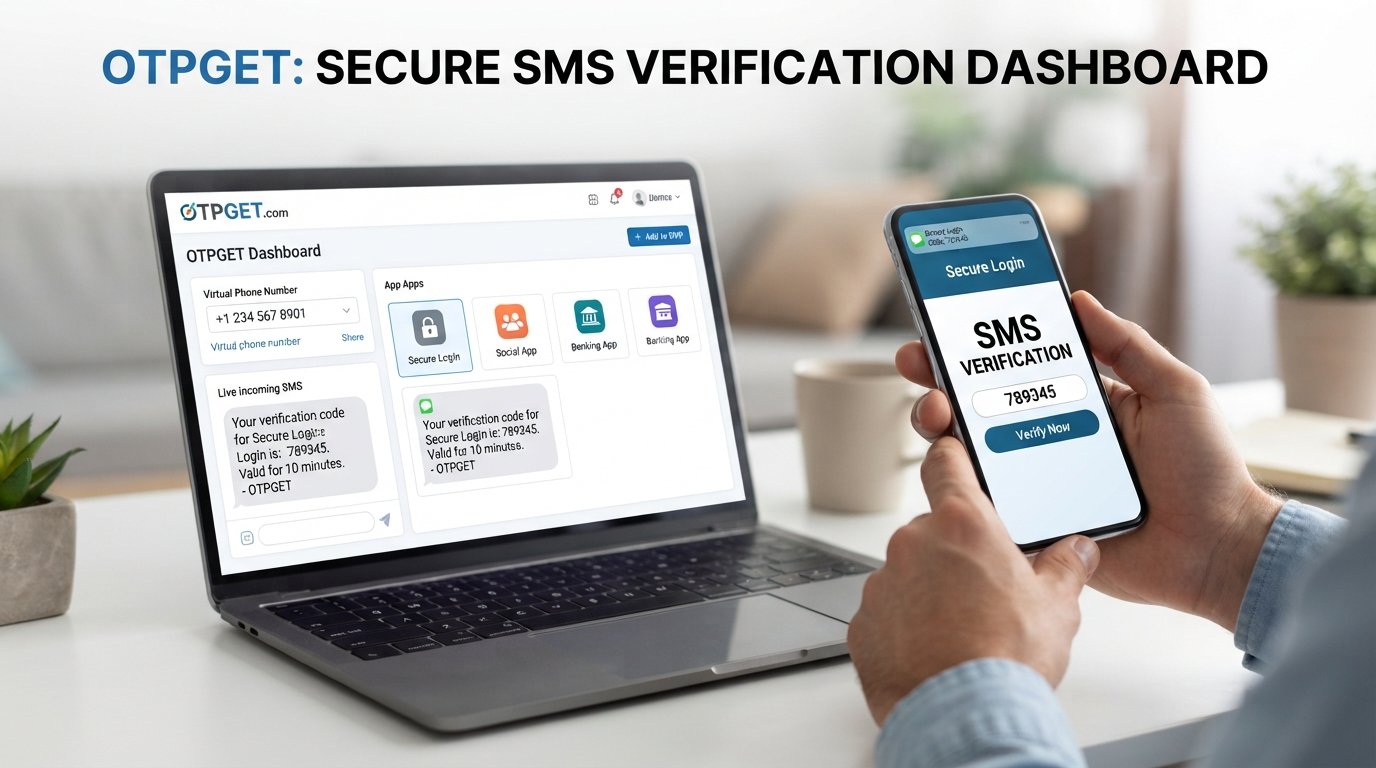
Get OTP Number and View Your Code Live in OTPGET Dashboard
Getting a verification code should be straightforward. Yet when an OTP arrives on a phone you are not actively using, finding the message can become an unnecessary hassle. Switching between devices, checking SMS repeatedly, or waiting to spot the right message can make a simple verification process feel more complicated than it needs to be.
That is where an online OTP workflow can be useful.
If you need to get OTP number access for a legitimate verification process, a dashboard-based approach gives you a convenient place to monitor incoming messages. Instead of treating the OTP as something you have to keep searching for, you can use a dedicated interface to watch for the verification code.
OTPGET is designed around this practical idea: obtain an available OTP number and monitor incoming verification messages through a live dashboard, where supported. The result is a more organized way to handle SMS verification without unnecessarily mixing verification messages with everyday personal communications.
What Is an OTP Number?
An OTP number is a phone number used to receive a one-time password or verification code by SMS.
A website or application may ask for a phone number when it needs to confirm that a user can receive SMS messages. After the number is entered, the service may send an OTP code, which is then entered into the relevant verification screen.
The code is normally temporary and intended for a specific verification attempt.
An OTP number can therefore be useful when you need a separate number for a legitimate SMS verification workflow. Depending on the service and its availability, this may take the form of a temporary phone number, virtual OTP number, or another online SMS number.
The important point is that the number is being used to receive a verification message—not to bypass security, impersonate someone, or gain unauthorized access.
Why Do People Want to Receive OTP Codes Online?
There are several legitimate reasons someone may want to receive OTP messages online rather than relying exclusively on a personal mobile number.
For example, users may want to:
- Keep verification messages separate from personal SMS conversations.
- Test an SMS verification workflow where permitted.
- Manage verification-related messages in a dedicated environment.
- Receive an SMS verification code without constantly checking a personal device.
- Use an available online verification number for a supported service.
- Keep temporary verification activity more organized.
For developers, testers, businesses, and everyday users, separating verification messages from regular communications can make an SMS-based workflow easier to manage.
However, not every website or platform accepts every online number. Some services may restrict temporary or virtual numbers, while availability can depend on the number, location, platform, and other factors.
How Does Online OTP Verification Work?
The basic process is simple.
First, an eligible phone number is provided for a legitimate verification process. The website or application then sends an OTP or SMS verification code to that number.
Instead of searching through a conventional phone inbox, an online OTP service can provide a dashboard where incoming messages are displayed when supported.
The general flow looks like this:
- Obtain an available OTP number.
- Enter the number into the relevant verification process.
- Request the verification code.
- Monitor the service's OTP dashboard.
- View the incoming SMS and identify the OTP code.
- Enter the code into the appropriate verification field.
This makes the dashboard an important part of the workflow. Rather than simply having access to a number, you have a central place to monitor its incoming verification messages.
Get OTP Number and See Your Code Live with OTPGET
If your goal is to get OTP number access and conveniently monitor the resulting verification message, OTPGET provides a dashboard-focused approach.
The idea is straightforward: use an available number through OTPGET for a legitimate verification requirement, then monitor the OTPGET dashboard for the incoming SMS.
This can be particularly useful when you want visibility into the verification process without repeatedly switching between a phone and another device.
The live dashboard concept also gives the process a clear sequence. You request or trigger the verification message, watch for the incoming SMS, and then use the displayed code when it becomes available.
OTPGET should be viewed as a practical OTP receiving service rather than a way to circumvent a platform's rules. Whether a particular number works with a particular service can vary, so users should always check the requirements of the website or application they are using.
How to Get an OTP Number with OTPGET
Using an online OTP workflow does not need to be complicated. With OTPGET, the general process can be approached in a few straightforward steps.
1. Access OTPGET
Start by visiting or using OTPGET to look for an available option suitable for your legitimate verification requirement.
Availability can vary, so the number or option you need may not always be available for every service.
2. Choose an Available OTP Number
Select an available number that is appropriate for the verification process you are completing.
Before proceeding, make sure the website or application you are using permits the type of number selected.
3. Use the Number for Verification
Enter the OTP number into the relevant phone-number field on the website or application.
Follow the normal verification process and request the SMS code.
4. Open the OTPGET Dashboard
Once the verification message has been requested, monitor the OTPGET dashboard for an incoming message.
The dashboard provides a central place to watch for the verification code when the message is supported and received.
5. View the Incoming Code
When the SMS arrives, locate the OTP or verification code in the displayed message.
You can then use that code in the relevant verification field.
6. Complete the Verification Process
Enter the code where requested and complete the legitimate verification process.
Remember that message delivery and compatibility can depend on the platform, number, location, and availability.
Benefits of a Live OTP Dashboard
A dashboard-based OTP workflow can make verification easier to follow, particularly when you are handling messages separately from your normal phone inbox.
Easier OTP Monitoring
A live OTP dashboard gives you a dedicated place to watch for incoming verification messages. You do not have to search through unrelated personal messages to find a particular code.
Convenient Access to Verification Codes
When a supported SMS arrives, the code can be viewed through the dashboard. This creates a straightforward path from requesting an OTP to locating the message.
Less Device Switching
If your verification process is taking place on a computer, having the incoming message available through an online dashboard can reduce the need to move constantly between devices.
More Organized Verification Workflows
For users handling multiple legitimate verification tasks, a dedicated OTP inbox can provide a clearer way to distinguish verification messages from everyday communications.
Clearer Visibility
Instead of wondering whether a verification message has arrived, you can monitor the dashboard for an incoming SMS and act when the message becomes available.
What Makes OTPGET a Practical Choice?
The main appeal of OTPGET is the combination of an OTP number with a dashboard-based way to monitor incoming verification messages.
That matters because having access to a number is only one part of the process. You also need a practical way to identify the SMS verification code when it arrives.
OTPGET focuses on that workflow by bringing the number and message-monitoring experience together.
For someone searching for receive OTP online, view OTP online, or manage an online verification number, this approach can be easier to understand than a process that requires repeatedly checking different places for an incoming message.
At the same time, expectations should remain realistic. OTP availability, message delivery, and compatibility can vary depending on the service being verified and the number being used.
Traditional SMS Verification vs. a Dashboard-Based Workflow
Traditional SMS verification usually involves receiving a code directly on a mobile phone. This works well when the phone is nearby and the user wants to keep everything in a standard SMS inbox.
A dashboard-based OTP workflow takes a different approach.
| Traditional SMS | Dashboard-Based OTP Workflow |
|---|---|
| Code arrives in a phone's SMS inbox | Code can be monitored through an online dashboard |
| Often tied to a personal device | Can use a separate verification number where supported |
| Requires checking the phone | Allows monitoring from the dashboard |
| Personal and verification messages may share one inbox | Verification activity can be separated |
Neither approach is automatically right for every situation. The better option depends on the verification service, the user's needs, and whether the platform accepts the selected number.
Tips for Using OTP Verification Services Responsibly
OTP numbers should be used for legitimate purposes and in accordance with the rules of the website, application, or platform being verified.
Keep these points in mind:
- Use verification numbers only where their use is permitted.
- Never use an OTP service to access an account that does not belong to you.
- Do not use verification services to create fraudulent identities or conduct deceptive activity.
- Do not attempt to bypass platform restrictions or security controls.
- Check whether a service permits temporary or virtual phone numbers.
- Treat OTP codes as sensitive information and do not share them unnecessarily.
A verification code exists to help establish authorization or control during a verification process. Using an OTP receiving service responsibly means respecting that purpose.
Frequently Asked Questions
What is an OTP number?
An OTP number is a phone number used to receive one-time passwords or SMS verification codes. Depending on the service, it may be a temporary, virtual, or online verification number.
How can I get an OTP number online?
You can use an OTP receiving service such as OTPGET to look for an available number for a legitimate verification requirement. Availability and compatibility vary by service and location.
How can I receive an OTP verification code?
After using an eligible number for a supported verification process, monitor the relevant SMS inbox or OTP dashboard for the incoming message. When the code arrives, enter it into the verification process.
What is a live OTP dashboard?
A live OTP dashboard is an online interface used to monitor incoming OTP or SMS verification messages. It provides a central place to view a code when a supported message is received.
How does OTPGET work?
OTPGET can be used to obtain an available OTP number and monitor incoming verification messages through its dashboard, where supported. The general workflow is to use the number for verification, watch the dashboard, and use the received code.
Can I view an OTP code online?
Yes, an online OTP service may allow you to view an incoming verification code through a dashboard. Whether this works depends on the selected number, platform, location, and service compatibility.
Is an online OTP number suitable for every verification service?
No. Some websites and applications may not accept temporary or virtual numbers. Availability and compatibility can vary, so users should confirm that the number type is permitted before starting verification.
Conclusion
Getting a verification code should not have to mean constantly checking your phone, switching between devices, or searching through unrelated messages.
If you need to get OTP number access for a legitimate verification workflow, a dashboard-based solution can provide a more organized way to monitor incoming SMS messages.
OTPGET brings this concept together by allowing users to obtain an available OTP number and monitor incoming verification codes through a live dashboard, where supported. The process is straightforward: choose a suitable number, use it for the permitted verification process, monitor the dashboard, and use the incoming OTP code when it arrives.
Availability and compatibility can vary, so responsible use and platform requirements should always come first.
If you are looking for a convenient way to get OTP online, receive SMS verification codes, and keep track of incoming messages in one place, explore OTPGET and see how its dashboard-focused approach fits your verification workflow.


