Get OTP Number Online – Pick Country, Choose App & Verify Easily
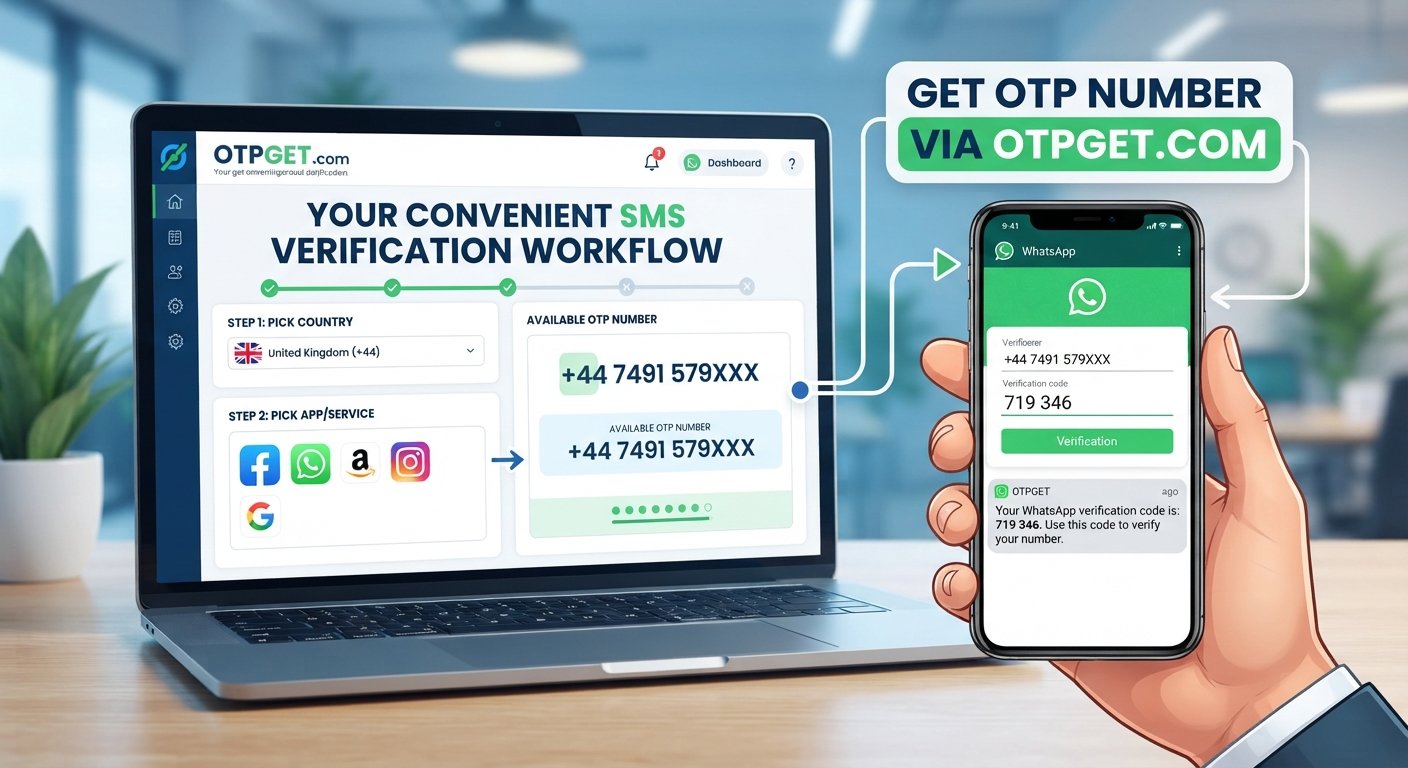
Get OTP Number – Pick Country, Pick App, Verify
Online verification has become a routine part of creating accounts, registering for apps, and accessing digital services. In many cases, the process is simple: enter a phone number, receive an OTP, and enter the verification code where requested.
The challenge is often getting the right number for the right service and making sure the verification process matches the service's requirements.
That is where OTPGET can provide a convenient verification workflow. Instead of treating OTP verification as a confusing technical process, users can approach it in a straightforward way: pick a country, pick the app or service, get an OTP number, and complete the verification process where permitted.
Whether you need a number for app verification, account verification, or another legitimate online verification requirement, understanding how OTP numbers work can make the process much easier.
What Is an OTP Number?
OTP stands for One-Time Password. It is a temporary verification code used to confirm that someone has access to a particular phone number or verification channel.
When a website or app uses SMS verification, the general process works like this:
- You provide a phone number during registration or verification.
- The service sends an SMS containing a verification code.
- You receive the OTP.
- You enter the code into the requested verification field.
- The service checks the code and, if valid, completes that part of the verification process.
An OTP is generally intended for one verification event or a limited period. That makes it different from a permanent password that you might use repeatedly.
An OTP number is therefore commonly understood as a phone number used to receive an SMS OTP or verification code during an online verification workflow.
Why Do People Need an OTP Number?
Phone verification is widely used because it gives online services another way to confirm a registration or account action.
Common legitimate uses include:
- Account verification: Confirming a phone number during registration or account setup.
- App registration: Completing the phone verification step required by an application.
- SMS verification: Receiving a code sent through an SMS-based verification system.
- Online services: Confirming access to services that require phone verification.
- Country-specific requirements: Using a number associated with an appropriate country when a service has country-specific verification requirements.
The important point is to use an OTP number in accordance with the rules of the website or application being verified. A convenient verification workflow should make legitimate account setup easier—not provide a way to bypass security controls or platform policies.
Get OTP Number: Pick Your Country
Country selection can matter when you get OTP number services because some apps and websites restrict registration or verification by country.
For example, a service may require a phone number associated with a particular country. In that situation, choosing an appropriate country before starting the verification process can help you avoid using a number that does not meet the service's requirements.
When selecting a country, consider:
- The country supported by the app or service.
- Whether the service accepts numbers from that country.
- Whether SMS verification is required.
- Whether the number is suitable for the specific verification purpose.
- Any restrictions or verification rules published by the service.
The goal is not simply to choose a random country. Choose the country that matches the legitimate requirements of the service you are trying to use.
Pick the App or Service You Want to Verify
Once the country requirement is clear, the next important consideration is the app or service.
Different platforms can have different verification requirements. Some may use SMS OTPs during registration, while others may use phone verification for a specific account action. The exact process can also vary depending on the platform.
Selecting the correct app or service helps keep the verification workflow organized.
With OTPGET, the practical approach is straightforward: identify the service you need to verify, select the appropriate country, and then proceed with the available OTP verification process.
Before requesting a code, check that:
- You have selected the intended app or service.
- The selected country is appropriate.
- The number matches the service's requirements.
- You are following the platform's account and verification rules.
These simple checks can prevent unnecessary verification attempts.
How OTPGET Makes OTP Verification Easier
For users who need to get an OTP number for a legitimate verification task, OTPGET can serve as a practical solution for organizing the process around the country and app or service involved.
The basic workflow can be understood in five simple steps.
Step 1: Choose the Country
Start by identifying the country appropriate for the service you want to verify. Country selection matters because some platforms have specific regional requirements.
Step 2: Select the App or Service
Choose the app or service associated with your verification request. This helps keep the OTP request aligned with the intended verification purpose.
Step 3: Get the OTP Number
Proceed with the available OTP number option through the OTPGET workflow. Make sure the selected number is appropriate for the verification requirement.
Step 4: Request the Verification Code
Enter the OTP number where the relevant app or service requests a phone number, then request the verification code according to its normal process.
Step 5: Enter the Received OTP
When the verification SMS arrives, enter the received OTP in the appropriate verification field. Check the digits carefully before submitting.
This country-and-app approach makes the process easier to understand. Instead of thinking about online phone verification as a complicated technical task, you can break it down into a few practical decisions: country, app, number, OTP, verify.
Benefits of Using a Convenient OTP Verification Solution
A well-organized OTP verification workflow can reduce unnecessary friction when completing legitimate online verification tasks.
Convenience
Having a clear process for choosing a country and app can make it easier to start a verification request without confusion.
Simpler SMS Verification
OTP-based verification is straightforward when the number and service requirements are correctly matched. You request the code, receive the SMS, and enter the OTP where required.
Country Selection
For services with country-specific requirements, selecting the appropriate country before beginning the process can help you make a more informed choice.
Reduced Verification Friction
Mistakes such as selecting the wrong country, choosing the wrong service, or entering an incorrect number can create unnecessary delays. A structured workflow helps reduce these avoidable errors.
Easier Verification Management
For people who regularly encounter legitimate app or account verification requirements, having a clear process can make individual verification tasks easier to follow.
OTPGET fits into this approach by providing a practical way to organize the process around the number, country, and app or service involved.
Tips for Successful OTP Verification
Even when the process looks simple, a few good practices can help.
Select the Correct Country
Check the service's requirements before choosing a country. Do not assume that every service accepts numbers from every region.
Select the Correct App or Service
Make sure the verification request is associated with the correct platform. Choosing the wrong service can result in an unsuccessful or irrelevant OTP request.
Check the Number
Confirm that the number you are using is appropriate for the verification requirement before requesting an SMS code.
Enter the OTP Carefully
OTP codes can be short and easy to mistype. Compare the received digits with the verification field before submitting.
Request a New Code When Necessary
If an OTP expires, follow the service's normal process to request another code. Avoid repeatedly requesting codes in quick succession, as some platforms may temporarily restrict additional requests.
Follow Platform Rules
Always use verification services for legitimate purposes and comply with the rules of the website or application you are accessing.
These practices can make the overall online phone verification experience smoother and more predictable.
OTP Number vs. Traditional Phone Verification
The terms can sound similar, but the focus is slightly different.
| Approach | How it works |
|---|---|
| Traditional phone verification | You use a phone number associated with your normal phone service and receive a verification SMS. |
| Online OTP verification workflow | You use an online verification solution to obtain a suitable number and receive an OTP as part of the supported verification process. |
The second approach can be convenient when your verification requirement calls for a particular country or when you want a more structured workflow for receiving a verification code.
However, neither approach should be viewed as a method for bypassing a platform's security requirements. The correct choice depends on the service, its rules, and your legitimate verification needs.
Common Reasons an OTP May Not Arrive
Sometimes an expected verification code does not appear immediately. Several practical issues can be responsible.
The selected number may not meet the service's requirements, the service may have a temporary delivery issue, the OTP may have expired, or too many requests may have been made in a short period.
If an OTP does not arrive:
- Check that the selected country and service are correct.
- Confirm that the number was entered correctly.
- Wait briefly before requesting another code.
- Check whether the service provides another verification option.
- Follow the platform's instructions if repeated requests are restricted.
Taking a methodical approach is usually better than repeatedly requesting codes without checking the underlying issue.
11. FAQ SECTION
What is an OTP number?
An OTP number is a phone number used to receive a one-time password or verification code, commonly through SMS. It can be used as part of legitimate account, app, or phone verification processes.
How can I get an OTP number?
To get an OTP number, first identify the country and app or service involved in your verification requirement. OTPGET can provide a convenient workflow for selecting the relevant options and proceeding with the supported verification process.
Can I choose a country for an OTP number?
Country selection can be important when a website or app has regional phone-number requirements. Choose a country that is appropriate for the service and complies with its verification rules.
How does OTP verification work?
A service sends a temporary verification code to a phone number. You receive the SMS containing the OTP and enter the code in the relevant verification field. If the code is valid and the service accepts the number, the verification step can be completed.
What is an OTP number used for?
An OTP number can be used for legitimate phone verification, app registration, account verification, SMS verification, and other online services that require a verification code.
How does OTPGET help with verification?
OTPGET provides a practical workflow centered on choosing the appropriate country and app or service before proceeding with an OTP verification request. The exact verification process depends on the requirements of the service being used.
Why might an OTP not arrive?
An OTP may not arrive because of an incorrect number, an unsupported country, service-side delivery issues, an expired request, or repeated verification attempts. Check the service's requirements and follow its instructions before requesting another code.
What should I do if an OTP expires?
If an OTP expires, use the service's normal option to request a new verification code. Enter the newest valid code carefully and avoid repeatedly requesting codes in a short period.
12. CONCLUSION
Getting an OTP number does not have to feel complicated. The key is to understand what the service requires, choose an appropriate country, select the correct app or service, and follow the normal SMS verification process.
For users looking for a convenient way to manage legitimate verification needs, OTPGET brings this workflow into a simple sequence: pick your country, pick your app, get the OTP number, receive the verification code, and verify.
Before starting, always check the platform's requirements and use the verification process responsibly. When the right country and service are selected from the beginning, completing an OTP verification task can be much more straightforward.
If you need a practical solution for your next legitimate app or account verification requirement, OTPGET is a convenient place to start.


