Get OTP Number That Works With Popular Apps | OTPGET Easy Guide
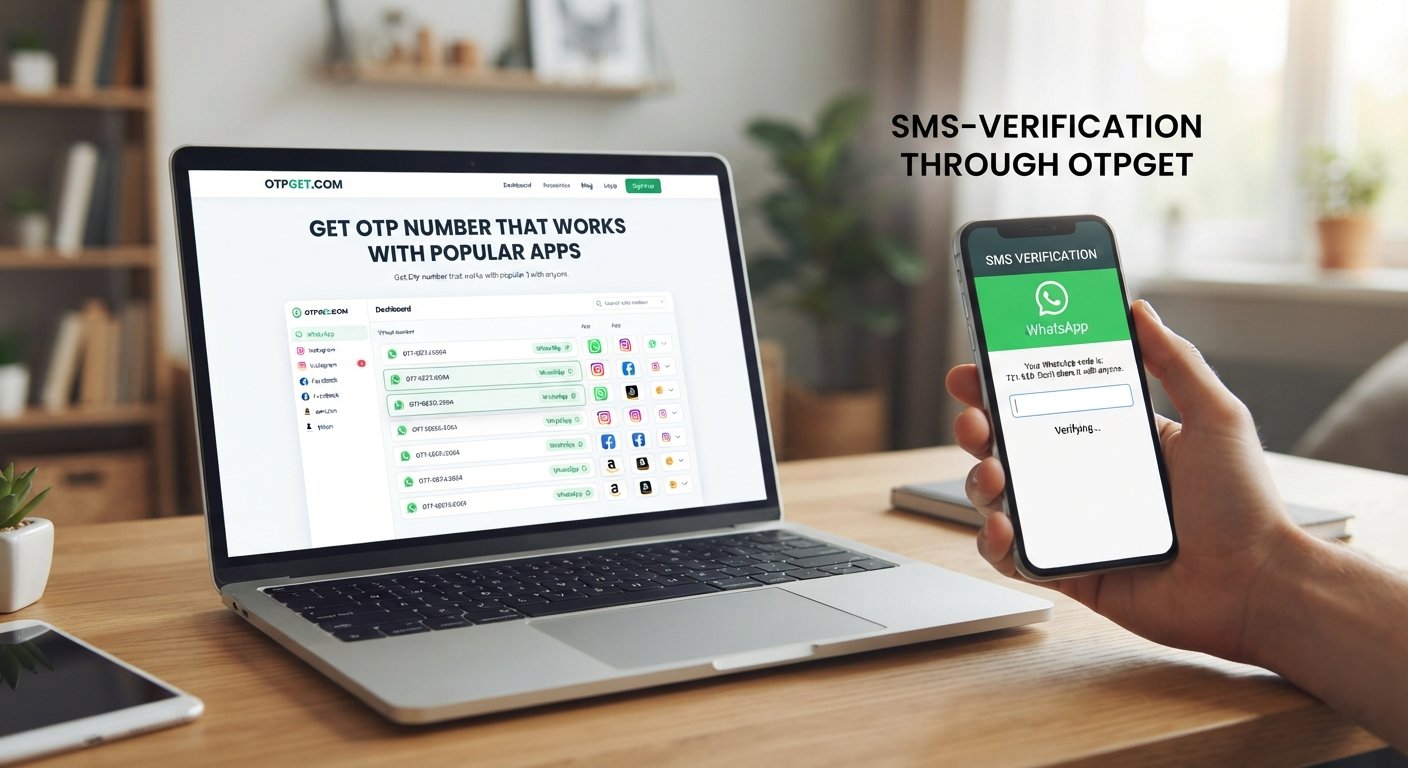
Get OTP Number That Works With Popular Apps
You enter your phone number, request a verification code, and then… nothing. Or worse, the service tells you that the number cannot be used.
If you've ever tried to complete app registration or phone verification this way, you already know that getting an OTP isn't always as simple as it sounds. A number that works perfectly for one service may be rejected by another because of country, carrier, number type, previous usage, or the app's verification policies.
That is why finding the right number matters.
If you need to get OTP number that works with popular apps, a dedicated OTP and verification service such as OTPGET can be a practical option to consider. The key is to choose a suitable number, understand the limitations, and use it only for legitimate verification purposes.
Why Do Popular Apps Require OTP Verification?
An OTP, or one-time password, is a temporary verification code sent to a phone number, usually through SMS. Apps use these codes to confirm that the person registering or accessing an account can receive messages at the supplied number.
OTP verification is commonly used for:
- New account registration
- Phone-number confirmation
- Login security checks
- Password recovery
- Account changes
- Additional identity or security verification
The basic process is straightforward: enter a phone number, request an SMS OTP, receive the verification code, and enter it where requested.
The complication is that the receiving number must be accepted by the particular service. That's where choosing an appropriate OTP verification number becomes important.
Why Can It Be Difficult to Get an OTP Number That Works?
Not every phone number is treated equally by every verification system. Several factors can affect whether an SMS verification message arrives.
Country and regional restrictions
Some apps limit registration or verification to particular countries. A number from an unsupported region may be rejected before an OTP is even sent.
Carrier limitations
Mobile carriers and verification providers handle SMS differently. Delivery can sometimes be affected by carrier routing, network conditions, or restrictions placed on certain types of messages.
Virtual-number restrictions
Some services distinguish between traditional mobile numbers and virtual or VoIP numbers. An app may accept one type while rejecting another.
Previous number usage
A number that has been used repeatedly for registrations or verification attempts may receive additional scrutiny or become unsuitable for a particular service.
Changing verification policies
Apps can change their rules over time. A number type that was accepted previously may not be accepted later.
Delayed SMS delivery
Even when a number is supported, an OTP can occasionally take time to arrive because of temporary network or service issues.
For these reasons, there is no universal number that works with every application. Compatibility can depend on the app, country, carrier, number type, and current verification provider.
What Makes a Good OTP Verification Number?
A useful verification number should do more than simply look like a valid phone number. It needs to be appropriate for the service you are trying to verify.
Look for characteristics such as:
- SMS receiving capability: The number should be able to receive the type of verification message being sent.
- Suitable availability: The country and number type should make sense for your target service.
- Reasonable reliability: Delayed or inconsistent messages can make verification frustrating.
- Service compatibility: The target app must accept that type of number.
- Clear message access: You should have a straightforward way to view the received verification code.
- Privacy awareness: Understand who can access the number and its incoming messages.
- Practical usability: The process should not involve unnecessary steps or confusion.
The most suitable choice depends on what you are verifying. A number for a simple app registration may not be appropriate for an account that you expect to keep for years.
How OTPGET Helps You Get an OTP Number
OTPGET can be considered when you need a dedicated option for receiving verification messages rather than relying on your everyday personal number.
The practical benefit is convenience. Instead of trying random numbers and discovering that they are unsupported, a dedicated OTP receiving service can simplify the process of finding a number intended for verification use.
With OTPGET, the general idea is to obtain a suitable verification number and use it for a supported service when an SMS OTP is required. Availability and compatibility can vary, so the target app's policies still matter.
This approach can be useful when you want to:
- Separate verification activity from your personal phone number
- Find a number for supported app verification
- Receive an SMS verification code through a dedicated service
- Reduce the hassle of finding an appropriate number
- Keep the verification process more organized
OTPGET should be viewed as a practical tool rather than a guarantee that every verification request will succeed. The final decision always depends on the service requesting the OTP.
How to Get an OTP Number for Popular Apps
The process is generally simple, but checking compatibility first can save time.
- Identify the app or service. Know exactly which platform you need to verify.
- Check its verification requirements. Look for country, phone-number, or virtual-number restrictions.
- Choose an appropriate number through OTPGET. Select an available option that is suitable for your intended use.
- Enter the number in the app. Use the required format shown by the service.
- Request the OTP. Ask the app to send its SMS verification code.
- Check for the incoming message. View the verification message through the available OTP receiving interface.
- Enter the verification code. Carefully copy the code into the app.
- Complete verification. If the service accepts the number and code, follow the remaining steps.
If the verification fails, don't assume the service is broken. The number may not be supported, the code may have expired, or the platform may have temporary restrictions.
What Apps Can OTP Numbers Be Used With?
OTP numbers can potentially be useful with many types of services that rely on SMS verification, including:
- Social networking apps
- Messaging platforms
- Online marketplaces
- Productivity tools
- Community platforms
- Digital services
- Other applications requiring phone verification
However, compatibility is never something you should assume. Each service can have its own rules regarding mobile, virtual, temporary, or international numbers.
If you have a particular app in mind, check its current verification requirements before choosing a number. Availability through OTPGET can also vary depending on the service, region, and numbers currently available.
OTP Number vs. Your Personal Phone Number
Using your personal phone number isn't always the wrong choice. In fact, it may be the better option for important accounts that you expect to use for a long time.
A separate verification number can make sense when privacy and convenience are more important, particularly for permitted registrations where long-term personal-number ownership isn't required.
| Consideration | Personal Number | Separate OTP Number |
|---|---|---|
| Privacy | Lower separation | Greater separation |
| Convenience | Familiar and immediate | Depends on the service |
| Long-term recovery | Often better | May depend on continued access |
| App compatibility | Usually straightforward | Varies by number type |
| Verification use | Suitable for many accounts | Useful for supported services |
For banking, primary email, business-critical accounts, or anything where account recovery is essential, make sure you understand the consequences of using a number that you may not control permanently.
[Internal Link: OTP Verification Guide]
Tips for Successful OTP Verification
A few simple habits can prevent many verification problems:
- Choose the correct country and number type when available.
- Check whether the target service accepts virtual or non-local numbers.
- Make sure the selected number can currently receive SMS.
- Wait briefly if the code is delayed instead of repeatedly requesting new codes.
- Avoid making excessive verification attempts.
- Enter the OTP exactly as received.
- Check whether the verification code has expired.
- Follow the target app's own verification requirements.
- Use verification numbers and accounts only for legitimate purposes.
If one number doesn't work, repeatedly requesting codes usually isn't the best solution. First determine whether the problem is the number, the app, the delivery process, or a temporary restriction.
Common Reasons an OTP Does Not Arrive
There are several possible explanations when you are waiting for a verification code.
SMS delivery delay: The message may simply be taking longer than expected.
Unsupported number: The app may not accept the number type or country.
Carrier restrictions: Certain SMS routes may experience delivery limitations.
Incorrect number format: A missing country code or incorrect formatting can prevent delivery.
App-side restrictions: The service may block particular number ranges or virtual numbers.
Expired OTP: Verification codes are generally temporary and may stop working after a short period.
Too many attempts: Repeated requests can trigger temporary verification restrictions.
Temporary service problems: The app or SMS provider may be experiencing an issue.
If an OTP doesn't arrive, first confirm the number and format. Then wait a little before requesting another code. If the problem continues, check the service's verification rules or try another supported number when appropriate.
Is It Safe to Use an OTP Verification Number?
An OTP number can be useful, but you should understand what you are giving up when you use a temporary or separate number.
For example, if an account later requires phone-based recovery, losing access to the original number could make recovery difficult or impossible.
Consider these points:
- Understand how long you can access the number.
- Avoid using temporary numbers for accounts where permanent recovery is critical unless you have confirmed that the number remains available to you.
- Never share an OTP code with another person.
- Don't use verification services to impersonate someone or gain unauthorized access.
- Review the target service's rules before proceeding.
- Treat incoming verification codes as sensitive information.
OTPGET should not be assumed to eliminate these considerations. Like any OTP receiving service, its suitability depends on the specific use case and the access and compatibility available to you.
Why Choose OTPGET?
The main appeal of OTPGET is practical: it gives users an option to consider when they need a number for permitted SMS verification without relying exclusively on their personal phone number.
It can be particularly useful if you want a more straightforward way to obtain a verification number, receive an OTP, and complete an app's phone-verification process.
The strongest reason to consider OTPGET is convenience, but expectations should remain realistic. No OTP service can reasonably promise compatibility with every app, country, carrier, or verification system.
If the service you need to verify supports the available number type, OTPGET can provide a practical route through the verification step.
Frequently Asked Questions
1. What is an OTP number?
An OTP number is a phone number used to receive a one-time password or verification code, typically through SMS. The code is then entered into an app or website to complete phone verification.
2. How can I get an OTP number that works with popular apps?
Start by checking the target app's requirements, including country and number type. You can then choose a suitable available number through a service such as OTPGET and attempt the verification process.
3. Can I receive OTP codes online?
Yes, some OTP receiving services provide access to numbers that can receive SMS verification codes through an online interface. Availability and compatibility depend on the service and target platform.
4. Why does an OTP sometimes not arrive?
An OTP may be delayed because of SMS routing, carrier restrictions, unsupported numbers, incorrect formatting, platform restrictions, or temporary service problems.
5. Do all apps accept virtual or temporary numbers?
No. Some applications restrict virtual, VoIP, temporary, or previously used numbers. Always check the target service's current verification requirements.
6. Is an OTP verification number safe to use?
It can be appropriate for legitimate, low-risk verification purposes, but you should consider privacy and account recovery. For important accounts, make sure you have reliable long-term access to the number required for recovery.
7. How does OTPGET help with OTP verification?
OTPGET provides an option for obtaining numbers intended for supported verification use. Depending on availability and the target service's policies, this can simplify the process of receiving an SMS verification code.
Conclusion
Trying to get OTP number that works with popular apps can be frustrating when a number is rejected, an SMS is delayed, or the service has restrictions you weren't expecting.
The solution isn't simply to find any phone number. You need one that is suitable for the target service, available in the right region, capable of receiving SMS, and compatible with the app's current verification policies.
That's where OTPGET can be a practical option. It can simplify the process of finding and using a verification number for supported services while keeping your personal number separate when appropriate.
Before starting, always check compatibility and consider whether the account requires long-term phone access. For legitimate app verification needs, explore OTPGET and choose a number that fits the service you're trying to verify.


