Get OTP Number Step by Step: A Quick Online Verification Guide
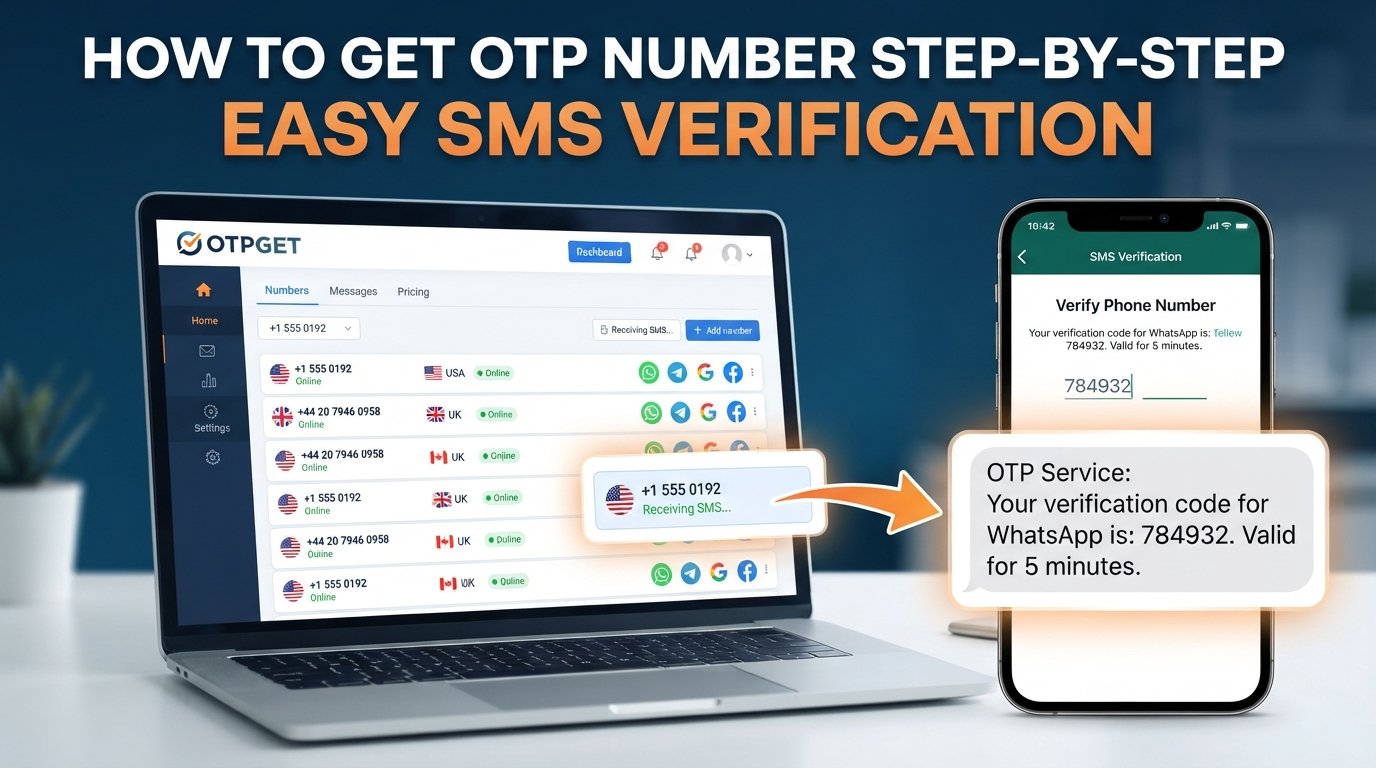
Get OTP Number Step by Step – A Quick Walkthrough
Need to verify a phone number but do not want to rely on your personal number for every online service? You are not alone. Many websites and apps use SMS verification to confirm that a person has access to a phone number before allowing registration, login, or another account action.
The process sounds simple, but it can become confusing when you need a suitable number, the OTP does not arrive, or the platform does not accept the number you entered. Knowing how to get OTP number options and how the verification process works can make the experience much easier.
This guide walks through the process from start to finish, explains common OTP problems, and covers what to consider when choosing an OTP receiving service. It also introduces OTPGET as a practical option for people looking to receive OTP messages online for legitimate verification purposes.
[Internal Link: OTPGET Home]
What Is an OTP Number?
OTP stands for One-Time Password. It is a temporary verification code used to confirm an action, such as registering an account, signing in, or verifying access to a phone number.
An OTP number can refer to the phone number used to receive that verification message. When a website or app asks for phone verification, you provide an eligible number. The service then sends an SMS containing a verification code to that number.
The basic process is straightforward:
-
A platform requests phone verification.
-
You provide a phone number.
-
The platform sends an SMS verification code.
-
You receive the OTP.
-
You enter the code into the requested field.
-
The platform confirms the verification if the code is valid.
The important point is that the OTP itself is not the phone number. The number receives the OTP, while the OTP is the temporary code used to complete verification.
Why Do People Need an OTP Number?
Phone verification is commonly used to add another layer of confirmation to online accounts and services. Depending on the platform, users may need an OTP for several legitimate reasons.
Common examples include:
-
Account verification: Confirming a phone number during registration.
-
Login verification: Confirming access during a sign-in process.
-
Phone verification: Linking a phone number to an online account.
-
Service testing: Testing a service or application where phone verification is permitted.
-
Contact privacy: Using a suitable alternative number when users do not want to provide their personal contact number, provided the platform permits it.
-
Online verification: Completing a registration or account-related process that requires SMS confirmation.
A temporary phone number or virtual phone number can sometimes be useful for these situations. However, acceptance varies between services. A number that works for one platform may not be accepted by another.
Users should always follow the rules of the website or application they are using and avoid OTP services for unauthorised access, fraud, spam, or attempts to bypass security controls.
How to Get an OTP Number Step by Step
If you need to receive an OTP online, the process generally involves selecting a suitable number, entering it on the relevant platform, and retrieving the verification code.
Step 1: Choose a Suitable OTP Service
Start by identifying an OTP receiving service that fits your legitimate verification purpose.
Before choosing one, consider practical factors such as ease of use, number availability, message delivery, privacy considerations, pricing information where applicable, and the service's terms.
You should also check whether the verification platform allows temporary or virtual numbers. Not every service accepts them.
Step 2: Visit OTPGET
The next step is to explore OTPGET as an option for obtaining a number for OTP verification.
The goal of an OTP receiving service is to give users a convenient way to access a number that can receive the SMS verification message required by a supported verification process.
[Internal Link: OTP Verification Guide]
Rather than assuming that every service works identically, review the available information on OTPGET and select an option that matches your intended use.
Step 3: Select the Appropriate Number or Service
Choose an available number or service option that is appropriate for your legitimate verification purpose.
Pay attention to any information provided about availability, usage restrictions, supported verification purposes, or other applicable terms. If a particular website has restrictions on virtual or temporary numbers, take those restrictions into account before proceeding.
Step 4: Enter the Number on the Relevant Platform
Once you have an appropriate number, enter it in the phone verification field on the website or app you are using.
Double-check the number before submitting it. A single incorrect digit can prevent the SMS from reaching the intended number.
If the platform requires a country or area selection separately, make sure the information corresponds correctly with the number you are using.
Step 5: Request the OTP
Submit the phone verification request on the relevant platform.
If everything is accepted, the platform should send an SMS containing a verification code. Delivery may take a short time, depending on the platform and its SMS delivery process.
Avoid repeatedly pressing the request button if the message does not appear immediately. Multiple requests can sometimes create confusion over which code is current.
Step 6: Receive and Enter the Verification Code
Check the OTP receiving service for the incoming SMS.
When the verification message arrives, identify the current code and enter it into the verification field on the platform. OTPs are generally intended for one-time use and may expire after a limited period.
Never share an OTP with another person. Treat a verification code as sensitive information, particularly when it is connected to an account or important online action.
Step 7: Complete Verification
After you enter the correct code, the platform should process the verification request.
If the code is accepted, the phone verification stage is complete. You can then continue with the registration, login, or other authorised activity requested by the platform.
If verification fails, avoid repeatedly requesting codes without checking the number, code status, or platform requirements first.
How OTPGET Makes the Process Easier
For users who need to get OTP online, an OTP receiving service can provide a more convenient alternative to relying entirely on a personal phone number for every verification request.
OTPGET can be considered as an option for users looking for a practical way to receive OTP messages for legitimate verification needs. The general workflow remains simple: select an appropriate number or service, use it where phone verification is requested, wait for the SMS verification code, and enter the code to complete the process.
This can be particularly useful when the goal is to keep a personal contact number separate from a particular online verification process, where the platform's rules allow it.
The key is to choose the right number for the right purpose. A temporary OTP number or virtual number for OTP is not automatically accepted by every website or application, so users should check the relevant platform's requirements.
What to Look for in an OTP Receiving Service
Not every OTP service provides the same experience. Before choosing one, consider the following checklist:
-
Ease of use: The process should be understandable without unnecessary complexity.
-
Number availability: There should be an appropriate option available for your intended use.
-
Message delivery: Consider how quickly verification messages are displayed.
-
Clear interface: Finding the selected number and incoming SMS should be straightforward.
-
Reliability: Look for a service with a clear and consistent process rather than making assumptions about guaranteed delivery.
-
Privacy considerations: Understand how the service handles numbers and received messages.
-
Transparent pricing: If payment is involved, review the available pricing information before proceeding.
-
Supported verification purposes: Confirm that your intended use is permitted.
-
Terms of service: Read the relevant rules and restrictions.
-
Customer support: If support is offered, understand how users can contact the provider when issues arise.
These considerations can help you make a more informed decision without assuming that one OTP receiving service will work for every platform.
Common Problems When Receiving OTP Codes
Even when the process is correct, OTP verification can occasionally run into problems.
OTP Not Arriving
Wait briefly and check that the number was entered correctly. If the message still does not arrive, the platform may not have sent it successfully or may not support the selected number.
Delayed SMS
SMS delivery can sometimes take longer than expected. Give the current request time to arrive before submitting another request.
Incorrect Number
Review every digit before requesting another OTP. An incorrect number means the verification message may not reach the intended destination.
Expired OTP
Verification codes are often time-sensitive. If a code has expired, request a new one rather than repeatedly entering an old code.
Service Does Not Accept the Number
Some platforms restrict temporary or virtual numbers. If the number is rejected, check the platform's rules instead of repeatedly submitting the same number.
Too Many Verification Attempts
Repeated requests can trigger temporary restrictions. Stop requesting additional codes for a moment and follow the platform's instructions before trying again.
Tips for Successful OTP Verification
A few simple habits can make the process smoother:
-
Check the number carefully before submitting it.
-
Wait briefly if the SMS does not arrive immediately.
-
Avoid requesting multiple OTPs in quick succession.
-
Use the newest valid code available.
-
Enter the verification code before it expires.
-
Check whether the platform accepts temporary or virtual numbers.
-
Follow the website's verification requirements.
-
Use OTP receiving services only for legitimate purposes.
-
Never give your OTP to another person.
[Internal Link: Temporary Phone Number Guide]
OTP Number vs. Personal Phone Number
Different types of numbers can serve different purposes. The right choice depends on what the platform permits and what you are trying to accomplish.
| Number type | Typical purpose | Key consideration |
|---|---|---|
| Personal phone number | Everyday communication and account ownership | Directly connected to you |
| Temporary phone number | Short-term verification needs | May have limited availability or acceptance |
| Virtual phone number | Online communication or verification where supported | Acceptance varies by platform |
| OTP receiving number | Receiving SMS verification codes | Intended use depends on the service and platform |
There is no universal option that works for every situation. A personal number may be necessary for some accounts, while a temporary or virtual number may be suitable for another legitimate verification process.
Is Using an OTP Number Safe?
Using an OTP receiving service requires sensible security practices.
First, understand what information you are entering and why the website needs verification. Do not share verification codes with other people, even if someone claims to represent a company or support team.
Privacy is another consideration. Before using a service, review its terms and understand how numbers and incoming messages are handled. You should also consider whether a temporary or virtual number is appropriate for an account that you expect to keep long term.
Most importantly, never use an OTP service to gain unauthorised access, impersonate another person, bypass security controls, or violate a platform's terms.
OTP verification can help confirm access to a phone number, but an OTP should still be treated as sensitive authentication information.
Why Choose OTPGET for Getting an OTP Number?
When the goal is to receive a verification message without unnecessarily mixing every online verification request with a personal number, an OTP receiving service can be a practical option where permitted.
OTPGET can be considered by users who want a straightforward way to obtain an appropriate number for legitimate OTP verification needs. Its value in this context is the convenience of having an OTP-focused option to explore rather than trying to manage every verification requirement through a personal number.
As with any verification service, the best approach is to check the relevant platform's requirements first and use the service within its permitted purpose.
Need a convenient way to receive an OTP? Explore OTPGET and see whether it fits your verification needs.
[Internal Link: OTPGET Home]
Frequently Asked Questions
How can I get an OTP number?
To get an OTP number, choose an OTP receiving service that fits your legitimate verification purpose, select an available option, and enter the number on the platform requesting phone verification. The platform can then send an SMS verification code to the number, which you enter to complete the process. OTPGET can be considered as one option for this type of use.
How do I receive an OTP online?
To receive an OTP online, use a suitable OTP receiving service where the relevant platform permits it. Enter the provided number during phone verification, request the code, and check the service for the incoming SMS. Once received, enter the current verification code into the platform's verification field.
What is a temporary OTP number?
A temporary OTP number is a phone number used for a limited verification purpose where SMS receipt is supported. It can receive an OTP verification code sent by a website or app. Temporary numbers are not universally accepted, so always check the requirements of the platform you are trying to verify.
Can I use a virtual number for OTP verification?
You may be able to use a virtual number for OTP verification when the relevant website or application accepts it. Acceptance varies by platform, so a virtual phone number should not be assumed to work everywhere. Check the service's verification rules before relying on a virtual number.
Why am I not receiving my OTP?
An OTP may be delayed because of SMS delivery issues, an incorrectly entered number, platform restrictions, or too many verification attempts. Check the number first, wait briefly, and avoid repeatedly requesting new codes. If the platform does not support the selected number, another number may not solve the underlying restriction.
How long does an OTP usually remain valid?
The validity period of an OTP depends on the website, app, or service that generated it. Some codes expire relatively quickly for security reasons. Always use the newest code available and follow the instructions shown by the platform rather than assuming an OTP will remain valid indefinitely.
Is it safe to use an OTP receiving service?
An OTP receiving service can be useful for legitimate verification, but users should consider privacy, platform rules, and how messages are handled. Never share verification codes with another person. Before using a service such as OTPGET, review the applicable terms and make sure the intended use is permitted.
Can every website accept a temporary or virtual number?
No. Websites and applications can apply their own phone verification requirements, and some may reject temporary or virtual numbers. There is no universal guarantee that a particular number type will be accepted. Always check the platform's rules and use an appropriate verification method.
Conclusion
Knowing how to get OTP number options step by step makes phone verification easier to understand. The basic process is simple: choose an appropriate OTP receiving service, select a suitable number, enter it on the relevant platform, request the SMS verification code, and enter the valid OTP to complete verification.
The main challenge is choosing an option that fits the platform's requirements and using it responsibly. Temporary and virtual numbers are not accepted everywhere, so checking the applicable rules is essential.
For users looking to get OTP online for legitimate verification purposes, OTPGET can be considered as a practical option to explore. If you need a convenient way to receive an OTP, visit OTPGET, review the available information, and choose the option that best matches your verification needs.


