Get OTP for Signups, Logins & App Verification Made Easier | OTPGET
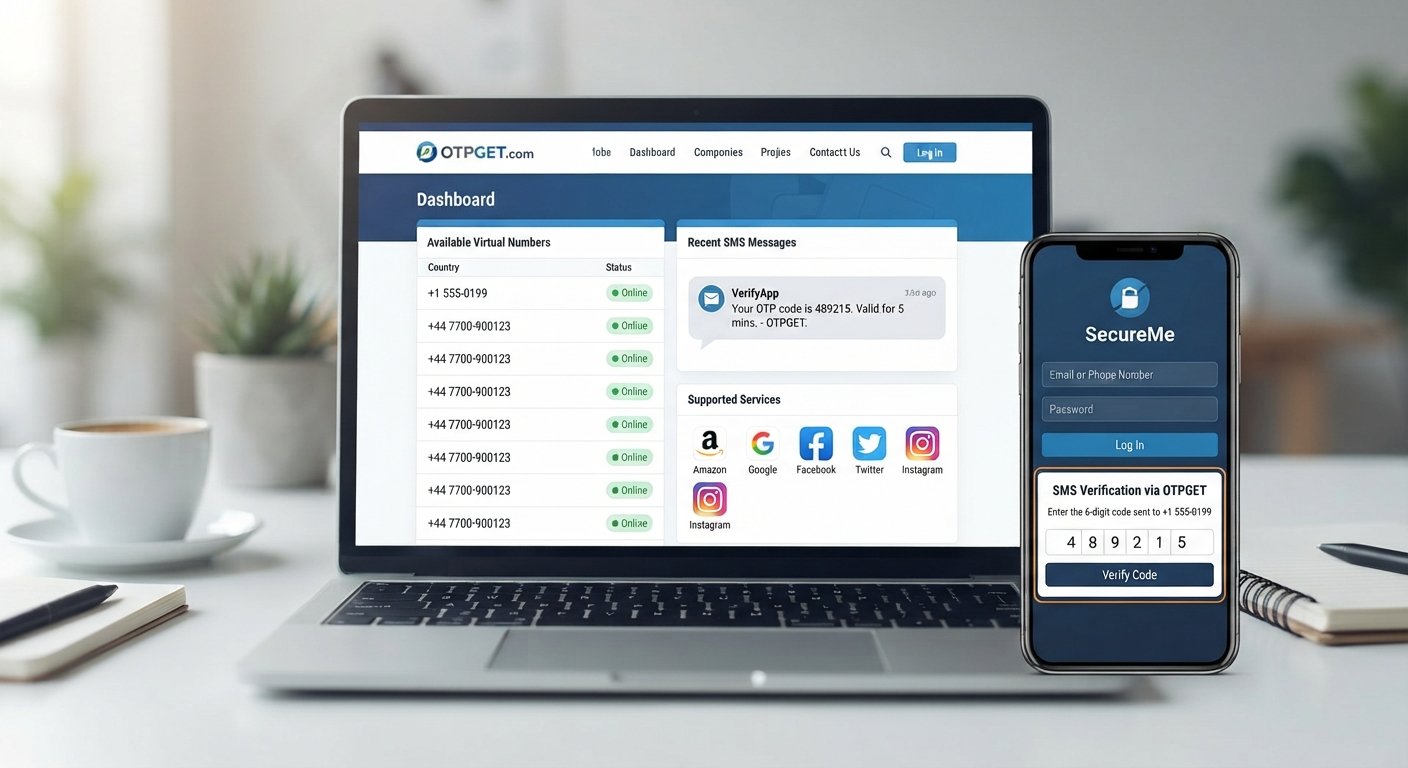
Get OTP for Signups, Logins and App Verification
Need an OTP to finish a signup, log in to an account, or verify a new app? Few things are more frustrating than reaching the final step of registration and waiting for a verification SMS that does not arrive.
One-time passwords, or OTPs, are now a common part of online account security. They help websites and apps confirm that a phone number belongs to the person completing a signup, login, or verification request. When the process works smoothly, verification takes only a moment. When it does not, even a simple account setup can become a hassle.
For legitimate verification needs, an OTP receiving solution can make the process more convenient. OTPGET provides a practical option for users who need to receive OTPs for supported signup, login, and app verification situations.
This guide explains how OTP verification works, when you may need an OTP, what to do when a code does not arrive, and how OTPGET can fit into a straightforward verification workflow.
What Is an OTP and Why Is It Needed?
OTP stands for One-Time Password. It is a temporary verification code generated for a specific authentication or verification request.
A typical SMS OTP process looks like this:
- You enter a phone number during signup or login.
- The website or app sends a verification code by SMS.
- You receive the code on the associated number.
- You enter the code into the verification field.
- The service checks the code and completes the verification if it is valid.
Unlike a permanent password, an OTP is generally intended for one verification event and may expire after a limited period.
Websites and apps use OTP verification for several reasons. It can help confirm a phone number, add another layer to account access, reduce automated or fraudulent registrations, and verify that a user can receive messages at the number provided.
SMS remains a familiar verification method because it is simple for many users. However, delays, incorrect numbers, network issues, or unsupported number types can sometimes make the process inconvenient.
When Do You Need to Get an OTP?
You may need to get an OTP whenever a website, service, or app uses phone-based verification.
Common situations include:
- Creating an account: Some platforms request phone verification during registration.
- Logging in: A service may send an OTP as part of its login verification process.
- Verifying a phone number: You may need to confirm that a number belongs to you.
- Activating an app: Certain applications use SMS codes during initial setup.
- Completing signup verification: A verification SMS may be required before an account can be fully activated.
- Confirming access: Some services use OTPs when confirming an account action or supported recovery process.
The important point is that OTPs should be used for legitimate verification purposes and in accordance with the policies of the service involved.
How to Get OTP for Signups, Logins and App Verification
The exact process varies between websites and apps, but the general workflow is straightforward.
1. Choose the service or app
Start with the website, application, or account that requires phone verification. Check which verification methods it supports.
2. Select an appropriate verification method
If SMS verification is available, follow the platform's instructions for entering a phone number.
3. Use OTPGET where suitable
For supported situations, OTPGET can provide a practical way to handle the OTP receiving part of the process without making the workflow unnecessarily complicated.
4. Request the verification code
Submit the number and request an OTP according to the service's instructions.
5. Wait for the SMS
Give the verification message a little time to arrive. Repeatedly requesting new codes can sometimes create additional delays or restrictions.
6. Enter the newest code
Once the verification SMS arrives, carefully enter the current verification code into the relevant field.
7. Complete verification
If the code is accepted, the signup, login, or app verification process can continue.
The exact steps can differ from one platform to another, so always follow the instructions provided by the service you are using.
Why Use OTPGET for OTP Verification?
The biggest benefit of a dedicated OTP receiving solution is convenience. Instead of treating every verification request as a separate problem, users can have a straightforward way to handle supported SMS-based verification needs.
OTPGET can be useful when you need:
- Convenient access to OTP verification
- A straightforward way to receive verification codes
- Support for legitimate signup verification situations
- A practical option for login verification
- Less friction when handling SMS-based verification
- An alternative to using a personal number in situations where an appropriate verification number is accepted
The right solution depends on what the website or app supports. No OTP receiving service should be assumed to work with every platform, and users should always check the verification requirements of the service they are accessing.
For users looking for a simple approach to receiving an OTP, OTPGET can be a practical option worth exploring.
OTPGET vs. Using Your Personal Phone Number
Using your personal number is often the most direct way to complete phone verification. However, there are legitimate situations where someone may prefer to keep their personal number separate from certain online activities.
For example, you may want to separate personal communications from account verification or avoid sharing your everyday number with a particular online service when another supported option is available.
| Factor | Personal Number | OTPGET |
|---|---|---|
| Convenience | Familiar and readily available | Designed to simplify supported OTP receiving |
| Separation from personal number | Limited | Can provide an alternative verification option where supported |
| Verification use | Works where the service accepts it | Useful for supported OTP verification situations |
| Ease of access | Depends on your phone and SMS availability | Provides a dedicated approach to handling OTP needs |
This does not mean a temporary or virtual number is always the better choice. The appropriate option depends on the service, its verification rules, and your own requirements.
Benefits of Using a Temporary or Virtual Number for Verification
A temporary or virtual phone number can be useful when you need a number specifically for an online verification task.
One common benefit is separation. Instead of giving your personal phone number to every service that requests phone verification, you may choose an alternative number when the platform permits it.
Other potential advantages include:
- Keeping personal and online activities separate
- Handling specific SMS verification tasks more conveniently
- Using a number for legitimate signup situations
- Reducing unnecessary exposure of your everyday phone number
- Simplifying certain account verification workflows
However, temporary and virtual numbers are not universally accepted. Some websites and apps may restrict them or require a specific type of phone number.
Always follow the terms, policies, and verification requirements of the service you are using.
Tips for a Smooth OTP Verification Process
OTP verification is usually simple, but a few small steps can prevent unnecessary problems.
- Check the number carefully. A single incorrect digit can prevent the verification SMS from reaching the intended destination.
- Wait before requesting another code. Give the first SMS enough time to arrive.
- Use the newest OTP. Older codes may expire when a new verification code is requested.
- Check SMS availability. Network or messaging issues can delay delivery.
- Follow the platform's instructions. Different services may have different verification requirements.
- Avoid repeated requests. Too many OTP requests may lead to delays or temporary restrictions.
- Enter the code accurately. Check every digit before submitting it.
- Use verification services responsibly. Only use an OTP receiving solution for legitimate purposes.
A simple, patient approach often makes SMS verification much easier.
Common OTP Problems and How to Handle Them
OTP Not Received
If you do not receive a verification SMS, first check that the number was entered correctly. Network conditions, SMS delivery delays, or restrictions on the number type can also affect delivery.
Wait briefly before requesting another code. Repeated requests may create additional delays.
OTP Expired
OTP codes are designed to be temporary. If a code has expired, request a new verification code and use the latest one rather than trying to reuse an older message.
Verification Code Is Incorrect
Carefully compare the code you entered with the newest SMS. If several codes were requested, make sure you are not accidentally entering an older verification code.
Too Many OTP Requests
Requesting multiple codes in quick succession can sometimes trigger temporary restrictions or make it difficult to determine which code is current. Stop requesting codes for a moment, then follow the service's instructions for trying again.
App or Website Does Not Accept the Number
Some platforms restrict certain number types, including some temporary or virtual numbers. If a service does not accept the number, use a verification method supported by that platform rather than attempting to bypass its requirements.
Is Using an OTP Receiving Service Safe?
An OTP is a sensitive verification credential. Anyone who obtains a valid code may potentially be able to complete the verification action associated with it, depending on the service.
For that reason, treat OTPs carefully.
Never share an OTP unnecessarily, and do not use an OTP receiving service to bypass security controls, access accounts without authorization, or violate a platform's rules.
Before using a temporary or virtual number, consider whether the website or app permits that type of number. You should also understand what information the service requires and use the service only for legitimate purposes.
OTPGET can be considered a practical option for supported OTP receiving needs, but users should still follow the security practices and policies of the website or app they are verifying.
Why OTPGET Can Be a Convenient Choice
When a website or app asks for an SMS verification code, the goal is usually simple: receive the code, enter it correctly, and continue.
OTPGET is positioned around that straightforward need. It can help simplify the process of receiving OTPs for supported signup, login, and app verification situations without turning a basic verification step into a complicated task.
For users who prefer to keep their personal number separate from certain online activities, a temporary or virtual verification option can also be useful when accepted by the service.
The key is to use the right approach for the right situation. Check the platform's requirements, follow its verification instructions, and treat every OTP as sensitive information.
If you regularly encounter legitimate situations where you need to receive verification codes, explore OTPGET to see whether it fits your OTP verification needs.
Frequently Asked Questions
How can I get an OTP for signup?
Enter a phone number supported by the website or app and request its verification code. If the platform accepts an appropriate temporary or virtual number, OTPGET can be considered for supported signup verification situations.
How can I receive an OTP online?
An OTP may be delivered through an online OTP receiving solution when the relevant service supports the number being used. Follow the platform's instructions and enter the latest verification code when it arrives.
Can I use a temporary phone number for verification?
Yes, some websites and apps accept temporary phone numbers for SMS verification, while others restrict them. Always check the service's rules before using one.
What is an OTP verification code?
An OTP verification code is a temporary, usually single-use code sent by a service to confirm a phone number, account action, signup, login, or other supported verification request.
Why am I not receiving my verification SMS?
Possible causes include an incorrectly entered number, SMS or network delays, unsupported number types, or too many verification requests. Check the number, wait briefly, and follow the platform's troubleshooting instructions.
Can I use a virtual number for app verification?
You can use a virtual number when the app accepts that type of number. Some services restrict virtual or temporary numbers, so acceptance depends on the individual platform.
Is OTPGET useful for signup and login verification?
OTPGET can be useful for supported signup and login verification situations where receiving an OTP through an appropriate number is accepted by the service. It should be used according to the platform's verification requirements.
What should I do if an OTP expires?
Request a new verification code and use the newest OTP. Avoid entering an expired code or repeatedly requesting codes in rapid succession.
Conclusion
OTP verification has become a familiar part of creating accounts, logging in, confirming phone numbers, and activating apps. While the process is usually quick, waiting for a verification SMS or managing repeated code requests can become frustrating.
A suitable OTP receiving solution can make supported verification tasks more convenient. Whether you need an OTP for signup, login verification, or app verification, the key is to use a number and verification method accepted by the service.
OTPGET offers a practical option for users who need to receive OTPs for legitimate supported verification situations. If you want a straightforward way to handle SMS-based verification, explore OTPGET and see how it can fit into your signup, login, or app verification workflow.


