Get TikTok Code Using a Philippines Number with OTPGET Today
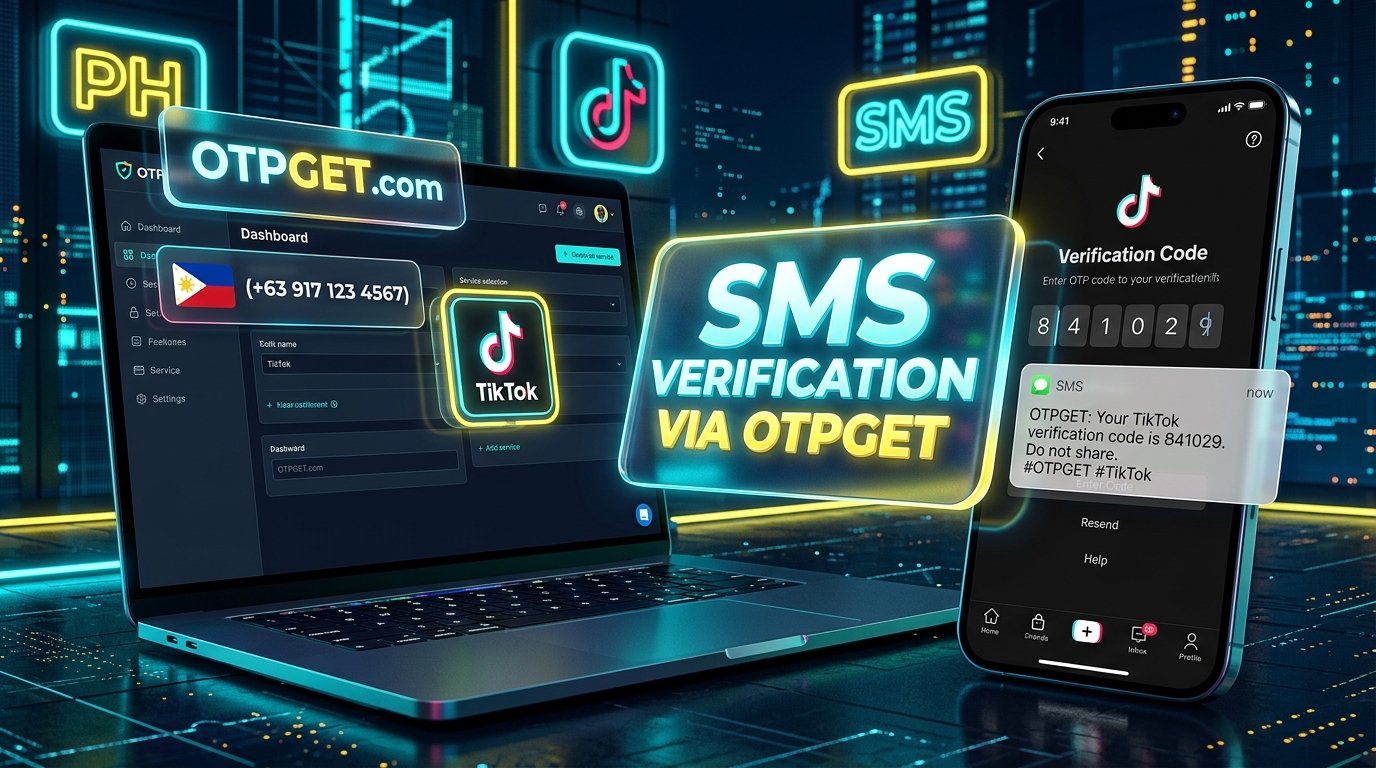
Get TikTok Code Using a Philippines Number – OTPGet
TikTok may ask you to verify your phone number when creating an account, signing in, or completing a security check. If you use a Philippines mobile number, you may receive a verification code by SMS. However, messages do not always arrive as expected. Network issues, incorrect number formatting, and restrictions on certain number types can interrupt the process.
If you want to Get TikTok Code Using a Philippines Number, OTPGET is a service worth investigating, provided it currently offers a suitable number and supports your intended verification process.
This guide explains how TikTok phone verification works, how an online OTP receiving service may help, and what to check before choosing a Philippines number. You will also learn how to troubleshoot missing messages, protect your account, and decide whether OTPGET is appropriate for your needs.
Why Use a Philippines Number for TikTok Verification?
A Philippines phone number may be useful when your personal circumstances or account needs make a local number the most appropriate option.
Common reasons include:
-
Living in the Philippines: You may want to register or verify your account using your regular local mobile number.
-
Traveling abroad: You might have a Philippine SIM card while temporarily living or working in another country.
-
Managing a legitimate business presence: A creator or business operator may use a number they are authorized to manage for account security.
-
Troubleshooting SMS delivery: Your existing number may experience network problems or fail to receive a particular verification message.
TikTok phone number verification helps the platform confirm access to a number and may support account security or recovery. The exact verification methods available depend on TikTok's current requirements and the circumstances of your account.
Using a Philippines number does not automatically change your account's region, establish regional eligibility, or unlock location-specific features. A number must also be accepted by TikTok for the intended purpose.
If your personal number is working correctly, it is generally the simplest starting point. If you need another option, you can investigate an online SMS verification service such as OTPGET before proceeding.
What Is OTPGET and How Can It Help?
OTPGET is the central service to investigate if you are exploring online OTP receiving options for TikTok.
An OTP, or one-time password, is a temporary code used to confirm an action or verify access to an account. When TikTok requests phone verification, it may send an SMS containing a code to the number you entered.
An online OTP receiving service generally provides access to a phone number and, when supported, a way to retrieve incoming verification messages. The precise process depends on the provider, its number types, and the services it supports.
OTPGET may be relevant if you want to explore a Philippines number for TikTok verification without relying on your usual phone number. However, this possibility should not be confused with confirmed compatibility.
Before using OTPGET, check its official service information for:
-
Whether a Philippines number is currently available.
-
Whether TikTok verification is explicitly supported.
-
Whether the offered number accepts the required type of incoming SMS.
-
Any usage restrictions, charges, or expiration conditions.
-
How incoming messages are delivered and who can access them.
-
Whether the number is suitable for your intended account and recovery needs.
These checks matter because a number that receives ordinary text messages may not necessarily receive every platform's verification codes. TikTok may also reject some virtual, shared, or otherwise unsupported numbers.
The practical approach is to confirm availability and compatibility before paying for or using a number. This helps you make an informed decision rather than assuming every OTP receiving service works with every platform.
How to Get a TikTok Code Using a Philippines Number with OTPGET
If OTPGET currently supports the required number and verification process, follow these steps. The exact workflow may differ depending on the service's available options.
Step 1: Visit OTPGET
Open the official OTPGET website using its verified address. Since a website URL has not been established here, avoid relying on an unverified link or a lookalike website.
Review the service information and determine whether it offers the type of OTP receiving service you need.
Step 2: Check Philippines Number Availability
Look for an available Philippines number and confirm whether TikTok is listed as a supported service.
Do not assume that a Philippines number is available simply because the provider offers online phone verification. Availability and platform compatibility can change.
If TikTok is not supported, consider using your personal mobile number or another verification method officially offered by TikTok.
Step 3: Review the Number and Service Instructions
Before proceeding, read the instructions associated with the selected number.
Check its type, any usage restrictions, applicable pricing, message access arrangements, and service terms. Pay particular attention to whether the number is shared or dedicated and whether other users could access messages sent to it.
Choose an option only if its conditions are suitable for your intended use.
Step 4: Enter the Number in TikTok
If the number is compatible and you are authorized to use it, open TikTok's official phone verification flow.
Select the appropriate country or region and enter the number in the format requested by TikTok. Check the country code and the number carefully before continuing.
Follow the instructions displayed in your account. Do not assume that entering a Philippines number will automatically change your account's regional settings.
Step 5: Request the Verification Code
Request an SMS verification code through TikTok when prompted.
Wait for the message to arrive. Delivery may depend on the number type, the provider's capabilities, network conditions, and TikTok's message delivery system.
Avoid requesting multiple codes rapidly, as repeated attempts can create additional delays or restrictions.
Step 6: Retrieve the Code Through the Supported Service
If OTPGET supports the selected verification flow, follow its actual instructions to check for the incoming message.
Confirm that the message corresponds to your current TikTok verification attempt. If no message arrives, review the service's limitations and troubleshooting guidance before requesting another code.
Step 7: Enter the Code in TikTok
Enter the received code only in TikTok's official verification interface and follow the on-screen instructions.
If TikTok accepts the code, continue with the requested account action. If it rejects the number or code, stop repeating the process and investigate the cause.
Important: These steps are conditional on current OTPGET availability, number compatibility, and TikTok's acceptance of the selected number. Successful delivery or verification is not guaranteed.
Benefits of Using OTPGET for TikTok Verification
A suitable OTP receiving service may provide a useful alternative when your usual verification method is inconvenient or unavailable. OTPGET is worth evaluating against the following potential benefits.
-
A potentially convenient workflow: An online service may let you access a supported number and retrieve a message without relying on your usual SIM card.
-
An alternative to troubleshooting your existing number: If your personal number has temporary delivery problems, investigating another supported option may help you understand your alternatives.
-
An understandable verification process: A clearly documented service can make it easier to identify the steps, requirements, and limitations before starting.
-
The opportunity to compare number options: Reviewing the available number types and their conditions helps you select an option suited to your needs.
-
Potential usefulness for legitimate account tasks: A compatible number may be relevant when verifying an account you own or are authorized to manage.
These are potential advantages of a suitable online OTP service, not verified guarantees about every OTPGET feature. Check OTPGET's current documentation before relying on any specific capability.
For long-term TikTok use, consider more than initial verification. Reliable account recovery, control over incoming messages, and protection against unauthorized access are equally important.
What If You Do Not Receive Your TikTok SMS Code?
A TikTok SMS code not received problem can have several causes. Work through these checks before attempting verification again.
-
Check the country code and number. Make sure you selected the Philippines and entered the number in the format TikTok requests.
-
Confirm incoming SMS support. Check whether your mobile carrier or selected online service can receive the type of verification message TikTok sends.
-
Wait before requesting another code. Messages may be delayed by network conditions or provider processing.
-
Avoid repeated requests. Rapidly requesting new codes can complicate troubleshooting and may trigger temporary limits.
-
Review number limitations. Some numbers may be shared, restricted, expired, or unsuitable for platform verification.
-
Check the service's status and instructions. If you are using OTPGET, consult its current guidance for the selected number and service.
-
Try an official alternative. If TikTok offers another verification method for your account, consider using it.
-
Contact support if necessary. Reach out to the relevant provider or TikTok support when the issue persists.
If you want to know how to receive a TikTok verification code, start by identifying where the problem occurs. If TikTok never sends the message, the issue may differ from a situation where a message reaches the provider but cannot be retrieved.
A systematic approach is more useful than repeatedly switching numbers or requesting codes without understanding the cause.
Is It Safe to Receive TikTok OTP Online?
Online phone number verification can introduce privacy and account security considerations that are easy to overlook.
An OTP is a temporary credential. Anyone who obtains it during the verification process may be able to complete the action for which the code was requested, depending on the platform's other security controls.
Before using OTPGET or another OTP receiving service, consider these precautions:
-
Choose a service you understand and trust. Review its official privacy policy, terms, and instructions before using it.
-
Understand message visibility. Shared or publicly accessible numbers may expose incoming messages to other people.
-
Consider future recovery. If you lose access to a number or another person controls it, recovering your account may become difficult.
-
Protect sensitive information. Do not enter your TikTok password, recovery codes, or unrelated personal details into untrusted websites.
-
Never share verification codes with strangers. Enter a code only in the official TikTok verification flow when you initiated the action.
-
Follow platform rules. Use verification methods consistent with TikTok's current requirements and account security guidance.
A Philippines virtual phone number is not automatically private or secure simply because it is accessed online. The level of protection depends on the number arrangement, service practices, and who can access incoming messages.
For an account you intend to keep for a long time, a personal number you control is generally the safer starting point. An online receiving service may not be suitable for every account or verification situation.
OTPGET vs. Other TikTok Verification Options
The best verification method depends on your priorities, especially message access, privacy, and long-term account recovery.
|
Verification option |
Convenience |
Message control and privacy |
Compatibility and recovery |
|---|---|---|---|
|
Personal Philippines mobile number |
Usually straightforward when your SIM is active |
You generally control incoming messages and can protect the SIM |
Subject to TikTok's requirements; often preferable for recovery |
|
Trusted, authorized number you control |
Convenient if you can reliably access it |
Depends on who owns the number and who can access messages |
May be suitable if TikTok accepts it and you retain access |
|
Online OTP receiving service such as OTPGET |
May offer a convenient alternative if compatible |
Shared access or provider policies may create additional privacy risks |
Compatibility must be confirmed; future recovery may be difficult |
|
TikTok's other officially available verification options |
Depends on the method offered to your account |
Depends on the selected method |
Follow TikTok's current instructions and eligibility requirements |
A personal mobile number that you control is generally preferable for an account you intend to keep. You are more likely to retain access to incoming messages and use the number for future recovery, provided the number remains active and associated with your account.
OTPGET may be worth exploring if you need an alternative, but verify its current number options and compatibility first. The availability of an online number does not establish that TikTok will accept it.
Who Should Consider OTPGET?
OTPGET may be relevant to users who want to compare online OTP receiving options before deciding how to verify a TikTok account.
For example, it may be worth investigating if you:
-
Are troubleshooting SMS delivery on a number you are authorized to use.
-
Want to understand which online verification options are available for Philippines numbers.
-
Need to compare the privacy and recovery implications of different number types.
-
Are researching a Philippines phone number for verification before choosing a method.
-
Prefer to review a provider's instructions and limitations before starting a verification attempt.
The important consideration is whether the service fits your legitimate use case. An OTP receiving service is not a universal solution, and it should not be treated as a way to bypass TikTok's safeguards, regional restrictions, or account eligibility requirements.
If OTPGET does not currently support the required verification flow, use a compatible method officially available to you.
Frequently Asked Questions About OTPGET and TikTok Verification
1. Can I get a TikTok verification code using a Philippines number?
Yes, it may be possible if TikTok accepts the number for your intended verification and the number can receive the required SMS. Delivery and acceptance depend on the number type, service compatibility, and TikTok's current requirements.
2. What is OTPGET?
OTPGET is the service discussed in this guide for people exploring online OTP receiving options. Consult its official website and current service information to confirm its available countries, number types, supported services, pricing, and usage conditions.
3. Can OTPGET receive TikTok verification codes?
That depends on whether OTPGET currently supports TikTok verification, offers a compatible Philippines number, and can receive the required message. TikTok may reject certain number types, so confirm compatibility before proceeding. Successful verification is not guaranteed.
4. Why is my TikTok OTP not arriving?
Possible causes include an incorrect country code, delayed SMS delivery, network issues, number restrictions, or incompatibility with TikTok's verification system. Check the number, wait before requesting another code, review the provider's instructions, and follow TikTok's troubleshooting guidance.
5. Is an online Philippines number suitable for long-term TikTok use?
It may not be the best choice for an account you intend to keep. Shared numbers can expose messages to others, and losing access to a provider's number may complicate account recovery. A personal number you control is generally preferable for ongoing account security.
6. Can I use OTPGET if I am outside the Philippines?
Possibly, but do not assume that access is available from every location. Check OTPGET's current service conditions and the requirements that apply to your TikTok account. Being outside the Philippines does not automatically make a particular number eligible or compatible.
7. Is using an online OTP service always free?
No. Pricing depends on the provider, number type, and service conditions. Check OTPGET's current pricing and any applicable charges before proceeding. Do not assume that a number or verification attempt is free unless the provider explicitly confirms it.
8. What should I do if TikTok rejects the number?
Confirm that the number is entered correctly and that the provider supports the intended verification process. If TikTok continues to reject it, stop repeated attempts, review TikTok's instructions, and use an officially supported alternative when available.
Final Thoughts: Get TikTok Code Using a Philippines Number with OTPGET
If you want to Get TikTok Code Using a Philippines Number, start by understanding your verification requirements and choosing a number you can legitimately access.
OTPGET is worth investigating if you are considering an online OTP receiving service. Review its current Philippines number availability, confirm whether TikTok verification is supported, and understand the number's limitations before proceeding.
If the service and number are compatible, follow the provider's actual instructions, request the code through TikTok, and enter it only in TikTok's official verification interface. If the message does not arrive or the number is rejected, troubleshoot the issue rather than assuming that another number will automatically solve it.
Remember that successful verification is only one part of account security. Privacy, continued number access, and account recovery also matter, especially if you plan to use TikTok regularly.
Ready to explore your options? Visit the official OTPGET website, check whether a Philippines number is available for your intended verification, review the service terms and privacy policy, and follow the supported instructions to see whether it meets your needs.