Google Code Not Arriving? Try an OTPGET Number
Google Code Not Arriving? Try an OTPGet Number
Waiting for a Google verification code that never shows up can be surprisingly frustrating. You check your phone, request another SMS, wait again—and still nothing. If you are searching for Google code not arriving, the problem may not necessarily be with your Google account. SMS delivery can fail or become delayed for several reasons, from mobile network issues to carrier filtering and repeated verification requests.
The good news is that there are several things you can try before assuming the verification process is stuck. In some situations, your regular phone number may simply not be receiving automated verification messages reliably. When that happens, an eligible temporary or virtual phone number can provide another option.
This guide explains why Google verification codes may not arrive, what to try first, and how an OTPGET number may help when your normal number is unavailable or unsuitable for the verification process.
Why Is My Google Verification Code Not Arriving?
There is no single reason a Google verification SMS might fail to appear. The message has to travel through multiple systems before reaching your phone, so a problem anywhere along that path can cause a delay.
Common possibilities include:
- SMS delivery delays: Automated messages can occasionally take longer than expected to arrive.
- Incorrect phone number: Even one wrong digit can send the code somewhere else.
- Weak mobile signal: Poor connectivity can interfere with incoming SMS messages.
- Carrier filtering: Mobile providers may filter certain automated or short-code messages.
- Too many requests: Repeatedly requesting verification codes can complicate the process and make it harder to know which code is current.
- Temporary network problems: Your carrier, messaging service, or the verification service may experience a temporary issue.
- Device or messaging problems: Blocked senders, full message storage, filtering features, or messaging-app settings can sometimes interfere.
- Number availability: If you no longer have access to the phone number associated with the account, receiving a code becomes impossible through that route.
A Google verification code not received situation is therefore not automatically evidence that your account is broken. Start by checking the basics before trying a different solution.
Quick Things to Try When a Google Code Is Not Received
Before looking for another number, work through these simple checks.
1. Check the phone number
Confirm that the number shown during the verification process is correct and that you still have access to it. Pay particular attention to the country code and the final few digits.
2. Check your mobile signal
If your phone has weak or unstable service, move somewhere with better reception and wait for the message again.
3. Wait before requesting another code
If a message is delayed, requesting several new codes in quick succession may create confusion. Give the first request some time before trying again.
4. Check blocked and filtered messages
Look through your messaging settings for blocked numbers, spam filters, or automated-message restrictions. Some devices and carriers handle unfamiliar senders differently from ordinary personal messages.
5. Reconnect your phone
Temporarily switching your connection or restarting your device can sometimes resolve basic network or messaging problems.
6. Try another available verification method
If Google presents an alternative verification option that you can legitimately access, consider using it instead of repeatedly requesting an SMS.
7. Avoid repeatedly pressing “resend”
If the Google verification code is delayed, repeatedly requesting new codes is rarely the best first response. Wait, check your connection, and make sure you are using the correct number.
If none of these steps works, the issue may be related to your particular phone number or its ability to receive automated verification SMS messages.
What If Your Regular Number Is the Problem?
Sometimes the problem is not the verification service at all. You may have limited access to your usual number, be using a number that does not reliably receive automated SMS, or simply need a separate number for a legitimate verification process.
This is where temporary phone numbers and virtual phone numbers can be useful.
A virtual number is a phone number provided through an online service rather than being tied directly to your physical SIM in the traditional way. Depending on the provider and the service being verified, it may be capable of receiving SMS verification messages.
A temporary number for verification can be particularly useful when:
- Your regular number is temporarily unavailable.
- You need an additional verification-capable number.
- Your usual carrier is having SMS delivery problems.
- The service you're using supports the type of virtual number you have selected.
However, temporary numbers are not a universal solution. Some services may not accept particular virtual, temporary, or previously used numbers. Always use an alternative number only where it is permitted and appropriate for the verification process.
How OTPGET Can Help
If your regular number is unavailable or you are dealing with persistent SMS delivery problems, OTPGET can be a practical option to consider.
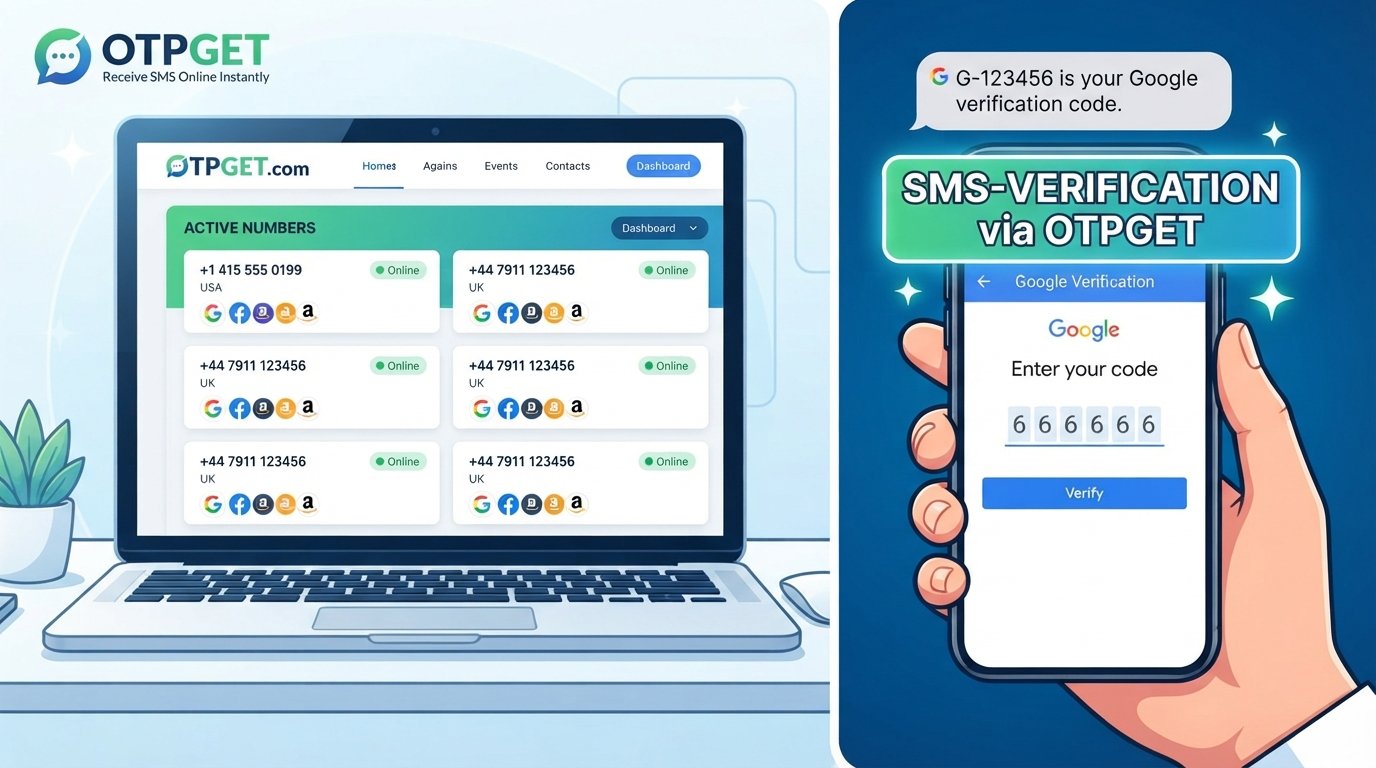
OTPGET provides access to numbers intended for receiving SMS verification codes. Rather than continuing to request a Google OTP through a phone number that is not receiving messages, you can check whether an appropriate OTPGET number is available for the verification process you are trying to complete.
The important point is that compatibility depends on the service and the number. An OTPGET number does not guarantee that every verification provider will accept it, and it should not be viewed as a way to bypass security controls.
When the relevant service supports the number type, however, an OTPGET number can give you another route for receiving a verification SMS.
This makes it especially relevant when searching for solutions to a Google verification code problem and your normal phone number is the obstacle.
How to Use an OTPGET Number for Verification
The basic process is straightforward, although the exact options available can vary.
- Visit OTPGET.
- Choose an appropriate number or service where available.
- Use the provided number for the relevant verification process, if that service supports the number type.
- Request the verification code from the service you're trying to verify.
- Monitor OTPGET for the incoming SMS.
- Enter the received code into the verification field.
- Complete the verification process if the service accepts the number and code.
Keep in mind that receiving an SMS and having a service accept the number are two separate things. If the verification provider does not support a particular virtual or temporary number, another number or an alternative verification method may be necessary.
Why Use OTPGET Instead of Repeatedly Requesting a Code?
When your regular number is not receiving a verification SMS, repeatedly clicking resend can become a frustrating cycle.
An OTPGET number offers another potential route by giving you access to a different number that may be capable of receiving verification messages.
Potential advantages include:
- Another verification-capable number: Useful when your normal phone number is unavailable.
- Convenience: You can access the number through an online service rather than depending entirely on your physical SIM.
- Flexibility: An appropriate number may be useful for legitimate verification situations where another number is needed.
- A practical troubleshooting option: Instead of repeatedly waiting for a message that is not arriving, you can consider whether another eligible number is appropriate.
The key is to use the option responsibly. OTPGET should complement normal troubleshooting, not be treated as a method for defeating account-security measures.
Common Mistakes to Avoid
When a Google OTP is not received, frustration can lead to mistakes that make the situation harder to resolve.
Requesting too many codes
Repeated requests can result in multiple messages arriving at different times. Give the system a reasonable opportunity to deliver the original code.
Entering the wrong number
Double-check every digit before requesting another verification SMS.
Constantly refreshing or resending
Refreshing a verification page or repeatedly requesting a new code does not necessarily speed up SMS delivery.
Ignoring carrier restrictions
Your mobile provider may filter or restrict certain automated messages. Check your messaging settings and carrier support information if ordinary SMS works but verification messages consistently do not.
Using an unsupported number
A temporary or virtual number may not be accepted by every verification service. If the service rejects the number, use an alternative verification method or another eligible number rather than trying to circumvent the restriction.
Sharing verification codes
Treat OTPs and verification codes as sensitive credentials. Never give a verification code to another person simply because they ask for it.
Frequently Asked Questions
Why is my Google verification code not arriving?
A Google verification code may be delayed because of SMS delivery issues, weak mobile service, an incorrect number, carrier filtering, device settings, or too many verification attempts. Check your number and connection first, then wait before requesting another code.
Why am I not receiving a Google SMS code?
If your Google SMS code is not arriving, check your mobile signal, messaging filters, blocked messages, and the phone number being used. A temporary network or carrier issue may also be responsible.
How long should I wait for a Google verification code?
SMS delivery can vary, so avoid immediately requesting multiple codes. Wait for the message, check your phone and network, and use another available verification method if one is offered.
Can a temporary phone number receive a Google verification code?
A temporary phone number may receive a verification SMS when the relevant service supports that type of number. However, acceptance varies by service and number, so there is no guarantee that every temporary number will work.
What is an OTPGET number?
An OTPGET number is a number available through OTPGET that can be used for receiving SMS verification codes where the relevant service supports the number. It can be an alternative when your regular phone number is unavailable or unsuitable.
Can OTPGET help when my regular number is unavailable?
Yes, an OTPGET number may be useful when you need another eligible number for an SMS verification process. Whether it works depends on the verification service and its acceptance of the selected number.
What should I do if the verification code still does not arrive?
First, confirm the number, check your mobile connection and message filters, and avoid repeatedly requesting codes. If your regular number remains unavailable, consider an alternative verification method or an appropriate OTPGET number where supported.
Final Thoughts: Try OTPGET When Your Google Code Is Not Arriving
A Google code not arriving does not always mean there is a problem with your Google account. SMS delays, incorrect numbers, carrier filtering, weak connectivity, device settings, and repeated requests can all contribute to a missing verification message.
Start with the basics: confirm your number, check your connection, review your messaging settings, and give delayed SMS messages time to arrive. If your regular number is unavailable or continues to cause problems, an alternative verification-capable number may be worth considering.
OTPGET provides a practical option for situations where an eligible temporary or virtual number is appropriate. If the relevant verification service supports the number you select, it can give you another way to receive an SMS verification code without repeatedly relying on a number that is not working.
If you are still dealing with a missing verification SMS, explore OTPGET and see whether an appropriate number is available for your verification needs.


