Google OTP Number – Fast Account Verification Guide | OTPGET
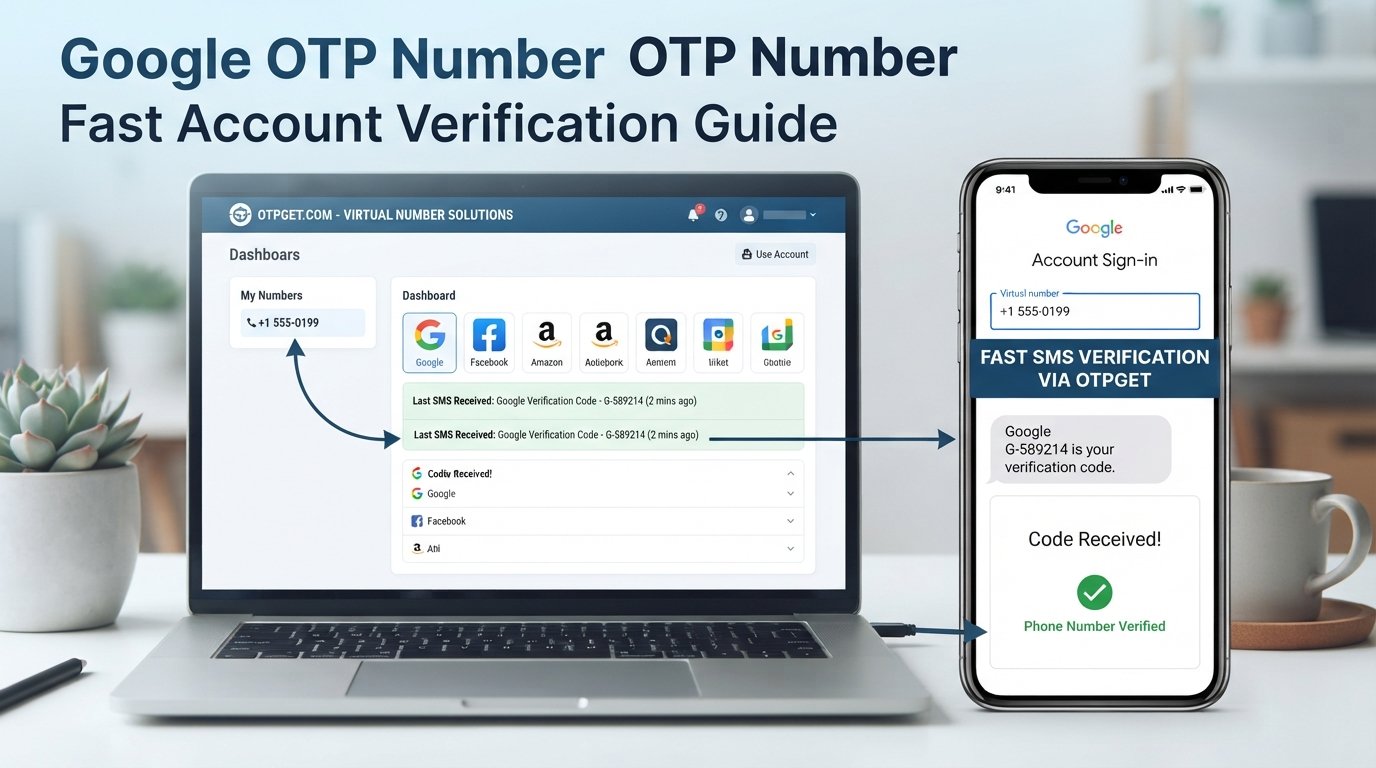
Google OTP Number – Fast Account Verification Guide
When an online service asks you to confirm a phone number, the process often comes down to one small step: receive a one-time password and enter it before it expires. For people searching for a Google OTP Number, the goal is usually to understand how phone-based verification works and what options may be available when receiving an SMS code becomes inconvenient.
Google may request phone verification during account creation, sign-in, recovery, or other security-related situations. Its official help documentation explains that SMS verification codes can be used to confirm a phone number or provide an additional sign-in step.
This is where a dedicated service such as OTPGET can be relevant. OTPGET provides virtual phone numbers and OTP-related services, with its website listing support for multiple online platforms, including Google. However, OTPGET is a third-party service and should not be confused with Google or represented as Google-owned, partnered, or officially endorsed.
What Is a Google OTP Number?
The phrase Google OTP Number generally refers to a phone number used to receive a one-time verification code from Google.
An OTP, or one-time password, is a temporary code generated for a specific verification event. When a service sends an SMS OTP, the code is typically intended to be used once and within a limited validity period.
The basic relationship is straightforward:
Phone number → SMS message → verification code → verification screen
For example, during an eligible Google verification process, you may provide a phone number and receive a code by text message. You then enter that code into the appropriate Google screen. Google notes that phone verification can be required to help protect accounts and limit abuse.
It is important to distinguish the Google verification process from the phone-number provider. Google controls its own verification requirements, while a third-party service such as OTPGET may provide a number capable of receiving SMS messages where the relevant service permits that number.
Why OTP Verification Matters
Phone verification provides a simple way for a service to confirm that someone has access to a particular phone number. It can also add friction to automated or abusive registration attempts.
Legitimate uses for OTP verification include:
-
Confirming control of a phone number
-
Completing an authorized account registration
-
Adding another verification step during sign-in
-
Supporting account recovery where phone verification is available
-
Reducing some forms of automated or fraudulent account activity
Google specifically explains that it may use phone verification when creating an account and may send verification codes during certain sign-in or recovery situations.
The important point is authorization. A verification code should only be used for an account or service you are legitimately permitted to access. OTP services should not be used to bypass security controls, impersonate another person, or gain unauthorized access.
How OTP-Based Verification Works
The process is usually simple:
-
Enter an eligible phone number.
The number is entered into the service's verification form. -
Request verification.
The service sends a one-time code to the number. -
Receive the SMS.
The verification message arrives on the phone or through an eligible receiving service. -
Enter the latest code.
The user enters the verification code into the relevant verification screen. -
The service validates it.
The platform checks whether the code is correct and still valid. -
Verification is completed.
If the code meets the service's requirements, the phone verification step is completed.
The exact process varies between platforms. Google also offers other authentication methods, including Google prompts, passkeys, security keys, authenticator applications, and backup codes, depending on the account and situation.
Common Problems With SMS OTP Verification
Even when the process is technically simple, SMS verification can sometimes be frustrating.
Delayed SMS messages
A verification message may take longer than expected because of carrier or network conditions. Google notes that delivery speed can vary by location and service provider.
Incorrect number formatting
An incorrectly entered country code, missing digit, or formatting mistake can prevent the message from reaching the intended destination.
Expired OTP codes
One-time codes are temporary. If you wait too long, the service may reject an otherwise correct code.
Too many attempts
Repeatedly requesting codes can trigger limits. Google also states that it may limit how many accounts can be created or verified using a particular phone number.
Carrier restrictions
Not every carrier or number type necessarily works with every service. Google notes that delivery availability can depend on the mobile provider and location.
Multiple verification requests
If you request several codes, older messages may no longer be useful. Google advises that, in some verification situations, only the newest code works.
When troubleshooting, check the number carefully, confirm that the device can receive SMS, wait briefly before requesting another code, and follow the platform's own recovery or verification instructions.
How OTPGET Can Help With OTP Verification
OTPGET is a third-party virtual-number and OTP verification platform. According to its published information, the service offers virtual phone numbers for SMS OTP verification, rental numbers, temporary email services, and developer APIs. Its documentation also describes APIs for obtaining numbers and checking received verification messages.
For someone looking for an OTP number for account verification, the relevant idea is straightforward: instead of relying exclusively on a personal mobile number, an eligible virtual number may provide another way to receive an SMS verification code when the target platform permits that type of number.
OTPGET's website lists Google among the services it supports, but that should not be interpreted as an official Google relationship. Service compatibility can change, and Google or another platform may reject particular numbers or number types.
OTPGET also publishes developer documentation describing programmatic number requests and OTP-status retrieval. That can be relevant to businesses, developers, or technical teams that need to incorporate OTP-related workflows into authorized applications or testing processes.
The practical value depends on the specific verification task, the service's rules, number availability, and whether virtual numbers are permitted.
Benefits of Using OTPGET
A dedicated OTP service can reduce friction in situations where managing verification numbers is inconvenient.
Potential benefits include:
-
Convenience: A virtual-number workflow can separate verification activity from a personal mobile number where permitted.
-
Simplified access: OTPGET brings number and OTP-related functionality into a dedicated platform.
-
Flexible use cases: The service describes options including temporary numbers and longer-term rentals.
-
Developer support: OTPGET publishes API documentation for programmatic OTP and number-management workflows.
-
Practical verification support: Users can consider a dedicated service when a platform permits the relevant number type.
These benefits should not be interpreted as a guarantee that every verification request will work. A third-party number may be unavailable, unsupported, previously used, or rejected by the platform conducting the verification.
Google OTP Number vs. Traditional Phone Verification
The two concepts are related, but the experience can differ depending on the number and verification method being used.
| Factor | Google OTP Number / Virtual Number | Traditional Phone Number |
|---|---|---|
| Verification speed | Depends on SMS delivery and service compatibility | Depends on carrier and network |
| Convenience | Can separate verification from a personal number | Familiar and straightforward |
| SMS dependency | Usually depends on receiving SMS | Usually depends on receiving SMS |
| Number accessibility | May be available through a dedicated service | Requires access to the physical SIM/device |
| User control | Depends on the provider and number arrangement | Direct control of the personal number |
| Verification workflow | Code is received through the selected service | Code arrives on the user's device |
| Limitations | Some platforms may restrict virtual numbers | Some platforms may limit repeated use |
| Best fit | Legitimate situations where virtual numbers are permitted | Personal accounts and ongoing number ownership |
There is no universal option that works for every situation. A personal number may be more appropriate for long-term account recovery, while a virtual number may be useful for a permitted, specific verification workflow.
Tips for Successful OTP Verification
A few simple habits can make SMS verification smoother:
-
Double-check the country code and phone number before submitting it.
-
Confirm that the device or service can receive SMS messages.
-
Give the first verification request enough time to arrive.
-
Avoid repeatedly requesting new codes.
-
Enter the most recent OTP available.
-
Check network connectivity when using a mobile device.
-
If delivery fails, follow the platform's recommended troubleshooting process.
-
Use a virtual or temporary number only when the relevant service permits it.
-
Keep legitimate account recovery information up to date.
-
Never share a verification code with another person.
Google explicitly warns users not to share verification codes because they can be used in account-takeover attempts.
Is Using an OTP Number Safe?
The answer depends on how the number and service are used.
For account security, number ownership and control matter. If a number is temporary or shared, it may not be appropriate for an account that depends on that number for future recovery. A personal or dedicated long-term number may provide more predictable continuity where the platform allows it.
Privacy is another consideration. A user may choose a virtual number to avoid exposing a personal number in a legitimate workflow, but that does not automatically make the process private or secure. Users should review the provider's policies and understand what information is required.
Platform rules are equally important. Some services restrict virtual, temporary, or previously used numbers. Google itself explains that phone numbers can be subject to verification limits and that certain numbers may not be accepted.
OTPGET can be considered for legitimate OTP-related needs, but users should always follow the rules of the platform they are verifying with. No third-party OTP service should be treated as a way to bypass a platform's security requirements.
Frequently Asked Questions
What is a Google OTP Number?
A Google OTP Number is a phone number used to receive a one-time verification code from Google during an eligible verification process. The number itself is not a special Google-issued product.
How does OTP verification work?
A service sends a temporary verification code to an eligible phone number. The user receives the code and enters it into the relevant verification screen. If the code is valid and accepted, the verification step is completed.
Can OTPGET help with verification?
OTPGET provides virtual phone numbers and OTP-related services. Its website lists Google among supported services, but compatibility is not guaranteed for every verification attempt and OTPGET is not a Google-owned or Google-endorsed service.
Why might an OTP not arrive?
Common reasons include carrier delays, network problems, incorrect number formatting, service restrictions, or repeated verification requests. Google also notes that SMS delivery can vary by location and provider.
How long does an OTP usually remain valid?
The validity period depends on the service that generated the code. Because OTPs are temporary, use the latest code promptly and follow the instructions shown on the verification screen.
Can every service accept every phone number?
No. Platforms can impose restrictions on number types, carriers, locations, or previous verification activity. A virtual number that works for one service may not work for another.
Is OTP verification secure?
OTP verification can provide an additional security layer, but SMS-based verification has limitations. Google notes that text and voice verification codes can be vulnerable to phone-number-based attacks, and it provides other methods such as passkeys and security keys for stronger protection in appropriate situations.
Conclusion
A Google OTP Number is best understood as a phone number used to receive a one-time verification code during an eligible Google verification process. SMS OTPs can make phone-number confirmation straightforward, but delivery delays, carrier restrictions, repeated attempts, and number eligibility can sometimes create friction.
For legitimate verification needs where virtual numbers are permitted, OTPGET offers a dedicated platform for virtual numbers and OTP-related services. Its published documentation also provides options for developers and technical teams working with authorized verification workflows.
The key is to choose a verification method that fits the platform's rules and your long-term account needs. If you want to explore virtual-number and OTP options, you can learn more about OTPGET and review the available service options before proceeding.


