Google Phone Verification: How to Receive Your Code with OTPGET
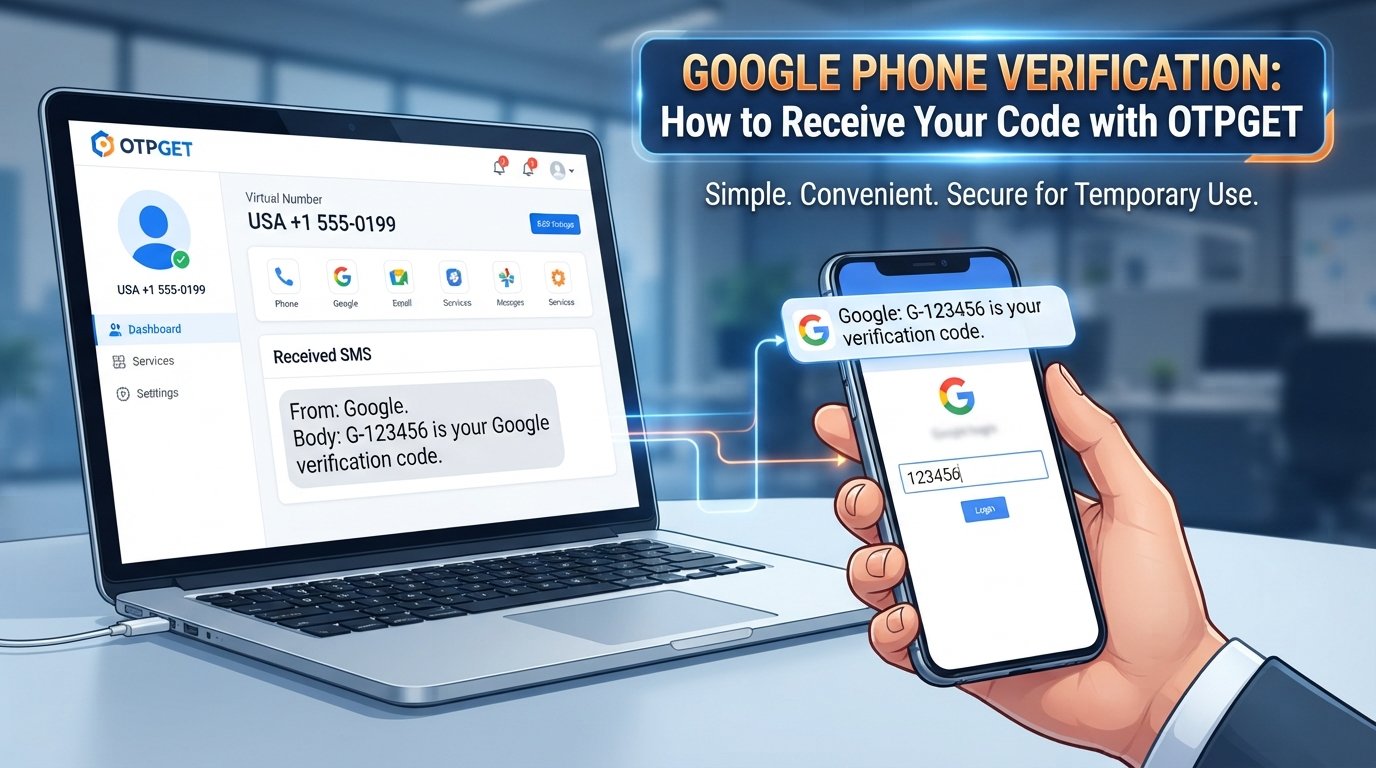
Google Phone Verification: How to Receive Your Code with OTPGET
Google phone verification is a familiar part of many online account and security workflows. At certain points, Google may ask you to confirm a phone number and enter a verification code sent by SMS. The idea is simple: a code is delivered to a phone number, and entering that code helps confirm access to the number being used for the verification process.
The process is usually straightforward, but receiving an SMS is not always as convenient as it sounds. Messages can be delayed, numbers can be incompatible with a particular verification request, or users may simply prefer not to use their personal phone number for a temporary purpose.
That is where a service such as OTPGET can be useful for supported verification needs. OTPGET provides virtual phone numbers designed for receiving SMS OTPs, allowing users to use a separate number when a temporary verification option is appropriate. Its platform also provides number rental and API-based options for different use cases.
What Is Google Phone Verification?
Google phone verification is a process used to confirm a phone number during certain Google-related activities. Instead of relying only on information entered into a form, a verification request can involve sending a code to the phone number provided by the user.
That short code is commonly called a Google verification code, Google OTP, or verification SMS.
The purpose is straightforward: the service sends a code to the number, and the person completing the verification enters that code into the appropriate verification screen.
Google may request phone verification in different situations, and the exact process can vary depending on the service, account activity, region, and security requirements. Not every Google account or verification flow works in exactly the same way.
For users, the important part is knowing how to receive verification codes reliably and how to troubleshoot the process when an SMS does not arrive.
How Does Google Verification by Phone Work?
A typical phone verification workflow looks like this:
- Google requests a phone number. The verification screen explains what information is needed.
- You enter the number. Make sure the country and phone number are correct.
- An SMS may be sent. When SMS verification is available for that particular flow, Google sends a verification code.
- You receive the message. The code arrives through the selected phone number.
- You enter the code. Type the verification code into the appropriate field.
- The verification request is processed. Google determines whether the submitted information satisfies the applicable verification requirements.
The process sounds simple, but SMS delivery can sometimes be affected by mobile networks, carrier restrictions, the number being used, or limits associated with the verification request.
A verification code is also time-sensitive in many workflows, so entering the correct code promptly can matter.
Why Can't I Receive My Google Verification Code?
If you are wondering, “Why am I not receiving my Google verification code?”, there are several possible explanations.
The phone number may be incorrect
Check the country code and digits carefully. A small mistake can send the verification SMS somewhere else or prevent delivery altogether.
SMS delivery may be delayed
Mobile networks and SMS providers do not always deliver messages instantly. Waiting briefly before requesting another code can be better than repeatedly submitting new requests.
Your carrier may restrict certain messages
Some carriers or network configurations can interfere with automated or short-code messages. If ordinary SMS works but verification messages do not, the issue may be related to message routing or filtering.
Too many requests may cause problems
Repeatedly requesting verification codes can make the process more complicated. If you have already requested a code, give the system time to respond before trying again.
The number may not be suitable for the verification request
Some online services apply restrictions to particular types of numbers. A number that works for one service is not necessarily accepted by another.
Temporary service or connectivity issues
A problem with the network, SMS provider, or verification system can also cause delays. Checking your connection and trying again later may help.
If the issue continues, use the recovery or support options provided by the relevant service rather than attempting to circumvent its security controls.
What Is OTPGET?
OTPGET is a virtual-number platform designed around OTP and SMS verification use cases. The service provides temporary virtual phone numbers for receiving SMS codes, along with rental numbers and developer-oriented API functionality.
For a user who needs a temporary phone number for verification, this can provide an alternative to immediately using a personal mobile number, where the platform and verification service support that type of number.
The basic idea is simple: select an available number and supported service, use that number for a legitimate verification request, and monitor OTPGET for the incoming SMS.
OTPGET's documentation describes an SMS OTP workflow in which users can request a number and check its status for a received SMS code.
However, it is important to keep expectations realistic. A temporary number is not a universal solution for every Google verification request. Acceptance can depend on Google's requirements, the country, the number, availability, and the specific verification flow.
How to Use OTPGET for Verification
If a temporary number is appropriate for your legitimate verification purpose, the workflow is relatively simple.
Step 1: Visit OTPGET
Open the OTPGET website and access the available virtual-number service.
Step 2: Choose an available number and service
Select a country and supported service based on what is available for your verification request. Availability can change, so check the options shown on the platform.
Step 3: Use the number for the verification request
Enter the provided number in the relevant verification form. Make sure the number format and country selection match the requirements shown by the service you are using.
Step 4: Wait for the verification SMS
If the verification provider sends an SMS and the number supports that request, the message can appear through the OTPGET service.
Step 5: View the OTP
Check the received SMS for the verification code. OTPGET's SMS API documentation also describes status checking for received codes.
Step 6: Enter the code
Return to the verification screen and enter the code exactly as received.
Step 7: Complete the process if accepted
If the number and verification request meet the platform's requirements, the verification process can proceed. If the number is not accepted or the SMS does not arrive, follow the service's normal troubleshooting or alternative verification options.
Why Choose OTPGET?
A temporary verification number is not right for every situation. For users who do need one, however, OTPGET can make the process more convenient.
Convenience
Using an online SMS verification service can eliminate the need to switch between devices or use a personal SIM card for every temporary verification task.
OTPGET's platform is built around accessing virtual numbers and receiving OTP messages through an online interface, with API options also available for supported technical workflows.
Privacy-conscious use
Some users prefer not to provide their personal number for every temporary registration or verification situation. A separate number can help keep personal contact details separate when the relevant service permits it.
This does not mean a temporary number should replace your personal recovery number for important accounts. For long-term account security, use recovery information appropriate to the account and follow the platform's requirements.
Simplicity
The basic OTP workflow is easy to understand: choose an available number, use it for the supported verification request, monitor incoming messages, and enter the received code.
Accessibility
An online phone verification service can be useful when a user needs access to a separate number without managing another physical SIM card.
Flexible options
OTPGET also documents rental-number functionality for users who need a number for a longer period rather than a one-time SMS transaction.
That makes the service potentially useful for different legitimate verification and testing scenarios, depending on the number and service availability.
Google Verification Code: Important Things to Know
Whether you use your personal number or a temporary number, a few habits can make phone verification easier:
- Check the number before submitting it.
- Confirm the country code is correct.
- Wait for an SMS before requesting another code.
- Avoid repeatedly requesting verification messages.
- Check whether SMS filtering is affecting delivery.
- Enter the received code carefully.
- Use only legitimate verification methods.
- Follow the verification requirements displayed by Google.
- Keep appropriate account recovery information updated.
Most importantly, a third-party number should never be treated as a way to bypass Google's security systems. If a verification method is rejected, use the legitimate alternatives offered by the service.
OTPGET vs. Using Your Personal Number
Both options have legitimate uses.
A personal number may be the better choice when you are setting up an important long-term account, need dependable recovery access, or expect to use the number repeatedly.
A temporary verification number may be more convenient when you have a short-term, supported verification requirement and prefer to keep your personal number separate.
The right choice depends on the purpose.
| Personal Number | Temporary Number |
|---|---|
| Useful for long-term accounts | Useful for supported temporary needs |
| Better suited to ongoing recovery | Keeps some temporary activity separate |
| Already associated with you | Can provide a separate verification number |
| Convenient when you need recurring access | Useful when a physical SIM is unnecessary |
A temporary number should not be used to misrepresent identity, evade account restrictions, create abusive accounts, or violate a platform's terms.
Is Using a Temporary Number Right for You?
A temporary number can make sense for legitimate situations such as temporary verification, privacy-conscious registration, software testing, or other supported workflows where a separate phone number is useful.
It may not be appropriate when a service requires a permanent personal number, rejects virtual numbers, or needs the same number for future account recovery.
Before choosing a temporary number, consider three things:
- Does the service accept this type of number?
- Do you need the number again later?
- Are you following the service's rules and verification requirements?
If the answer to the first question is uncertain, there is no guarantee that a temporary number will be accepted. OTPGET can provide access to available virtual numbers, but the final verification decision belongs to the service requesting the verification.
Frequently Asked Questions
What is Google phone verification?
Google phone verification is a process in which a phone number may be used to confirm information during certain Google services or account-related activities. When SMS verification is offered, a code may be sent to the number for the user to enter.
How do I receive a Google verification code?
Enter the requested phone number into the applicable Google verification screen and follow the instructions provided. If SMS verification is available for that request, Google may send a code to the number.
Why am I not receiving my Google verification code?
Possible reasons include an incorrect number, SMS delays, carrier restrictions, filtering, too many requests, number compatibility issues, or temporary service problems. Check the number and wait before requesting another code.
Can OTPGET help me receive an OTP?
OTPGET provides virtual numbers designed to receive SMS OTPs for supported services. Its documented SMS OTP workflow allows users to request a number and check whether an SMS code has been received.
Is OTPGET useful for temporary phone verification?
It can be useful for legitimate temporary verification needs where the relevant service accepts the available virtual number. Acceptance is not universal and depends on the platform, region, number, and verification requirements.
Can every Google verification request be completed with a temporary number?
No. Google verification requirements can vary, and some requests may not accept temporary or virtual numbers. A temporary number should never be considered a guaranteed way to complete verification.
What should I do if my verification code does not arrive?
First, check that the number is correct and wait for possible SMS delays. Avoid repeatedly requesting codes. If the message still does not arrive, check the service's supported verification options or support resources.
Conclusion
Google phone verification is designed to confirm access to a phone number during supported verification workflows. Although receiving an SMS code is usually simple, delivery issues, number restrictions, network problems, and temporary service limitations can make the process frustrating.
For legitimate temporary verification needs, OTPGET offers a practical way to access virtual phone numbers and receive SMS OTPs where supported. Its online workflow can be useful for people who want a separate number instead of relying on their personal phone number for every temporary verification task.
The key is to use the service responsibly. OTPGET does not bypass Google's security requirements, and no temporary number can guarantee that every verification request will be accepted.
If you need a separate number for a supported verification purpose, explore OTPGET to see which virtual-number options are currently available.
Suggested Internal-Link Anchor Texts
- OTP verification services
- Temporary phone numbers
- How SMS verification works
- Online OTP receiving


