Guyana Number for App Verification: Step-by-Step Help
Guyana Number for App Verification: Step-by-Step Help
Many apps ask for a phone number before allowing a user to create an account, confirm a login, or complete a security check. If you specifically need a Guyana number for app verification, a virtual phone number can be one option to explore when the app supports that type of number.
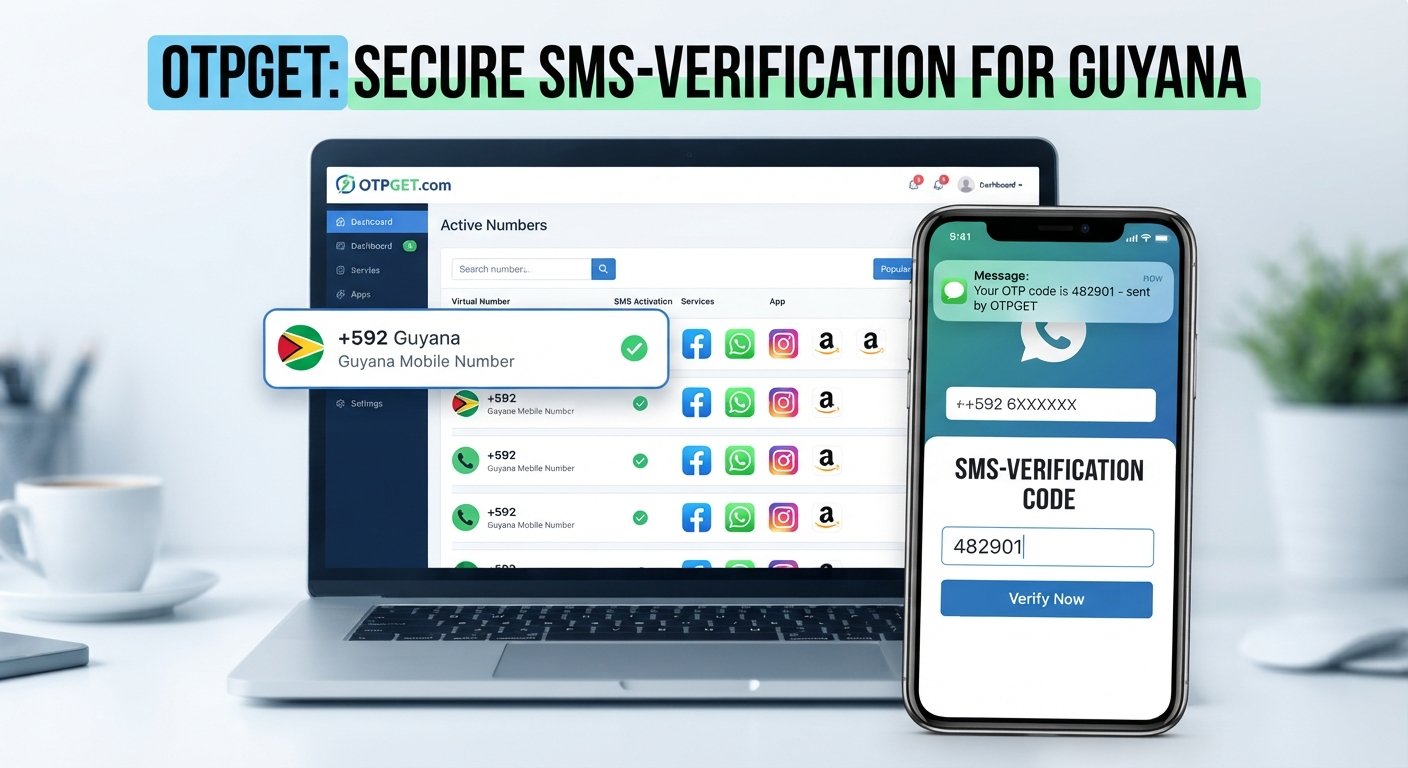
The basic process is straightforward: obtain a supported Guyana number, enter it into the app, request an SMS verification code, and enter the OTP when it arrives. Services such as OTPGET provide virtual and temporary number services for supported verification use cases. Their documentation describes an SMS OTP flow in which a number can be obtained and its incoming SMS status checked.
However, compatibility matters. An app may accept a traditional mobile number but reject a virtual, VoIP, temporary, or previously used number. The safest approach is to follow the app's own verification requirements and use a number only for legitimate purposes.
What Is a Guyana Number for App Verification?
A Guyana phone number is a number associated with Guyana's telecommunications numbering system. Guyana uses the international country calling code +592, and the country's international numbering format uses seven digits after the country code.
A Guyana virtual number is a phone number that can be accessed through an online service rather than through a physical SIM card in your personal phone. Depending on the provider and service, it may be used to receive SMS messages such as verification codes.
An OTP, or one-time password, is a temporary code generated by an app or website during a verification process. SMS-based verification generally works like this:
- An app asks for your phone number.
- You provide a supported number.
- The app sends a verification code by SMS.
- The SMS reaches the number where the service supports delivery.
- You enter the code into the app.
- The app confirms whether the verification was successful.
A virtual number can therefore be useful when you need a separate number for a supported SMS verification process, but acceptance is determined by the individual service.
Why Do Apps Ask for Phone Verification?
Phone verification is commonly used as an additional account-security and registration measure. Different apps use it for different reasons, but common purposes include:
- Account registration: Confirming that a phone number is available to the person creating an account.
- Login verification: Adding another check when signing in.
- Two-factor authentication: Using an SMS code as one authentication factor.
- Security checks: Helping identify unusual or potentially automated activity.
- Duplicate-registration controls: Limiting repeated registrations associated with the same number.
- Number confirmation: Establishing that the supplied number can receive SMS messages.
Not every platform uses the same rules. Some services accept international numbers, while others restrict registration by country, number type, or carrier. Some may also block numbers that appear to be temporary or virtual.
How to Get a Guyana Number for App Verification
If you need a Guyana verification number for a legitimate supported service, the process generally follows these steps.
Step 1: Choose a Supported Virtual Number Provider
Start by selecting a provider that offers the type of number and SMS functionality you need. OTPGET is one option users can explore for virtual and temporary verification numbers.
Before proceeding, check the provider's available countries, number type, service compatibility, and applicable terms.
Step 2: Look for a Guyana Number
Search the provider's available countries or number inventory for Guyana.
Availability can vary by service, number type, and provider. If Guyana is not available for the specific verification service you need, do not assume that another number will work as a substitute.
Step 3: Select the Number
Once a suitable number is available, review the details before obtaining it.
Pay attention to:
- The country associated with the number
- Whether SMS reception is supported
- Whether the number is temporary or intended for longer-term use
- The verification service you intend to use
- Any restrictions stated by the provider
OTPGET documents both temporary SMS OTP numbers and longer-term rental-number functionality, although availability varies by country and service.
Step 4: Enter the Number in the App
Open the app's phone-verification screen and enter the Guyana number in the requested format.
If the app asks for an international number, use the +592 country code. Do not add or remove digits arbitrarily; follow the format displayed by the app.
Step 5: Request the Verification Code
Submit the number and request an SMS verification code.
At this point, the app sends the OTP to the supplied number if the number is accepted and SMS delivery is supported.
Step 6: Enter the OTP
When the verification message arrives, enter the code into the app's verification field.
OTPGET's published SMS API documentation describes a status-checking process that can report when an SMS has been received.
Step 7: Complete the App's Verification Process
After entering the OTP, allow the app to complete its verification process.
Successful verification is not guaranteed simply because a number can receive SMS. The app may have additional rules concerning virtual numbers, previously used numbers, location, account history, or automated activity.
How OTPGET Can Help With Guyana App Verification
OTPGET is a virtual-number service that provides temporary numbers for receiving SMS/OTP messages and also documents longer-term rental numbers. Its published documentation includes country and service selection, number acquisition, SMS-status checking, and number-management functions.
For someone looking for a Guyana number, the practical approach is to first check whether Guyana and the required verification service are available through the provider. If a suitable number is available, the user can obtain it and then use the number with a supported app's normal SMS verification process.
Before using a number, check:
- Whether Guyana is available for the required service
- Whether SMS reception is supported
- Whether the app accepts virtual numbers
- Whether the number is temporary or rental-based
- Whether the number is intended for one-time or ongoing access
- The provider's usage terms and restrictions
OTPGET states that its services are intended for online verification and account-registration use and prohibits illegal, fraudulent, abusive, or harmful activity.
That makes service compatibility and legitimate use important parts of the process.
How Guyana SMS Verification Works
The typical SMS verification flow is simple:
- An app asks for a phone number.
- The user provides a supported Guyana number.
- The app sends an OTP by SMS.
- The number provider receives the SMS where supported.
- The user enters the OTP into the app.
- The app processes the verification request.
The key point is that receiving an SMS and being accepted by an app are two different things. A number may technically receive messages but still be rejected by an application that does not permit virtual, temporary, or VoIP numbers.
For this reason, always check the application's requirements before purchasing or using a number.
Guyana Country Code and Phone Number Format
The Guyana country code is +592. According to the ITU's published numbering plan, Guyana uses seven digits after the country code, with the international format shown as +592 NXX XXXX.
For example, a fictional format could look like:
+592 2XX XXXX
The example above is intentionally non-specific and should not be treated as an actual phone number.
When completing app verification, use the exact formatting requested by the app. Some forms automatically add the country code after you select Guyana, while others require you to enter the full international number.
Common Problems With Guyana OTP Verification
OTP Not Arriving
Check that the number is correct and that the provider supports SMS for the selected service. Avoid repeatedly requesting new codes because some apps impose temporary limits.
Number Already Used
Some platforms prevent a phone number from being reused for multiple registrations or verification attempts. If the app says the number has already been used, follow its instructions rather than trying to circumvent the restriction.
App Does Not Accept Virtual Numbers
Some services specifically restrict virtual or VoIP numbers. In that situation, a personal mobile number that meets the app's requirements may be necessary.
SMS Delivery Is Delayed
Wait briefly and check the verification interface again. If the provider offers an SMS status feature, use it according to its instructions.
Incorrect Country Code
Make sure the country is set to Guyana and that +592 is being used when international formatting is required.
Incorrect Number Format
Check whether the app expects the complete international number or a local-format number after selecting the country.
Verification Attempts Are Limited
Some apps limit how often a user can request an OTP. Avoid repeatedly submitting requests and wait for the application's specified retry period.
Number Becomes Unavailable
Temporary numbers can have limited availability. If a number is no longer usable, review the provider's status and the application's verification requirements before starting another attempt.
Tips for Successful App Verification With a Guyana Number
A few simple practices can reduce avoidable verification problems:
- Check the country code: Guyana uses +592.
- Confirm app compatibility: Look for the app's rules concerning international and virtual numbers.
- Check SMS support: Not every number type supports every verification service.
- Use legitimate information: Do not use a virtual number to misrepresent your identity or bypass platform controls.
- Enter OTPs carefully: Verification codes are usually time-sensitive.
- Avoid excessive retries: Multiple requests can trigger verification limits.
- Follow the app's terms: Do not attempt to bypass identity, fraud, KYC, payment, or anti-abuse controls.
- Check availability first: Confirm that the required country and service are supported before obtaining a number.
Guyana Number vs. Personal Phone Number
Both options can have legitimate uses, but they work differently.
| Feature | Guyana Virtual Number | Personal Mobile Number |
|---|---|---|
| Convenience | Can be obtained through a supported online provider | Requires access to the personal SIM/device |
| Privacy considerations | Can separate verification from a personal number | Directly associated with the user's mobile service |
| Availability | Depends on provider inventory | Depends on the user's carrier and location |
| App compatibility | Varies by application | Often depends on the app's normal mobile-number rules |
| Long-term access | Depends on the number type and provider | Generally remains available while the mobile service is active |
| Verification support | Depends on SMS routing and app acceptance | Depends mainly on the app and carrier |
Neither option is suitable for every situation. A virtual number may be convenient for supported verification tasks, while a personal mobile number may be more appropriate when an app requires a standard mobile line or when long-term account recovery is important.
Is a Guyana Virtual Number Right for App Verification?
A Guyana virtual number may make sense when you need a separate number for a supported SMS verification process and the application permits virtual numbers.
It can be less suitable when:
- The app requires a physical mobile SIM.
- The service does not accept virtual or VoIP numbers.
- You need the number for long-term account recovery but only have temporary access.
- The platform specifically requires identity or residency verification.
- The verification process involves KYC or another form of official identity validation.
The important distinction is between having access to a number and meeting the application's eligibility requirements. A virtual number cannot replace a verification method that the platform explicitly requires.
Frequently Asked Questions
1. What is a Guyana number for app verification?
It is a Guyana phone number used by a supported app to send an SMS verification code. The number can be a traditional mobile number or, where accepted, a virtual number.
2. What is the Guyana country code?
Guyana's international calling code is +592. The ITU numbering plan specifies seven digits after the country code.
3. Can I use a Guyana virtual number for SMS verification?
Yes, a virtual number can be used where the application accepts that type of number and the provider supports SMS delivery for the relevant service. Acceptance varies by platform.
4. How do I receive a Guyana OTP?
Provide a supported Guyana number to the app, request verification, and wait for the SMS. If the number provider supports SMS status monitoring, you can check whether the message has arrived.
5. Can I use OTPGET to obtain a Guyana number?
OTPGET can be explored as an option for supported virtual-number and SMS verification use cases. Availability for a particular country and service should be checked before proceeding.
6. Why is my Guyana verification code not arriving?
Possible causes include an incorrect number, unsupported virtual number, SMS delivery problems, temporary service delays, or restrictions imposed by the app. Verify the number and service compatibility before retrying.
7. Do all apps accept virtual Guyana numbers?
No. Apps can have different rules for virtual, VoIP, temporary, and traditional mobile numbers. Always check the platform's requirements.
8. Is a Guyana virtual number suitable for account verification?
It can be suitable for supported account-verification workflows, particularly when the service accepts virtual numbers. For accounts requiring long-term recovery or identity verification, review the platform's requirements carefully.
9. What should I do if the app rejects my number?
First, check the country code and number format. If those are correct, determine whether the app restricts virtual or temporary numbers. If it does, use a verification method that complies with the platform's requirements.
10. Can the same Guyana number be reused for multiple verifications?
That depends on the application and the number provider. Some platforms restrict reuse, while temporary numbers may also be intended for specific verification sessions. Do not reuse a number if doing so would violate the application's rules.
Conclusion
Getting a Guyana number for app verification can be straightforward when the app, number type, and SMS provider are compatible. The usual process is to select a supported number, enter it using the correct Guyana country code, request the SMS OTP, and submit the received code through the app's normal verification process.
A virtual number can be useful when you want a separate phone number for a legitimate supported verification task, but it is not a way to bypass an application's security or eligibility requirements. Always check whether the platform accepts virtual numbers and follow its verification policies.
For users exploring a convenient virtual-number option, OTPGET provides documented SMS OTP and number-rental services. Check available countries and services before obtaining a number, and use the service only for permitted verification purposes.
Explore OTPGET for a Guyana Verification Number
If you need a Guyana number for a supported app verification process, OTPGET is an option to explore. Check availability, confirm that your chosen service accepts the number type, and follow the app's verification requirements.