How to Create an Anonymous WhatsApp Account Safely with OTPGET
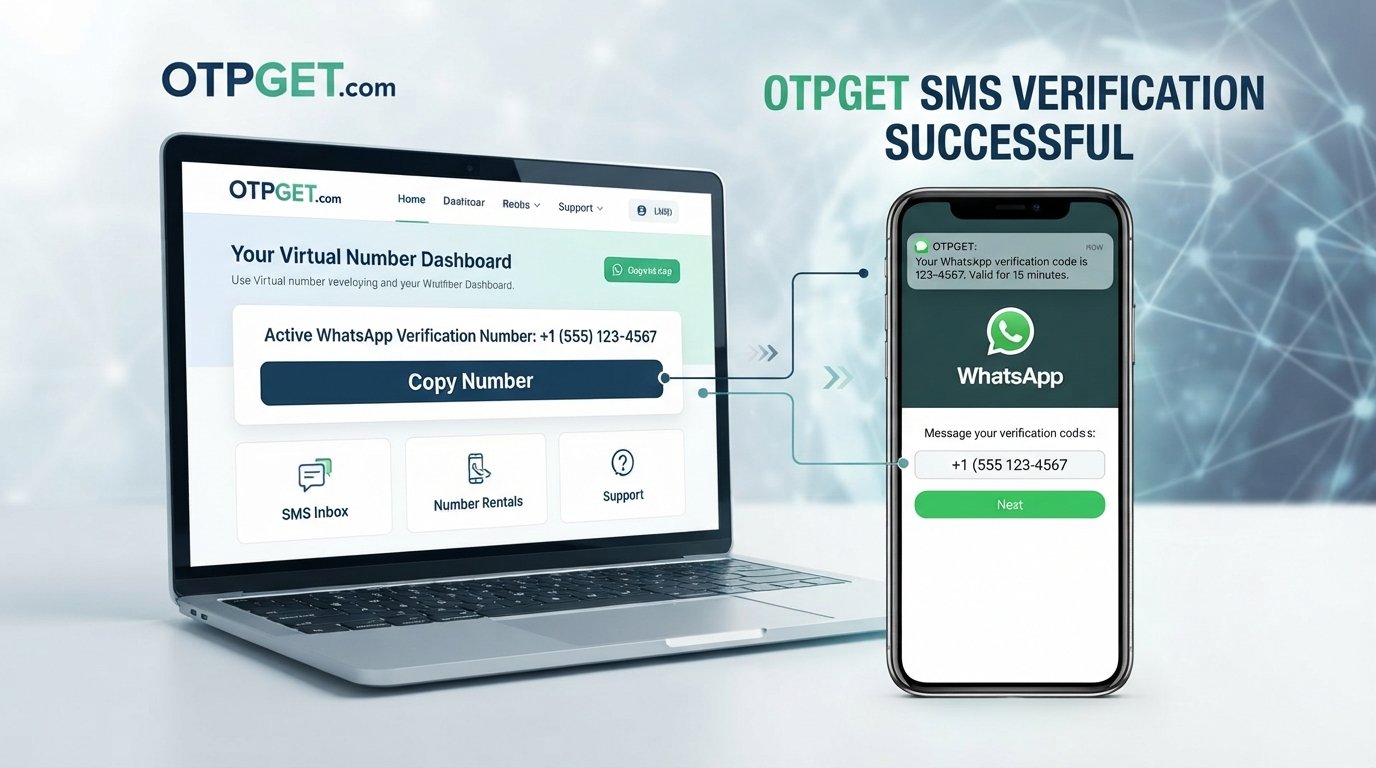
How to Create an Anonymous WhatsApp Account Safely
Sharing your primary phone number online is not always something you want to do.
You might need WhatsApp for a marketplace conversation, a business project, an online community, a temporary activity, or simply a separate communication channel. In situations like these, using your everyday personal number can create unnecessary exposure to messages, calls, and contacts you would rather keep separate.
That is why some people search for an anonymous WhatsApp account.
However, there is an important distinction: an anonymous WhatsApp account does not mean a completely anonymous or untraceable account. WhatsApp requires a phone number for registration, and the practical privacy-focused approach is to use a suitable separate verification number instead of exposing your primary personal number. WhatsApp itself states that an active phone number must be registered and verified to activate an account.
For people who need a separate number for SMS verification, services such as OTPGET can provide a practical option. The key is understanding what this approach does—and does not—protect.
What Does an Anonymous WhatsApp Account Actually Mean?
The phrase anonymous WhatsApp account can be misleading.
Using a different phone number can help prevent your primary personal number from being the number associated with a particular WhatsApp account. It can therefore improve phone number privacy and create a useful separation between your personal communications and another activity.
But that is not the same as complete anonymity.
There are several different concepts to keep separate:
- Number privacy: Your everyday phone number is not used for the account.
- Account privacy: You limit what other WhatsApp users can see about your profile and activity.
- Device privacy: You protect the phone and operating system used to access the account.
- Identity anonymity: Other parties cannot easily connect the account to your real-world identity.
A separate number primarily addresses the first issue. It does not automatically solve the others.
WhatsApp's own privacy information explains that account information, device and connection information, and other data can be associated with use of its services.
So think of a private WhatsApp account as reducing unnecessary personal-number exposure, rather than creating perfect anonymity.
Why Use a Separate Number for WhatsApp?
There are several legitimate reasons to use a second number for WhatsApp.
Personal privacy
If you use your main number for family, friends, banking, and other important services, you may not want to distribute it widely. A separate number creates a boundary between personal and non-personal communications.
Business communication
A dedicated WhatsApp number can help separate customer conversations from private messages. It also makes it easier to maintain a professional communication channel without giving customers your everyday number.
Online communities and marketplaces
When communicating with people you do not know personally, sharing your main number may not be necessary. A separate number can reduce unwanted exposure while still allowing you to communicate through WhatsApp.
Temporary projects
A short-term project, event, research activity, or online collaboration may require messaging access without making your primary number part of the process.
The important principle is simple: use the number that makes sense for the level and duration of access you need.
Can You Create WhatsApp Without Your Personal Number?
Not in the sense of skipping phone verification.
WhatsApp requires a phone number for account activation and verification. Its official registration guidance says users must register an active phone number and be able to receive the verification code through supported methods. WhatsApp also states that the phone number used for registration must be one you own.
That means the privacy-friendly approach is not to bypass verification. Instead, use a separate number that you legitimately control or have access to for the intended verification process.
There are several types of numbers to consider:
- Primary personal number: Your normal everyday mobile number.
- Secondary number: An additional number kept separately from your main identity or communications.
- Virtual phone number: A number provided through an online service rather than a traditional physical SIM.
- Temporary verification number: A number intended for receiving an OTP for a particular verification task.
The suitability of any number depends on WhatsApp's registration requirements and whether the number can receive the required verification method. WhatsApp notes that some number types, including certain VoIP and other unsupported numbers, may not be accepted.
What Is OTP Verification?
An OTP, or one-time password, is a temporary verification code used to confirm access to a phone number or other account credential.
For WhatsApp registration, the basic process is straightforward:
- Enter the phone number you want to register.
- WhatsApp sends a registration code through a supported verification method.
- Enter the legitimate code.
- Complete the account setup.
WhatsApp describes the registration code as a unique code used to confirm ownership of the phone number. Users should never share that code with another person.
This is where a separate WhatsApp verification number can be useful. Instead of attaching your everyday personal number to the account, you can use an appropriate secondary number for the verification process.
Why OTPGET Can Be Useful
If your goal is to create a more private WhatsApp account without immediately exposing your primary phone number, the main challenge is obtaining a suitable number capable of receiving an OTP.
OTPGET is designed around this type of verification workflow. Its published documentation describes virtual numbers for SMS OTP verification and provides tools for requesting a number and checking whether the verification SMS has arrived. OTPGET also documents rental-number options for longer-term use.
The practical benefit is separation.
Instead of thinking, "How can I create WhatsApp without a phone number?" a better question is:
"How can I verify WhatsApp without using my primary personal number?"
A separate verification number can address that specific privacy concern.
OTPGET's published service information also indicates support for WhatsApp-related verification and distinguishes between one-time virtual numbers and longer-term rental numbers. Availability and WhatsApp acceptance can vary, so users should always check the options available to them before proceeding.
Most importantly, OTPGET should be viewed as a tool for obtaining a separate verification number—not as a guarantee of anonymity, permanent WhatsApp access, or successful verification in every situation.
How to Create a More Private WhatsApp Account Using a Separate Number
Step 1: Decide whether you need a separate number
First, consider why you want to keep your primary number separate.
If the account is for a temporary activity, an online community, a marketplace conversation, or a distinct business purpose, a second number may make sense.
If you expect to keep the account for a long time, think about ongoing access and recovery before choosing a temporary solution.
Step 2: Get a suitable verification number
Choose a number that is appropriate for WhatsApp registration and capable of receiving the required verification message.
This is where OTPGET can be considered. Its service provides virtual numbers intended for receiving SMS verification codes, with availability depending on the selected service and number options.
Do not assume that every virtual or temporary number will necessarily be accepted by WhatsApp.
Step 3: Enter the number in WhatsApp
Open WhatsApp and follow the normal registration process.
Select the appropriate country and enter the separate phone number in the requested format. WhatsApp's official registration process requires the number to be verified before the account can be activated.
Step 4: Receive the OTP
Wait for WhatsApp to send the verification code to the number.
If you are using OTPGET, follow its normal process for retrieving the incoming SMS associated with the number. OTPGET documents an activation-status process for checking when an SMS code has been received.
Step 5: Enter the verification code
Enter the legitimate verification code into WhatsApp.
Never give a registration code to another person, even if someone claims to be from WhatsApp or a support team. WhatsApp specifically warns users not to share registration codes.
Step 6: Complete the account setup
Once registration is complete, review your profile and privacy settings.
Think beyond the phone number. A private account can still reveal unnecessary information through its profile photo, About section, status, group participation, or other visible account information.
WhatsApp Privacy Settings You Should Check
Using a separate number is only one part of a privacy-conscious setup.
Review settings for:
- Profile photo: Restrict visibility if you do not want everyone to see it.
- About: Avoid adding unnecessary personal information.
- Status: Choose who can view your updates.
- Last seen and online: Limit visibility according to your preferences.
- Groups: Control who can add you to groups where the available settings allow it.
- Read receipts: Disable them if appropriate for your communication style.
- Two-step verification: Enable an additional account-protection layer.
- App and device security: Use a strong device lock and keep your software updated.
- Blocking and reporting: Use WhatsApp's controls when unwanted contacts become a problem.
WhatsApp provides controls for managing visibility of profile information, status, last seen, online information, and group-related settings.
Two-step verification provides another layer of account protection after registration.
Temporary Number vs. Permanent Secondary Number
| Consideration | Temporary Number | Secondary/Permanent Number |
|---|---|---|
| Short-term use | Excellent fit | Usually unnecessary |
| Long-term WhatsApp access | Higher risk if access expires | Better suited |
| Account recovery | Requires careful planning | Easier if you retain access |
| Privacy separation | Useful | Useful |
| Ongoing control | Depends on service | Generally better |
| Best for | One-off or short-term needs | Ongoing communication |
A temporary number can be convenient when you only need verification for a limited purpose. The major consideration is what happens afterward.
If you lose access to the number, future account recovery or re-registration may become more complicated. WhatsApp's registration system is tied to the phone number associated with the account, so continued access to that number matters.
If the WhatsApp account is important for long-term communication, a number you can reliably retain may be the more sensible choice.
Is an Anonymous WhatsApp Account Completely Anonymous?
No.
This is one of the most important points to understand.
A separate number can reduce exposure of your primary personal phone number, but it does not erase every connection between your account, device, communications, and identity.
WhatsApp's published privacy information explains that it processes information associated with accounts, devices, connections, usage, and interactions. Other users can also save or reshare information you provide to them.
Think of privacy as layers:
Number privacy → account privacy → device privacy → identity privacy
A secondary number primarily helps with the first layer and can support the second. It should not be treated as a promise of complete anonymity.
Common Mistakes to Avoid
Avoid these common mistakes when creating a private WhatsApp account:
- Using an unreliable verification number: If the number cannot receive the required code, registration may fail.
- Losing access to the number: This can create problems if you need to verify the account again.
- Assuming temporary means permanent: A temporary number is not automatically suitable for long-term account recovery.
- Sharing your OTP: Verification codes should remain private.
- Ignoring WhatsApp privacy settings: A separate number does not automatically hide your profile information.
- Reusing numbers carelessly: Treat number ownership and future availability as important considerations.
- Assuming complete anonymity: Number separation is not the same as being untraceable.
- Ignoring platform rules: Use WhatsApp and any number service according to their applicable terms, policies, and legitimate use requirements.
Frequently Asked Questions
Can I create a WhatsApp account without using my personal number?
Yes, you can use a different suitable phone number instead of your primary personal number. WhatsApp still requires a phone number for registration and verification.
Can I use a temporary number for WhatsApp verification?
A temporary number may be suitable if it meets WhatsApp's requirements and can receive the required verification code. However, temporary access can create account-recovery concerns later.
How does WhatsApp OTP verification work?
WhatsApp sends a registration code to the phone number being registered. You enter the legitimate code to confirm access to that number and complete registration.
Is a separate WhatsApp number more private?
It can be more private from a phone-number-exposure perspective because your primary number is kept separate. It does not make the entire account anonymous.
Can I receive a WhatsApp verification code on another number?
You can register WhatsApp with another suitable number that you legitimately control or have access to, provided it meets WhatsApp's registration requirements and can receive the required verification code.
Does using a secondary number make WhatsApp anonymous?
No. It can reduce exposure of your primary phone number, but account, device, connection, and communication information may still exist.
How can OTPGET help with WhatsApp verification?
OTPGET provides virtual numbers intended for SMS OTP verification and documents workflows for obtaining numbers and retrieving incoming verification codes. Whether a particular number is accepted depends on the service and WhatsApp's current registration requirements.
Conclusion
Creating an anonymous WhatsApp account is better understood as creating a more privacy-conscious account rather than trying to become completely anonymous.
If your main concern is keeping your everyday phone number separate from a particular WhatsApp account, a suitable secondary verification number can be a practical solution. It gives you a clearer boundary between your personal communications and other activities while avoiding the need to expose your primary number unnecessarily.
The most important step is choosing the right type of number for your needs. A temporary number may work for short-term verification, while a number you can retain may make more sense for an account you expect to use over a longer period.
For users looking for a convenient way to obtain a separate number for OTP verification, OTPGET is a practical option to explore. Its published platform supports virtual SMS verification numbers and longer-term rental options, while availability depends on the service and number selected.
Use the normal WhatsApp registration process, protect your verification code, configure your privacy settings, and choose a number with your future access needs in mind.
That combination—not a claim of perfect anonymity—is the more realistic path toward a private WhatsApp account.
10. SUGGESTED INTERNAL LINKS
- Anchor: How OTP Verification Works
Topic: Explain OTPs, verification codes, delivery methods, and common verification workflows. - Anchor: What Is a Temporary Phone Number?
Topic: Explain temporary numbers, common use cases, limitations, and account-recovery considerations. - Anchor: How to Protect Your Phone Number Online
Topic: Practical strategies for reducing unnecessary phone-number exposure across websites and apps. - Anchor: WhatsApp Privacy Settings Explained
Topic: A detailed walkthrough of profile, status, last-seen, group, and account-security controls. - Anchor: Temporary Number vs. Virtual Number
Topic: Compare temporary verification numbers with longer-term virtual numbers. - Anchor: How to Receive OTP Codes Safely
Topic: Explain safe OTP handling and why verification codes should never be shared. - Anchor: Why Use a Secondary Phone Number?
Topic: Cover business, privacy, marketplace, community, and personal-separation use cases. - Anchor: Virtual Phone Numbers for SMS Verification
Topic: Explain how virtual numbers work and what users should consider before choosing one.
11. SUGGESTED EXTERNAL SOURCES
- WhatsApp Help Center — How to register your phone number: authoritative reference for WhatsApp's phone-number registration requirements and verification process. WhatsApp Help Center: How to register your phone number
- WhatsApp Help Center — About registration and two-step verification: useful for explaining registration codes and additional account protection. WhatsApp Help Center: Registration and two-step verification
- WhatsApp Help Center — Privacy settings: authoritative reference for profile, status, last-seen, online, read-receipt, and group privacy controls. WhatsApp Help Center: Privacy settings
- WhatsApp Privacy Policy: useful for factual discussion of account, device, connection, usage, and other information associated with WhatsApp use. WhatsApp Privacy Policy
- OTPGET official platform: reference for OTPGET's published virtual-number and SMS verification capabilities. OTPGET
- OTPGET API documentation: reference for OTPGET's documented SMS OTP and rental-number workflows. OTPGET API Documentation


