Verification Number Online: Get OTPs Easily | OTPGET Full Guide
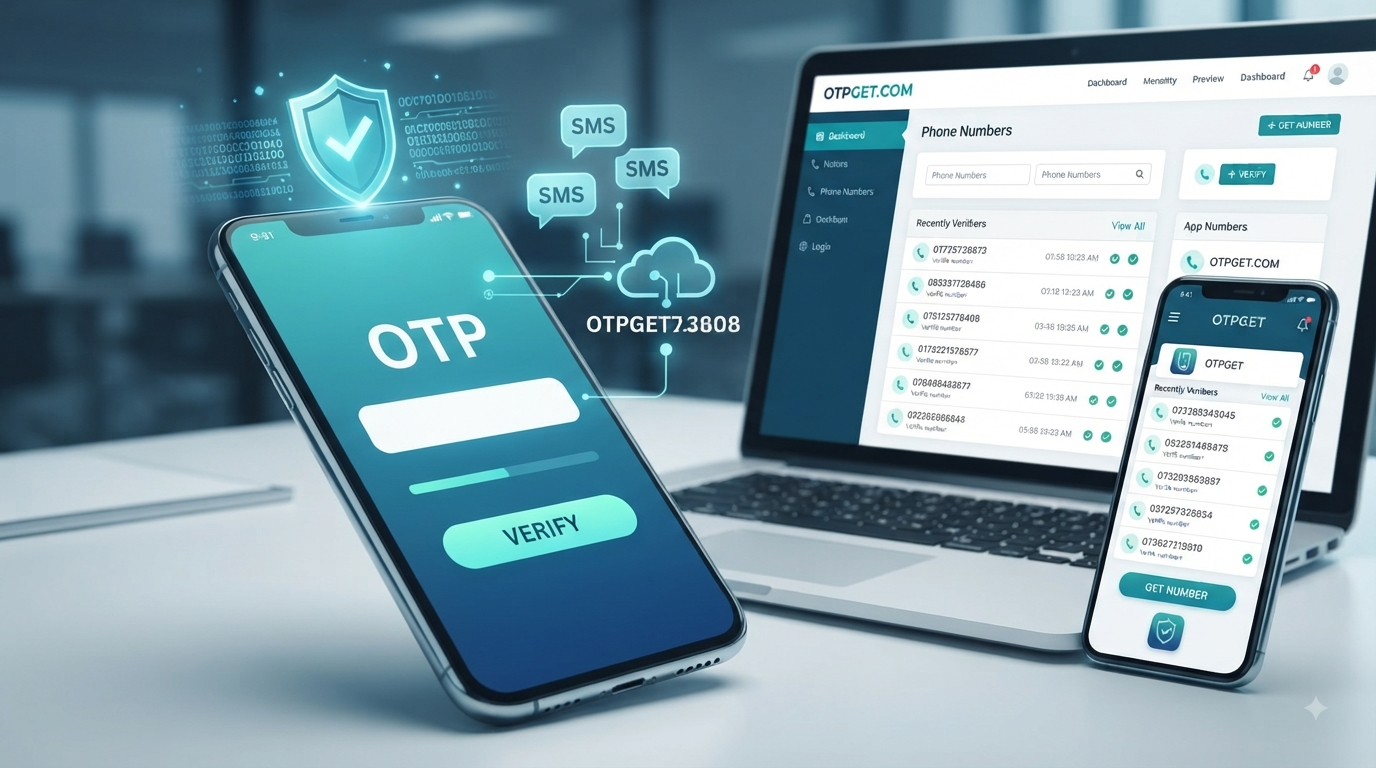
How to Get a Verification Number Online
When a website or app asks for a phone number, you may not always want to use your primary number. Whether you want to separate personal communications from online activities or simply need a number dedicated to verification, an online verification number can be a practical option.
The basic idea is straightforward: a virtual number can receive an SMS containing a one-time password (OTP), which you then enter on the website or app requesting verification. Services such as OTPGET provide online numbers intended for SMS and OTP verification.
However, not every online number works with every platform. Availability, compatibility, delivery, privacy considerations, and the rules of the service you are trying to use all matter.
This guide explains how verification numbers work, how to get a verification number online, what to consider when choosing a provider, and where OTPGET can fit into the process.
What Is a Verification Number?
A verification number is a phone number used to receive a verification SMS from a website, application, or online service.
When you register for an account, sign in from a new device, or perform another action that requires phone verification, the service may send a temporary code to the number you provide. This code is usually called an OTP, or one-time password.
For example, the process might look like this:
- A website asks for your phone number.
- You provide an eligible number.
- The website sends a verification code by SMS.
- You receive the code.
- You enter the code to complete the requested verification step.
An online verification number works in much the same way as a conventional mobile number for receiving SMS, although the number is provided through an online service rather than directly through your personal SIM.
How Does Online Phone Verification Work?
Phone verification is designed to confirm that you have access to the number being entered.
The process is generally simple. First, the website or app asks for a phone number. After you enter the number, its system generates a verification code and sends it by SMS.
If you are using an online phone number for verification, the SMS is delivered to the provider's online interface or another supported receiving method. You can then view the verification code and enter it on the original website or application.
The code is usually time-sensitive, so entering the correct number promptly is important.
It is also worth remembering that an online number does not automatically work with every website. Some services may restrict virtual, temporary, or previously used numbers. Compatibility can depend on the platform's policies and its verification system.
Why Use a Verification Number Online?
There are several legitimate reasons someone might choose an online verification number instead of their primary mobile number.
Keep personal and online activity separate
Using a dedicated number can help separate certain online registrations from your everyday communications.
Reduce unnecessary exposure of your primary number
Some users prefer not to provide their personal number to every website or service that requests one. An online number can provide another option where the platform permits it.
Manage verification-related communications
A dedicated verification number can make it easier to keep OTP messages separate from normal personal texts.
Convenience
For users who need numbers for specific online activities, an online service can be more convenient than obtaining and maintaining another physical SIM.
That said, an online verification number should not be treated as a guarantee of anonymity or complete privacy. Users should still consider the provider's policies and the requirements of the website or app they are using.
How to Get a Verification Number Online
Getting a verification number online usually involves choosing a provider, selecting an available number, and using it to receive the required SMS.
A general process looks like this:
- Choose an online verification service.
Look for a provider that clearly explains its number availability, usage terms, and SMS process.
- Select the relevant country and service.
Some platforms require a number from a particular country or have restrictions on certain types of numbers.
- Obtain the number.
Depending on the provider, you may be able to use a temporary number or a longer-term rental number.
- Enter the number on the relevant website or app.
Only use the number for legitimate verification purposes and in accordance with that service's rules.
- Wait for the verification SMS.
If the service supports the number, the OTP or verification code should appear through the provider's supported receiving interface.
- Enter the code.
Return to the website or app and enter the verification code before it expires.
OTPGET is one option readers can consider for this process. Its website describes virtual numbers for SMS OTP verification, along with rental numbers and other online verification services.
Why Consider OTPGET for Online Verification?
OTPGET is a practical option to consider if you need an online verification number rather than relying on your primary phone number.
According to OTPGET's current website, the service provides virtual numbers for SMS OTP verification and offers numbers across many countries and services. It also describes both one-time virtual numbers and longer-term rental options.
For someone researching an online verification number, the main appeal is convenience. Instead of managing another physical SIM, the verification process can be handled through an online platform.
OTPGET also presents a straightforward workflow: choose a country and service, obtain a number, and receive the verification SMS through its platform.
The important point is to use the service appropriately. A number may not be accepted by every website, and no provider should be assumed to guarantee successful verification on every platform. Always check the rules of the service you are trying to verify.
How to Use OTPGET for a Verification Number
The exact interface and available numbers can change, so the safest approach is to follow the current instructions provided by OTPGET.
In general, the process can be approached like this:
- Visit OTPGET and review the available verification options.
- Choose an appropriate country and service based on the legitimate verification you need to complete.
- Obtain an available virtual number through the service.
- Enter the number on the website or app requesting phone verification.
- Wait for the verification SMS or OTP to arrive through the supported OTPGET interface.
- Enter the received code on the original platform.
- Complete the verification process according to that platform's instructions.
OTPGET also publishes API documentation for developers who need programmatic access to its virtual-number and OTP services.
The important distinction is that these steps explain the normal verification workflow; they are not a method for bypassing security controls. If a platform does not accept an online number, use an alternative verification method permitted by that platform.
What to Look for in an Online Verification Number
Choosing an online SMS verification service should involve more than simply looking for the cheapest available number.
Consider these factors before making a choice:
- Reliability: Check whether the provider clearly explains how its service works.
- SMS delivery: Receiving the verification code is essential, so understand how incoming messages are handled.
- Privacy: Review what information the provider collects and how account or message data is handled.
- Number availability: Your preferred country or service may not always have an available number.
- Compatibility: Some websites and apps restrict temporary or virtual numbers.
- Service terms: Read the provider's terms, refund policies, and usage restrictions.
- Long-term access: If you need the same number again, determine whether a rental or longer-term option is available.
- Responsible usage: Make sure your intended use complies with the rules of the website or app.
Taking a few minutes to check these factors can prevent frustration later.
Online Verification Number vs. Personal Phone Number
Both options can serve legitimate purposes, but they have different advantages.
| Consideration | Online verification number | Personal phone number |
|---|---|---|
| Privacy | Can help separate online activity from your primary number | Directly connected to your personal communications |
| Convenience | Accessible through an online provider | Already available on your phone |
| Control | Depends on the provider and number type | Usually under your direct control |
| Long-term access | Depends on whether the number is temporary or rented | Typically remains yours while your mobile service continues |
| Compatibility | Some services may restrict virtual numbers | Generally accepted where standard mobile numbers are required |
Neither option is universally better. The right choice depends on why the number is needed and what the website or app permits.
Common Problems When Receiving Verification Codes
Even when the process is straightforward, verification SMS messages can sometimes fail to arrive.
OTP not arriving
Wait briefly and check that the number was entered correctly. Avoid repeatedly requesting codes because some platforms may temporarily limit verification attempts.
Delayed SMS
Network or service delays can affect delivery. Give the system some time before requesting another code.
Number not accepted
The website may restrict virtual, temporary, or numbers from certain countries. In that situation, another permitted number or verification method may be necessary.
Expired verification code
OTP codes are often valid for a limited period. If the code has expired, request another one if the platform provides that option.
Incorrect number entry
Double-check the country code and number before submitting it.
Service restrictions
Some platforms have their own rules regarding phone verification. An online number provider cannot necessarily override those restrictions.
Is Using an Online Verification Number Safe?
An online verification number can be useful, but safety depends on several factors.
First, consider the provider. Review its privacy information, terms, and policies before using the service. You should also consider what kind of information is being transmitted through the verification process.
Second, consider the website or app. If its terms prohibit temporary or virtual numbers, do not attempt to circumvent those restrictions. Choose a permitted verification method instead.
Finally, remember that an OTP is sensitive information. Never give a verification code to someone who contacts you unexpectedly and asks for it. A verification code should generally be entered only into the legitimate service that requested it.
An online verification number can reduce the need to share your primary number in certain situations, but it should not be treated as a promise of complete anonymity or guaranteed security.
Frequently Asked Questions
What is a verification number online?
A verification number online is a phone number provided through an online service for receiving SMS messages such as OTPs and verification codes.
Can I receive an OTP online?
Yes, where supported, an online phone number can receive an OTP through an online verification service. Whether a particular website accepts that number depends on its own verification policies.
How do I get a verification number online?
Choose a suitable online number provider, select an available number and relevant service, use the number for legitimate verification, and receive the SMS containing the verification code.
What is an online phone number for verification?
It is a phone number accessed through an online provider rather than necessarily through your personal mobile SIM. It can be used to receive verification SMS messages where the target service permits it.
Can I use a temporary number for OTP verification?
A temporary number may work for some verification processes, but acceptance depends on the website or app. Some platforms restrict temporary or previously used numbers.
Is an online verification number safe?
It can be appropriate for legitimate uses, but safety depends on the provider, the platform being verified, and how you handle the information. Review applicable terms and privacy policies before using one.
How does OTPGET help with online verification?
OTPGET provides virtual numbers intended for SMS OTP verification and also describes rental-number options. Its current website provides information about available countries, services, and the general verification workflow.
Final Thoughts
A verification number online can be a convenient alternative when you do not want to use your primary phone number for a particular legitimate online activity.
The basic process is simple: obtain an eligible number, enter it on the relevant website or app, receive the verification SMS, and enter the OTP. The main challenge is compatibility, because individual platforms can have their own requirements and restrictions.
When choosing an online verification number service, pay attention to reliability, SMS delivery, privacy considerations, number availability, service terms, and whether you need temporary or longer-term access.
For readers looking for a practical option, OTPGET is worth considering. Its current service provides virtual numbers for SMS OTP verification and offers additional options for users with different verification needs.
If OTPGET fits your intended use and the relevant platform permits online numbers, you can explore the available options and choose a number suited to your verification needs.
Suggested Internal Links
Anchor text: OTPGET
Destination: OTPGET homepage
Anchor text: how OTP verification works
Destination: OTP verification guide
Anchor text: online phone numbers for verification
Destination: Online phone number guide
Anchor text: protecting your phone number online
Destination: Privacy and security guide
Anchor text: virtual numbers for SMS verification
Destination: Related verification service page


