How to Get a Georgia Number for WhatsApp — OTPGet Online Guide
Article
Getting a phone number for WhatsApp is usually simple—until you need a number from a specific country. If you want a Georgia number for WhatsApp, finding a suitable number and receiving the verification code can become the more difficult part of the process.
A virtual number can provide a practical alternative to obtaining another physical SIM card. For users who need a dedicated number for international communication, business projects, testing workflows, or account separation, a virtual Georgia number may be worth considering.
An OTP service such as OTPGet can simplify the process by providing access to virtual numbers and a way to handle SMS-based verification, depending on available numbers and service support.
What Is a Georgia Number for WhatsApp?
A Georgia number is a phone number associated with Georgia and uses the country's international dialing code, +995.
When someone uses a Georgia phone number for WhatsApp, the number is entered with the appropriate country code during the account setup or verification process. WhatsApp then uses SMS or another available verification method to send a confirmation code.
A Georgia WhatsApp number can be either a traditional mobile number connected to a physical SIM or, where supported, a virtual number capable of receiving SMS.
The important distinction is that having a Georgian number does not automatically mean WhatsApp will accept it for verification. Availability, number history, SMS delivery, and WhatsApp's own verification systems can all affect the outcome.
Why Would You Need a Georgia Number for WhatsApp?
There are several legitimate reasons someone might want a Georgian phone number for WhatsApp.
Keeping communication separate
A dedicated number can help separate personal conversations from work, projects, clients, or other communications. Instead of using your primary number for everything, you can maintain a distinct communication identity.
International communication
People who regularly communicate with contacts in Georgia may prefer having a number associated with the country. A virtual international number can also be useful when managing communications across different regions.
Business or project communication
A separate number can be useful for a small business, project, research workflow, or other legitimate activity where maintaining a dedicated WhatsApp identity makes organizational sense.
Testing and account-management workflows
Developers, marketers, and operations teams may sometimes need additional phone numbers for legitimate testing or account-management processes. Any such use should comply with WhatsApp's rules and applicable service requirements.
The goal is not to bypass restrictions. Instead, a dedicated number can provide a practical way to keep legitimate communication and verification activities organized.
What Is a Virtual Georgia Number?
A virtual Georgia number is a phone number that is provided through an online telecommunications service rather than necessarily being tied to a physical SIM card in your phone.
Traditional mobile numbers generally require a physical SIM or eSIM arrangement. Virtual numbers, by contrast, can be managed through an online platform, depending on how the provider operates.
For verification purposes, the key capability is SMS reception. If a virtual number can receive the required message, it may be used as a WhatsApp verification number, subject to WhatsApp accepting that particular number.
A typical SMS verification process works like this:
- You request verification using the phone number.
- The service sends an SMS containing an OTP.
- The verification platform receives the message.
- You retrieve the code.
- You enter the code into the relevant application.
This is why choosing an OTP service is not simply about getting an online phone number. SMS delivery and OTP availability matter just as much.
How WhatsApp Number Verification Works
WhatsApp generally requires a phone number to be verified before it can be used for an account.
The basic process is straightforward:
- Enter your phone number in WhatsApp.
- Select the correct country and enter the number with its country code.
- Request verification.
- WhatsApp sends a verification code when the selected method is available.
- Receive the WhatsApp OTP through the number's supported SMS service.
- Enter the verification code into WhatsApp.
- Complete the setup if WhatsApp accepts the number and code.
For a Georgian number, make sure the +995 country code and the remaining number are entered correctly.
Verification is not guaranteed for every virtual number. WhatsApp may reject, restrict, or otherwise treat certain numbers differently based on its systems and the number's history. For that reason, it is best to treat a virtual number as an option rather than an automatic solution.
How to Get a Georgia Number for WhatsApp
If you want to get a Georgia number without obtaining another physical SIM, an online OTP platform can be a convenient approach when a suitable number is available.
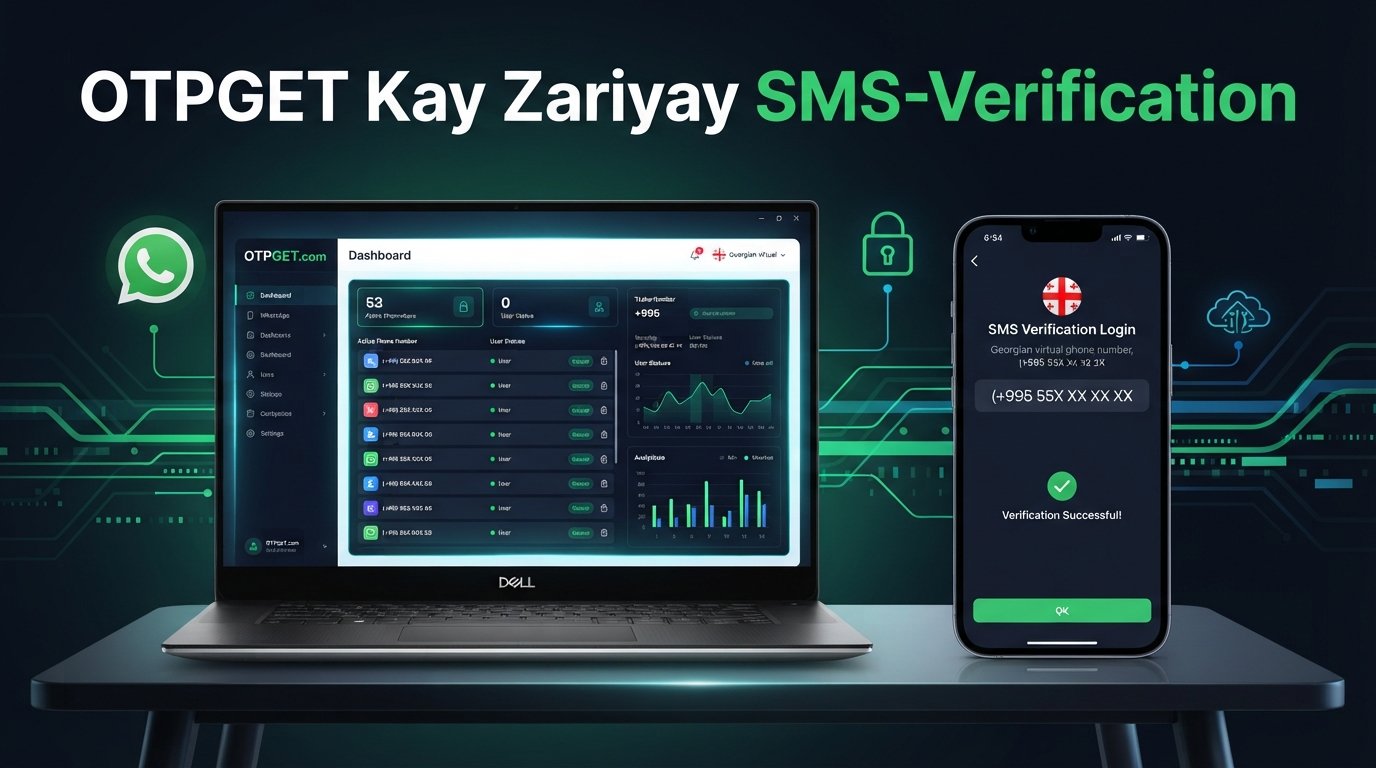
With OTPGet, the general workflow can look like this:
- Visit OTPGet. Start by accessing the OTPGet platform.
- Choose the relevant verification service. Look for the appropriate option for your intended WhatsApp verification workflow.
- Select Georgia if available. Availability of specific countries and numbers can vary.
- Obtain an available virtual number. Select a Georgia number that supports the required SMS or OTP functionality.
- Enter the number in WhatsApp. Use the correct international format, including the Georgia country code.
- Request verification. Ask WhatsApp to send the verification code.
- Wait for the SMS. If the number supports the required message, the WhatsApp verification code can be delivered through the OTP service.
- Retrieve the OTP through OTPGet. Check the service for the incoming verification message.
- Enter the code in WhatsApp. Submit the OTP when prompted.
- Complete verification if accepted. WhatsApp determines whether the number and verification attempt can proceed.
The exact OTPGet interface and number availability may vary, so use the options actually presented by the platform rather than relying on assumptions about specific buttons, pricing, or features.
Why Choose OTPGet?
Getting another physical SIM is not always convenient. You may not want another device, another SIM card, or the additional logistics associated with maintaining a separate physical number.
An OTP platform can reduce that complexity by putting the number-selection and SMS verification process into an online workflow.
OTPGet can be a practical option for users looking for:
- Convenient access to virtual numbers where supported
- A straightforward OTP verification workflow
- An alternative to obtaining another physical SIM
- International number options when available
- A way to handle SMS-based verification online
- A dedicated number for legitimate communication or account workflows
The most important consideration is matching the service to your actual requirement. If you need a Georgia SMS number specifically for WhatsApp, check that Georgia and the required verification service are available before starting.
OTPGet vs. Traditional SIM Cards
Both virtual numbers and traditional SIM cards can serve legitimate communication needs, but they offer different practical experiences.
| Factor | OTPGet / Virtual Number | Traditional SIM |
|---|---|---|
| Setup | Online, where supported | Requires SIM or eSIM setup |
| Physical SIM | Not necessarily required | Usually required |
| Accessibility | Managed through the provider | Managed through a mobile device |
| SMS/OTP handling | Designed around supported online SMS workflows | Received directly on the mobile network |
| International use | Useful where country availability supports it | Depends on mobile carrier and roaming |
| Flexibility | Convenient for specific online verification needs | Better suited to ongoing mobile service |
Neither option is universally better. A traditional SIM may be preferable when you need long-term ownership and regular mobile connectivity. A virtual number can be more convenient when your main requirement is an online phone number or supported SMS verification.
Tips for Successful WhatsApp Verification
A few simple checks can prevent avoidable verification problems.
- Confirm SMS capability first. Make sure the selected number can receive the type of message required.
- Use the correct country code. For Georgia, verify that the number is entered with +995.
- Avoid repeated OTP requests. Requesting codes repeatedly in a short period can make the process more difficult.
- Check that the SMS service is active. The number needs to be able to receive messages before you start verification.
- Follow WhatsApp's instructions. Use the verification options presented within the application.
- Keep the OTP private. Never share a WhatsApp verification code with another person.
- Use numbers for legitimate purposes. Avoid using virtual numbers to circumvent platform restrictions or engage in abusive activity.
- Expect some numbers not to work. WhatsApp can restrict or reject particular numbers, including some virtual numbers.
These steps cannot guarantee successful verification, but they can help eliminate common setup mistakes.
Common Problems When Getting a Georgia WhatsApp Number
Even when the process is straightforward, several issues can occur.
The number is unavailable
Georgia numbers may not always be available when you need one. If the requested number or country option is unavailable, you may need to check again later or consider another supported option.
The OTP does not arrive
A delayed or missing SMS can result from service limitations, delivery problems, or the number itself not supporting the required message. Check the number's SMS status before requesting another code.
The number is already associated with an account
A number may have a previous association with a WhatsApp account. This can create additional steps or complications during setup.
WhatsApp rejects the number
WhatsApp controls its own verification process. A number that appears technically valid may still be rejected or restricted by the platform.
Verification attempts become restricted
Repeated requests for verification codes can create temporary limitations. If this happens, avoid continuously requesting new OTPs and follow the instructions provided by WhatsApp.
The best troubleshooting approach is to identify whether the problem comes from number availability, SMS delivery, incorrect formatting, or WhatsApp's own verification process.
Is a Virtual Georgia Number Safe to Use?
A virtual number can be useful, but it should be treated like any other account-related resource.
Choose a reputable OTP verification service and understand how the service handles numbers and incoming messages. Most importantly, protect your verification codes.
Never give your WhatsApp OTP to another person, even if they claim to be helping with account verification. A verification code can be sensitive account information.
It is also worth considering account recovery. If a number is temporary or intended only for a particular verification workflow, think carefully about whether you will need continued access to it later.
For long-term WhatsApp use, maintaining reliable access to the associated number can be especially important.
Frequently Asked Questions
Can I get a Georgia number for WhatsApp?
Yes, a Georgia phone number can potentially be used for WhatsApp verification if you can obtain a suitable number and WhatsApp accepts it. You can look for a physical Georgian SIM or a virtual Georgia number through an online provider such as OTPGet. Availability varies, and not every virtual number is necessarily accepted for WhatsApp verification.
How can I get a Georgian number online?
A Georgian phone number online can be obtained through a virtual-number or OTP service when Georgia is supported. With OTPGet, the general process involves selecting an available Georgia number, using it for the intended verification process, and retrieving the SMS OTP through the platform. Always check actual availability before beginning.
Can a virtual Georgia number receive WhatsApp OTP?
A virtual Georgia number can receive a WhatsApp OTP when the number and service support incoming SMS and WhatsApp sends the verification message successfully. However, SMS capability does not guarantee that WhatsApp will accept the number. Number availability, service configuration, and WhatsApp's verification systems can all affect the result.
How do I receive a WhatsApp verification code?
Enter the eligible phone number into WhatsApp and request verification. WhatsApp may send an SMS containing a verification code. If you are using a supported virtual number, the message may be accessible through the relevant OTP service. Enter the received code into WhatsApp and follow the application's instructions to complete the verification process.
Is a virtual number suitable for WhatsApp?
A virtual number can be suitable for some WhatsApp users, particularly when they need a separate number and do not want to obtain another physical SIM. However, WhatsApp does not necessarily accept every virtual number. Consider SMS reliability, continued access to the number, and WhatsApp's handling of the specific number before relying on it.
What is a Georgia WhatsApp number?
A Georgia WhatsApp number is a phone number associated with Georgia that is used to register or verify a WhatsApp account. Georgian numbers use the +995 country code. The number can be provided through a traditional mobile service or, where supported, a virtual phone number service.
Can I use OTPGet to receive an OTP?
OTPGet can be considered when you need an OTP service and a supported Georgia virtual number is available. The exact availability and workflow depend on the options offered by the platform. If you use OTPGet for WhatsApp verification, the final verification decision remains with WhatsApp.
Why might WhatsApp reject a virtual number?
WhatsApp may reject or restrict a virtual number for reasons related to its verification systems, number history, service characteristics, or platform rules. A number being capable of receiving SMS does not automatically mean it will be accepted. If verification fails, follow WhatsApp's instructions rather than repeatedly attempting to bypass the restriction.
Conclusion
Getting a Georgia number for WhatsApp does not necessarily require obtaining another physical SIM. For users who need a dedicated Georgian phone number, an online virtual number can offer a convenient alternative when the required service and number are available.
The basic process is simple: obtain a suitable number, enter it in WhatsApp with the correct country code, request verification, receive the WhatsApp OTP, and enter the code. The important caveat is that successful verification depends on both SMS availability and WhatsApp's acceptance of the number.
For people looking for a practical way to manage a Georgia virtual number and handle supported OTP verification online, OTPGet is an option worth exploring. Check the available Georgia numbers and supported verification services, then choose the approach that best fits your legitimate communication or account needs.