Pakistan Number for Telegram OTP: How to Get One | OTPGet
How to Get Pakistan Number for Telegram OTP — OTPGet
Need a Pakistan number for Telegram OTP but do not have access to a Pakistani SIM? Getting the right number can be confusing, especially when you need it for a verification process and want to avoid unnecessary hassle.
Telegram may require a phone number during registration or certain account-related processes. For users who specifically need a Pakistani number, obtaining a physical SIM may not always be convenient. A virtual number can provide an alternative, depending on the provider and whether the number is supported for the particular verification process.
That is where OTPGet can be useful. It provides a straightforward way for users to obtain a Pakistan number for applicable OTP and verification needs. This guide explains how Pakistan virtual numbers work, what to consider before using one, and how OTPGet can simplify the process.
Why Do You Need a Pakistan Number for Telegram?
A phone number is closely connected to Telegram account registration and verification. Someone may specifically need a Pakistan number for Telegram for several legitimate reasons.
For example, you may:
- Need a Pakistani number when registering a Telegram account.
- Want to keep a separate number for online communication.
- Prefer not to use your personal mobile number for a particular account.
- Need a number associated with Pakistan for business or communication purposes.
- Require a Pakistani number while temporarily living outside Pakistan.
- Need access to SMS-based verification associated with a Pakistani number.
Using a separate number can also help keep personal and online communication more organized. However, users should always understand who controls the number and whether it can continue to receive messages when needed.
If your goal is specifically Telegram OTP verification, the most important consideration is whether the number can receive the required verification message through the provider you choose.
What Is a Pakistan Virtual Number?
A Pakistan virtual number is a phone number that is provided through a telecommunications or online service rather than through a traditional physical SIM card in your phone.
There are three common concepts to understand:
| Type | How it works | Typical consideration |
|---|---|---|
| Physical SIM number | Issued through a mobile operator and used with a physical SIM | Requires access to the SIM and mobile network |
| Virtual phone number | Provided through an online or telecommunications platform | Convenient, but functionality depends on the provider |
| Temporary number | Made available for a limited purpose or period | May not be suitable when long-term access is important |
A virtual number can sometimes support SMS or verification messages, but not every online number works with every platform.
That distinction matters. A number being labeled as a virtual Pakistan phone number does not automatically mean it will work for every service or verification flow. The provider, number type, availability, and platform requirements can all affect the experience.
For users who need a number specifically for receiving a Telegram verification code, choosing a service that supports the intended use is important.
Why Telegram OTP Verification Can Be Difficult
Obtaining a Pakistani number is not always straightforward if you are outside Pakistan or do not have access to a local SIM.
Some common obstacles include:
No access to a Pakistani SIM
If you are abroad, purchasing and maintaining a physical Pakistani SIM may be inconvenient. You may also need access to the physical device or SIM whenever an SMS is required.
SMS delivery problems
Verification messages can sometimes be delayed or fail to arrive. Network conditions, provider limitations, number type, and the platform itself can all affect SMS delivery.
Roaming limitations
A physical SIM may require international roaming or other arrangements when used outside its normal network environment.
Privacy concerns
Some users simply prefer not to connect every online service to their primary personal phone number.
Finding a suitable number
Even when online services offer Pakistani numbers, not every number is necessarily suitable for a particular verification process.
Telegram may also use different verification methods depending on the circumstances, so users should follow the verification instructions shown directly by Telegram rather than assuming an SMS will always be the only method.
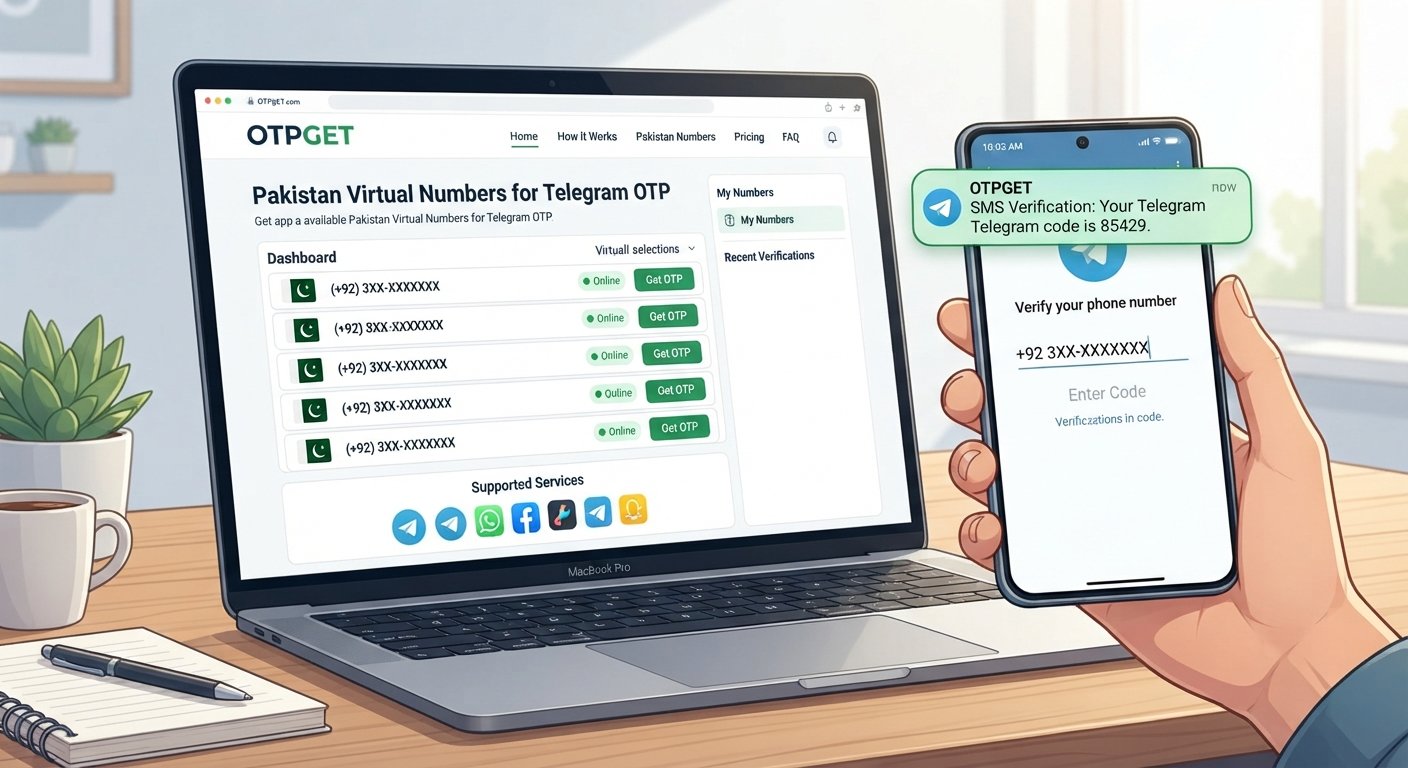
How to Get a Pakistan Number for Telegram OTP with OTPGet
If you are looking for a convenient Pakistan number for Telegram verification, OTPGet provides a practical option to explore.
The process is straightforward:
Step 1: Visit OTPGet
Start by accessing OTPGet and reviewing the available number options.
The available choices can depend on current inventory and the service's supported options, so check what is offered before proceeding.
Step 2: Choose a Pakistan Number
Select a Pakistan number that matches your intended verification requirement.
Before using it, make sure you understand the service information associated with the number and that it is appropriate for your intended use.
Step 3: Use the Number for Telegram
Enter the provided Pakistan number in Telegram when Telegram asks for a phone number during the applicable registration or verification process.
Pay close attention to the country code and number format. A simple formatting mistake can prevent the verification process from working correctly.
Step 4: Receive the OTP
If the verification process uses SMS and the selected number supports the required message, monitor the supported OTPGet process for the incoming code.
The exact delivery experience can vary, so avoid assuming that every OTP will arrive immediately.
Step 5: Enter the Telegram Verification Code
Once the verification code is available, enter it into Telegram's official verification screen.
Use the code only for the intended verification process and follow Telegram's instructions. If Telegram presents a different verification method, follow the option provided by Telegram.
For readers researching related solutions, Pakistan virtual number and OTP verification service are also useful topics for internal links to relevant pages on your website.
Why Choose OTPGet?
The main advantage of a service such as OTPGet is convenience.
Instead of dealing with the practical challenges of obtaining a physical Pakistani SIM, users can explore an online option for obtaining a Pakistan number for supported verification needs.
Potential benefits include:
- Convenient access: Obtain a number through an online service rather than relying on a physical SIM.
- Simple workflow: The process is designed around selecting a number and using it for the applicable verification flow.
- Less hardware dependence: A virtual number can remove the need to physically handle a SIM for the supported use case.
- Straightforward OTP receiving: The service provides a way to access verification messages through its supported process.
- Useful for remote users: People who do not have convenient access to a Pakistani mobile number can consider an online alternative.
- Time-saving: An online process may be more convenient than arranging a physical SIM, depending on the user's circumstances.
The important point is to keep expectations realistic. Virtual numbers can have limitations, and availability or compatibility can vary. OTPGet should be considered as a practical option rather than a guarantee that every Telegram verification attempt will succeed.
Pakistan Number for Telegram — Physical SIM vs Virtual Number
Choosing between a physical SIM and a virtual number depends on what you need from the number.
| Feature | Physical Pakistan SIM | Pakistan Virtual Number |
|---|---|---|
| Physical SIM required | Yes | No |
| Accessibility | Requires access to the SIM/device | Can be accessed through the provider's supported system |
| Convenience | Can require more setup | Generally convenient for online use |
| SMS/OTP capability | Depends on mobile service and network | Depends on provider and supported service |
| Useful for online verification | Often, subject to platform requirements | May be suitable for supported verification processes |
| Setup effort | May involve obtaining and activating a SIM | Typically involves selecting an available number online |
A physical SIM may be preferable when you need long-term control over a mobile number, regular cellular service, or dependable access for account recovery.
A virtual number can be more convenient when your priority is online access without physically obtaining a SIM.
For someone specifically looking for a virtual number for Telegram, OTPGet can be an option worth considering, provided the available number and service conditions fit the intended purpose.
Tips for Receiving Telegram OTP Successfully
A few simple practices can help avoid unnecessary problems during verification:
- Enter the Pakistani number exactly as provided.
- Select the correct Pakistan country code.
- Check that the number format is accepted by Telegram.
- Monitor the appropriate OTP receiving interface after requesting verification.
- Wait briefly if a message is delayed rather than repeatedly requesting new codes.
- Avoid making repeated OTP requests in quick succession.
- Make sure the number is appropriate for the intended verification process.
- Follow Telegram's instructions shown during registration or verification.
- Keep any verification code private and never share it with another person.
- Use the service responsibly and in accordance with Telegram's rules.
If you are also researching how to receive SMS online, this can be a useful internal-link opportunity for a broader guide on SMS verification services.
Is Using a Pakistan Virtual Number for Telegram Safe?
There is no single answer for every virtual number. The safety and reliability of the experience depend on the provider, number type, how the number is managed, and Telegram's own requirements.
Privacy is one potential reason people choose a virtual number. However, users should understand that a virtual number is not necessarily the same as permanent personal ownership of a physical SIM.
Account recovery is another important consideration. If you expect to need the same number again later, understand whether and how continued access is provided. Losing access to a number can create problems for services that use phone-based verification or recovery.
Provider trust also matters. Before using an online Pakistan number, review the service's information and make sure you understand what is being provided.
Most importantly, using a virtual number does not remove Telegram's rules or security requirements. Users should follow Telegram's terms and applicable laws and should not use a number to bypass restrictions, impersonate others, create fraudulent accounts, or abuse the platform.
Frequently Asked Questions
1. How can I get a Pakistan number for Telegram OTP?
You can obtain a physical Pakistani SIM or explore a virtual Pakistan number provider. OTPGet offers an online option for users looking for a Pakistan number for supported OTP and verification purposes.
2. Can I use a Pakistan virtual number for Telegram?
A Pakistan virtual number may work for Telegram verification when the number and provider are supported by the applicable verification process. Compatibility is not guaranteed for every number or situation.
3. How do I receive a Telegram OTP on a Pakistan number?
Enter the Pakistan number during the relevant Telegram verification process and follow Telegram's instructions. If SMS verification is used and the selected number supports it, the verification code can be received through the provider's supported OTP process.
4. What is a Pakistan virtual number?
A Pakistan virtual number is an online phone number that does not require a traditional physical SIM in your device. Its available functions depend on the provider and number type.
5. Can OTPGet provide a Pakistan number for Telegram verification?
OTPGet is designed to help users obtain Pakistan numbers for applicable OTP and verification needs. Whether a particular number works for a specific Telegram verification attempt can depend on availability and Telegram's verification requirements.
6. How long does it take to receive a Telegram OTP?
There is no universal delivery time. It can depend on Telegram, the number, network conditions, and the provider's supported process. If a code is delayed, follow Telegram's instructions rather than repeatedly requesting new codes.
7. Is a virtual Pakistan number better than a physical SIM?
Neither option is universally better. A physical SIM can offer greater control for long-term mobile use, while a virtual number can be more convenient for certain online verification needs.
8. What should I do if I don't receive my Telegram verification code?
First, confirm that the number and country code were entered correctly. Check the supported OTP receiving interface, wait for the applicable delivery period, and follow Telegram's verification instructions. Avoid repeatedly requesting codes in a short period.
Final Verdict: Is OTPGet a Good Option for a Pakistan Telegram Number?
If you need a Pakistan number for Telegram OTP, the main challenge is finding a suitable number without unnecessary complications.
A physical SIM remains a useful choice for people who need long-term mobile access and direct control of their number. For users who primarily need a convenient online option, however, a Pakistan virtual number can be a practical alternative.
OTPGet makes this approach straightforward by giving users a way to explore available Pakistan numbers for supported OTP and verification needs. The process is simple: choose a number, use it for the applicable Telegram verification flow, monitor the supported OTP process, and enter the verification code when received.
As with any virtual-number service, compatibility and availability can vary. The best approach is to use the number responsibly, protect your verification codes, and follow Telegram's requirements.
If you are ready to explore a convenient way to obtain a Pakistan phone number for Telegram, check the available options through OTPGet and choose the solution that fits your verification needs.