How to Integrate SMS OTP Into Your Application: Practical Guide
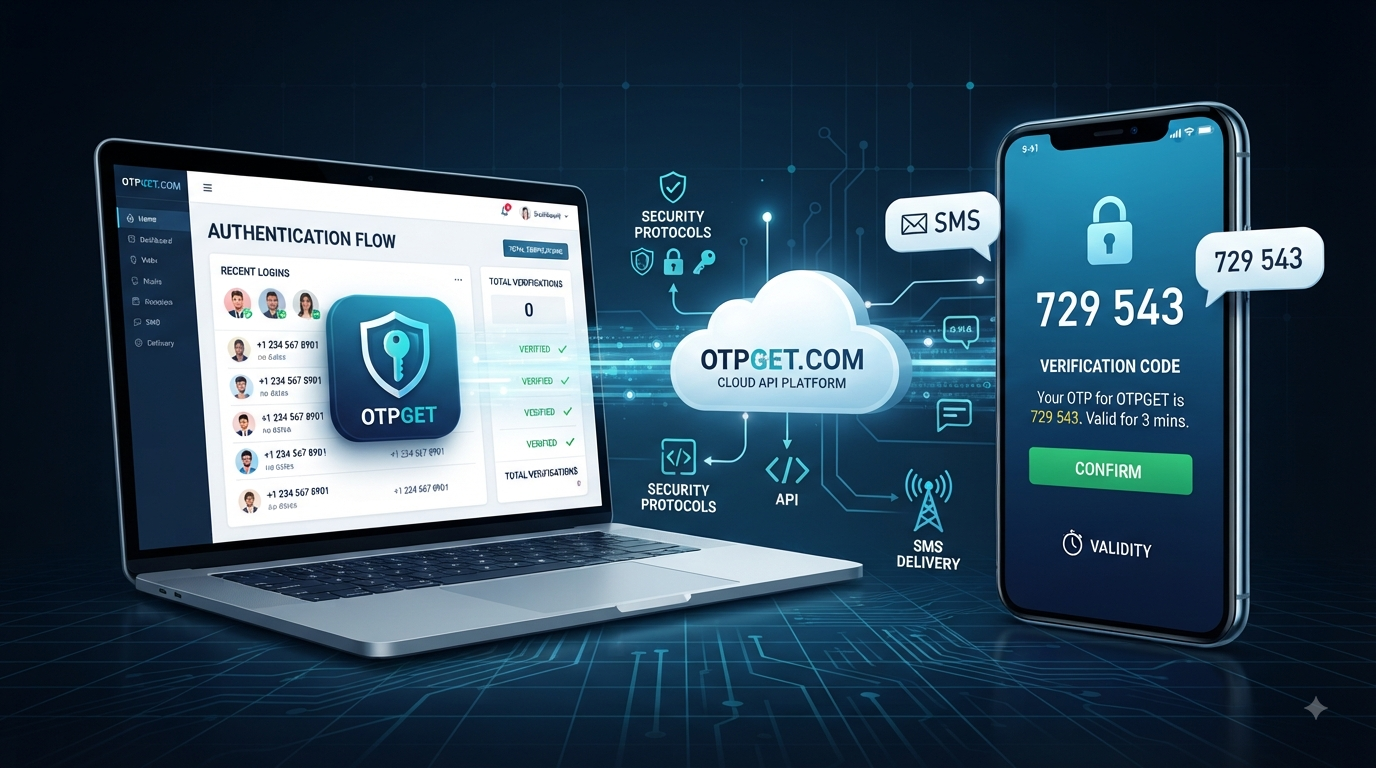
How to Integrate SMS OTP Into Your Application
Verifying a user's phone number is a common requirement for applications that need a reliable way to confirm account ownership. Signup flows, login verification, password recovery, transaction confirmation, and other authentication workflows can all use a one-time password sent through SMS.
The basic concept is straightforward: a user provides a phone number, the application initiates an OTP request, an SMS containing a temporary code is delivered, and the user enters that code back into the application.
The difficult part is making the process reliable and secure.
A proper SMS OTP integration needs more than an input field and a "Verify" button. Your backend must handle code generation or an OTP service, expiration, retry limits, delivery failures, rate limiting, secure credentials, and verification logic.
A dedicated API or OTP platform can simplify some of this work. , for example, documents REST APIs around SMS OTP workflows and virtual numbers, making it relevant to certain verification, testing, and OTP-receiving use cases.
What Is SMS OTP?
SMS OTP means a one-time password delivered to a user's phone through a text message.
An OTP is a temporary verification code intended for a particular authentication or verification attempt. Instead of asking the user to rely only on a permanent password, an application can ask for a temporary code associated with a phone number or session.
For example:
- A user enters their phone number during registration.
- The application requests an OTP.
- A temporary code is generated or requested from an OTP service.
- The code is delivered through SMS.
- The user enters the code into the application.
- The backend validates it.
- The phone number is marked as verified if the code is correct.
SMS OTP can be used for account registration, login verification, password recovery, phone-number verification, and selected transaction or account-security workflows.
The important characteristic is that the code should have a limited lifetime and should not remain valid after successful use.
Why Use SMS OTP in Your Application?
Phone verification solves a practical problem: an application needs a reasonable way to determine whether a user has access to a particular mobile number.
Common benefits include:
- Phone number verification: Confirm that a user controls the number they submitted.
- Account onboarding: Add an extra verification step during registration.
- Login verification: Require an OTP as an additional authentication factor where appropriate.
- Password recovery: Provide another way to verify account ownership.
- Fraud reduction: Make automated or low-quality registrations more difficult, although SMS OTP should not be treated as a complete fraud-prevention system.
- Account trust: Verified phone numbers can support workflows where a confirmed contact method is useful.
SMS authentication is convenient because users generally understand how to receive and enter a text message. At the same time, developers should remember that SMS has security limitations, so higher-risk applications may need stronger authentication methods.
How SMS OTP Verification Works
A typical SMS OTP verification architecture contains several components:
- Frontend: Collects the user's phone number and OTP.
- Backend: Controls the verification workflow.
- OTP service or API: Generates, manages, sends, or retrieves OTP information depending on the provider.
- SMS infrastructure: Delivers the message to the user's phone.
- User: Receives and submits the code.
The overall flow looks like this:
User → Application → Backend → OTP Service → SMS → User → Backend → Verification Result
The frontend should not be responsible for deciding whether an OTP is valid. That decision belongs on the server side.
For example, a user might enter +1 555 123 4567. The frontend sends the number to the backend. The backend starts the OTP process, and the user receives a temporary code. When the user submits the code, the backend checks it against the active verification attempt.
What You Need Before Integrating SMS OTP
Before starting an SMS OTP integration, establish the basic architecture.
You will generally need:
- A web or mobile application
- A backend capable of handling verification requests
- A phone-number input and validation process
- An OTP-generation or OTP-service mechanism
- An SMS delivery provider when outbound SMS is required
- A server-side verification endpoint
- OTP expiration rules
- Attempt limits
- Resend controls
- Rate limiting
- Error handling
- Secure storage or management of temporary verification data
- Secure API credentials
You do not necessarily need to build every component yourself. Using an external OTP provider can reduce the amount of infrastructure your team has to design and maintain.
How to Integrate SMS OTP Into Your Application
Step 1: Collect and Validate the Phone Number
Start by collecting the user's phone number.
Validation should happen before an OTP request is created. Consider international formatting, country codes, invalid characters, obviously malformed numbers, and any countries your application does not support.
It is usually better to normalize phone numbers into a consistent format before passing them to an external service.
Also avoid exposing unnecessary phone-number information in application logs or client-side debugging output.
Step 2: Generate or Request an OTP
The backend should initiate the OTP process.
There are two broad approaches:
- Your application generates and manages the OTP.
- A dedicated OTP provider manages some or all of the OTP workflow.
If your application generates the code itself, use a secure source of randomness and associate the OTP with the appropriate user, phone number, session, and expiration time.
If the provider manages OTP generation, follow its documented verification flow instead of recreating the same logic unnecessarily.
Step 3: Send the OTP Through an SMS Provider
Once the verification request is created, the OTP needs to reach the user.
This is where an SMS OTP API or SMS gateway becomes important. Your backend communicates with the service rather than attempting to send SMS directly from the frontend.
A provider should be evaluated based on factors such as:
- API documentation
- Supported destinations
- Delivery capabilities
- Error handling
- Developer experience
- Operational visibility
- Pricing
- Support for your expected traffic and use cases
currently documents an SMS OTP API based around obtaining virtual numbers and checking received OTP status through a REST interface. That makes OTPGET particularly relevant to workflows involving OTP reception, testing, and virtual-number verification. Its documentation should be checked carefully against your exact requirement if your application needs to send OTP messages directly to your own customers.
Step 4: Store OTP Information Securely
OTP information should be treated as sensitive temporary authentication data.
Your design should include:
- A short expiration period
- A maximum number of verification attempts
- Protection against repeated requests
- Server-side handling
- No unnecessary exposure of the code
- Invalidation after successful verification
- Appropriate cleanup of expired verification attempts
Avoid storing OTPs in browser cookies, frontend JavaScript variables, URLs, or other locations where they can be unnecessarily exposed.
For higher-security implementations, consider storing a protected representation of the OTP rather than the raw value.
Step 5: Verify the OTP
When the user submits the code, send it to your backend.
The backend should determine whether:
- The verification attempt exists
- The code matches
- The code has expired
- The maximum attempt count has been reached
- The OTP has already been used
- The request belongs to the correct verification session
Only after these checks should the application accept the verification.
Step 6: Complete the Verification Process
After successful verification, update the user's account or session appropriately.
For example, a signup flow might mark the phone number as verified and allow account creation to continue.
A login flow might complete authentication.
A password-reset flow might allow the user to proceed to the next stage.
The exact action depends on your application's business logic.
Example SMS OTP Integration Flow
A conceptual implementation can be represented as:
User
  ↓
Enter Phone Number
  ↓
Application Frontend
  ↓
Backend
  ↓
OTP Service / SMS Provider
  ↓
SMS Delivery
  ↓
User Receives OTP
  ↓
User Enters OTP
  ↓
Backend Verification
  ↓
Verified / Rejected
Conceptual pseudocode might look like:
receive phone number

validate phone number

create verification request

generate or request OTP

send OTP through configured service

store verification state with expiration

receive submitted OTP

check expiration and attempt limit

verify submitted OTP

if valid:
    mark verification successful
else:
    reject verification
This is intentionally provider-neutral. Exact endpoints, parameters, authentication methods, response formats, and SDKs should come directly from the provider's current documentation rather than being guessed.
Security Best Practices for SMS OTP
A secure OTP implementation should assume that users may request codes repeatedly and attackers may attempt to guess them.
Important practices include:
Use Short Expiration Windows
An OTP should not remain valid indefinitely. A short validity period reduces the opportunity for an old code to be misused.
Limit Verification Attempts
Do not allow unlimited guesses. Set a reasonable maximum number of failed attempts before requiring a new verification request.
Apply Rate Limiting
Rate-limit OTP requests by factors such as account, phone number, IP address, session, or other appropriate signals.
This helps prevent abuse of the SMS delivery process.
Never Verify on the Frontend
Client-side JavaScript can improve the user experience, but it should not be the authority for OTP validation. The backend must perform the actual verification.
Protect API Credentials
Provider API keys and secrets should remain on the server. Never place them inside browser JavaScript, mobile application source code, or publicly accessible repositories.
Prevent OTP Reuse
Once an OTP has successfully been used, invalidate it.
Handle Resends Carefully
A resend option is useful, but unrestricted resends can create abuse, unnecessary SMS traffic, and user frustration.
Common SMS OTP Integration Challenges
Even a well-designed implementation can encounter practical problems.
Delayed SMS Delivery
SMS messages may sometimes arrive later than expected. Your interface should provide useful feedback without immediately assuming that the verification failed.
Failed Messages
Some numbers, destinations, or networks may not accept a particular message. Your application needs clear error handling.
Incorrect Phone Numbers
A simple formatting or country-code mistake can prevent delivery. Validate the number before initiating the verification process.
Expired OTPs
Users may return to the application after the code has expired. Provide a straightforward way to request another code.
Excessive Resend Requests
Repeated requests can increase costs and create abuse opportunities. Add cooldowns and rate limits.
International Delivery
If your application serves multiple countries, verify that your chosen provider supports the destinations and delivery requirements you need.
Provider Reliability
Your verification process depends partly on the infrastructure between your application, the provider, and the mobile network. This makes provider evaluation an important part of implementation.
Why Choose OTPGET for SMS OTP?
A dedicated OTP platform can be useful when your development team does not want to build every part of a verification workflow from scratch.
documents virtual phone numbers for SMS OTP verification along with developer REST APIs for programmatic access. Its API documentation describes operations for obtaining numbers, checking activation status, and retrieving received OTP codes.
That makes OTPGET worth considering for developers and businesses whose requirements involve virtual-number-based verification, OTP reception, testing, or related workflows.
The key point is to match the product to the actual architecture you are building. If your requirement is specifically sending an OTP from your application to your own customers' phone numbers, verify that the current OTPGET offering supports that outbound delivery model before treating it as your SMS gateway.
When the use case matches the platform, a dedicated service can reduce the amount of infrastructure your team has to manage and let developers concentrate on the application's core verification experience.
SMS OTP Integration: Build It Yourself or Use an OTP Provider?
There is no universal answer. The right choice depends on your team's requirements and resources.
| Consideration | Build Yourself | Use an OTP Provider |
|---|---|---|
| Development effort | Higher | Usually lower |
| SMS infrastructure | You must arrange it | Provider-dependent |
| Maintenance | Your responsibility | Shared with provider |
| Security implementation | Fully your responsibility | Depends on provider |
| Scaling | Requires engineering | Depends on provider |
| Monitoring | Build your own tools | Provider capabilities vary |
| Time to implementation | Potentially longer | Potentially faster |
| Operational complexity | Higher | Potentially lower |
Building internally can make sense when you have specialized infrastructure and a strong reason to control every component.
A provider can be more practical when your priority is reducing implementation and operational work.
For teams considering , the decision should begin with the exact verification workflow required and then be compared against the platform's documented capabilities.
Best Practices for a Smooth OTP User Experience
Security should not come at the expense of usability.
A good OTP interface should make the next action obvious.
Consider these practices:
- Tell users where the code was sent.
- Display the phone number in a partially masked format when appropriate.
- Provide clear expiration or resend feedback.
- Show useful error messages.
- Prevent accidental repeated submissions.
- Make the OTP field easy to use on mobile devices.
- Allow users to request another code after an appropriate cooldown.
- Support international phone formats when your application serves international users.
- Avoid adding verification steps that do not serve a clear purpose.
The best OTP flow should feel simple to the user even though the backend is handling several security checks.
Final Thoughts
SMS OTP integration can provide a practical way to verify phone numbers and support authentication workflows across websites, mobile applications, SaaS products, and other digital services.
The basic process is straightforward: collect the number, initiate an OTP request, deliver the code, securely validate it on the backend, and complete the relevant verification process.
The real engineering work lies in the details. Expiration, rate limiting, attempt limits, secure credential management, resend controls, error handling, and reliable delivery all matter.
Choosing an appropriate OTP provider can also reduce the amount of infrastructure your team needs to manage. can be considered when its documented virtual-number and OTP-reception capabilities match your particular workflow. For outbound customer OTP delivery, review its current documentation and product capabilities carefully before implementation.
If you are evaluating OTPGET for your verification requirements, start with the workflow you need to build, compare it with the platform's documented API capabilities, and then design the integration around security, reliability, and user experience.
FAQ
What is SMS OTP?
SMS OTP is a temporary one-time password delivered to a user's mobile phone through SMS. The user enters the code into an application, and the backend verifies it before completing the requested action.
How does SMS OTP verification work?
The user provides a phone number, the application starts an OTP verification request, the code is delivered through SMS, and the user submits it back to the application. The backend checks the code, expiration, attempt limits, and verification state before accepting or rejecting it.
How do I integrate OTP into my application?
You typically need a frontend phone-number and OTP interface, a backend verification workflow, an OTP generation or management mechanism, an SMS provider when outbound delivery is required, secure temporary storage, expiration rules, rate limiting, and server-side verification.
What is an SMS OTP API?
An SMS OTP API allows an application to communicate programmatically with an OTP or SMS service instead of managing the entire communication process manually. The exact functionality varies by provider, so developers should review the provider's API documentation before implementation.
Is SMS OTP secure?
SMS OTP can provide useful verification, but it is not a perfect security mechanism. Risks can include phone-number takeover, phishing, message interception, and weaknesses in poorly implemented OTP systems. Short expiration periods, attempt limits, rate limiting, secure server-side verification, and stronger authentication methods for high-risk actions can improve the overall security design.
How can I send OTPs to users?
You generally use an SMS provider that supports outbound application messaging or an OTP verification service designed for that purpose. Your backend requests the verification message and handles the corresponding verification result. Always confirm that the provider supports your countries, use case, and required API workflow.
Why use an OTP service instead of building one from scratch?
A dedicated OTP service can reduce development and operational complexity by providing infrastructure and APIs around verification workflows. The right provider depends on your delivery requirements, security model, supported destinations, documentation, pricing, and the specific capabilities your application needs.


