How to Verify WhatsApp With a Germany Number | OTPGet
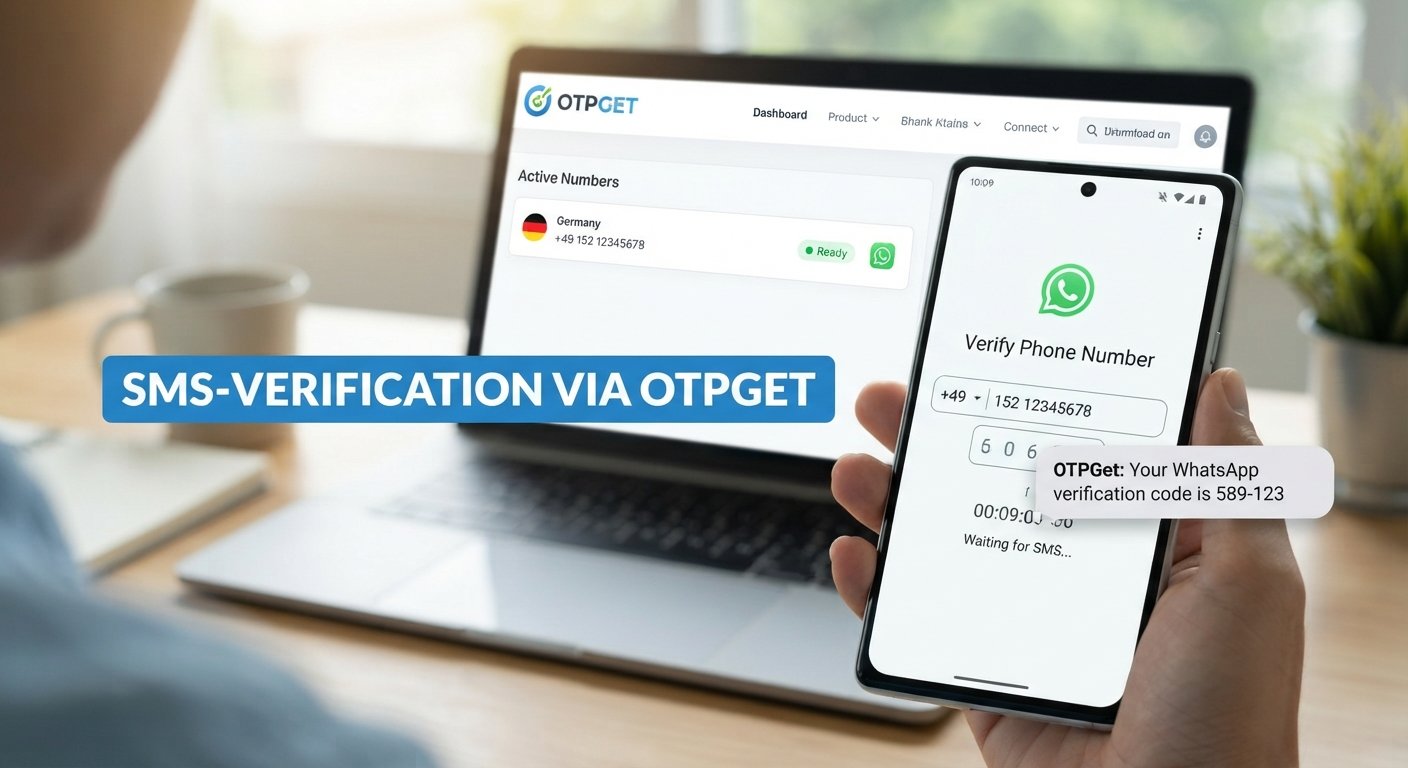
How to Verify WhatsApp With a Germany Number – OTPGet
Want to use a German phone number for WhatsApp without relying on your usual personal number? You might be traveling, managing international contacts, separating business and personal conversations, or looking for an additional number for a legitimate communication need.
Understanding how to verify WhatsApp with a Germany number starts with two things: finding a suitable number and confirming that WhatsApp accepts it for registration. A German country code alone does not guarantee successful verification, especially when using virtual numbers.
OTPGet is one service worth exploring if you are looking for virtual-number options. Its published website describes virtual numbers for SMS verification, including WhatsApp-related services. However, individual number availability and compatibility can vary. Explore OTPGet's published service information.
This guide explains how the process works, what to check before choosing a number, and how to troubleshoot common verification problems.
Why Use a Germany Number to Verify WhatsApp?
A German phone number can be useful for people who need a dedicated contact number or regularly communicate with people in Germany. The right choice depends on your circumstances and whether the number meets WhatsApp's registration requirements.
Common reasons include:
-
Separating business and personal communication: A dedicated number can help you keep customer conversations apart from private chats.
-
Managing international contacts: A German number may be convenient if you regularly communicate with clients, colleagues, or contacts in Germany.
-
Maintaining a separate contact identity: An additional number can help organize communications without immediately sharing your usual number.
-
Supporting travel or relocation: A German number may be useful when your communication needs change while traveling or living abroad.
-
Exploring additional-number options: Depending on your needs, you might consider a physical SIM, an eligible mobile number, or a suitable virtual-number service.
Remember that using a German number does not automatically make your account anonymous or guarantee greater privacy. Your privacy also depends on your account settings, the provider's data practices, and who can access the number.
What Is OTPGet and How Can It Help?
OTPGet is a virtual-number and OTP-verification service. Its published website describes temporary numbers, rental-number options, and tools for receiving verification messages. Its developer documentation also describes service-specific number selection and SMS-status checking. See the OTPGet developer documentation.
For someone searching for a German number for WhatsApp verification, OTPGet may provide a convenient place to investigate available options rather than immediately obtaining another physical SIM.
Potential advantages include:
-
A dedicated service for exploring virtual-number options.
-
An online process for checking available services and countries.
-
Temporary or rental-number options, depending on what the service currently offers.
-
Documentation explaining how its verification infrastructure works.
There is an important limitation: WhatsApp requires a phone number you own and can verify. It also identifies VoIP numbers and certain other number types as unsupported for standard registration. A number listed by a virtual-number provider is therefore not automatically eligible for WhatsApp. Review WhatsApp's registration requirements.
OTPGet is a separate service, not an official WhatsApp product. Before paying or selecting a number, review the current service interface, supported countries, number type, pricing, and terms.
How to Verify WhatsApp With a Germany Number Using OTPGet
Follow these steps to investigate your options and attempt registration through WhatsApp's official process.
Step 1: Visit OTPGet
Open the official OTPGet website and review the available services.
Familiarize yourself with the service options and any account requirements. If you need a German number specifically, confirm that the relevant country and intended verification service are available before proceeding.
Step 2: Check for a Germany Number
Look for Germany or a Germany-associated number option in the current service interface.
Availability can vary. Do not assume that Germany will always appear as an option or that every number listed will work with WhatsApp.
If no suitable number is available, consider waiting or choosing a legitimate alternative, such as a mobile number you control.
Step 3: Review the Number and Service Details
Before selecting a number, check:
-
Whether the number is associated with Germany.
-
Whether WhatsApp verification is listed as a supported use.
-
Whether the number can receive the required type of message or call.
-
Whether the number is temporary or rented for a longer period.
-
What fees, expiry conditions, and access restrictions apply.
This step matters because a provider may support many verification services without every number being compatible with every platform.
Step 4: Open WhatsApp and Enter the Number
Open the official WhatsApp application and follow its registration or number-change instructions.
Select Germany and use the country calling code +49. Enter the remaining number in the international format requested by WhatsApp and the provider.
German domestic phone numbers often begin with a zero after the area code or mobile prefix. When converting a domestic German number to international format, the leading domestic zero is generally omitted after +49. Follow the specific formatting instructions supplied for your number.
Check every digit before continuing.
Step 5: Request the Verification Code
Submit the number in WhatsApp and request verification using the method displayed in the app.
WhatsApp may offer SMS or a phone call, depending on the circumstances. Only expect to receive a code through OTPGet if your selected number and service actually support that method.
If a code does not arrive, check the provider's instructions and WhatsApp's on-screen guidance before trying again.
Step 6: Enter the Code and Complete Verification
If the number receives the code successfully, enter it only into the intended official WhatsApp verification screen.
Never share your registration code with another person, a supposed support agent, or an unknown website. The code is intended to confirm access to the number, and disclosing it could put your account at risk.
Once verification succeeds, follow WhatsApp's remaining setup instructions.
Step 7: Troubleshoot if Verification Does Not Work
If registration fails, check the number format, country selection, number eligibility, and message-delivery status.
Wait for any countdown or retry period displayed by WhatsApp. Avoid repeatedly requesting codes or attempting to circumvent restrictions.
Successful verification depends on the number's eligibility, WhatsApp's security controls, and whether the required message or call reaches you.
Benefits of Using OTPGet for German Number Verification
OTPGet may be worth considering if you want to investigate online-number options for a legitimate verification need.
Its potential advantages include:
-
Convenient exploration: Review available virtual-number and verification-service options online.
-
Additional-number flexibility: Temporary and rental options may suit different needs, depending on availability and terms.
-
Verification-focused tools: OTPGet's published documentation describes SMS-related functionality for supported services.
-
A practical starting point: You can investigate number availability before deciding whether a virtual number is appropriate for your situation.
These benefits do not mean that OTPGet guarantees WhatsApp verification or that it is suitable for every user.
Ready to explore your options? Visit OTPGet, check whether a Germany number is available for your intended use, and verify the applicable conditions before proceeding.
Common Problems When Verifying WhatsApp With a Germany Number
Even when you enter the number correctly, registration may not work. The following checks can help you identify the problem.