IMO Code Not Arriving? Try an OTPGET Number for Verification
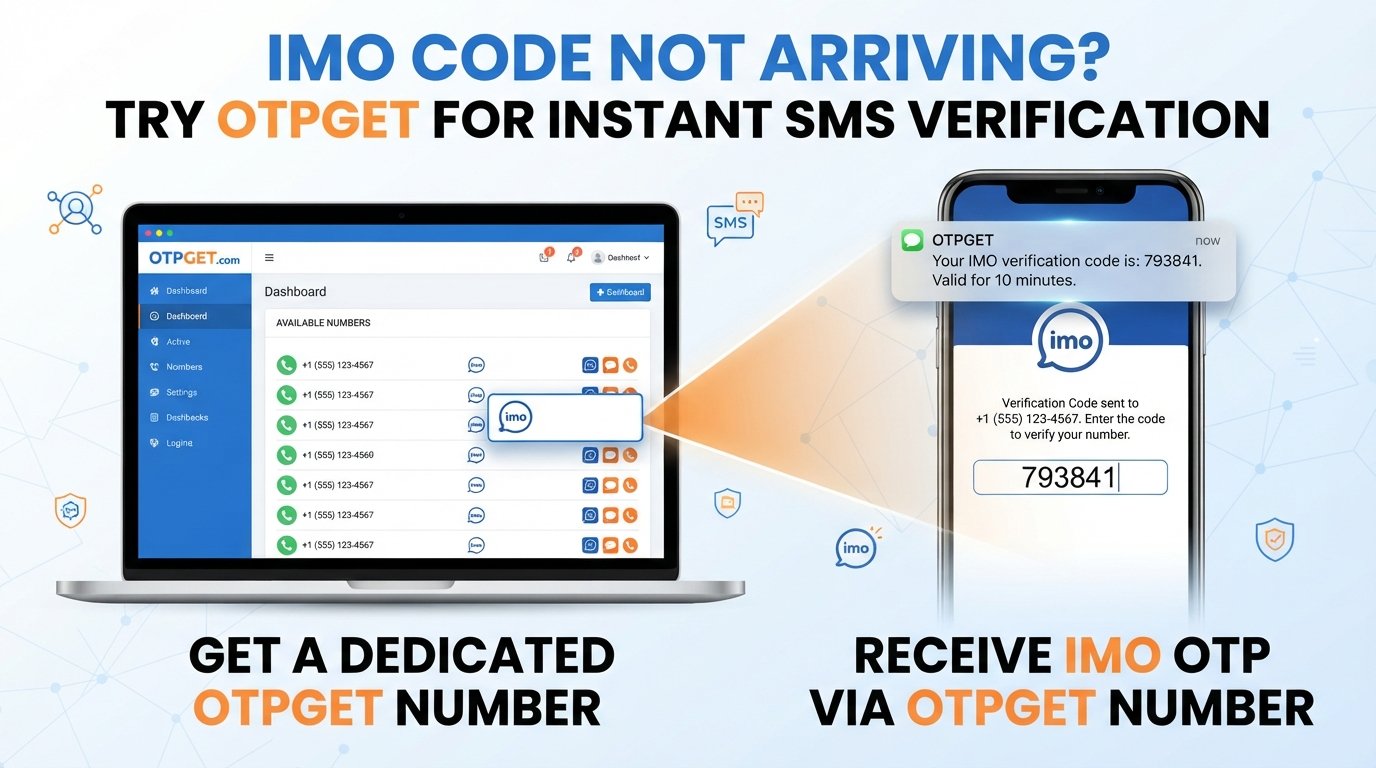
Imo Code Not Arriving? Try an OTPGET Number
Waiting for an IMO verification code that never shows up can be surprisingly frustrating. You enter your phone number, request the code, and then… nothing. You check your messages again, wonder whether the number was entered correctly, and eventually start requesting another code.
If you're dealing with an imo code not arriving problem, the issue may not be with your IMO account at all. SMS delivery can fail or become delayed for several reasons, including mobile connectivity, carrier problems, message filtering, or repeated verification attempts.
There are a few things you can try before giving up. And if your regular phone number continues to cause problems, an OTPGET number may provide an alternative route for receiving a verification SMS, if an appropriate number is available.
Why Is My IMO Verification Code Not Arriving?
An IMO verification code is normally delivered through SMS, so anything that interferes with SMS delivery can create a verification problem.
Here are some common reasons your IMO verification code is not received:
-
SMS delivery is delayed: Mobile networks do not always deliver messages instantly.
-
Weak or unstable connectivity: Poor network coverage can interfere with receiving SMS.
-
Incorrect phone number: A missing digit or incorrect country selection can prevent the code from reaching you.
-
Carrier-related issues: Your mobile provider may temporarily delay or filter certain automated messages.
-
Temporary service problems: IMO or an SMS delivery system can occasionally experience interruptions.
-
Too many verification attempts: Repeatedly requesting codes can make the process more difficult rather than faster.
-
Phone messaging issues: A full inbox, message filtering, blocked senders, or device problems can interfere with incoming SMS.
This is why repeatedly tapping the verification button is not always the best response. First, identify whether the problem is your number, your phone, the network, or the SMS delivery process.
What Is an IMO Verification Code?
An IMO verification code is a short code used to confirm control of the phone number being used for account verification.
The basic process is simple: IMO asks for a phone number, sends an SMS containing a code, and you enter that code into the app. This is commonly referred to as an IMO OTP, confirmation code, or verification code.
When the SMS does not arrive, the verification process cannot be completed normally. That's where troubleshooting—or, when appropriate, an alternative number—can become useful.
What to Do When Your IMO Code Is Not Received
Before looking for another number, work through these practical checks.
1. Check the phone number
Make sure the number is correct and that the country selection matches the number. An incorrect number means the verification SMS is being sent somewhere else.
2. Check your mobile signal
If your phone has weak reception, SMS delivery may be delayed. Move to an area with better coverage and check again.
3. Give the SMS a little time
Avoid requesting a new code immediately. If the first message is simply delayed, additional requests can make the process more confusing.
4. Refresh your phone connection
A simple restart or temporary refresh of your mobile connection can sometimes resolve communication problems between your device and the network.
5. Check your SMS inbox
Look through your messages carefully. Also check whether your phone has spam, blocked-message, or filtering features that could be hiding automated SMS messages.
6. Avoid repeated verification attempts
If you've already requested several codes, pause before trying again. Constantly requesting new codes does not guarantee faster delivery.
7. Consider an alternative verification number
If your regular number consistently fails to receive the SMS, using an alternative number may be worth considering. This is where a service such as OTPGET can be useful, provided an appropriate number is available for the verification you need.
Try an OTPGET Number for IMO Verification
When the problem is specifically tied to receiving an SMS on your usual phone number, an OTPGET number can offer another option.
The basic idea is straightforward: instead of relying entirely on your regular mobile number to receive the IMO verification SMS, you use an available alternative number through OTPGET and check whether the verification message is received there.
A typical workflow looks like this:
-
Visit OTPGET.
-
Choose an appropriate number or service if available.
-
Enter the provided number in IMO where your phone number is requested.
-
Request the IMO verification code.
-
Check OTPGET for the incoming verification message.
-
Enter the received code into IMO to continue the verification process.
The exact availability and options can vary, so it's sensible to check what is offered before relying on a particular number.
The key advantage is that you are no longer limited to troubleshooting the same personal number if that number is having difficulty receiving the SMS.
Why Use OTPGET for an IMO Verification Code?
The biggest reason to consider OTPGET is simple: sometimes the problem is the phone number you're trying to verify with.
If your regular number isn't receiving the IMO OTP despite having checked the usual causes, an alternative number can provide another path to complete the verification process.
Potential benefits include:
-
An alternative to your regular number: Useful when your personal number is experiencing SMS delivery problems.
-
A straightforward SMS-based workflow: The process still revolves around receiving and entering a verification code.
-
Useful for verification difficulties: An alternative number may help when the issue appears to be tied to your normal mobile number.
-
Less dependence on one SMS route: Having another available option can be useful when standard delivery isn't working as expected.
-
Convenience: Instead of repeatedly requesting the same code on a number that isn't receiving it, you can explore another verification option.
Of course, an alternative number is not a guarantee that every verification attempt will work. Availability and compatibility can vary. The important point is that OTPGET gives users an option to explore when their normal number is causing an IMO verification problem.
OTPGET vs. Waiting for the IMO Code
Sometimes waiting is the right choice, especially when the SMS is merely delayed. But if your regular number repeatedly fails to receive the code, an alternative can make more sense.
| Factor | Waiting for your regular number | Using an OTPGET number |
|---|---|---|
| Convenience | Depends on SMS delivery | Provides an alternative number option |
| Personal number | Uses your existing number | Uses an available alternative number |
| SMS dependency | Relies on your normal mobile route | Uses the selected alternative route |
| Verification workflow | Request and wait for the SMS | Request and check for the SMS through OTPGET |
| Best use case | Temporary delivery delay | Persistent difficulty with your usual number |
The right option depends on the cause of the problem. If your carrier is simply slow, waiting may solve it. If your number repeatedly cannot receive the verification SMS, exploring an OTPGET number may be more practical.
Common IMO Verification Problems and Solutions
Why is my IMO code not coming?
The code may be delayed because of mobile network conditions, an incorrect number, carrier-related delivery issues, message filtering, or a temporary service problem. Check the number and connection before requesting another code.
Why am I not receiving the IMO OTP?
First, verify that the phone number is correct and able to receive SMS. Check your inbox and message filters, then wait briefly before making another request.
What should I do if IMO does not send a verification code?
Try the basic troubleshooting steps first. If your regular number continues to have problems receiving SMS, consider an alternative verification number if one is appropriate and available.
Can I use another number for IMO verification?
An alternative number may be an option depending on IMO's verification requirements and the availability of a suitable number. An OTPGET number can be considered when you need an alternative SMS-receiving number.
How can I receive an IMO verification SMS?
Use a valid number that can receive the verification message, make sure the number and country details are correct, and check the corresponding SMS inbox. If your regular number is unreliable, an available OTPGET number may provide another option.
Can OTPGET help with IMO verification?
OTPGET may help by providing an alternative number for receiving an SMS verification code, if a suitable number is available. You can check the available options and use the number in IMO's verification process.
What should I check before requesting another IMO code?
Check your phone number, country selection, mobile signal, SMS inbox, blocked-message settings, and recent verification attempts. Avoid repeatedly requesting codes without first checking these factors.
Tips for Receiving an IMO OTP Successfully
A few simple habits can make the verification process less frustrating:
-
Double-check the number before submitting it.
-
Make sure your phone has a reliable mobile connection.
-
Keep your SMS inbox accessible and check filtered messages.
-
Don't request multiple codes in rapid succession.
-
If a code arrives late, use the appropriate code rather than continuing to request new ones.
-
If your regular number consistently fails, consider whether an alternative number is appropriate.
-
When using an alternative service such as OTPGET, confirm that the number is available and suitable before starting the verification process.
The goal is to identify the actual source of the problem rather than repeatedly submitting the same request.
Final Thoughts
An imo code not arriving problem can have several causes, from a simple network issue to unreliable SMS delivery on the number you're using. Before trying anything else, check the phone number, signal, SMS inbox, and recent verification attempts.
If those steps don't solve the issue and your normal number continues to cause trouble, an OTPGET number can be a practical alternative to explore. The concept is simple: use an available alternative number, request the IMO verification SMS, check for the incoming OTP through OTPGET, and enter the code into IMO.
If you need another option for receiving an IMO verification message, explore OTPGET and check whether a suitable OTPGET number is available for your verification needs.
Frequently Asked Questions
Why is my IMO verification code not arriving?
Common causes include incorrect number details, weak mobile connectivity, SMS delivery delays, carrier issues, message filtering, or repeated verification requests.
Why am I not receiving my IMO OTP?
Check that your number is correct, your phone can receive SMS, and your message inbox or filters aren't blocking the verification message. If the problem continues, an alternative number may be worth considering.
How can I get an IMO verification code?
Enter a valid number in IMO, request verification, and wait for the SMS. If your usual number isn't receiving the code, you can explore an available alternative number through a service such as OTPGET.
Can I use an alternative number for IMO verification?
An alternative number may be suitable depending on IMO's verification requirements. If you choose this route, make sure the number is available for the intended verification and can receive the necessary SMS.
What should I do if IMO does not send the SMS code?
Check your number, signal, SMS inbox, and message filtering settings. Avoid repeated requests. If the normal number continues to fail, consider an alternative verification number.
Can OTPGET help with IMO verification?
OTPGET can be considered as an alternative way to obtain a number for SMS verification when an appropriate option is available. The received code can then be entered into IMO as part of the verification process.
What should I check before requesting another IMO code?
Confirm the phone number and country details, check your mobile connection and SMS inbox, and avoid making repeated requests too quickly. If delivery remains unreliable, explore an alternative number such as an available OTPGET number.


