Indeed Login Without Phone Number: Practical OTPGET Steps
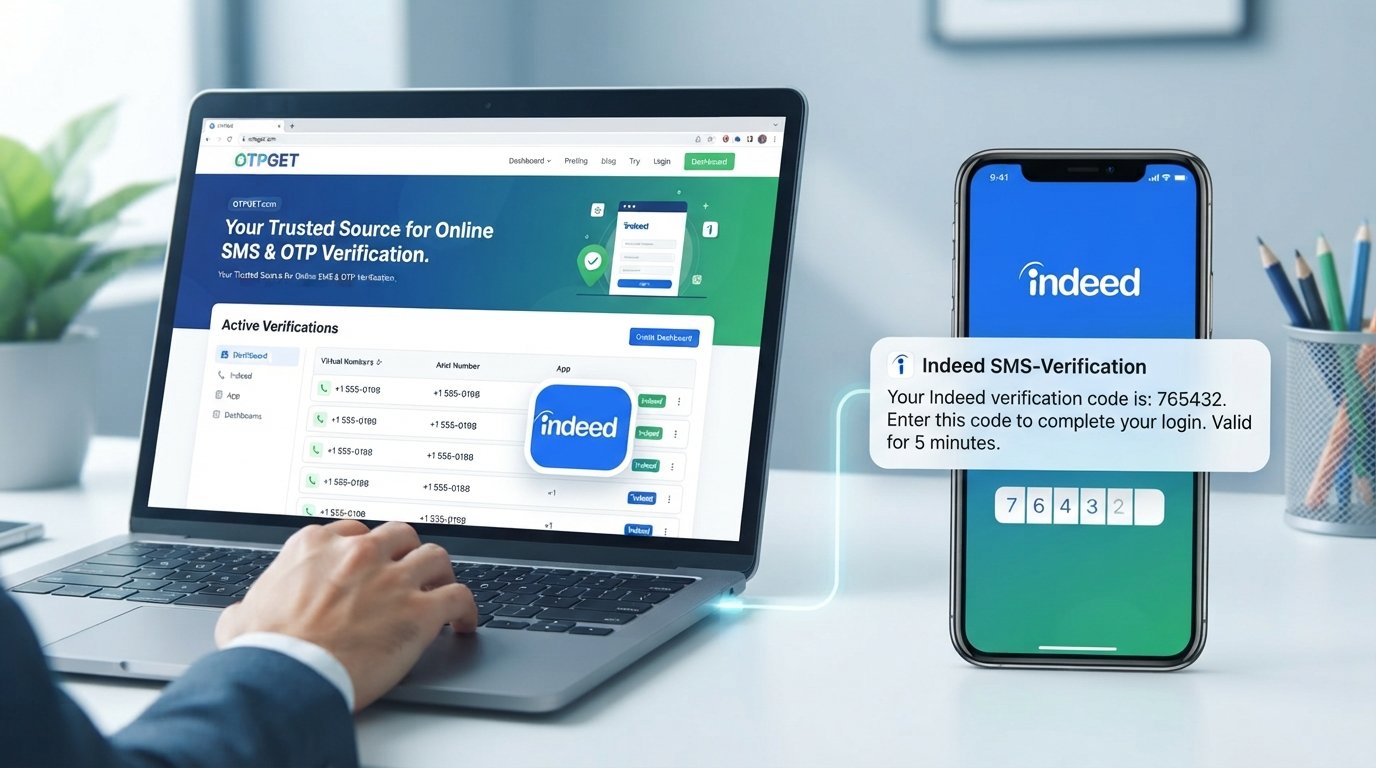
How to Get Indeed Login Without Phone Number
Trying to access an Indeed account without using your personal phone number can be confusing, especially when a verification screen appears before you can continue.
The important distinction is that Indeed login without phone number does not necessarily mean bypassing verification. If Indeed asks for a phone number, the legitimate approach is to use a verification method that Indeed accepts and that you are authorized to use.
Indeed's help documentation explains that phone verification may be required when creating an account or applying for a job. Depending on the verification flow, Indeed may send a code by SMS, phone call, or another available method.
For people who prefer not to expose their personal number for a particular verification task, OTPGET can be worth considering as an online OTP and SMS verification service. However, compatibility matters: Indeed states that certain virtual-number types are not supported for account verification.
This guide explains what to expect, how OTPGET fits into the process, what to do when a code does not arrive, and when your normal phone number may be the better choice.
Can You Log Into Indeed Without a Phone Number?
Sometimes, but there is no universal phone-free login method that can be guaranteed for every Indeed account or verification flow.
Indeed currently explains that users may need to verify a phone number when creating an account or applying for a job. Its verification process can involve entering a phone number and then submitting a code received through an available channel.
That means the real question behind “how to log into Indeed without phone number” is often:
Can I complete the required verification without using my personal mobile number?
The answer depends on the verification options Indeed presents and whether the number you use satisfies its requirements.
If Indeed accepts the number and verification method available to you, you can continue normally. If it rejects the number type, the safest approach is to follow Indeed's troubleshooting or account-help process rather than trying to circumvent the verification system.
Why Does Indeed Ask for Phone Verification?
Phone verification is commonly used to add another layer of account security.
Indeed says a verified phone number can help protect account and personal information and can make account recovery easier. Its security guidance also notes that users may be prompted for verification codes when a suspicious login is detected.
A verification code is essentially a short-lived proof that the person attempting the action can receive messages or calls at the submitted number.
Depending on the flow shown to you, you may encounter:
- SMS verification
- An automated phone call
- Another verification option made available by Indeed
- A security code associated with an account login
The exact process can vary, so it is best to follow the instructions displayed by Indeed rather than relying on a fixed set of steps.
What to Do If You Don't Want to Use Your Personal Number
There are several legitimate considerations before entering your personal number.
You might be trying to:
- Keep your primary number separate from online services.
- Avoid unnecessary exposure of your personal contact information.
- Use a number dedicated to a particular online account.
- Complete a verification task when your regular SIM is temporarily unavailable.
- Separate personal communications from account verification.
One option is a compatible secondary number. Another is a fixed VoIP or landline option where Indeed supports it.
Indeed's troubleshooting guidance specifically says that non-fixed VoIP numbers are not accepted for account verification, while fixed VoIP and landline options may be supported depending on the situation.
This is where OTPGET may be relevant. OTPGET provides virtual numbers and SMS OTP functionality, but users should confirm that the number type they select meets Indeed's current requirements before relying on it for verification.
How OTPGET Can Help With Indeed Verification
OTPGET is an online service focused on virtual numbers and OTP verification. Its platform provides access to numbers intended for receiving SMS verification codes, along with other number and verification services.
For a legitimate user who needs a separate number for an online verification process, the general idea is straightforward: obtain an appropriate number through OTPGET, use it only where the receiving platform accepts that type of number, and retrieve the verification message.
There is an important limitation: OTPGET does not bypass Indeed's security requirements. If Indeed identifies a number as unsupported, the correct response is to use another supported method rather than attempting to defeat the restriction.
Step 1 — Open OTPGET
Start by visiting the official OTPGET service and reviewing the available verification-number options.
Look for the type of service appropriate for receiving an SMS verification code. Availability can vary by country, service, and number type.
Step 2 — Choose the Appropriate Verification Option
Review the available numbers and verification options before selecting one.
Pay particular attention to:
- Country or region compatibility
- Number type
- Whether SMS reception is supported
- Whether the intended service is available
- Any stated limitations or usage conditions
For Indeed specifically, this step is important because Indeed says unsupported non-fixed VoIP numbers can be rejected during verification.
Step 3 — Get the Verification Number
If you find an appropriate option, follow OTPGET's instructions to obtain the number.
OTPGET's documentation describes an SMS OTP workflow in which a number can be requested and its activation status checked for an incoming message.
Use the number only for an account or verification process you are authorized to complete.
Step 4 — Enter the Number Where Indeed Requests Verification
Return to the official Indeed login or account-verification page.
Enter the number in the field provided by Indeed and follow the instructions on screen.
Do not assume that every OTPGET number will be accepted. Indeed's own documentation should take priority if the platform identifies a number type as unsupported.
Step 5 — Receive and Enter the OTP
If the verification message is successfully delivered, retrieve the code through the applicable OTPGET interface and enter it into the Indeed verification field.
Indeed's published verification instructions describe a six-digit verification code for phone verification. The code has a limited validity period, so enter it promptly when received.
Never share a verification code with another person. An OTP is intended to confirm control of the verification channel during an authorized account action.
Step 6 — Complete the Indeed Login Process
After the code is accepted, continue with the login or account process shown by Indeed.
The available steps can differ depending on whether you are signing in, creating an account, applying for a job, or responding to a security prompt.
If the number is rejected, do not repeatedly attempt workarounds. Instead, review Indeed's verification requirements and use an accepted number or official recovery/help option.
What If the Indeed Verification Code Does Not Arrive?
A missing Indeed verification code does not necessarily mean the account or verification process has failed.
Try these checks:
- Confirm that you selected the intended number or service in OTPGET.
- Wait briefly before requesting another code.
- Use a resend option if Indeed provides one.
- Check whether the verification session is still active.
- Confirm the country code and number format where applicable.
- Check whether the selected service supports incoming SMS.
- Make sure the number has not already been used beyond a platform's allowed limits.
- Avoid repeatedly requesting codes in rapid succession.
- If Indeed reports that the number type is unsupported, switch to a supported number rather than repeatedly retrying.
- Use Indeed's official account recovery or help resources if you cannot complete verification.
Indeed also lists issues involving unsupported number types, carrier configuration, message blocking, and numbers already associated with account limits.
OTPGET vs Using Your Personal Phone Number
Neither option is universally right for every situation. The better choice depends on whether you need a temporary verification channel or long-term account access.
| Factor | OTPGET / Separate Number | Personal Phone Number |
|---|---|---|
| Convenience | Can be useful when you want a separate verification channel | Convenient when your phone is readily available |
| Privacy considerations | Keeps a personal number separate from the specific verification task | Requires sharing your normal number with the service |
| Account recovery | May be less suitable if long-term access to the number is not maintained | Generally more practical for ongoing recovery |
| Long-term access | Depends on the number and service arrangement | Usually easier if you keep the same number |
| Verification availability | Depends on platform compatibility and number type | Typically straightforward when the number meets platform requirements |
| User control | Provides separation between personal and verification communications | Gives direct control through your normal carrier |
The key point is continuity. A number used for a one-time verification task may not be the best choice for an account you expect to recover or manage over a long period.
Is It Safe to Use an OTP Service for Indeed Verification?
Using an OTP service should be approached as a legitimate verification tool, not as a way to defeat security controls.
If you use OTPGET for Indeed verification, keep these principles in mind:
- Only verify an account that belongs to you or that you are authorized to manage.
- Follow Indeed's verification instructions.
- Check whether the selected number type is supported.
- Do not share OTPs with other people.
- Avoid entering sensitive account credentials into unofficial websites.
- Review the privacy practices and terms of any third-party service before using it.
- For long-term account recovery, consider whether a number you permanently control is more appropriate.
OTPGET's own documentation describes its virtual-number and SMS OTP functionality, but that does not mean every number is accepted by every website.
If Indeed specifically rejects a virtual number, the appropriate response is to use an accepted alternative or contact Indeed through its official support resources.
Frequently Asked Questions
Can I log into Indeed without a phone number?
Not always. Indeed may require phone verification for certain account actions, including account creation or applying for a job. The available options depend on the verification flow shown to you.
Can I receive an Indeed verification code online?
Potentially, if the verification method and number type are supported. OTPGET provides online SMS OTP functionality, but Indeed may reject certain virtual-number types.
What is an Indeed OTP?
An Indeed OTP is a one-time verification code used during an account or security verification process. Indeed's phone verification instructions describe a six-digit code.
How does OTPGET work?
OTPGET provides virtual numbers and SMS OTP services. In a typical SMS workflow, a user obtains an appropriate number and waits for the verification message to be delivered through the service.
Can OTPGET receive SMS verification codes?
OTPGET offers SMS OTP functionality designed to receive verification messages. Whether a particular website accepts the selected number is a separate question and depends on that platform's requirements.
What should I do if my Indeed OTP does not arrive?
Check the selected number, wait briefly, use the resend option if available, verify the number format, and confirm that the service supports the required SMS. If the number is rejected, use an alternative supported by Indeed.
Can I use an OTP service for account verification?
You can consider an OTP service for legitimate verification where the platform permits the relevant number type. Always follow the platform's rules and verification requirements.
Should I use my personal number for long-term account recovery?
If you expect to need ongoing account recovery, a phone number that you permanently control may be more practical. A temporary verification number may not provide the same continuity.
Final Thoughts
Searching for Indeed login without phone number usually comes down to finding a legitimate way to handle a phone-verification requirement without unnecessarily exposing your primary number.
The important thing is not to bypass Indeed's security process. Instead, use a verification method that Indeed accepts and that you are authorized to use.
For users who want a separate verification channel, OTPGET can be a practical option to explore. Its platform provides virtual numbers and SMS OTP functionality, which can be useful when a compatible verification number is needed.
However, compatibility should always be checked first. Indeed states that some virtual-number types, particularly non-fixed VoIP numbers, are not supported for account verification.
If OTPGET fits the verification requirements presented to you, explore the available options and use the service for legitimate account verification. If it does not, stick with an accepted personal, fixed VoIP, landline, or other verification method offered by Indeed.
8. SEO FAQ SECTION
Can I use Indeed without a phone number?
Indeed may require phone verification for certain actions, so completely avoiding a phone number is not guaranteed. Available verification methods can vary.
How can I receive an Indeed verification code online?
If the applicable Indeed verification flow accepts the number type, an online OTP service such as OTPGET may provide a way to receive an SMS verification code.
What is the best way to handle Indeed phone verification?
Use a verification method that matches Indeed's current requirements. If you use a third-party OTP service, confirm that the selected number type is supported before proceeding.
Does OTPGET guarantee Indeed verification?
No. OTPGET should not be presented as a guaranteed method for Indeed. Acceptance depends on Indeed's verification requirements and the type of number being used.
Why is my Indeed login OTP not arriving?
Possible causes include an incorrect number, an unsupported number type, delivery delays, an expired verification session, carrier filtering, or service compatibility issues.
Is an online OTP service suitable for long-term Indeed accounts?
It may be less suitable when you need reliable long-term recovery. A phone number you permanently control can provide greater continuity for ongoing account access.
Can I use OTPGET for legitimate verification?
Yes, OTPGET can be considered for legitimate OTP and SMS verification needs, provided the receiving platform allows the relevant number type and you follow its rules.
Should I share my Indeed OTP with anyone?
No. Treat verification codes as sensitive authentication information and enter them only into the official verification flow you are completing.