inDrive SMS Code Online – Get Verified with OTPGET Number Service
inDrive SMS Code Online – OTPGET Number Service
If you need an inDrive SMS verification code, the process can feel inconvenient when you would rather not use your personal phone number. SMS verification is common in online account workflows, but not everyone wants every verification message tied to a personal number.
That is where an online number can be useful. Instead of relying only on a personal SIM, users can choose an online number service designed to receive SMS messages and verification codes. For people looking for an inDrive SMS Code Online, OTPGET is a practical option to consider.
What Is an inDrive SMS Verification Code?
An SMS verification code is a short, temporary code sent to a phone number to confirm that the person entering it can receive messages on that number. You may also see these codes described as OTPs, or one-time passwords.
During a typical verification flow, a service asks for a phone number and sends an SMS containing a code. The user enters that code into the relevant screen, and the service checks whether it matches the code it generated.
For inDrive, phone verification can help connect an account or service request with a reachable phone number. The exact process can vary depending on the service, region, account flow, or number type.
If you do not want to expose your personal number, an online SMS number may be an alternative worth considering. It gives you a separate number through a web-based service where supported messages can be viewed.
Why Do People Look for an inDrive OTP Online?
There are several legitimate reasons someone may search for an inDrive OTP online or an online number for inDrive verification.
Privacy is one consideration. Some users prefer to keep their personal phone number separate from online services. Using another number can reduce how widely the personal number is shared.
Separation is another benefit. A dedicated online number can help distinguish personal communication from verification-related messages and other online activity.
Convenience can also matter. If a suitable online number is available, users may find it easier to receive an SMS through an online interface instead of managing another physical SIM.
Online numbers can also be useful for certain testing or account-related workflows where their use is permitted. They should not be used to impersonate someone, create fraudulent accounts, bypass security measures, or violate inDrive's rules.
The important point is that an online number is simply another way of receiving a verification message. It does not remove the responsibility to use the service legitimately.
How OTPGET Helps With inDrive SMS Verification
For users who need an inDrive verification SMS, OTPGET can provide a convenient way to work with an online number rather than immediately using a personal phone number.
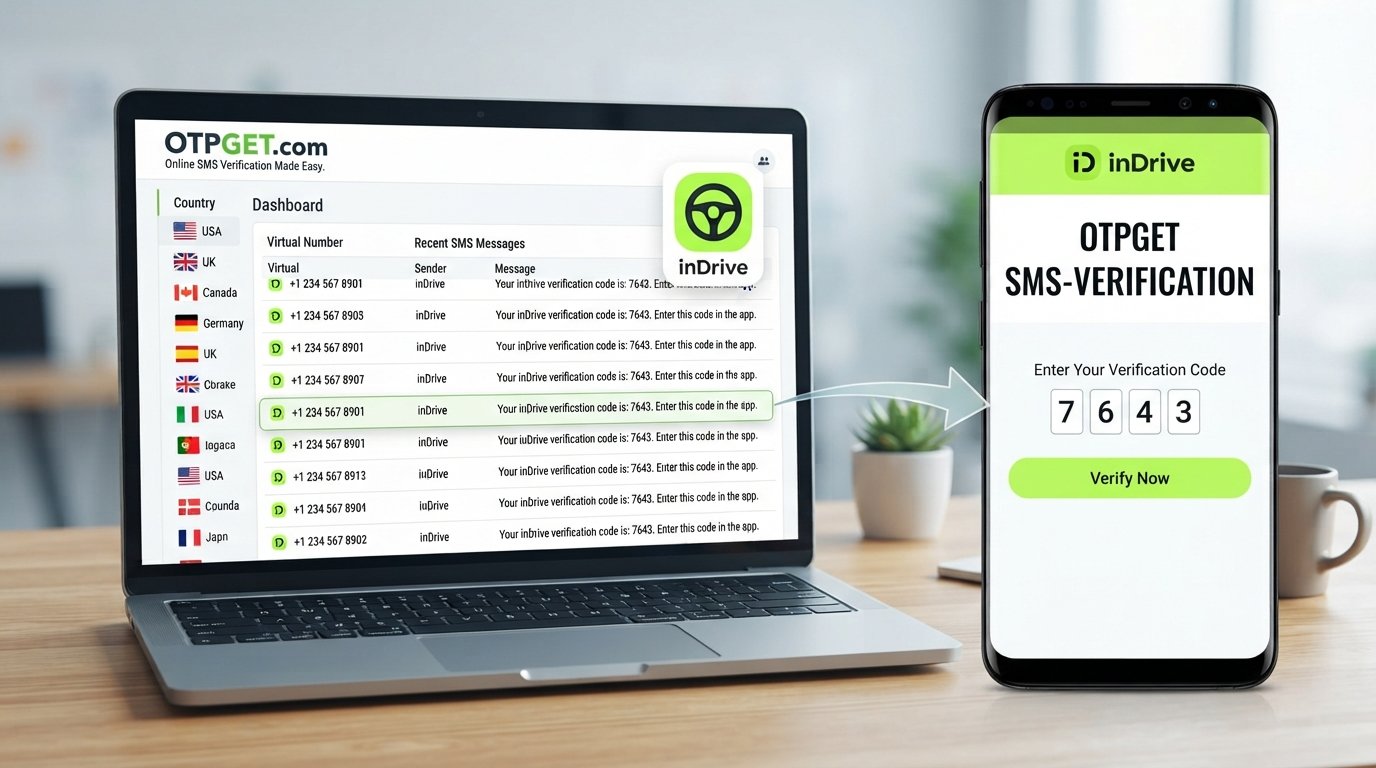
The basic idea is straightforward: choose an appropriate available number through OTPGET, use that number in the verification flow where permitted, and monitor the OTPGET interface for the incoming SMS.
This can be helpful when the goal is to keep personal and online communications separate. It also gives users a simple place to check for the verification message instead of relying on their primary phone.
Key advantages can include:
- Online access: Work with the selected number through an online service.
- Convenience: Receive supported SMS messages without managing another physical SIM.
- Privacy-oriented use: Keep a personal number separate from certain online verification activities.
- Simple workflow: Select a number, submit it where permitted, check for the SMS, and enter the code.
- Practical verification access: Use an online number when it is compatible with the relevant process.
OTPGET should be viewed as a practical tool, not a guarantee that a particular number will be accepted. Platform policies and SMS delivery can differ, so compatibility should be checked when necessary.
How to Get an inDrive SMS Code Online With OTPGET
If you want to try an online number for an inDrive SMS code, the process is generally simple.
1. Visit OTPGET
Start by opening the OTPGET service and reviewing the available options for online SMS or verification numbers.
2. Choose an appropriate number or service
Select a number that appears suitable for your intended verification workflow. Availability and compatibility can vary, so choose carefully.
3. Enter the number in the inDrive verification flow
When inDrive asks for a phone number, enter the number provided through OTPGET, provided that using an online number is allowed for your intended use.
4. Request the verification SMS
Continue with the verification process so that inDrive can send the SMS containing the code.
5. Check OTPGET for the incoming message
Monitor the OTPGET interface for the verification SMS. If the message is delivered, locate the code in the received text.
6. Enter the code where appropriate
Return to the inDrive verification screen and enter the received OTP carefully.
7. Complete the verification process
If the number is supported and the code is accepted, continue with the relevant inDrive workflow.
Remember that SMS delivery and platform acceptance can vary. If a particular number does not receive a message or is not accepted, another supported option may be necessary.
Benefits of Using an Online Number for SMS Verification
Why choose an online number instead of a personal phone number? Several practical benefits stand out.
Privacy
An online number can help reduce unnecessary exposure of a personal phone number during certain verification workflows.
Convenience
Receiving an SMS through an online service can be simpler than obtaining and maintaining another physical SIM solely for verification purposes.
Separation
A separate number can create a clearer boundary between personal communication and online service activity.
Accessibility
For supported services, an online interface can make it easier to check verification messages from the same place where the number was selected.
These advantages do not mean that every service accepts every online number. Users should consider the requirements of the platform they are using.
Why Choose OTPGET?
When looking for an online number for inDrive, the service itself matters. OTPGET is worth considering because its core use case aligns with a straightforward need: accessing SMS verification messages through an online number.
The experience can be useful for people who want to avoid giving out their primary number for every online verification request.
OTPGET also fits a simple workflow. Instead of dealing with another physical device or SIM, users can work with an available number through the service and check for supported incoming SMS messages.
For someone searching for an OTPGET number service, the main value is convenience combined with a privacy-oriented approach to online verification.
At the same time, responsible use is important. OTPGET should be used for legitimate purposes, and users should follow the terms and verification requirements of inDrive and any other platform involved.
Things to Keep in Mind When Using an Online Verification Number
Online numbers can be useful, but they are not universally accepted. Before relying on one for verification, keep these points in mind:
- Compatibility varies. Some platforms restrict temporary, virtual, or previously used numbers.
- SMS delivery can vary. A requested message may be delayed, unavailable, or unsupported by a particular number.
- Follow platform rules. Use online numbers only in ways permitted by inDrive and applicable service terms.
- Protect your OTP. A verification code is sensitive information. Do not share it with strangers or unrelated third parties.
- Use numbers responsibly. An online number should not be used for fraud, impersonation, security bypasses, or other abusive activity.
- Check the workflow first. If the service specifically requires a personal or supported mobile number, an online number may not be suitable.
These limitations set realistic expectations. The goal of OTPGET is to provide a practical option for supported SMS verification needs, not to bypass a platform's security requirements.
Frequently Asked Questions
What is an inDrive SMS code?
An inDrive SMS code is a verification code delivered by SMS to confirm access to the phone number entered during a supported verification process. It may also be called an OTP or one-time password.
How can I receive an inDrive OTP online?
You can use an online SMS number service such as OTPGET when an online number is supported for your intended inDrive verification workflow. Select an appropriate number, enter it where requested, and check for the incoming SMS.
Can I use an online number for inDrive verification?
It may be possible when the selected number is compatible with the verification process and the use of an online number is permitted. Not every online number is accepted by every platform.
What is OTPGET?
OTPGET is an online number service that can be used to receive supported SMS messages and verification codes. It can be useful when someone wants an alternative to sharing a personal phone number for certain online verification workflows.
How does OTPGET help with SMS verification?
OTPGET can provide an online number that users can select for supported verification purposes. When a service sends an SMS to that number, the message can be checked through the OTPGET interface, subject to availability and compatibility.
Why am I not receiving an inDrive verification SMS?
Several factors can affect delivery, including the selected number, platform restrictions, SMS delivery issues, and regional availability. If a message does not arrive, check the number and verification details before trying another supported option.
Are online numbers accepted for every verification service?
No. Acceptance depends on the individual platform and its verification policies. Some services may restrict temporary or virtual numbers, so users should check the applicable requirements.
Is it safe to share an OTP?
An OTP should be treated as sensitive information. Enter it only into the legitimate verification screen for the service you are using, and do not share the code with other people.
Conclusion
An inDrive SMS Code Online search usually comes down to a simple need: receiving a verification message without necessarily relying on a personal phone number. Online numbers can provide a practical alternative for supported workflows while helping users separate personal contact details from certain online activities.
OTPGET is a convenient solution to consider when you need an online number for SMS verification. Its straightforward approach can make it easier to select a number, monitor for an incoming verification SMS, and use the received code where permitted.
Keep compatibility and platform rules in mind. No online number is guaranteed to work with every verification service, and responsible use is essential.
If you need an online SMS verification number for a legitimate inDrive-related workflow, explore OTPGET and choose the option that best fits your needs.
SEO Quality Checklist
- ✓ Primary keyword used naturally
- ✓ OTPGET prominently positioned
- ✓ Secondary keywords used naturally
- ✓ Search intent addressed
- ✓ FAQs included
- ✓ Internal readability optimized
- ✓ No keyword stuffing
- ✓ No unsupported claims
- ✓ No year mentioned anywhere
- ✓ Article is 1,200–1,800 words
- ✓ SEO title is 60–65 characters
- ✓ Meta description is exactly 160 characters