Instagram Code Not Arriving? Try an OTPGET Number for SMS OTP
Instagram Code Not Arriving? Try an OTPGET Number for SMS OTP
Waiting for an Instagram verification code that never appears is frustrating, especially when you need to log in, confirm an account, or complete a security check. You enter your phone number, tap to send the code, and then… nothing.
If you are searching for a solution because your Instagram code not arriving problem keeps happening, the issue may not necessarily be your account. SMS delivery can fail for several reasons, including carrier filtering, weak signal, an incorrect number, repeated code requests, or temporary delivery problems.
The good news is that there are several things you can check before trying another option. And if your regular number continues to have trouble receiving verification messages, an OTP receiving service such as OTPGET may provide a practical alternative where its number is accepted by the service and permitted under the applicable rules.
Why Is My Instagram Verification Code Not Arriving?
An Instagram verification code travels through several systems before it reaches your phone. If something goes wrong along the way, the message may be delayed or never appear.
Here are some of the most common possibilities.
Weak or Unreliable Mobile Signal
A poor cellular connection can interfere with normal SMS delivery. If your phone is showing little or no signal, move somewhere with better coverage and check whether other text messages are arriving.
SMS Filtering by Your Carrier
Mobile carriers sometimes filter automated or application-generated messages. If regular texts arrive but verification messages consistently do not, carrier-level filtering could be part of the problem.
Incorrect Phone Number
A small mistake in the phone number or country code can send the verification message somewhere else entirely. Double-check the number before requesting another code.
Too Many Verification Requests
Repeatedly pressing “send again” may not make the process faster. Multiple requests in a short period can create additional delays or temporary restrictions.
Temporary Delivery Problems
Sometimes the issue is simply a delay somewhere between the verification service, SMS network, and your phone. A message that normally arrives quickly may take longer than expected.
International SMS Issues
If you are using a number from a different country or relying on international SMS delivery, routing can sometimes be less predictable. This is particularly relevant when the number has restrictions on receiving automated verification messages.
Instagram Code Not Coming? Try These Quick Fixes
Before switching numbers, take a few minutes to rule out simple problems.
1. Check Your Phone Number
Confirm that the number connected to the verification attempt is correct. Pay particular attention to the country code and any leading digits.
2. Check Your Mobile Signal
Look at your signal indicator and test another SMS. If ordinary messages are also delayed, the problem may be with your phone or carrier rather than Instagram.
3. Check Blocked or Filtered Messages
Review your blocked contacts, spam folders, message filters, and settings that may hide messages from unfamiliar or automated senders.
4. Restart Your Phone
A simple restart can refresh the device's connection to the mobile network and clear temporary communication issues.
5. Wait Before Requesting Another Code
If you have already requested several codes, stop pressing the resend button repeatedly. Give the previous request time to arrive before trying again.
6. Check Whether Other SMS Messages Arrive
Ask yourself a simple question: “Am I receiving other text messages?”
If the answer is no, investigate your phone or carrier first. If normal SMS works but Instagram messages do not, the issue may be specific to verification delivery.
7. Try Another Available Verification Method
Depending on the account and verification flow, Instagram may offer another way to confirm access. Use any official option presented to you.
8. Avoid Repeated Attempts
Constantly requesting new codes can make troubleshooting harder. Change one thing at a time so you can identify what actually fixes the problem.
None of these steps is guaranteed to solve every Instagram verification problem, but they are worth trying before changing your phone number.
What If Instagram Still Doesn't Send the Code?
If you have checked your phone, confirmed the number, waited, and still have an Instagram verification code not received problem, the number itself may be worth reconsidering.
This is where an alternative OTP receiving number can become useful.
Instead of depending entirely on your regular mobile number, you can use a number specifically intended to receive verification SMS. An online or virtual number may provide another delivery route when your usual number is experiencing problems.
That is where OTPGET comes into the picture.
The important point is that an alternative number is not a way to bypass Instagram's security. It is simply another number for receiving an SMS when the verification process allows and accepts it.
What Is an OTPGET Number?
An OTPGET number is a number provided for receiving OTP or verification messages through the OTPGET service.
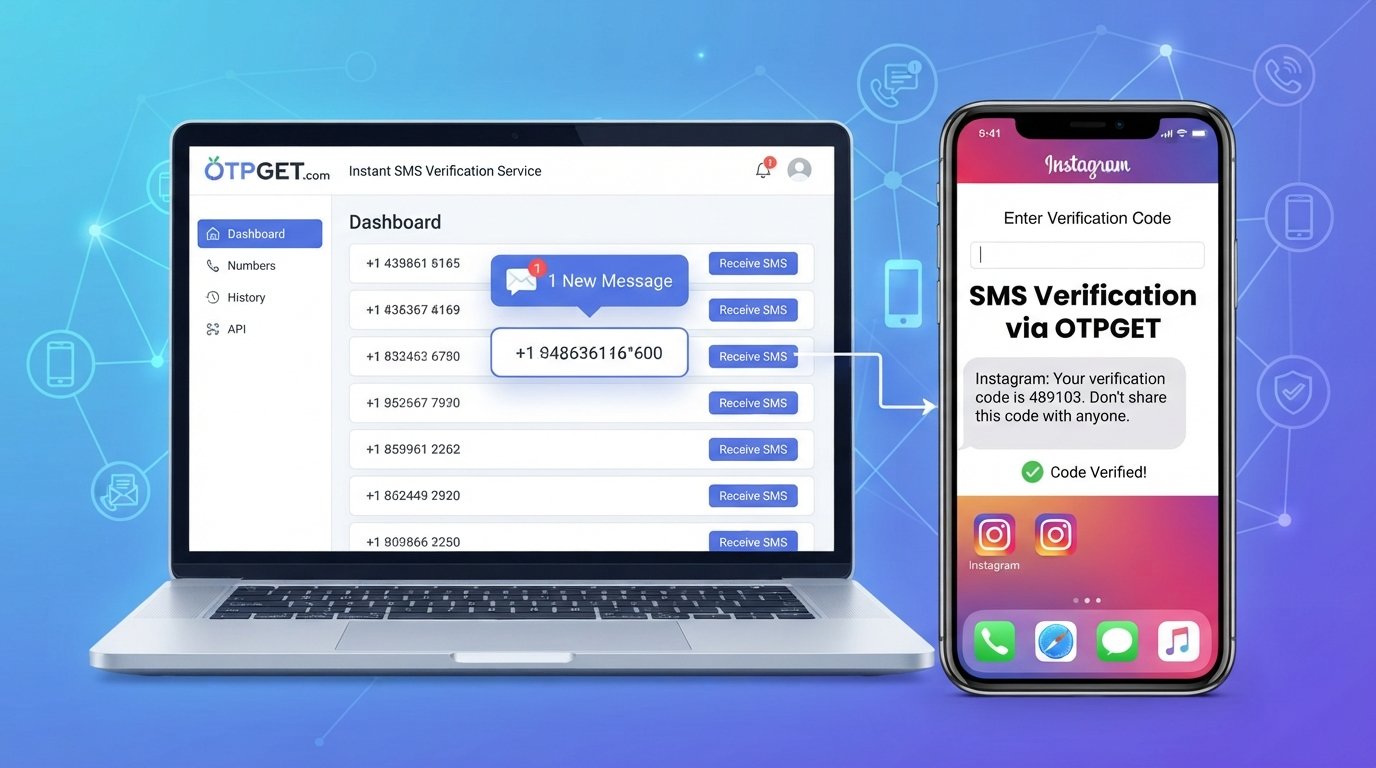
In practical terms, the concept is straightforward: rather than waiting for a verification SMS on your personal phone number, you use an available OTP receiving number for a permitted verification purpose and monitor the service for the incoming message.
This can be useful for people who want to keep verification messages separate from their everyday phone communications or who are experiencing problems receiving automated SMS on their normal number.
However, availability and acceptance can vary. Instagram may not accept every temporary or virtual number, so an OTPGET number should be viewed as an alternative option rather than a guaranteed solution.
How OTPGET Can Help When Instagram Codes Don't Arrive
If you decide to try an OTPGET number, the general process is simple.
- Choose an available OTPGET number appropriate for your intended verification purpose.
- Enter the number in the phone-number field presented during the Instagram verification process.
- Request the verification code through Instagram.
- Monitor OTPGET for the incoming SMS.
- Enter the received code into the appropriate Instagram verification screen.
The goal is to provide another route for receiving the verification SMS.
If the message does not arrive, avoid repeatedly requesting codes. The problem may be related to number compatibility, temporary restrictions, routing, or Instagram's own verification process.
Why Consider OTPGET for Instagram Verification?
For someone dealing with an Instagram OTP problem, an OTP receiving service can offer a practical alternative to continuing to wait for a message that is not arriving.
Potential benefits include:
- An alternative to your personal number: You can separate verification activity from everyday SMS communication.
- A different delivery route: If your regular number is experiencing SMS delivery problems, another number may behave differently.
- Convenience: The basic process involves selecting a number, entering it for verification, and monitoring for the incoming OTP.
- Useful for verification-focused needs: An OTP number can be helpful when you specifically need to receive a one-time verification message.
- Less clutter on your personal phone: Verification messages can remain separate from your regular conversations.
Still, it is important to keep expectations realistic. OTPGET does not guarantee that Instagram will accept every number or that every verification attempt will succeed.
The right way to approach it is as an additional option when normal SMS troubleshooting has not solved the problem.
Things to Know Before Using a Temporary or Virtual Number
Temporary and virtual numbers can be useful, but they are not identical to having a permanent personal mobile number.
Before using one for Instagram verification, keep these points in mind:
- Not every online number is accepted by every platform. Instagram can determine whether a particular number is suitable for its verification process.
- Availability can change. A number that is available at one moment may not remain available later.
- Some numbers may have limitations. Temporary numbers can have different characteristics from traditional mobile numbers.
- Account security still matters. If an account requires ongoing access or recovery, understand how you will maintain access to the relevant verification method.
- Follow Instagram's requirements. Do not use an alternative number to circumvent account restrictions, identity checks, security controls, or other platform safeguards.
- Use verification services responsibly. Never use an OTP service for fraud, impersonation, unauthorized account access, or other abusive activity.
The safest approach is to use an alternative number only for legitimate verification purposes and only when the platform permits it.
Instagram Verification Code FAQ
Why is my Instagram verification code not arriving?
The cause could be a weak mobile connection, incorrect phone number, carrier filtering, repeated verification requests, international SMS routing issues, or a temporary delivery problem. Start by checking your number and confirming that other SMS messages are arriving.
How long should I wait before requesting another Instagram code?
There is no universal waiting period that guarantees delivery. If you have already requested several codes, it is better to pause rather than repeatedly tapping resend. Give the previous request time to arrive before trying again.
Why am I not receiving Instagram SMS?
If normal SMS messages work but Instagram messages do not, the issue may involve automated-message filtering, number compatibility, routing, or Instagram's verification system. Check your blocked-message settings and verify that your number is correct.
Can OTPGET help me receive an Instagram verification code?
An OTPGET number may provide an alternative number for receiving verification SMS when the service and verification flow accept that number. It is not a guarantee that Instagram will accept every number or every verification attempt.
What is an OTP number for Instagram?
An OTP number is a phone number used to receive a one-time verification code by SMS. Depending on the service, it may be a temporary or virtual number rather than your personal mobile number.
Can I use a temporary number for Instagram verification?
A temporary number may work where Instagram accepts it, but acceptance is not guaranteed. Platform rules, number type, availability, and verification requirements can affect whether a particular number can be used.
What should I do if Instagram does not accept my number?
First, confirm that the number and country code are correct. If the number is rejected, use another official verification method if one is offered. You can also consider an alternative number from a legitimate OTP receiving service, provided its use is allowed.
Final Thoughts: Stop Waiting for the Instagram Code
When your Instagram code not arriving problem keeps you stuck on a verification screen, the best approach is to troubleshoot systematically rather than repeatedly requesting another OTP.
Check your phone number, mobile signal, message filters, and recent verification attempts first. If ordinary SMS works but Instagram's verification message still does not arrive, the problem may be related to delivery, number compatibility, or the verification process itself.
When your regular number continues to cause problems, an OTPGET number can be worth considering as an alternative way to receive a verification SMS where permitted.
Just remember that no temporary or virtual number can guarantee acceptance by Instagram. Use the service responsibly, follow Instagram's verification requirements, and keep account security at the center of the process.
If you need an alternative OTP receiving number, explore OTPGET and see whether an available number fits your verification needs.


