Instagram OTP Number – Receive Code Fast with OTPGET Online
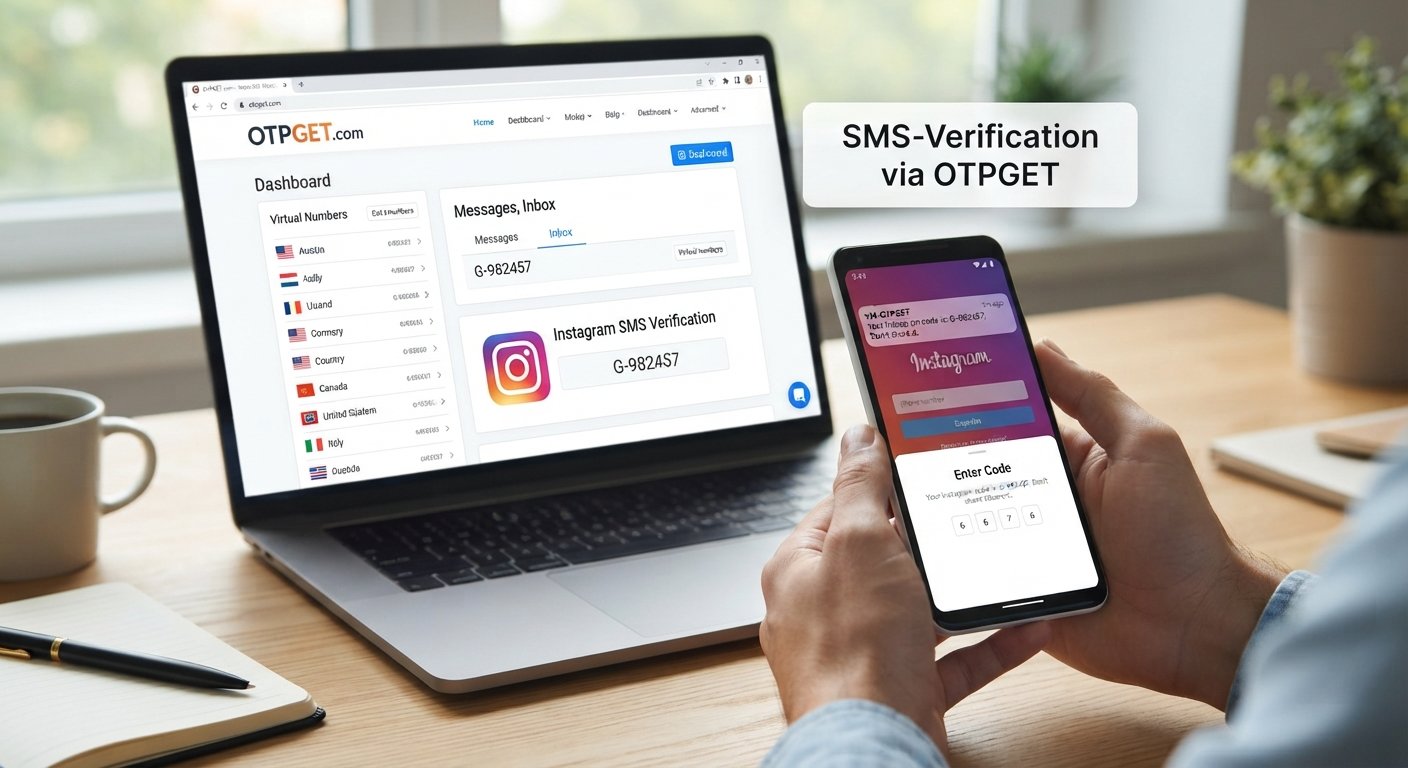
Instagram OTP Number – Receive Code Fast
Getting an Instagram verification code should be straightforward, but SMS delivery can sometimes become a frustrating part of signing in, creating an account, or confirming account activity. A code may take longer than expected, fail to arrive, or be sent to a number you cannot conveniently access.
An Instagram OTP Number can be useful when Instagram requests verification by SMS and you need an available number capable of receiving the message. Services such as OTPGET provide virtual numbers designed for SMS verification, giving users another option when they do not want to use their personal phone number.
OTPGET's published documentation describes its SMS OTP service as a way to obtain virtual numbers and check the status of incoming verification messages. Availability depends on the selected service, country, provider, and the verification platform's own requirements.
What Is an Instagram OTP Number?
An Instagram OTP number is a phone number used to receive a one-time password or verification code sent by Instagram through SMS.
OTP stands for One-Time Password. In simple terms, it is a temporary code used to confirm that someone has access to the phone number associated with a verification request.
Depending on the situation, Instagram may request a verification code during:
-
Account registration
-
Login verification
-
Security checks
-
Suspicious-login detection
-
Phone-number confirmation
-
Other account-related verification steps
A virtual or temporary number can receive the verification SMS without requiring you to use your primary personal number. However, the availability and acceptance of a number are controlled by the service sending the verification message.
Why Do You Need an Instagram Verification Code?
Instagram may use verification codes as part of its account-security process. The exact verification flow can vary depending on the account and circumstances.
For example, you may encounter an SMS verification request when Instagram wants to confirm access to a phone number. In another situation, a login attempt may trigger an additional security check.
The important point is that an Instagram verification code is intended to confirm access to the phone number receiving the message. It should never be shared with another person.
If you prefer not to expose your personal number for a particular verification task, an available virtual number may provide an alternative.
Why Instagram OTP Codes Sometimes Don't Arrive
Not receiving an Instagram SMS code does not necessarily mean something is wrong with your account. Several factors can affect verification-message delivery.
Common reasons include:
-
SMS delivery delays: Mobile networks or messaging systems can sometimes delay incoming messages.
-
Incorrect number: A single missing digit or incorrect country code can prevent delivery.
-
Carrier restrictions: Some numbers or carriers may have limitations affecting verification SMS.
-
Too many requests: Repeatedly requesting codes can complicate the verification process.
-
Temporary service issues: Either the messaging route or verification service may experience an interruption.
-
Expired code: A previously received code may no longer be accepted after a newer one is requested.
-
Wrong code entered: Entering an older or mistyped code can cause verification to fail.
Before trying repeatedly, check that the number is correct and give the SMS a reasonable amount of time to arrive.
How OTPGET Can Help You Receive an Instagram OTP
OTPGET provides virtual numbers for SMS-based verification. Its published service documentation includes functionality for selecting countries and services, requesting a virtual number, and checking whether an SMS verification code has been received.
For an Instagram verification request, the general workflow is simple:
-
Visit OTPGET and review the available options.
-
Select an appropriate number or service, depending on availability.
-
Enter the provided number in Instagram where a phone number is requested.
-
Wait for Instagram to send the verification SMS.
-
Check OTPGET for the incoming message.
-
Enter the valid verification code into Instagram.
The exact options available can change, and Instagram ultimately determines whether a particular number and verification request are accepted.
Step-by-Step: How to Receive an Instagram OTP
If you are new to virtual numbers, the process can seem unfamiliar. The following workflow keeps things simple.
Step 1: Open OTPGET
Visit OTPGET and look through the available virtual-number services.
Step 2: Select an Available Number
Choose a number appropriate for the verification service you need. Availability can depend on country, provider, service, and current inventory.
Step 3: Enter the Number on Instagram
When Instagram asks for a phone number, enter the selected number carefully. Check the country code and digits before submitting.
Step 4: Request the Verification SMS
Follow Instagram's on-screen instructions to request its verification code.
Step 5: Check OTPGET
Return to OTPGET and look for the incoming SMS associated with the number you selected. OTPGET's documentation provides an SMS-status process for checking whether a code has arrived.
Step 6: Enter the Latest Code
Once the verification SMS arrives, enter the current code into Instagram.
If the code does not arrive, avoid repeatedly requesting new codes immediately. First check the number, wait for delivery, and consider whether another available number is appropriate.
Benefits of Using OTPGET for Instagram OTP
There are several practical reasons someone may consider an online verification number instead of a personal phone number.
Convenience
A virtual number can be accessed online, which can simplify SMS verification when you do not want to use your everyday mobile number.
Privacy Considerations
Using a separate number can help reduce the number of services that receive your personal phone number. This does not eliminate all privacy considerations, so users should still choose services carefully.
Simple Verification Workflow
The basic process is easy to understand: obtain an available number, enter it into the service requesting verification, receive the SMS, and enter the code.
Flexible Number Options
OTPGET's published documentation describes country and service selection for its SMS OTP system, although actual availability can vary.
Useful for Different Verification Needs
Virtual numbers can be relevant when a user needs to receive an SMS verification message but does not have convenient access to a suitable personal number.
Instagram OTP Number vs. Personal Phone Number
Choosing between a personal number and a virtual number depends on what you need from the account and how long you expect to use it.
| Consideration | Personal Phone Number | Virtual or Temporary Number |
|---|---|---|
| Convenience | Familiar and directly accessible | Accessible through the service |
| Privacy | Your personal number is shared | Can reduce exposure of your primary number |
| SMS access | Depends on your mobile network | Depends on number and service availability |
| Long-term recovery | Generally easier to retain personally | May depend on whether the number remains available |
| Temporary verification | May be unnecessary to expose personal number | Can be useful for short-term verification |
| Account ownership | Directly tied to your own mobile access | Requires understanding of number availability and retention |
For an important long-term Instagram account, think beyond the initial OTP. Account recovery matters too. A temporary number may not be the right choice if you need dependable access to the same number later.
Tips for Receiving Instagram Verification Codes Successfully
A few simple habits can prevent common OTP problems:
-
Double-check the phone number before submitting it.
-
Confirm that the selected number supports incoming SMS.
-
Use the correct country code.
-
Avoid requesting multiple codes in quick succession.
-
Wait for the latest message before trying again.
-
If multiple codes arrive, use the most recent valid code.
-
Check that the verification number is still available.
-
Follow Instagram's instructions rather than attempting to bypass its security process.
-
Never give your OTP to another person.
-
Keep long-term account recovery needs in mind before using a temporary number.
These steps will not guarantee delivery, because SMS routing and Instagram's verification decisions are outside the user's control.
Is an Instagram OTP Number Safe?
An online phone number can be useful, but it should be treated as a security-sensitive tool.
The most important rule is simple: never share your Instagram verification code with someone else. A verification code can be sensitive account information.
You should also understand how the number will be used and whether you need continued access to it. For a short verification task, a temporary number may be practical. For an account you expect to keep for a long time, consider whether you will need that same number for future recovery or security checks.
OTPGET presents its service as a virtual-number and OTP-verification platform, but it is not appropriate to assume that every available number will be accepted by Instagram. Instagram controls its own verification system.
Common Instagram OTP Problems and Solutions
| Problem | Possible Cause | What to Try |
|---|---|---|
| No SMS arrives | Delivery delay or unavailable number | Wait, check the number, and verify SMS availability |
| Number rejected | Instagram does not accept the number | Try an available number that is appropriate for the service |
| Code no longer works | A newer code was requested | Use the latest valid code |
| Wrong code error | Typing mistake | Carefully re-enter the received code |
| Several codes arrive | Multiple verification requests | Use the newest applicable code |
| Verification keeps failing | Service or account-specific restrictions | Stop repeated attempts and follow Instagram's instructions |
| Number is unavailable | Limited number inventory | Check OTPGET for another available option |
OTPGET's API documentation also lists conditions such as unavailable numbers and service or country errors, illustrating why number availability can vary.
Frequently Asked Questions
What is an Instagram OTP number?
An Instagram OTP number is a phone number capable of receiving an SMS containing a one-time verification code from Instagram. It can be a personal number or, where supported and accepted, a virtual number obtained through a service such as OTPGET.
How can I receive an Instagram verification code?
If Instagram requests SMS verification, enter an appropriate phone number and follow the verification instructions shown by Instagram. If you need an online number, OTPGET provides virtual-number options subject to availability and service requirements.
Can I receive Instagram OTP online?
Yes, an SMS verification code can be received through an online virtual-number service when the selected number supports the required service. OTPGET provides a process for requesting numbers and checking incoming SMS verification codes.
Why is my Instagram verification code not arriving?
Possible reasons include SMS delays, an incorrect number, carrier restrictions, repeated requests, temporary service issues, or an unavailable verification route. Check the number carefully and avoid repeatedly requesting new codes.
How does OTPGET help with Instagram OTP?
OTPGET provides virtual numbers that can be used for supported SMS verification services. The general process is to select an available number, use it for the verification request, and check OTPGET for the incoming SMS code.
Can I use a temporary number for Instagram verification?
A temporary number may be an option where Instagram accepts it and the number supports the required SMS service. However, temporary access can create account-recovery considerations, so it is important to think about future access before relying on one.
How long is an Instagram OTP valid?
The exact validity of a verification code can depend on Instagram's verification system and the specific request. If a newer code has been issued, use the latest applicable code rather than relying on an older message.
What should I do if I enter the wrong verification code?
Check the verification screen for instructions and request a new code if Instagram provides that option. Enter the newest valid code carefully and avoid making repeated requests unnecessarily.
Conclusion
An Instagram OTP Number can be useful when Instagram asks for SMS verification and you need an alternative to your personal phone number. The challenge is finding an available number that can receive the required message and understanding that Instagram controls whether a verification request is accepted.
OTPGET provides a practical online option for accessing virtual numbers and receiving supported SMS verification messages. Its published documentation outlines a straightforward process for obtaining a number and checking for incoming OTP messages.
If you need an online number for an Instagram verification request, explore the available options on OTPGET, select a suitable number when available, and follow Instagram's verification instructions carefully.


