Kaggle Login Without Phone Number: Safe OTP Verification Guide
How to Get Kaggle Login Without Phone Number
Trying to get Kaggle login without phone number can be confusing when Kaggle asks you to complete phone verification before certain account features become available.
For some users, the issue is not a desire to avoid verification. They may simply prefer not to use their personal number, have trouble receiving SMS messages, or be dealing with an international carrier that does not reliably deliver verification codes.
The important distinction is between avoiding security controls and finding a legitimate verification method that fits the platform's requirements.
One option worth considering is OTPGET, a service that provides virtual numbers and SMS OTP functionality. However, whether a third-party number is accepted depends on Kaggle's verification requirements and the specific number or service being used. OTPGET is not affiliated with or endorsed by Kaggle.
Here is what to know before trying to access Kaggle without your personal phone number.
Why Does Kaggle Ask for Phone Verification?
Phone verification is generally used to help platforms confirm that accounts are associated with a usable contact method and to reduce spam, abuse, and automated account activity.
Kaggle has used phone verification for account-related features, and its community and support pages document phone verification as part of account access and feature availability. Requirements can vary by feature and may change, so the instructions shown in your own Kaggle account should take priority.
In practical terms, Kaggle account verification can involve entering a phone number, receiving an SMS verification code, and submitting that code through Kaggle's verification interface.
This is why a person may be able to complete a basic Kaggle login but still encounter a verification request when trying to use a particular feature.
Can You Use Kaggle Without Your Personal Phone Number?
Possibly, but there is no universal way to skip phone verification. Whether you can use Kaggle without your personal number depends on what Kaggle currently requires for your account or the specific feature you want to access.
If phone verification is optional for the action you are performing, you may not need to provide a number at all. If Kaggle requires SMS verification, however, you need to use a verification method that Kaggle accepts.
There are several legitimate situations where someone may look for an alternative to a personal number:
-
Their mobile carrier does not deliver the SMS reliably.
-
They have an international number that creates compatibility problems.
-
They want to keep personal and service-related communications separate.
-
Their number has reached a verification limit.
-
They are experiencing a temporary SMS delivery problem.
-
They have a separate number legitimately available for account verification.
Kaggle's support resources also provide account and verification assistance for users who cannot activate or verify their accounts.
The key point is that Kaggle sign up without phone number is not something you should assume is always possible. If the platform requires verification, use an accepted verification method rather than attempting to bypass the requirement.
What Makes Kaggle Phone Verification Difficult?
Even when you have a valid phone number, verification does not always go smoothly.
Personal privacy concerns
Some users simply do not want to attach their personal mobile number to every online service. That does not necessarily mean they want to avoid legitimate verification.
SMS delivery problems
Verification codes depend on the SMS delivery chain. Carrier delays, filtering, network problems, or temporary service issues can prevent a code from arriving promptly.
International numbers
Country-code formatting and international carrier compatibility can create additional problems. Kaggle community guidance has specifically addressed entering numbers with the appropriate country code.
Expired verification codes
An OTP is normally time-sensitive. If you wait too long before entering it, the code may no longer be valid.
Too many attempts
Repeatedly requesting codes or submitting failed attempts can create additional verification problems. If a code is not arriving, repeatedly clicking the request button is usually not the best approach.
Platform-specific restrictions
A number that works for one online service may not work for another. Virtual, temporary, recycled, or previously used numbers can also have different acceptance rates depending on the platform.
How OTP Verification Works
An OTP, or one-time password, is a temporary verification code used to confirm that the person completing an action can access a particular phone number or communication channel.
The basic process is straightforward:
-
A platform requests verification.
-
A phone number is provided through an accepted verification method.
-
The platform sends an OTP by SMS.
-
The verification service or phone receives the message.
-
The user enters the code into the verification form.
-
The platform checks the code and completes verification if it is valid.
The important part is that the platform controls whether the verification method is accepted.
An OTP service cannot force a platform to accept a particular number. That is why Kaggle OTP verification should be approached as a normal verification process rather than a way around Kaggle's security systems.
How OTPGET Can Help With Kaggle Verification
For users looking for an alternative to their personal phone number, OTPGET is one option worth considering.
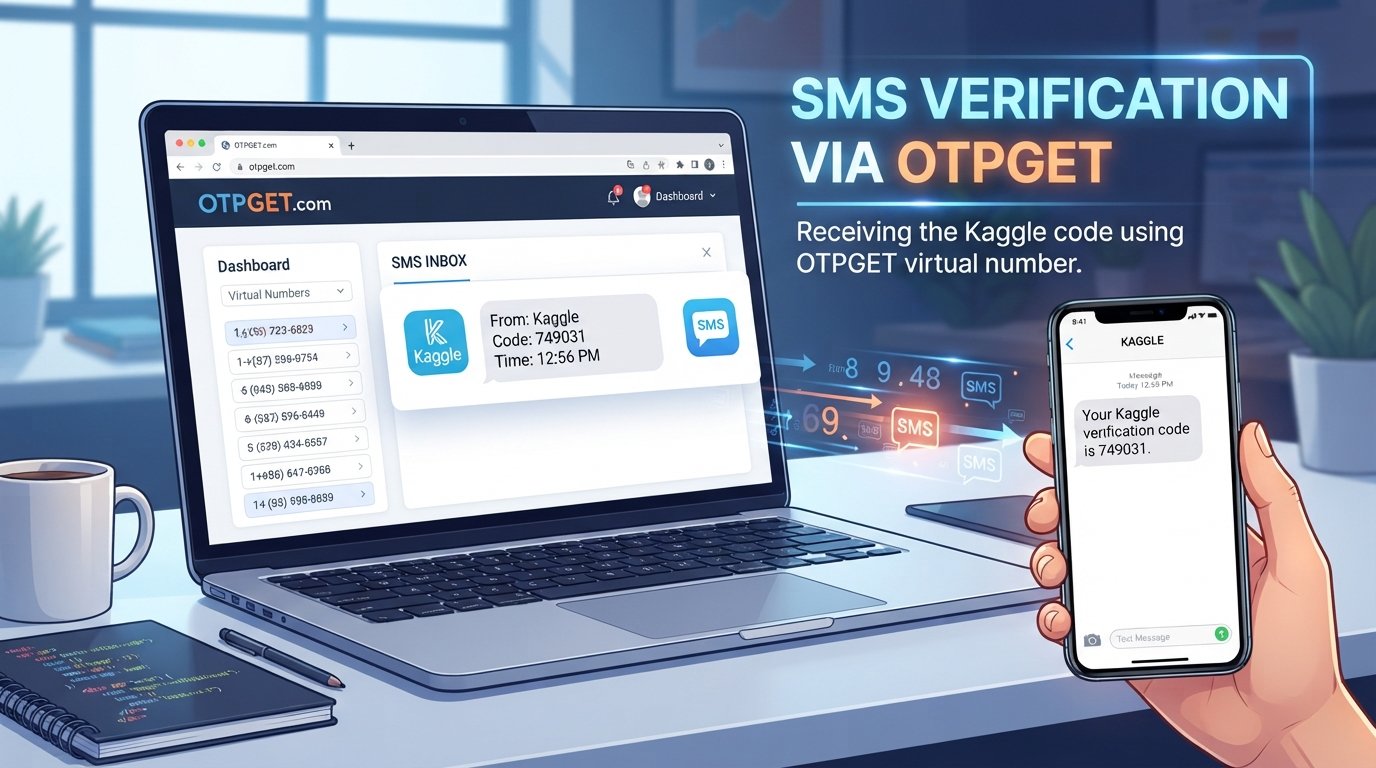
OTPGET provides virtual phone numbers for SMS OTP verification, along with rental numbers and developer-oriented OTP functionality. Its published documentation describes functionality for obtaining numbers and checking received SMS codes.
If Kaggle permits the use of a particular third-party number and that number is available through OTPGET, the general process can look like this:
-
Visit OTPGET and review the available verification options.
-
Select an appropriate number or verification option if one is available for the required service.
-
Follow OTPGET's instructions for obtaining the number.
-
Enter the provided number into Kaggle only if this type of verification method is permitted.
-
Request the Kaggle verification code.
-
Check the supported OTPGET interface for the incoming SMS.
-
Enter the received code into Kaggle.
-
Complete the verification process if Kaggle accepts the number and code.
OTPGET's documentation shows that its SMS system can provide an ordered number and allow the user to check the activation status for an incoming SMS code.
However, this does not mean that every OTPGET number will work with Kaggle. Third-party or virtual numbers can be rejected by individual platforms, and available numbers and supported services can change.
The safest approach is to treat OTPGET verification as a potential option rather than a guaranteed solution.
Why People Consider OTPGET for OTP Verification
There are several practical reasons a user might consider an OTP service.
Separating personal and service-related verification
A user may prefer not to use their everyday mobile number for every online registration. A separate verification number can keep that activity distinct from their personal communications.
Convenience
For a short-term verification requirement, obtaining a number through an online service can be more convenient than changing mobile carriers or troubleshooting a persistent SMS delivery problem.
Receiving SMS verification codes
OTPGET's published service information focuses on receiving SMS OTP messages through virtual numbers. Its documentation also describes temporary and rental-number functionality.
Temporary verification needs
Some verification situations are one-time events. In those cases, users may consider a temporary number instead of attaching their primary mobile number.
Still, convenience should not override platform rules. If Kaggle does not accept a particular number or verification method, the correct response is to use an officially supported alternative.
Things to Check Before Using an OTP Service
Before using a temporary phone number for OTP, take a few precautions.
Read Kaggle's current requirements
Check the verification instructions presented by Kaggle. Requirements can differ depending on the account, feature, or verification flow.
Make sure the method is permitted
Do not assume that every virtual number is acceptable. If Kaggle specifically requires a certain verification method, follow that requirement.
Protect your credentials
An OTP service should not require you to hand over your Kaggle password simply to receive an SMS. Never share your password unnecessarily.
Understand number reuse
Temporary and virtual numbers can have different histories and availability. A number may have been used previously, which can affect whether another platform accepts it.
Consider account recovery
A temporary number may not be suitable for long-term account recovery. If you expect to need the same number later, consider whether a rental or personally controlled number is more appropriate.
Avoid abusive uses
Do not use OTP services to impersonate another person, create fraudulent accounts, evade enforcement, or defeat anti-abuse controls. The goal should be legitimate access and verification.
OTPGET vs Using Your Personal Phone Number
Neither option is universally better. The right choice depends on Kaggle's requirements, your circumstances, and whether the verification method remains available for future account needs.
| Factor | Personal Phone Number | OTPGET |
|---|---|---|
| Personal number required | Yes | Depends on the available service |
| Convenience | Varies | Varies |
| SMS reception | Carrier-dependent | Service-dependent |
| Privacy considerations | Personal number is involved | Depends on provider practices |
| Platform acceptance | Depends on Kaggle | Depends on Kaggle |
| Long-term account recovery | Potentially easier | Depends on account requirements |
The biggest difference is control. A personal number is generally under your direct control, while a temporary or virtual number depends on the provider and its availability.
What If Kaggle Does Not Accept the Number?
If your Kaggle phone verification attempt fails, do not immediately assume that the number or account is permanently blocked.
Try these practical checks:
-
Confirm that the country and number format are correct.
-
Make sure the SMS has actually been requested.
-
Wait for a delayed message before requesting another code.
-
Check whether the verification code has expired.
-
Avoid making repeated failed requests.
-
Try another officially supported verification method if Kaggle offers one.
-
Review the verification instructions displayed in your account.
-
Contact Kaggle support if the automated process continues to fail.
Kaggle's support page specifically includes account activation, login, identity verification, and other account-related issues.
Kaggle community discussions also show that users can encounter phone-verification errors and that support may be the appropriate route when automated verification does not work.
If a third-party number fails, changing numbers repeatedly is not a substitute for following Kaggle's verification requirements.
Frequently Asked Questions
Can I create a Kaggle account without a phone number?
It depends on Kaggle's current account and verification requirements. Some account functions may be available without phone verification, while other features may require it. Do not assume that phone verification can always be skipped.
Can I log into Kaggle without phone verification?
A normal Kaggle login and account verification are not necessarily the same process. You may be able to sign in while still being asked to verify your account before using a particular feature.
How does Kaggle OTP verification work?
When phone verification is required, Kaggle can send a verification code to the phone number entered during the verification process. You then enter the received code into the appropriate verification field. Exact steps can vary.
Can OTPGET receive a Kaggle verification code?
OTPGET provides virtual numbers and SMS OTP functionality, but that does not guarantee that a particular number will receive or be accepted for a Kaggle verification request. Acceptance depends on Kaggle and the specific number.
Is using an online OTP service guaranteed to work with Kaggle?
No. An online OTP verification service cannot guarantee acceptance by another platform. Virtual and temporary numbers may be restricted, unavailable, recycled, or otherwise unsuitable for a particular verification flow.
What should I do if my Kaggle verification code does not arrive?
First, check the number and country code, wait briefly for delayed delivery, and avoid repeatedly requesting codes. If the problem continues, use Kaggle's official support resources or another supported verification method.
Is a temporary number suitable for long-term account recovery?
Not necessarily. A temporary number may be intended for a limited verification purpose and may not remain available later. For an account you expect to keep for a long time, consider the recovery requirements before choosing a verification method.
Final Thoughts
Getting Kaggle login without phone number is not simply a matter of finding a way around verification. The practical goal is to find a legitimate verification method that Kaggle accepts.
If you can use your personal number, that may be the simplest route. If you have a legitimate reason to use another number, an OTP service such as OTPGET can be an option worth investigating, provided the relevant verification method is permitted and available.
OTPGET's published documentation confirms that it offers virtual numbers and SMS OTP functionality, but neither OTPGET nor any third-party service can guarantee that Kaggle will accept a specific number.
Before proceeding, review Kaggle's current account and verification requirements, protect your credentials, and use only legitimate verification methods. If a third-party number does not work, Kaggle's official support channel is the appropriate next step.