Login to OTPGET: Manage Your Account, Balance & Orders
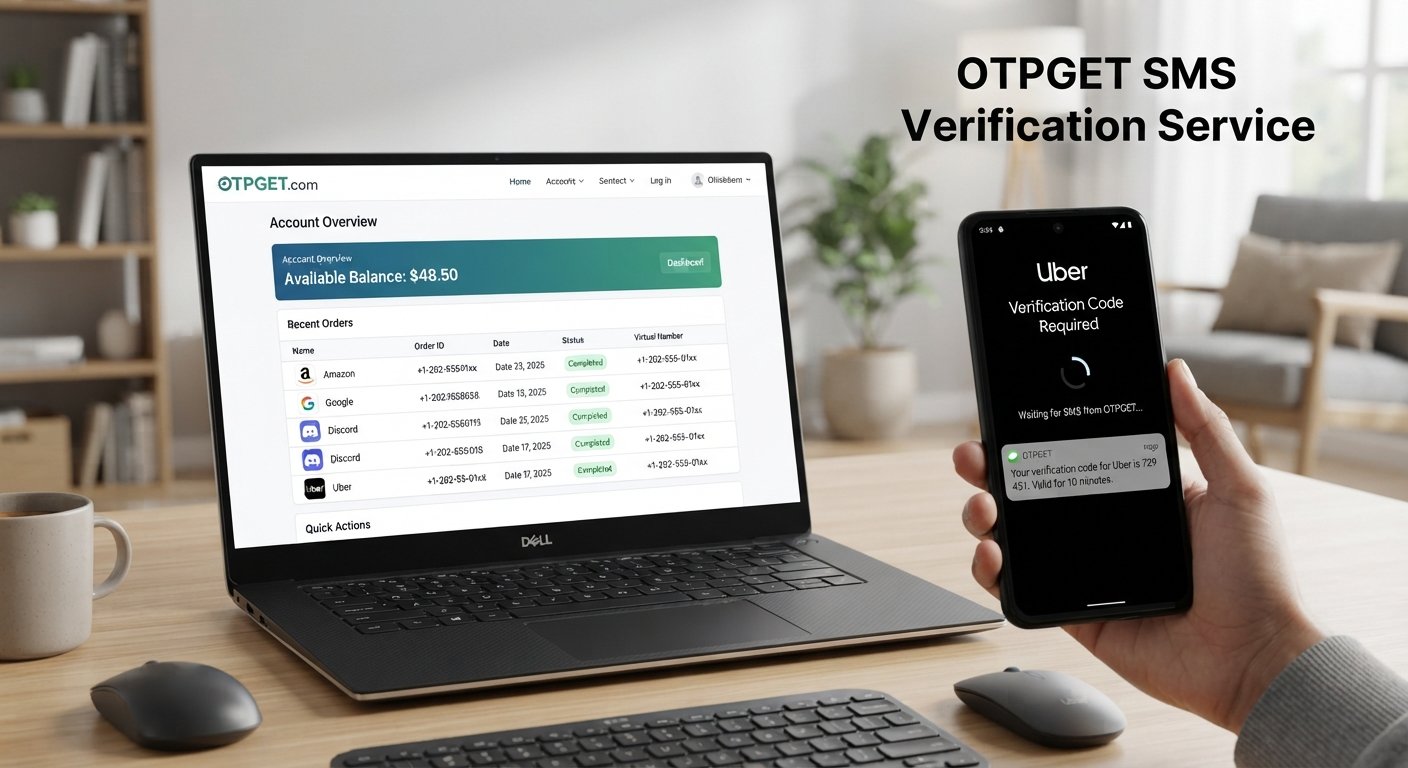
Login to OTPGET: Your Account, Balance and Orders
Managing an OTP or verification service is much easier when the important account information is accessible from one place. Whether you need to review your available balance, check previous orders, or understand how your verification services are being used, your account is the starting point.
That is where OTPGET can be useful. Instead of treating every verification request as a separate task, users can use their OTPGET account to access relevant account information and manage their activity from the available platform features.
For someone new to OTPGET, the login process and account dashboard may raise a few questions. Where do you log in? How do you check your balance? Where are previous orders shown? And what should you do if something does not appear as expected?
This guide explains the OTPGET login process, account management, balance checking, order history, and practical ways to use the platform more efficiently.
What Is OTPGET?
OTPGET is an OTP and verification service platform designed around online verification needs. Services in this category can be useful when a website or application requires a verification code delivered through SMS before an account or action can be confirmed.
An OTP, or one-time password, is a temporary verification code used to confirm an action or verify access. Depending on the service and account setup, users may work with concepts such as temporary phone numbers, virtual phone numbers, SMS verification, and receiving verification codes online.
The important point is that OTPGET provides an account-based way to manage relevant OTP services rather than requiring users to approach every task without an organized account view.
For legitimate verification use cases, having access to account information, available funds, and previous orders can make the overall process easier to understand and manage.
How to Login to OTPGET
The OTPGET login process should generally be straightforward. Because the exact interface can change, users should always follow the instructions displayed on the official OTPGET platform rather than relying on screenshots or third-party instructions.
A typical account login process involves these steps:
- Visit the official OTPGET login page.
Use the legitimate OTPGET platform rather than an unfamiliar website claiming to provide access to your account. - Enter your account credentials.
Provide the login information associated with your OTPGET account in the appropriate fields. - Complete any security or verification step shown.
If the platform presents an additional verification requirement, follow the instructions provided on the page. - Open your account dashboard.
After successful authentication, you should be able to access the account areas available to you. - Review your account information.
Once logged in, check that you are using the intended account before reviewing balance information or managing orders.
If the login screen or available account options differ from what you expected, rely on the current instructions displayed by OTPGET. Account options can vary depending on the platform's current setup and your account.
Understanding Your OTPGET Account
Your OTPGET account is the central place to manage the information and services available to you. For new users, the dashboard can initially seem like just another account page, but understanding its main areas can make routine tasks much faster.
Depending on your account setup, you may find areas related to:
- Account information
- Available balance
- Orders or order history
- Service management
- Account activity
- Relevant account settings
The dashboard is particularly useful because it brings key information together. Instead of trying to remember individual transactions or previous verification activity, you can check the information available within your account.
If you regularly use an online OTP service, making a habit of reviewing your account before and after important transactions can also help you stay organized.
How to Check Your OTPGET Balance
Your OTPGET balance is important because it helps you understand what resources are currently available in your account before placing an order or using a service.
To perform an OTPGET balance check, log in to your account and look for the account or dashboard area where your available balance is displayed. The exact wording or location may vary, so use the labels and instructions currently provided by OTPGET.
Checking your balance before an order can be useful for several reasons:
- Plan purchases: Know what is available before starting a new order.
- Avoid unnecessary interruptions: A quick balance check can help you identify whether additional funds may be needed.
- Track usage: Regular checks give you a clearer picture of how your account is being used.
- Make informed decisions: Knowing your available balance helps you decide when to place or postpone an order.
If your balance does not appear correctly, refresh the dashboard and confirm that you are signed into the correct account. If the issue continues, use the official OTPGET support or account-help options available through the platform.
How to Check OTPGET Orders and Order History
Your OTPGET orders can provide useful context about your previous activity. If you need to confirm what you ordered, review the status of an earlier request, or understand a previous transaction, the order history area is the natural place to start.
After logging in, check the dashboard or account navigation for an area related to orders or history. The precise layout may vary.
Depending on the information made available for your account, an order record may contain details such as:
- Order status
- Service or order information
- Transaction-related details
- Relevant timestamps
- Completed or pending activity
The purpose of checking your OTPGET order history is not simply to look at old transactions. It can also help you identify patterns, confirm previous activity, and keep your account organized.
If an order is missing, first confirm that you are signed into the account used to make the order. Then review the relevant history section and allow for any applicable account or platform updates before seeking official assistance.
Why Managing Your OTPGET Account Matters
A well-managed account makes an OTP service easier to use. When your account, balance, and orders are organized, you spend less time searching for information and more time focusing on the actual verification task.
Using OTPGET as a central account can provide practical advantages, including:
- Better visibility: Important account information is easier to review.
- Simpler account management: You can check relevant information from the same account.
- Faster order tracking: Previous orders can be reviewed when needed.
- Better purchasing decisions: Checking your balance before ordering helps you plan.
- Easier troubleshooting: Account and order information can help you understand what happened when something does not look right.
For frequent users, these small improvements can make a noticeable difference. The goal is not simply to have an account, but to use the information available through it effectively.
Common OTPGET Login and Account Questions
Forgot OTPGET login details
If you cannot remember your OTPGET login information, avoid repeatedly entering guesses. Look for the official account-recovery or help instructions provided by OTPGET. If no suitable option is available, use the platform's official support route for account-specific assistance.
OTPGET balance is not showing
First, refresh the account dashboard and confirm that you are logged into the correct account. If the balance still does not appear or looks incorrect, check the available account information and contact official OTPGET support if necessary.
An OTPGET order is not appearing
Check the order or history section and make sure you are using the same account associated with the order. If the order remains unavailable, use the official assistance options provided by OTPGET.
Login is not working
Check that your credentials have been entered correctly. You can also try refreshing the page, checking your internet connection, or using a suitable browser. If the problem continues, follow the official OTPGET support instructions.
Tips for Using OTPGET More Efficiently
A few simple habits can make OTPGET account management easier:
- Keep your login information private and secure.
- Check your balance before placing an order.
- Review your order history regularly.
- Make sure you are using the correct account before purchasing services.
- Keep account information updated when applicable.
- Follow the instructions shown on the official OTPGET platform.
- Review relevant order information if you need to troubleshoot an issue.
- Contact official support when an account-specific problem cannot be resolved through the available account options.
Good account management is especially useful when you rely on verification services regularly. Rather than treating balance and order information as an afterthought, make them part of your normal workflow.
Why OTPGET Can Be a Convenient Solution
The main advantage of an account-based OTP service is organization. When users need verification services repeatedly, having a central place to manage available information can be more convenient than handling each request without a clear account overview.
OTPGET brings the focus back to practical account management. You can log in, review the information available to your account, check your balance, and look through orders when needed.
That matters because verification workflows often involve several small steps. You may need to confirm that your account has sufficient balance, select an appropriate service, review an existing order, or check previous activity. Having these elements accessible through an account can make the process easier to follow.
OTPGET can therefore be a practical solution for users who want a structured way to manage OTP-related services and account activity.
The best approach is to use the platform responsibly, follow its current instructions, and rely on the official OTPGET interface for account-specific information. Available options may vary depending on your account and the services currently offered.
FAQ
How do I login to OTPGET?
Visit the official OTPGET login page, enter the credentials associated with your account, complete any security step shown, and access the available account dashboard.
How can I check my OTPGET balance?
Log in to your OTPGET account and review the account or dashboard area where available balance information is displayed. The exact location may vary.
Where can I find my OTPGET orders?
After logging in, look for the orders, history, or related account section available on the OTPGET platform. Use the information shown there to review relevant activity.
What can I manage from my OTPGET account?
Depending on your account setup, you may be able to review account information, balance, orders, activity, and available service-management options.
What should I do if I cannot login to OTPGET?
Check your login credentials, refresh the page, and verify your internet or browser connection. If the issue continues, follow the official OTPGET account-recovery or support instructions.
Why should I check my OTPGET order history?
Order history can help you review previous activity, check order status, understand transaction details, and keep track of services you have used.
Is OTPGET useful for online verification?
OTPGET is designed around OTP and verification service use cases. Depending on the service available to your account, it may support legitimate verification workflows involving OTPs or SMS verification.
How can I manage my OTPGET account?
Start by logging in and reviewing the account dashboard. Regularly checking your balance, orders, and available account information can help you manage the account more effectively.
Final CTA
If you use OTP-related verification services, keeping your account information organized can make the entire process easier. Log in to your OTPGET account, review your available balance, check your orders, and make the most of the account tools available to you.


