Mail.ru OTP Number: Receive Verification Code Online Now
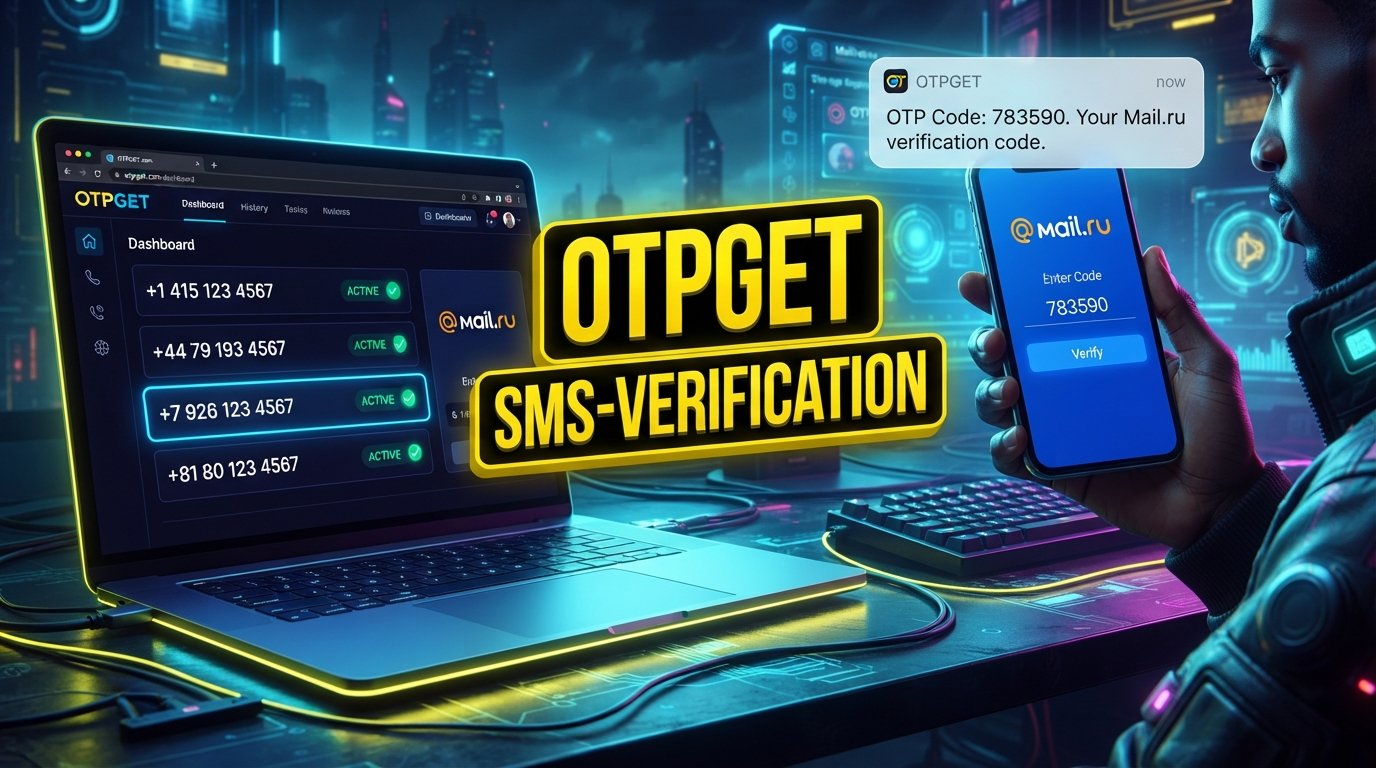
Mail.ru OTP Number – Receive Verification Code
Phone verification can be a straightforward step until the SMS you need fails to arrive. A delayed message, an incorrectly entered number, network problems, or an incompatible phone number can quickly turn a simple verification process into a frustrating experience.
If you are looking for a Mail.ru OTP number, the basic goal is simple: have access to a suitable phone number that can receive the required SMS verification code, then enter that code in the appropriate Mail.ru verification screen.
There are several ways users may handle SMS verification, depending on their circumstances. A personal mobile number is the traditional option, while a temporary or virtual phone number can be useful in situations where the relevant service accepts it.
For users exploring an online option, OTPGET provides virtual and rental phone numbers intended for supported SMS OTP verification workflows. Its documentation describes a process for obtaining a number and checking its activation status for an incoming SMS.
The important point is to choose a legitimate verification method and follow Mail.ru's applicable requirements.
What Is a Mail.ru OTP Number?
An OTP, or one-time password, is a temporary code used to confirm that a person has access to a particular verification channel.
In an SMS-based process, the general flow looks like this:
- A service requests a phone number.
- The user provides an eligible number.
- The service sends an SMS containing a verification code.
- The user enters the code into the relevant verification field.
- The service checks the code and continues the appropriate process.
A Mail.ru OTP number simply refers to a phone number being used to receive an OTP associated with a Mail.ru verification process.
The number itself is not the OTP. Instead, it is the destination through which the SMS verification code may be delivered.
Depending on the verification flow, users may use their normal mobile number or, where accepted, a Mail.ru temporary number, virtual number, or other SMS verification number.
Because verification requirements can vary, users should always follow the instructions displayed by Mail.ru rather than assuming that every phone number type will be accepted.
Why Do You Need a Mail.ru Verification Code?
A verification code can be used as an additional confirmation step when a service needs to verify access to a phone number.
Depending on the particular account or security flow, phone verification may be associated with activities such as registration, login confirmation, account security checks, or other actions requiring verification.
This does not mean that every Mail.ru account action necessarily requires an SMS OTP.
If an SMS verification step is presented, the Mail.ru verification code normally needs to be entered exactly as provided. The code may be time-sensitive, so using the most recent valid code is generally preferable.
For someone searching for Mail.ru SMS verification, the key requirement is therefore access to an eligible number capable of receiving the requested message.
Common Problems When Receiving a Mail.ru OTP
Not receiving an SMS does not necessarily mean something is wrong with the account. Several ordinary issues can affect SMS delivery.
SMS delays
Mobile networks and messaging systems can occasionally experience delays. Waiting briefly before requesting another code can be better than repeatedly submitting requests.
Incorrect number entry
A single incorrect digit can send the SMS somewhere else. Always review the number and country information before submitting it.
Network or carrier issues
Poor network conditions, carrier filtering, roaming limitations, or temporary service problems can interfere with SMS delivery.
Number compatibility
Not every virtual, temporary, VoIP, or online number is accepted by every verification system. A number may be technically capable of receiving SMS but still not be accepted for a particular verification process.
Repeated verification attempts
Requesting multiple codes in quick succession can make the process confusing because an earlier code may arrive after a newer one. Follow the on-screen instructions and avoid unnecessary repeated requests.
How to Receive a Mail.ru Verification Code
If Mail.ru presents an SMS-based verification step, the general process is straightforward.
- Start the relevant Mail.ru verification process.
Follow the instructions shown on the official Mail.ru interface. - Enter an eligible phone number.
Use your personal number or another number that Mail.ru accepts for the particular verification flow. - Request the verification SMS.
Submit the phone number and wait for the message. - Receive the OTP.
Check the relevant phone or SMS receiving service for the verification message. - Enter the latest valid code.
Carefully enter the OTP into the appropriate Mail.ru field. - Complete verification.
Continue according to Mail.ru's instructions.
If you choose an online SMS solution, make sure the service and number are appropriate for legitimate use and are accepted by the verification flow.
Why Use OTPGET for Mail.ru OTP Verification?
For users who do not want to rely on their personal mobile number, an online verification number can be a convenient alternative when the relevant platform accepts it.
OTPGET is designed around virtual phone numbers, SMS OTP reception, and longer-term number rentals. Its published documentation describes obtaining a virtual number for an SMS service and checking the activation status to see whether a verification message has arrived.
That makes OTPGET relevant to people searching for a temporary phone number for Mail.ru, a virtual phone number for verification, or a way to receive SMS online.
Potential advantages include:
- Convenient access to virtual verification numbers where available
- A straightforward SMS verification workflow
- Online access to incoming verification messages
- Options involving temporary or longer-term virtual numbers
- A practical alternative when using a personal number is not preferred
Availability can vary by service, country, number type, and the verification system being used. OTPGET does not guarantee that a particular Mail.ru verification request will accept a specific number or that an SMS will always be delivered.
The safest approach is to use OTPGET only for legitimate verification purposes and to follow Mail.ru's applicable requirements.
How to Use OTPGET to Receive a Mail.ru OTP
The exact OTPGET interface can change, so users should rely on the current options shown on the platform. At a general level, the workflow is:
- Visit OTPGET.
Open the OTPGET platform and review the currently available verification options. - Choose an appropriate number or service.
Select a suitable virtual or temporary verification number where available. - Use the number in the Mail.ru verification process.
Enter the provided number only where the Mail.ru verification flow permits it. - Request the SMS code.
Complete the normal Mail.ru verification step. - Monitor OTPGET for the incoming message.
OTPGET's documented SMS workflow includes checking the activation status for a received code. - Enter the verification code.
Copy the legitimate OTP into the appropriate Mail.ru verification field. - Complete the process.
If the number is accepted and the SMS arrives successfully, follow the remaining Mail.ru instructions.
If a suitable number is unavailable or the verification service does not accept it, do not repeatedly attempt to bypass the restriction. Instead, use an eligible number or another verification method offered by Mail.ru.
Mail.ru OTP Number vs. Regular Phone Number
The right choice depends on what you need the number for and how long you need access to it.
| Consideration | Personal Phone Number | Temporary/Virtual Number |
|---|---|---|
| Convenience | Familiar and always available if your phone is with you | Convenient when an appropriate number is available |
| SMS reception | Uses your normal mobile service | Depends on the number and supported service |
| Privacy considerations | Directly associated with you | Can provide separation from your personal number |
| Long-term access | Usually strong | May be limited for temporary numbers |
| Reusability | Usually under your control | Depends on the service and number type |
| Account recovery | Often preferable when long-term access matters | Requires careful consideration of future access |
A temporary number is not automatically safer or more secure. Its suitability depends on the verification service, the number's availability, and whether you will need the number again.
For important accounts, retaining access to the phone number used for recovery or security purposes can be particularly important.
Tips for Receiving a Mail.ru SMS Verification Code
If you are waiting for a Mail.ru SMS code, these practical steps can help:
- Double-check the phone number before requesting the code.
- Confirm that the number can receive incoming SMS.
- Wait briefly before requesting another OTP.
- Avoid repeatedly requesting codes in rapid succession.
- Make sure the selected online number is currently available.
- Use the newest valid OTP if multiple messages arrive.
- Follow the exact instructions shown by Mail.ru.
- Check your phone's blocked or filtered SMS settings when relevant.
- Keep the verification code private.
- Never share an OTP with another person.
If the message still does not arrive, consider whether the number is compatible with the particular verification process before trying again.
Is a Temporary Number Suitable for Mail.ru?
It can be suitable in some circumstances, but there is no universal guarantee.
A temporary number for verification may be convenient when you need to receive an SMS without using your primary mobile number. However, Mail.ru may determine which numbers are accepted during a particular verification flow.
Before using a temporary or virtual number, consider:
- Whether Mail.ru accepts that type of number
- Whether you may need the number again later
- Whether account recovery could depend on continued access
- Whether the number can be reused or reassigned
- Whether the verification method complies with applicable service rules
- Whether a personal number would be more appropriate for a long-term account
For one-time verification scenarios, an available SMS verification number can be convenient. For accounts where recovery access matters, maintaining reliable access to the associated number deserves greater consideration.
Why OTPGET Can Be a Convenient Choice
Someone searching for a Mail.ru verification number is usually looking for a practical way to receive an SMS code without unnecessary complexity.
OTPGET can be useful in that context because its platform focuses on virtual numbers and SMS OTP reception. Its documentation describes both one-time SMS number workflows and rental-number options, allowing users to select an approach based on their needs and availability.
The main value is convenience: instead of depending exclusively on a physical SIM card, users can explore an online verification number where a suitable option is available.
If you need a temporary or virtual phone number for a legitimate verification process, you can explore OTPGET and check which relevant options are currently available. OTPGET
Frequently Asked Questions
What is a Mail.ru OTP number?
A Mail.ru OTP number is a phone number used to receive an SMS containing a one-time verification code during a supported Mail.ru verification process.
How can I receive a Mail.ru verification code?
Use an eligible phone number in the verification process, request the SMS, wait for the code, and enter the latest valid OTP in the appropriate field.
Can I receive a Mail.ru OTP online?
An online SMS service may allow you to receive a verification message through a virtual number where the relevant Mail.ru verification flow accepts that number type.
Can I use a temporary number for Mail.ru verification?
Potentially, depending on the verification process and whether Mail.ru accepts the particular number. Temporary numbers should not be treated as guaranteed to work.
What should I do if my Mail.ru SMS code does not arrive?
Check the number, wait before requesting another code, confirm that the number can receive SMS, and follow Mail.ru's on-screen troubleshooting instructions. Repeated requests should be avoided.
Is OTPGET useful for receiving verification codes?
Yes, OTPGET provides virtual and rental numbers intended for supported SMS OTP verification workflows. Availability and acceptance can vary by service and number.
Does every Mail.ru verification request require an SMS OTP?
No. Verification requirements can depend on the particular account action, security flow, and instructions presented by Mail.ru.
Should I keep access to the number used for account recovery?
Yes. If a number may be needed for future recovery or security checks, maintaining reliable access to it can be important. A temporary number may not be appropriate for every long-term account.
Final Thoughts
Receiving a Mail.ru OTP should be a simple verification step, but SMS delays, number compatibility, and network issues can sometimes make the process more complicated than expected.
The key is to use an eligible number, follow Mail.ru's instructions, wait for the verification SMS, and enter the correct code without sharing it with anyone else.
For users who need an online option, OTPGET can be a convenient solution for accessing virtual or temporary numbers intended for supported SMS verification workflows. Availability and acceptance vary, so it is important to choose a suitable option and use it within the applicable service requirements.
If you are looking for a Mail.ru temporary number, a virtual phone number, or a way to receive verification SMS online, explore the available options through OTPGET and choose the solution that fits your legitimate verification needs.
8. Suggested Internal Links
- OTP verification — Link to a general guide explaining one-time passwords and verification workflows.
- Temporary phone numbers — Link to a page explaining temporary number use cases and considerations.
- Receive SMS online — Link to a guide covering online SMS reception.
- Virtual numbers for verification — Link to a page explaining virtual phone numbers for legitimate verification.
- SMS verification services — Link to an overview of SMS-based verification options.
- Online OTP numbers — Link to a guide explaining how online OTP numbers work.
- How SMS verification works — Link to an educational article covering the SMS verification process.
- Temporary SMS numbers — Link to a comparison or guide covering temporary SMS number considerations.


