Member Login with OTPGet Virtual Numbers for Simple Verification
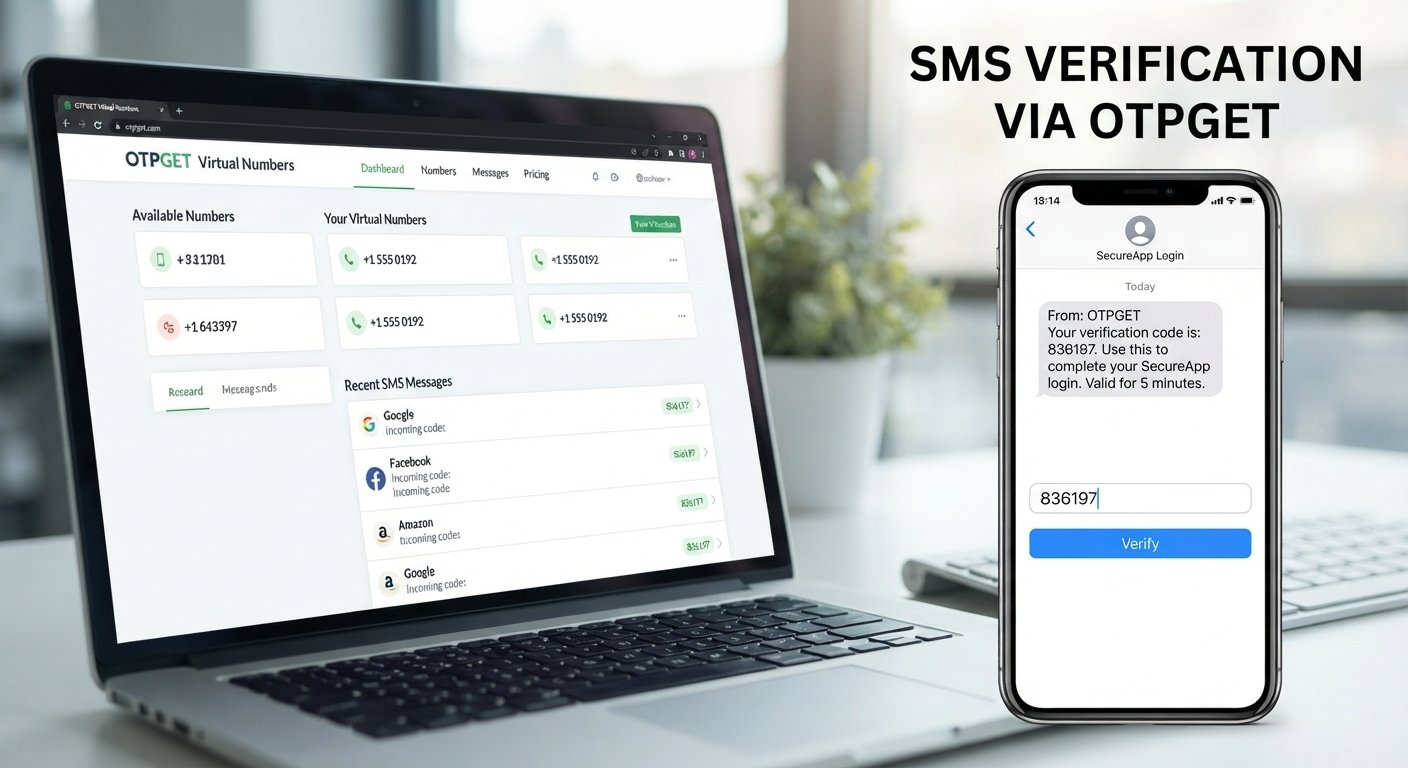
Member Login | OTPGet Virtual Numbers
Logging into an online account should be straightforward. Yet many platforms add a verification step that requires a phone number and a one-time password before access is completed.
That extra step serves an important purpose, but it can become inconvenient when you do not want to use your personal number, need a separate number for online activities, or simply need an alternative option for a supported SMS verification workflow.
This is where OTPGet Virtual Numbers can be useful. A virtual phone number provides an alternative way to handle supported SMS and OTP verification tasks without necessarily tying every online account to your personal mobile number.
Whether you are completing member login, registering for a supported service, or receiving a verification code, OTPGET offers a practical option to consider.
What Is Member Login Verification?
Member login verification is a process used to confirm that the person attempting to access an account is authorized to do so.
Instead of relying only on a username and password, a platform may send a one-time password, commonly called an OTP, to a registered phone number. The user enters that code to complete the login or verification process.
A typical SMS-based login flow looks like this:
- You enter your account credentials or start a registration process.
- The platform requests phone number verification.
- An SMS containing a verification code is sent to the number.
- You enter the code on the platform.
- The login, registration, or account verification process continues if the code is accepted.
This approach adds another authentication step and can help a platform confirm control of the phone number associated with an account.
However, not everyone wants to use a personal number for every online service. A virtual number for verification can provide an alternative where the target platform supports it.
Why Are OTPs Important for Account Login?
A one-time password is designed to be used for a particular verification event rather than serving as a permanent password.
For member login and account access, OTP verification can provide several practical benefits:
- Additional authentication: An OTP adds another step beyond entering a username and password.
- Phone number confirmation: Receiving an SMS code can help a service confirm control of a submitted number.
- Account registration: Some platforms require phone verification before an account can be created.
- Login verification: An OTP may be requested when signing in or completing a particular account action.
- Simple user experience: SMS OTP can be familiar and easy to understand for many users.
An OTP is not a guarantee that an account cannot be compromised. Users should still follow good security practices, use strong passwords where applicable, and never share verification codes with other people.
What Is a Virtual Phone Number?
A virtual phone number is a phone number that is provided through an online service rather than being directly tied to a traditional physical SIM in the same way as a personal mobile number.
Depending on the service and intended use, virtual numbers can receive SMS messages and may be used for supported verification workflows.
For example, someone might use a virtual number to:
- Receive an account verification code
- Complete supported SMS verification online
- Separate personal communications from online services
- Test supported registration or verification workflows
- Avoid unnecessarily sharing a personal phone number when an alternative is appropriate
A virtual number is not automatically suitable for every platform. Some websites and applications may restrict certain types of numbers or may require a specific kind of phone number.
That is why compatibility should always be checked before starting a verification process.
OTPGET Virtual Numbers: A Simple Verification Solution
OTPGET Virtual Numbers are designed around practical online number use cases, including supported SMS and OTP verification workflows.
For someone completing member login or account verification, the appeal is simple: instead of automatically using a personal phone number, you can consider a separate virtual number where the service and target platform allow it.
OTPGET can be useful when you need:
- A virtual number for SMS
- An option for supported OTP verification
- A separate number for online activities
- A practical way to receive verification messages
- Greater separation between personal communications and online account activity
The key is to use the number for legitimate, supported purposes. OTPGET should not be viewed as a universal solution for every website or application. Compatibility can vary by platform, number type, location, and verification requirements.
For supported workflows, however, a dedicated virtual number can make the verification process more convenient and organized.
How OTPGET Virtual Number Verification Works
The process is generally straightforward when the target service accepts the type of virtual number being used.
- Choose an appropriate virtual number. Select a number through the applicable OTPGET service based on your verification needs.
- Enter the number on the supported platform. Use the virtual number where the website or application requests a phone number.
- Request the OTP. Start the SMS verification process on the target service.
- Receive the SMS. Check the applicable OTPGET interface for the incoming verification message.
- Enter the verification code. Copy the OTP into the relevant verification field.
- Complete the process. If the code is accepted, continue with the member login, registration, or account verification workflow.
If a platform does not accept a particular virtual number, repeatedly requesting codes is unlikely to solve the underlying compatibility issue. In that situation, check the platform's requirements and use an appropriate supported number.
Benefits of Using OTPGET for Member Login
Convenience
A separate virtual number can make supported verification workflows easier to manage, particularly when you do not want to use your personal mobile number for every online service.
Privacy Separation
Using a separate number can help create a clearer boundary between personal communications and certain online activities. This can be useful when sharing a personal number is unnecessary or undesirable.
Flexible Verification
Having access to virtual numbers gives users another option for supported account verification and SMS-based login processes.
Simple SMS Access
When compatible, receiving an OTP through an online service can make the verification process easier to manage without relying on a personal mobile inbox.
Streamlined Account Access
A clear verification process can reduce unnecessary friction when completing supported member-login workflows. The goal is not to bypass security, but to provide a practical number option for legitimate verification.
OTPGET vs. Using Your Personal Number
Both approaches have legitimate uses. The better choice depends on the platform, the type of verification required, and how you prefer to manage your communications.
| Factor | Personal Number | OTPGET Virtual Number |
|---|---|---|
| Personal number exposure | Your personal number is provided to the service | A separate virtual number may reduce the need to share your personal number |
| Verification use | Commonly used for SMS and phone verification | Useful for supported SMS and OTP verification workflows |
| Separation from personal communications | Limited separation | Provides a separate number for applicable online activities |
| Convenience | Convenient when your personal number is readily available | Convenient when a compatible virtual number is appropriate |
| Suitable use cases | Personal accounts and services that require your regular number | Supported verification, online activities, and applicable temporary workflows |
Neither option should be treated as universally better. Always consider the requirements and policies of the platform you are using.
When Should You Use a Virtual Number for Verification?
A virtual number can be useful when there is a legitimate reason to keep an online verification activity separate from your personal phone number.
Common situations include:
- Separating personal and online activities
- Completing supported SMS verification
- Protecting personal contact details where an alternative is appropriate
- Testing supported registration workflows
- Managing online accounts that require phone verification
- Receiving a verification code without unnecessarily using your primary number
For temporary or one-time workflows, a temporary virtual number may also be appropriate when the target service supports that type of number.
Always follow the terms, account policies, and verification requirements of the website or application you are using. A virtual number should be used as a legitimate verification option, not as a way to circumvent platform rules.
Tips for a Smooth OTP Verification Experience
A few simple habits can prevent common verification problems.
- Check compatibility first. Make sure the target service accepts the type of virtual number you plan to use.
- Enter the number correctly. A single incorrect digit can prevent the SMS from reaching the intended number.
- Wait before requesting another code. If an OTP has already been sent, give it time to arrive before requesting a new one.
- Check the OTP interface carefully. Look for the latest incoming verification message.
- Enter the code promptly. Verification codes may expire after a limited period.
- Follow the platform's rules. Use the number only for permitted activities.
- Avoid repeated requests. Multiple OTP requests can sometimes make it harder to know which code is currently valid.
Good verification habits are often more valuable than simply requesting another code.
Why Choose OTPGET for Virtual Number Verification?
When you need a practical alternative to your personal phone number, OTPGET provides a straightforward option to explore for supported virtual-number verification workflows.
Its value is centered on practical needs: access to virtual numbers, SMS-based verification use cases, and separation between personal contact information and certain online activities.
For users looking for an OTP number, SMS verification number, or virtual SMS number, OTPGET can be considered when the target service supports the relevant number type.
The most important consideration is compatibility. OTPGET should be used where the target platform permits virtual numbers and where the verification workflow is supported.
That balanced approach makes virtual numbers useful without turning them into a one-size-fits-all solution.
Frequently Asked Questions
What is OTPGET?
OTPGET is a service associated with virtual numbers that can be useful for supported SMS and OTP verification workflows. Users can consider OTPGET when they need a separate number for applicable online verification activities.
What is an OTPGET virtual number?
An OTPGET virtual number is a virtual phone number that can be used for supported SMS-based verification purposes. It provides an alternative to using a personal mobile number when the target service accepts the number.
Can I use a virtual number for member login?
Yes, a virtual number can be used for member login when the platform accepts that type of number and supports SMS or OTP verification through it. Compatibility varies between services.
How does SMS OTP verification work?
SMS OTP verification works by sending a one-time verification code to a phone number. The user receives the code and enters it into the relevant verification field to continue the login, registration, or account verification process.
Can I receive verification codes online?
You can receive verification codes online through a compatible virtual-number service such as OTPGET when the target platform supports the number and SMS verification workflow.
Why use a virtual number instead of a personal phone number?
A virtual number can help separate personal communications from certain online activities. It may also be useful when you want an alternative number for supported verification without unnecessarily sharing your personal contact number.
Is OTPGET suitable for every verification service?
No service should be assumed to work with every platform. Some websites and applications may restrict virtual numbers or require specific number types. Always check compatibility before starting verification.
How do I use an OTPGET virtual number?
Choose an appropriate OTPGET virtual number, enter it on a supported platform, request the verification SMS, receive the code through the applicable service, and enter the code on the platform to complete the verification process.
Conclusion: Make Supported Member Login Verification More Practical
Member login often depends on a simple but important step: verifying a phone number with an SMS OTP.
For users who prefer not to use their personal number for every online activity, a virtual phone number can provide a practical alternative. It can help separate personal communications, support appropriate verification workflows, and make certain online account processes easier to manage.
OTPGET Virtual Numbers offer an option for users who need a virtual number for supported SMS and OTP verification. Whether you are completing account verification, receiving a verification code, or handling a supported member-login workflow, OTPGET can be a practical solution to explore.
Choose a suitable virtual number, check that the target service supports it, and use it according to the platform's rules.
Ready to explore a simpler option for supported SMS verification? Explore OTPGET Virtual Numbers and find a number that fits your verification needs.


