Need an OTP Code? Get It Here in Seconds With OTPGET Online
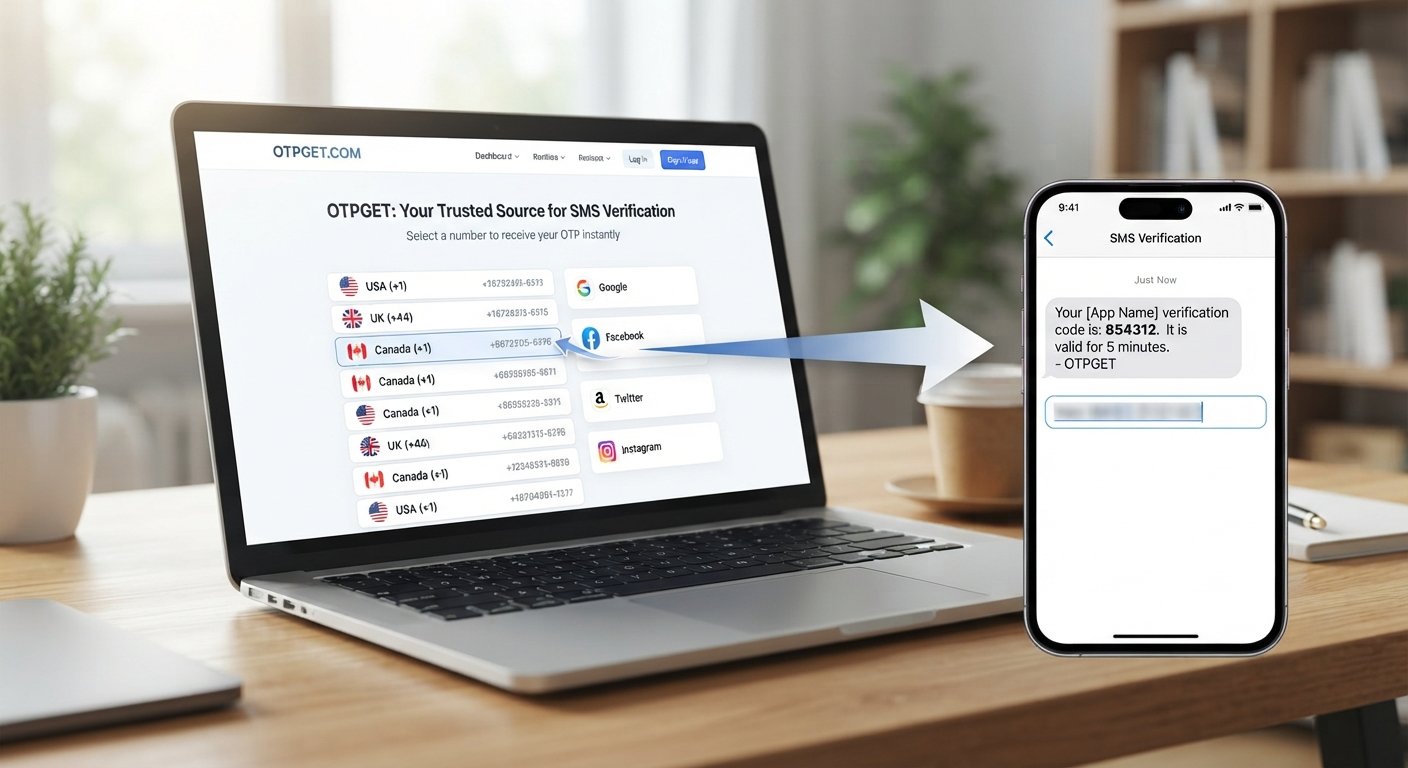
Need an OTP Code? Get It Here in Seconds With OTPGET Online
Waiting for a verification code can be surprisingly frustrating. You enter your phone number, request an OTP, and then... nothing. A message may arrive late, the code may expire, or you may have to request another one before you can continue.
If you need an OTP code for a legitimate verification process, having a straightforward way to handle that step can make the experience much easier. OTPGET can be a convenient option for users looking to simplify the process of obtaining an OTP code where the service supports their verification need.
But what exactly is an OTP? Why do codes sometimes fail to arrive? And what should you look for when choosing an OTP solution?
Let's break it down.
What Is an OTP Code?
OTP stands for One-Time Password. It is a temporary verification code used to confirm that a person is authorized to complete a particular action.
Unlike a traditional password that may remain unchanged for a long time, an OTP is generally designed for a single verification attempt or a limited period. Once it is used or expires, it normally cannot be reused for the same verification step.
You may encounter an OTP code when:
- Creating an online account
- Verifying a phone number
- Confirming a login
- Activating a service
- Completing account recovery
- Confirming a sensitive action
- Testing an application where temporary verification is permitted
An OTP may be delivered through SMS, email, an authenticator application, or another supported verification method. When people refer to an "OTP code" in everyday use, they often mean the short verification number sent to a phone during an online verification process.
The basic idea is simple: the service sends a temporary code, you enter that code in the appropriate verification field, and the service checks whether it matches.
Why Do You Need an OTP Code?
Many online services use OTP verification as an additional way to confirm control of a phone number, account, or other communication channel.
For example, you might be registering for a service and need to complete phone number verification before your account can be activated. A website may send an SMS OTP to the number associated with the verification request.
Other situations include:
- Account registration: Confirming a phone number during signup.
- Login verification: Providing an additional verification step when signing in.
- Service activation: Confirming contact information before using a service.
- Account recovery: Helping verify an authorized user during a recovery process.
- Application testing: Using temporary verification where the application and test environment explicitly permit it.
An OTP is therefore not simply another password. It is part of a particular verification workflow.
The important distinction is authorization. You should only use an OTP service for accounts, phone numbers, applications, and verification processes you are permitted to access.
Common Problems When Waiting for an OTP
If you've ever needed a verification code urgently, you know that a small delay can become a major inconvenience.
Here are some of the most common OTP-related problems.
The OTP Doesn't Arrive
Sometimes an expected SMS or verification message simply does not show up. Network conditions, message delivery issues, service-side delays, or an incorrectly entered phone number can all contribute to the problem.
The Code Arrives Too Late
An OTP may have a limited validity period. If the message arrives after the code has expired, you'll need to request another verification code.
You Entered the Wrong Number
A simple typo can send the OTP somewhere other than where you expect it. Always check the number or contact information before starting verification.
Too Many Attempts
Repeatedly requesting codes can sometimes create additional friction. A service may temporarily restrict further attempts or require you to wait before trying again.
The Verification Code Has Expired
OTP codes are intentionally temporary. If you take too long to enter one, it may no longer work.
These problems are exactly why convenience matters when dealing with an OTP verification process.
OTPGET: A Simple Solution for Getting an OTP Code
When the goal is simply to complete a legitimate verification workflow without unnecessary complications, OTPGET can be a practical option to consider.
OTPGET is positioned around the straightforward need to obtain an OTP code and use it as part of an authorized verification process. Instead of treating OTP verification as a complicated technical task, the focus is on making the process easier to understand and navigate.
With OTPGET, users can look for a straightforward way to handle an OTP request where the service and verification workflow support it.
That can be particularly useful when you're dealing with a temporary verification requirement and want to avoid unnecessary confusion.
The important point is to keep expectations realistic. OTP availability can depend on the particular verification workflow, service, and circumstances involved. OTPGET should therefore be used according to the options and instructions actually presented by the service.
For legitimate verification needs, the goal is simple: get the appropriate OTP code, enter it into the authorized verification process, and continue.
How to Get an OTP Code With OTPGET
The exact options and steps available can vary depending on the OTPGET interface and the verification requirement. In general, the process can be approached in a few simple stages:
- Visit OTPGET.
Start by accessing the OTPGET service through its official interface. - Choose the appropriate available option.
Select the option that corresponds to your legitimate verification requirement. - Follow the displayed instructions.
Review the information provided on the page and enter only the details required for the verification process. - Request or receive the OTP where supported.
Follow the available process for obtaining the verification code. - Enter the OTP in the authorized service.
When the code is available, enter it into the legitimate website or application that requested the verification. - Complete verification.
If the code is valid and the verification process accepts it, continue with the remaining steps provided by the service.
Because OTP workflows can differ, it is better to follow the actual instructions displayed by OTPGET rather than assume that every verification request works in exactly the same way.
What Makes a Good OTP Solution?
Not every OTP experience feels the same. When evaluating an OTP solution, several practical factors are worth considering.
Ease of Use
The process should be understandable without requiring unnecessary technical knowledge. Clear instructions can make a significant difference when you're already trying to complete another task.
Speed
When a verification code is time-sensitive, waiting can be frustrating. A solution that makes the process straightforward can help reduce unnecessary delays, subject to the delivery and verification conditions involved.
Clear Information
Users should be able to understand what they are expected to do next. Confusing instructions can turn a simple verification step into a much longer process.
Appropriate Use
A useful OTP service should be used for legitimate, authorized verification purposes. Convenience should never come at the expense of responsible account access.
Transparency
Users should understand what they are doing, what information is being requested, and where the resulting OTP should be entered.
OTPGET fits naturally into this discussion because it focuses on the practical need for obtaining an OTP code. Rather than overcomplicating the process, users can explore the available OTPGET options and follow the instructions relevant to their verification requirement.
OTP Code vs. Other Verification Methods
OTP verification is only one method used to confirm identity or control of an account.
Email verification sends a confirmation code or link to an email address. It can be convenient when email access is already established.
Authenticator apps generate time-based codes directly within an application. They can be useful for users who have already configured an authenticator.
Passwords remain one of the most common authentication methods, but a password is generally intended for repeated use rather than one-time verification.
Push notifications can allow a user to approve a login or action directly through a trusted device.
Security keys use a physical device to provide a strong authentication factor for supported services.
OTP codes remain useful because they can provide a relatively simple, temporary verification step without requiring the user to remember another permanent password.
Tips for Using OTP Codes Safely
Convenience is important, but responsible use matters just as much.
Keep these guidelines in mind whenever you receive or use an OTP:
- Never share an OTP with someone who should not have access to it.
- Only enter verification codes on legitimate websites or applications.
- Check the website or domain before submitting an OTP.
- Be cautious of unexpected requests asking you to disclose a verification code.
- Do not use OTP services to bypass security controls or gain unauthorized access to an account.
- Follow the rules and terms of the service you're trying to verify.
- If an OTP expires, request a new one through the appropriate verification process rather than trying to reuse an old code.
An OTP is intended to support a specific verification process. Treat it as sensitive information while it is valid.
Frequently Asked Questions
What is an OTP code?
An OTP code is a temporary one-time password used to verify an action such as account registration, login, phone-number verification, or service activation.
How quickly can I get an OTP?
The timing depends on the verification service, delivery method, network conditions, and the specific OTP workflow. OTPGET can be considered when you need a straightforward way to handle an eligible OTP requirement.
Why am I not receiving my OTP?
Common reasons include an incorrect phone number, network or message-delivery problems, service-side delays, an expired request, or too many verification attempts. Check the information you entered and follow the service's instructions for requesting another code.
Can I use OTPGET for verification?
OTPGET can be used where its available options are appropriate for your legitimate verification requirement. Always check the instructions and available support for the specific process you're completing.
Is an OTP the same as a password?
Not exactly. A traditional password is usually intended for repeated use, while an OTP is temporary and intended for a particular verification event or limited period.
How long does an OTP remain valid?
The validity period depends on the service that generated the code. Some OTPs expire relatively quickly, so it is best to enter a valid code promptly.
Is it safe to share an OTP?
You should not share an OTP with people who should not have access to it. Treat an active verification code as sensitive information and enter it only into the legitimate service that requested it.
What should I do if my OTP expires?
Request a new verification code through the authorized service. Do not rely on an expired code, because it may no longer be accepted.
Get Your OTP Code With OTPGET
An OTP code can be a small part of a much bigger task, but when you're waiting for one, it can quickly become the part that holds everything up.
Understanding how one-time passwords work makes the process easier. So does having a straightforward option when you need to handle a legitimate verification request.
OTPGET can be a convenient place to start when you need an OTP code and want a simple, practical verification experience. Explore the available options, follow the displayed instructions, and use any received verification code only for the authorized process that requested it.
When you need an OTP, keep the goal simple: get the appropriate verification code, use it responsibly, and complete your verification.
Explore OTPGET to see how it can help with your OTP verification needs.
SEO Keyword Usage Summary
| Keyword | Usage/Placement |
|---|---|
| OTP code | Introduction, H2 headings, body, FAQs, conclusion |
| OTPGET | Introduction, dedicated H2, how-to section, FAQ, conclusion and CTA |
| get an OTP code | Introduction, body, conclusion |
| OTP verification | Introduction, dedicated sections, FAQs |
| one-time password | Educational explanation and comparison section |
| get OTP online | Metadata and contextual body usage |
| receive OTP | Metadata, troubleshooting and process content |
| verification code | Body, headings, FAQs and conclusion |
| phone verification | Educational section and metadata |
| SMS OTP | Metadata and educational discussion |
| account verification | Body and metadata |
| temporary OTP | Metadata and explanatory sections |
| OTP solution | Dedicated section and supporting body copy |
| online phone verification | Metadata and contextual discussion |
| OTP service | Metadata and solution-focused sections |
Suggested Internal Link Opportunities
- Anchor text: OTP verification guide
Suggested page/topic: A comprehensive guide explaining OTP verification and common verification workflows
Placement: Introduction or immediately after the "What Is an OTP Code?" section
Placeholder:/[otp-verification-guide] - Anchor text: how phone verification works
Suggested page/topic: Educational guide to phone-number verification
Placement: "Why Do You Need an OTP Code?" section
Placeholder:/[phone-verification-guide] - Anchor text: temporary phone verification
Suggested page/topic: Dedicated explanation of temporary phone verification and appropriate use cases
Placement: After the OTPGET solution section
Placeholder:/[temporary-phone-verification] - Anchor text: SMS verification codes
Suggested page/topic: Guide to receiving and using SMS-based verification codes
Placement: "Common Problems When Waiting for an OTP" section
Placeholder:/[sms-verification] - Anchor text: OTP safety tips
Suggested page/topic: Security-focused article covering responsible OTP use
Placement: "Tips for Using OTP Codes Safely" section
Placeholder:/[otp-safety-tips] - Anchor text: online OTP services
Suggested page/topic: Educational overview of online OTP services and what users should consider
Placement: "What Makes a Good OTP Solution?" section
Placeholder:/[online-otp-services] - Anchor text: account verification guide
Suggested page/topic: Guide covering account signup, verification, and authentication steps
Placement: "Why Do You Need an OTP Code?" section
Placeholder:/[account-verification-guide] - Anchor text: OTPGET
Suggested page/topic: Main OTPGET product/service page
Placement: Introduction and final CTA
Placeholder:/[otpget]
FAQ Schema Questions
What is an OTP code?
An OTP code is a temporary one-time password used to verify an action such as account registration, login, phone-number verification, or service activation.
How quickly can I get an OTP?
Timing depends on the verification service, delivery method, network conditions, and the specific workflow. OTPGET can be considered for eligible OTP requirements.
Why am I not receiving my OTP?
Possible reasons include an incorrect phone number, delivery delays, network problems, an expired request, or too many verification attempts.
Can I use OTPGET for verification?
OTPGET can be used where its available options are appropriate for your legitimate verification requirement. Follow the instructions provided for the specific process.
Is an OTP the same as a password?
No. A password is generally intended for repeated use, while an OTP is temporary and intended for a particular verification event.
How long does an OTP remain valid?
The validity period depends on the service that generated the code. Users should enter a valid OTP promptly.
Is it safe to share an OTP?
An OTP should be treated as sensitive information. Do not share it with unauthorized people, and enter it only into the legitimate service that requested it.


