Netherlands Number for Telegram OTP: How to Get One | OTPGet
How to Get Netherlands Number for Telegram OTP — OTPGet
Need a Netherlands number for Telegram OTP without purchasing a physical Dutch SIM? An online virtual number can be a practical alternative when you need access to a +31 phone number for Telegram registration or verification.
Telegram uses phone-number verification to help confirm account ownership. Depending on the circumstances, its verification process may deliver a code through SMS or use another available verification method. If you need a Netherlands phone number but do not have access to a local SIM, an online number service such as OTPGet can provide a convenient option when the requested service supports SMS reception.
This guide explains what a Netherlands virtual number is, how the process works, what to consider before using one, and how OTPGet can help you obtain an online number for a legitimate Telegram verification request.
Why Do You Need a Netherlands Number for Telegram?
There are several legitimate reasons someone might want a Netherlands Telegram number.
For example, you may communicate with contacts in the Netherlands, manage separate personal and online communications, or need a Dutch number for testing a service. You may also simply want a +31 number for Telegram because you do not have a Netherlands SIM card.
A virtual number can be useful when obtaining a physical SIM would be inconvenient or unnecessary. It gives you access to a phone number through an online service rather than requiring a traditional mobile subscription.
Privacy can also be a consideration. Some users prefer keeping their primary personal number separate from accounts and online services. However, a virtual number should always be used legitimately and in accordance with the rules of the platform being accessed.
If Telegram accepts the selected number and its verification system delivers the required message to that number, the verification process can then be completed normally.
What Is a Netherlands Virtual Number?
A Netherlands virtual phone number is a phone number associated with the Netherlands that is provided through an online communications service rather than a conventional physical SIM.
Dutch numbers use the +31 international country code. Depending on the service, a virtual number may be capable of receiving SMS messages online, making it useful for supported OTP and verification workflows.
The main difference between a virtual number and a physical SIM is how the number is provided and accessed:
-
Physical SIM: A traditional mobile SIM connected to a cellular network.
-
Virtual number: A number managed through an online service.
-
SMS-enabled virtual number: A virtual number that can receive supported text messages online.
-
Temporary number: A number intended for short-term use, depending on the provider's terms.
An online Netherlands phone number can therefore be convenient for users who need a virtual number for OTP without obtaining a dedicated physical SIM.
How to Get a Netherlands Number for Telegram OTP
If you need a Netherlands number for Telegram OTP, the process can be straightforward when a suitable number is available and Telegram supports it.
Step 1: Visit OTPGet
Start by accessing OTPGet and looking for the available Netherlands number or SMS service options.
The goal is to find a number that is suitable for the service you intend to verify. Availability can vary, so check the available options before proceeding.
Step 2: Select a Netherlands (+31) Number
Choose Netherlands as the country and select an available number that supports the required SMS functionality.
Pay attention to the country code and number format. A Netherlands number should use +31 when entered internationally.
Step 3: Use the Number in Telegram
Open Telegram's registration or verification process and enter the assigned Netherlands number.
Check the number carefully before submitting it. An incorrect country selection or digit can prevent the verification message from reaching the intended number.
Step 4: Request the OTP
Continue with Telegram's normal verification process.
Telegram determines how verification is handled and where the code is delivered. In some circumstances, the verification process may involve SMS; in others, Telegram may use another method.
Step 5: Receive the Verification Code
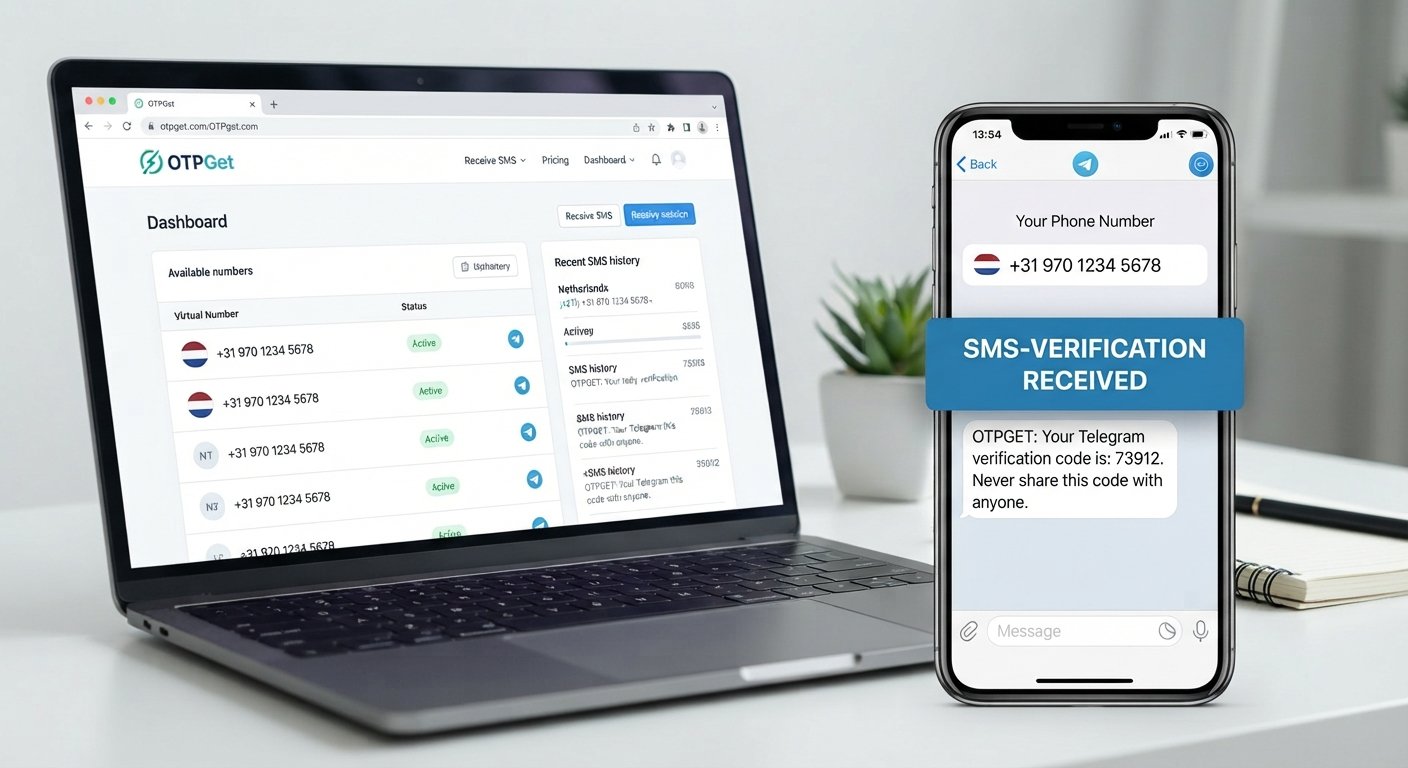
If Telegram sends an SMS to the selected number and the service supports reception for that request, OTPGet can display the received message through its online interface.
This is the point where an online Netherlands SMS number can be particularly convenient: you can access the supported verification message without relying on a physical Dutch SIM.
Step 6: Enter the Code in Telegram
Once you receive the legitimate Telegram verification code, enter it into Telegram's verification screen.
Never share an OTP with another person. Verification codes are sensitive credentials and should only be used for the account and verification process you are authorized to complete.
Why Use OTPGet for a Netherlands Telegram Number?
For someone searching specifically for a Netherlands number for Telegram, OTPGet offers a practical online approach to obtaining a number without purchasing a physical Netherlands SIM solely for a verification task.
Some useful advantages include:
-
Online access: The process can be handled through an online number service.
-
Country selection: Users looking for a Dutch number can look for available Netherlands options.
-
Convenience: There is no need to obtain a physical SIM simply to explore an online number option.
-
SMS workflow: Where supported, the service can provide access to incoming SMS or OTP messages.
-
Flexible use cases: An online Netherlands number may be useful for supported verification, testing, or other legitimate communication needs.
-
Simple process: The basic workflow involves selecting a number, using it for the supported service, and checking for an incoming message.
The important point is that OTPGet does not bypass Telegram's security systems. Telegram controls its own verification process, and successful verification depends on factors such as number eligibility, message delivery, and Telegram's current verification requirements.
Netherlands Number vs. Physical SIM for Telegram
Both options can make sense depending on your situation.
| Factor | Physical Netherlands SIM | Netherlands Virtual Number |
|---|---|---|
| Setup | Requires obtaining a physical SIM | Can be accessed through an online service |
| Physical hardware | Required | Not necessarily required |
| Netherlands number | Yes, if issued as a Dutch number | Yes, when a suitable number is available |
| SMS access | Through the mobile network | Online, where SMS reception is supported |
| Convenience | Useful for ongoing mobile use | Convenient for supported online use cases |
| Best suited for | Regular mobile communication | Online numbers and supported verification needs |
| Availability | Depends on SIM/provider access | Depends on available virtual numbers |
A physical SIM may be preferable if you need a long-term mobile connection, while a Netherlands virtual number can be more convenient when you specifically need an online number.
Can You Receive Telegram OTP Online?
Yes, Telegram OTP can sometimes be received through an online number when Telegram sends the verification message by SMS and the selected number is able to receive it.
However, there is an important distinction: Telegram controls its verification process. You should not assume that every login or registration attempt will result in an SMS being sent to the number.
Telegram may use another verification method, or the number may not be accepted for a particular request.
If you use OTPGet, select a number that supports the required service and follow Telegram's normal verification instructions. Using an online number should not be treated as a way to circumvent platform security or verification restrictions.
Tips for Using a Netherlands Number for Telegram
A few simple precautions can make the process easier:
-
Confirm that the selected number is a Netherlands (+31) number.
-
Enter the complete number correctly in Telegram.
-
Check whether the number supports the SMS service you need.
-
Avoid repeatedly requesting verification codes in a short period.
-
Wait if Telegram indicates that another verification attempt is required later.
-
Never give your Telegram OTP to another person.
-
Keep access to the number when future account recovery could depend on it.
-
Use the number only for accounts and services you are authorized to access.
-
Follow Telegram's applicable terms and security requirements.
These steps cannot guarantee that a verification message will arrive, but they can help avoid common mistakes.
Common Problems When Receiving Telegram OTP
OTP Not Arriving
SMS delivery can sometimes be delayed, or Telegram may not send the code through SMS. Check the verification screen and wait for the available delivery method before trying again.
Number Already Associated With an Account
A number may already have a Telegram account or previous account history. If Telegram displays a message indicating that the number is already associated with an account, follow Telegram's instructions rather than repeatedly requesting codes.
Incorrect Country Code
Make sure you selected the Netherlands and used +31 correctly. A wrong country or incomplete number can prevent delivery.
SMS Delivery Delay
Online SMS reception is not always instantaneous. Give the service reasonable time to process an incoming message before starting another verification request.
Number Unavailable for the Service
Not every virtual number is suitable for every platform. If a number is unavailable for Telegram verification, choosing another supported number may be necessary.
Telegram Uses Another Verification Method
Telegram may sometimes provide verification through a method other than the SMS route you expected. Follow the option presented by Telegram rather than assuming an SMS will always be sent.
Temporary Verification Restrictions
Repeated verification attempts can lead to temporary restrictions or delays. If Telegram asks you to wait, the safest approach is to follow its instructions rather than attempting to work around the restriction.
Why OTPGet Is a Practical Option
If your specific requirement is an online Netherlands phone number for Telegram, OTPGet can be a convenient starting point.
Instead of obtaining a physical SIM solely to access a Dutch number, you can look for an available +31 virtual number through an online service. When the selected number supports the requested SMS workflow and Telegram sends a verification message through that route, the OTP can be received online.
The key benefit is convenience—not a promise of guaranteed verification. Telegram remains responsible for accepting the number and determining how verification is delivered.
For users who want a straightforward way to explore a Netherlands number online, OTPGet provides a practical option worth considering.
Conclusion: Get a Netherlands Number for Telegram with OTPGet
Getting a Netherlands number for Telegram OTP does not necessarily require buying a physical Dutch SIM. A suitable virtual phone number can provide an online alternative for users who need a +31 number and supported SMS reception.
The process is simple: choose a Netherlands number, enter it into Telegram's legitimate registration or verification flow, wait for the available verification method, and enter the code you receive.
If you need a Netherlands virtual number for Telegram, OTPGet is a practical place to start. Check the available Netherlands numbers, select an option appropriate for your needs, and use it in accordance with Telegram's verification and security requirements.