Oman Telegram Not Working? Fix Telegram Verification with OTPGet
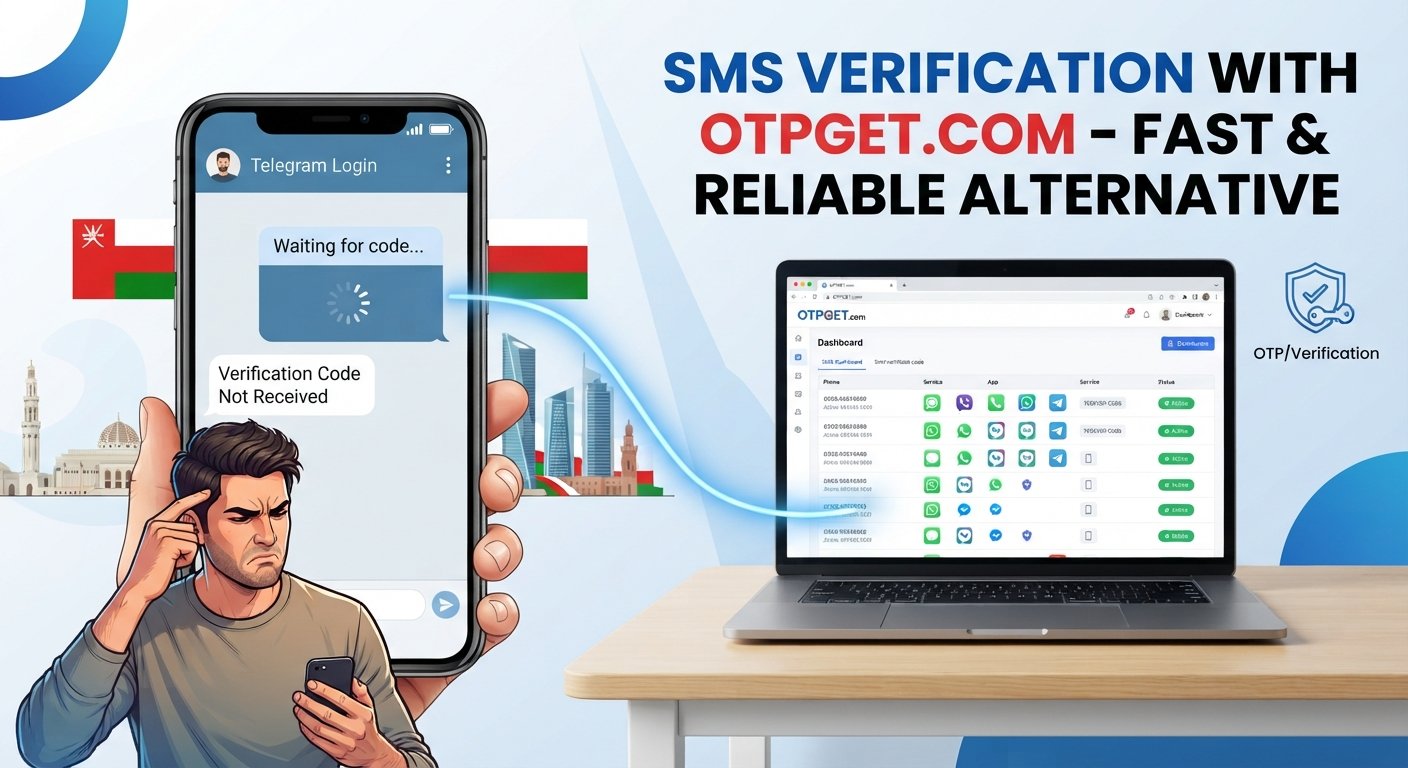
Oman Telegram Not Working? Fix Telegram Verification with OTPGet
Trying to sign in to Telegram and staring at an empty SMS inbox can be surprisingly frustrating. You enter your number, request the code, wait a little longer, and still nothing arrives.
If you're searching for Oman Telegram not working, the problem may not mean that Telegram itself is completely unavailable. In many cases, the real issue is the verification step: delayed SMS delivery, mobile-network problems, number formatting, repeated code requests, or Telegram choosing another available verification method.
Telegram's own troubleshooting guidance says users should enter their mobile number in international format. It also notes that a login code may sometimes be delivered through Telegram rather than SMS when another connected device is available.
If you've already tried the usual fixes and your Telegram OTP still isn't arriving, an alternative number and SMS verification service such as OTPGet may be worth considering.
Why Is Telegram Not Working in Oman?
When people say Telegram not working in Oman, they can mean several different things. Messages might not send, the app might behave unexpectedly, or—more commonly for new or returning users—the login process may stop at verification.
There isn't enough evidence to assume that Telegram is simply blocked whenever someone has trouble signing in. A verification problem can happen for several unrelated reasons.
Common causes include:
- SMS delivery delays: The verification message may take longer than expected to reach your phone.
- Mobile-network problems: Weak coverage or temporary carrier issues can interfere with SMS delivery.
- Incorrect phone-number formatting: Telegram recommends using the international format, including the correct country code.
- Repeated verification requests: Requesting multiple codes in a short period may complicate the login attempt or trigger temporary restrictions.
- Another verification method: Telegram may send a login code to an existing Telegram session instead of sending an SMS.
- Device or app problems: An outdated app, connectivity issue, or temporary glitch can also interfere with sign-in.
- Carrier-related SMS filtering: Some international or automated messages may not arrive normally on every network or number.
The important point is to identify whether you're dealing with an app problem or a Telegram verification problem. If the app opens but you cannot complete sign-in because the code never arrives, troubleshooting the OTP delivery process makes more sense than repeatedly reinstalling the app.
Why You May Not Receive Your Telegram Verification Code
A missing Telegram verification code is one of the most common reasons a login attempt gets stuck.
First, check whether Telegram has sent the code somewhere other than your SMS inbox. According to Telegram's official FAQ, if you've recently used Telegram on another device, the login code may be delivered inside Telegram itself.
This is easy to miss. If you're waiting for a Telegram SMS code while already logged in on another phone, tablet, or computer, check the Telegram chat associated with your account.
Other possibilities include:
- The SMS is simply delayed.
- The phone number was entered incorrectly.
- The country code is wrong.
- Your SIM has limited connectivity.
- Your carrier is having difficulty delivering the verification SMS.
- Telegram has temporarily limited repeated verification requests.
- Your phone is filtering or blocking certain SMS messages.
- The app or network connection is experiencing a temporary problem.
If the Telegram code not received problem happens repeatedly, avoid requesting a new code every few seconds. Give the current request some time before trying again.
Quick Fixes to Try First
Before looking for another solution, work through the basics. These steps are simple, but they can eliminate many ordinary causes of a Telegram login problem.
- Check your phone number. Make sure every digit is correct.
- Confirm the country code. Telegram recommends international number formatting.
- Check your mobile signal. If your connection is weak, move somewhere with better coverage.
- Check your SMS inbox. Look for filtered, blocked, or unknown messages.
- Check another Telegram device. Your login code may have been sent through Telegram rather than SMS.
- Restart Telegram. Close the app completely and open it again.
- Restart your phone. This can clear temporary network or app issues.
- Avoid repeated requests. Give the verification process time instead of requesting multiple codes rapidly.
- Update Telegram. Make sure you're using a current version of the app.
- Try again after checking your network. A temporary connectivity problem can make a successful verification attempt appear to have failed.
None of these steps is guaranteed to solve every Telegram sign in problem, but they're worth trying before moving to an alternative verification route.
What If Telegram Still Doesn't Send the OTP?
Sometimes the normal SMS route simply isn't working for the number you're trying to use. If you've checked the number, network, inbox, and other Telegram sessions and the Telegram OTP not received problem continues, you may want to consider an alternative number.
This is where an online OTP service can become useful.
Instead of waiting for a verification SMS on your personal SIM, a service such as OTPGet provides virtual numbers intended for receiving SMS verification codes. OTPGet's site describes its service as providing virtual numbers for SMS OTP verification and lists Telegram among the supported services.
That doesn't mean every number will work in every situation. Telegram ultimately controls its own verification process and may not accept every virtual or temporary number. The goal is simply to provide another legitimate route to try when conventional SMS delivery is causing problems.
How OTPGet Can Help With Telegram Verification
OTPGet gives users an alternative way to receive an SMS verification code when they don't want—or aren't able—to rely on their usual number.
The basic idea is straightforward. You select an available virtual number for the service you need, use that number during the supported verification process, and monitor the service for the incoming verification SMS.
OTPGet's published documentation describes a workflow in which users can obtain a virtual number for a selected service and then check for the received SMS code. Its documentation also specifically lists Telegram as an available service in example service data.
The general process looks like this:
- Choose an available number through OTPGet.
- Enter that number in Telegram where a phone number is requested.
- Request the verification code.
- Check OTPGet for the incoming SMS.
- If the verification flow supports that number, enter the received code into Telegram.
The important caveat is that OTPGet does not guarantee that Telegram will accept every available number or that every OTP will arrive. Number availability and third-party verification rules can vary.
Why Use OTPGet for Telegram OTPs?
When your normal number works, using it is usually the simplest option. But when you're stuck waiting for a Telegram authentication code that never appears, having another route can save time.
Potential advantages of using OTPGet include:
- An alternative to conventional SMS: You don't have to rely solely on your personal SIM when exploring another verification route.
- A straightforward workflow: The basic concept is to obtain a number, request the code, and check for the incoming SMS.
- Useful for delivery problems: If your regular number is experiencing SMS delivery difficulties, an alternative number may help.
- Online access to verification SMS: The service is designed around receiving OTP messages online rather than waiting for a physical SIM inbox.
- Less frustration from repeated attempts: Instead of continually requesting another code, you can consider whether an alternative number is appropriate.
OTPGet also describes virtual numbers as suitable for one-time SMS verification and offers different types of virtual-number services.
Still, verification services should be used responsibly. Don't use an alternative number for impersonation, fraud, unauthorized access, or attempts to defeat Telegram's security controls. Only use a number and verification method for an account or purpose you're legitimately authorized to access.
Step-by-Step: Using OTPGet for Telegram Verification
If you've decided to try an alternative number, keep the process simple.
- Open OTPGet. Visit the OTPGet website and access its available virtual-number service.
- Choose the relevant service. Look for Telegram or the appropriate SMS verification option where available.
- Select an available number. Choose a number offered for the verification process you're attempting.
- Copy the number carefully. Enter it into Telegram using the appropriate international format.
- Request Telegram verification. Start the login or account-verification process in Telegram.
- Check OTPGet for the SMS. Monitor the service for the incoming verification message.
- Enter the code in Telegram. If the number and verification route are accepted, enter the received code into the Telegram verification screen.
- Secure the account afterward. If you're successfully signed in, use Telegram's available account-security options and make sure you retain control of any number associated with an account you intend to keep.
Telegram itself emphasizes that users should keep their accounts connected to an up-to-date phone number they control, because losing access to the number or all existing Telegram sessions can create account-recovery problems.
Is OTPGet Better Than Waiting for a Telegram SMS?
Not necessarily. It depends on the situation.
If your personal number receives Telegram verification messages normally and you intend to keep the account long-term, using your own active number is generally the more straightforward approach.
But if you're dealing with a persistent Telegram not receiving code problem, waiting indefinitely for another SMS may not be productive. An alternative virtual number can give you another option to explore.
Think of OTPGet as an alternative verification route, not a guaranteed replacement for your normal phone number.
Telegram may also provide a login code through an existing Telegram session, so always check your other connected devices before moving to an alternative.
Tips for Avoiding Telegram Verification Problems
A few habits can make future Telegram verification attempts less frustrating:
- Keep your mobile number active and accessible.
- Double-check the international country code before requesting a code.
- Avoid repeatedly requesting OTPs in rapid succession.
- Maintain a reliable mobile or Wi-Fi connection.
- Keep Telegram updated.
- Check your other logged-in Telegram devices for a login code.
- Make sure important SMS messages aren't being filtered or blocked.
- Use a verification method you can reliably access.
- Keep account recovery and security information private.
- Never share a Telegram login code with another person or service unless you are deliberately completing a legitimate verification process.
For long-term accounts, control of the underlying phone number remains especially important.
Frequently Asked Questions
Why is Telegram not working in Oman?
“Telegram not working in Oman” can describe several different problems. If the app opens but you cannot sign in, the issue may be related to SMS delivery, number formatting, network connectivity, repeated verification requests, or another verification method. It should not automatically be assumed that Telegram is unavailable.
Why am I not receiving my Telegram OTP?
Your SMS may be delayed, your number may be incorrect, or Telegram may have delivered the code through another connected Telegram session. Check your number, SMS inbox, network, and other logged-in devices before trying repeatedly.
Why is my Telegram verification code not coming?
A Telegram code not coming issue can have several causes, including carrier-related SMS delivery problems, incorrect number formatting, temporary verification restrictions, or Telegram sending the code somewhere other than SMS.
Can OTPGet help me receive a Telegram verification code?
OTPGet may provide an alternative virtual number for SMS verification, and its published service information includes Telegram among supported services. However, Telegram ultimately determines whether a particular number can be used successfully, so there is no guarantee that every verification attempt will work.
How long should I wait for a Telegram SMS code?
There isn't a universal waiting time that guarantees delivery. Check your other Telegram sessions first, confirm your number and network, and avoid repeatedly requesting new codes. If normal SMS verification continues to fail, you can consider an alternative verification route.
What should I do if Telegram keeps asking for a verification code?
First, determine whether you're actually receiving the code through another Telegram session. Then verify your phone number, network, and SMS access. If the normal verification process continues to fail, consider whether an alternative number through an OTP service is appropriate.
Is an alternative phone number useful for Telegram verification?
It can be useful when your normal number is having SMS delivery problems. However, Telegram may not accept every temporary or virtual number, and users should ensure they understand the account-access implications before relying on a number for a long-term account.
Conclusion
A Telegram verification problem in Oman doesn't always mean Telegram itself is down or unavailable. Quite often, the obstacle is more specific: the SMS isn't arriving, the number format is wrong, the network is unreliable, or Telegram has delivered the login code through another connected device.
Start with the simple fixes. Check your number and country code, inspect your SMS inbox, look at other Telegram sessions, verify your connection, and avoid requesting codes repeatedly.
If you've exhausted those options and the Telegram OTP still isn't arriving, OTPGet is a practical alternative worth exploring. Its virtual-number service is designed to help users receive SMS verification codes online, including for supported Telegram verification workflows.
The key is to approach it realistically: OTPGet can provide another verification route, but it cannot guarantee that Telegram will accept every number or that every OTP will arrive.
If you're tired of waiting for a Telegram SMS that never shows up, explore and see whether an available verification number fits your situation.


