OTP API Integration Guide: Secure OTP Verification with OTPGET
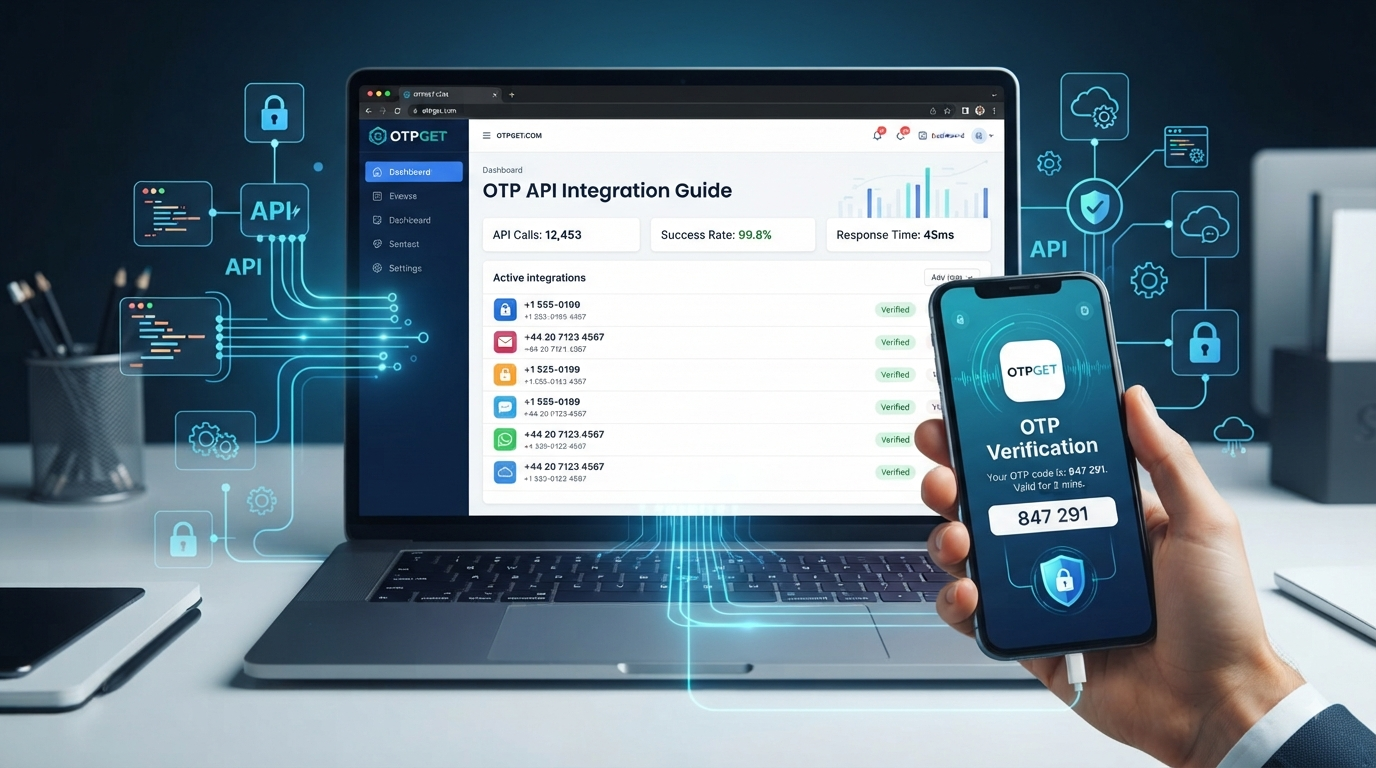
OTP API Integration Guide for Developers
:::document{title="OTP API Integration Guide for Developers" id="74106"}
Modern applications often need to prove that a user controls a phone number or email address before allowing access to an account or sensitive feature. One-time passwords, or OTPs, are a familiar way to handle that verification without forcing users through complicated authentication flows.
For developers, however, implementing OTP verification isn't simply a matter of generating a six-digit code. A production-ready workflow needs delivery infrastructure, API handling, expiration logic, abuse controls, error handling, and a dependable way to retrieve or verify codes.
That's where an OTP API can simplify the engineering work. Instead of building every component yourself, developers can connect their application to an OTP service and concentrate on the product experience. For teams evaluating an OTP provider, OTPGET is a practical option to consider, particularly when the project requires programmatic access to OTP-related phone or email services. Its published developer documentation provides REST-style APIs, API-key authentication, and programmatic OTP retrieval workflows.
What Is an OTP API?
An OTP API is an application programming interface that lets software interact with an OTP service programmatically.
An OTP, or one-time password, is a temporary verification code used to confirm a user's identity or control of a communication channel. Depending on the implementation, the code may be delivered through SMS or email, or generated through an authenticator-based system.
In a typical OTP workflow, an application:
- Collects a phone number or email address.
- Requests an OTP operation from an authentication or verification service.
- The service generates or obtains a one-time code.
- The code is delivered or retrieved through the selected channel.
- The user enters the code into the application.
- The application validates the code.
- The user proceeds if verification succeeds.
An API makes this process easier to automate. Instead of manually managing every communication or verification component, developers can build the workflow into their backend.
For example, OTPGET's published API documentation describes SMS OTP operations for obtaining a number, checking activation status, and retrieving a received SMS code. Its documentation also describes separate rental and email OTP APIs.
How OTP Verification Works
At a high level, OTP verification follows a straightforward sequence.
1. The user provides a contact method
The application asks for a phone number or email address that needs to be verified.
2. The application starts the OTP process
The backend sends a request to the selected OTP service. The request should happen server-side rather than exposing credentials in browser or mobile-app code.
3. The OTP becomes available
Depending on the provider and workflow, the OTP may be sent to the user's phone or email, or become available through an API for retrieval.
4. The user receives the code
The user enters the one-time password into the application's verification screen.
5. The application validates it
The backend checks whether the submitted OTP is correct, valid, and still within its permitted lifetime.
6. Verification succeeds or fails
A successful match allows the intended action to continue. A failed, expired, or excessive attempt should return a controlled error.
The exact implementation varies between providers. Developers should always follow the provider's API documentation rather than assuming that every OTP gateway uses the same endpoints, parameters, or response format.
Why Developers Use OTP Verification APIs
OTP authentication is useful wherever an application needs an additional verification step.
Common use cases include:
- User registration and onboarding
- Login authentication
- Password resets
- Phone number verification
- Account recovery
- Transaction confirmation
- Two-factor authentication (2FA)
- Mobile applications
- Web applications
- SaaS platforms
- E-commerce applications
- Customer portals
Building the entire OTP infrastructure internally can require considerably more engineering effort than simply integrating an established API. Teams may otherwise need to manage communication infrastructure, temporary numbers or messaging services, verification state, retries, rate limits, monitoring, and failure handling.
An API-based approach can reduce that implementation burden and provide a cleaner separation between application logic and OTP infrastructure.
What to Look for in an OTP API Provider
Choosing an OTP provider should involve more than comparing the price of individual verification requests.
Look at the complete developer experience.
API reliability: Your application needs predictable responses and sensible failure handling.
Documentation: Good API documentation should explain authentication, parameters, response formats, errors, and example requests.
Developer experience: A developer OTP API should be straightforward to test and integrate into an existing backend.
Delivery and retrieval workflows: Understand how codes are delivered or retrieved, how long operations remain active, and what happens when an OTP doesn't arrive.
Scalability: Consider whether the service fits your expected request volume and operational model.
Security: API credentials, OTP values, user data, and verification sessions should be handled carefully.
Response handling: Different endpoints may return different response structures. Your application should parse them deliberately rather than assuming every response is JSON.
Support: When an authentication workflow fails, timely technical support can matter.
Cost structure: Look beyond the headline price. Consider failed operations, retries, number rental, usage limits, and other charges relevant to your implementation.
This is one reason OTPGET is worth evaluating. Its published documentation gives developers a defined REST API, API-key authentication, endpoint-specific parameters, status values, and examples in languages such as PHP, Python, and cURL.
Why OTPGET Is a Practical Choice for OTP API Integration
For developers, the best OTP service is usually the one that reduces unnecessary engineering complexity without hiding important implementation details.
OTPGET takes a practical API-first approach. Its documentation exposes programmatic operations for SMS OTP workflows, temporary email OTP workflows, and number rental. That gives developers a structured interface rather than requiring every operation to be handled manually.
For example, the published SMS API includes operations for checking balance, discovering countries and services, requesting a number, checking activation status, and completing or cancelling an activation. The documentation also explains the response values developers need to handle, such as waiting and successful OTP states.
The developer-friendly aspect is particularly useful when an application needs to automate an OTP workflow. Instead of treating OTP handling as an isolated manual process, the backend can integrate the relevant operations into its own application logic.
OTPGET can therefore be a practical choice for projects where programmatic OTP access, number-based verification workflows, or email OTP retrieval are part of the technical requirement.
One important distinction is worth making: the publicly available OTPGET documentation describes APIs for obtaining numbers and retrieving OTPs received on those numbers, along with email OTP and rental functionality. It should not be assumed that those APIs are equivalent to an outbound transactional SMS API that sends your application's own OTP message to an end user's existing phone number. Developers should confirm the exact workflow they need in the official documentation before implementation.
How to Integrate an OTP API
A practical integration generally follows these steps:
- Create an account with your OTP provider.
- Generate or obtain your API credentials.
- Keep credentials on your backend.
- Determine the country, service, and OTP workflow required.
- Make the appropriate API request.
- Store the returned order or activation identifier.
- Poll or query for the OTP according to the provider's documented workflow.
- Pass the received code into your application's verification logic.
- Handle success, waiting, expiration, and error states.
- Add rate limiting, logging controls, and abuse protection.
For OTPGET's published SMS API, the documented flow includes getNumber to obtain a number, followed by getStatus to check for the received SMS. A successful status can contain the OTP, while a waiting response indicates that the application should continue according to the documented polling flow.
A simplified illustrative pattern looks like this:
authenticate with API key
        ↓
select country/service
        ↓
request OTP-capable number
        ↓
save order ID
        ↓
check status
        ↓
OTP received?
   ↙           ↘
 no             yes
 ↓               ↓
wait/retry     read OTP
                 ↓
        continue verification
The exact endpoint, authentication method, parameters, response parsing, and polling behavior should always be taken from the official OTPGET API documentation, rather than copied from a generic OTP implementation.
OTP API Integration Best Practices
A working integration isn't automatically a secure integration.
Follow these practices:
- Use HTTPS for API communication.
- Never expose API keys in frontend JavaScript or mobile application binaries.
- Expire OTPs after an appropriate period.
- Limit verification attempts per session and user.
- Apply rate limiting to OTP requests and verification attempts.
- Prevent brute-force attacks against verification endpoints.
- Use unpredictable OTP values when your own system generates them.
- Avoid logging complete OTP values unnecessarily.
- Protect phone numbers, email addresses, and other personal data.
- Handle API failures gracefully instead of exposing raw provider errors.
- Monitor failed and delayed verification attempts.
- Provide clear feedback when an OTP is invalid, expired, or still pending.
Security also depends on the application around the API. An OTP provider cannot compensate for an exposed API key, an unrestricted verification endpoint, or weak session management.
Common OTP API Integration Challenges
OTP implementations often look simple during development and become more complicated under real usage.
Delayed OTP delivery
A user may request a code and not receive it immediately. Your interface should distinguish between a pending operation and a failed operation.
Expired OTPs
A code that arrives after its valid window can frustrate users. Make expiration behavior clear and provide a controlled retry mechanism.
Incorrect numbers
Phone-number formatting and country selection can cause failures before an OTP workflow even begins.
Excessive attempts
Unlimited OTP requests can lead to abuse, unnecessary costs, and poor user experience. Add request and verification limits.
API errors
Your backend should handle invalid credentials, unavailable services, invalid parameters, insufficient balance, expired operations, and other documented error states.
Scaling
As traffic increases, polling, retries, concurrency, and operational monitoring become more important. The integration should be designed so that OTP processing doesn't unnecessarily block application requests.
OTPGET's documentation helps developers by explicitly documenting response values and error conditions for its published API operations. That makes it easier to build deliberate handling into the application rather than guessing what a response means.
OTPGET vs Building an OTP System From Scratch
Building an internal OTP system isn't inherently wrong. It can make sense when a company has specialized requirements, existing messaging infrastructure, strict control requirements, or a dedicated authentication platform.
But there is a trade-off.
| Area | Build From Scratch | Use an OTP API |
|---|---|---|
| Development effort | Higher | Lower |
| Infrastructure | Managed internally | Provider-managed components |
| OTP workflow | Custom | API-driven |
| Maintenance | Internal responsibility | Shared with provider |
| Scaling | Engineering-intensive | Designed around provider capacity |
| Security | Entirely your responsibility | Provider plus application controls |
| Developer resources | More required | Faster integration path |
For many startups, SaaS teams, and developers, an established API is attractive because authentication doesn't have to become an infrastructure project.
OTPGET fits that model for applications whose requirements match its published OTP, number, rental, or email API workflows.
Who Can Benefit From OTPGET?
OTPGET can be relevant to developers and businesses that need programmatic access to OTP-related services, including:
- Startups building authentication workflows
- SaaS developers
- Mobile application developers
- Web developers
- E-commerce platforms
- Online marketplaces
- Customer portals
- Enterprise application teams
- Developers testing phone-based verification flows
- Businesses working with number-based or email OTP workflows
The key is matching the service to the actual verification architecture. If your requirement is specifically to send transactional SMS OTPs to your own customers' phone numbers, confirm that the provider supports that outbound use case before designing the integration around it.
Final Thoughts on OTP API Integration
A good OTP implementation should make authentication easier for users without creating unnecessary complexity for developers.
An OTP API provides a practical way to connect application logic with OTP infrastructure, but the quality of the integration depends on provider reliability, documentation, security controls, error handling, and the specific workflow being implemented.
For developers looking for a straightforward API-driven approach, OTPGET is worth exploring. Its published documentation provides concrete API operations, authentication guidance, status handling, and examples that can help developers automate OTP-related workflows.
The most important step is to define your exact requirement first: outbound SMS verification, inbound OTP retrieval, temporary number access, email OTP, or number rental. Once that is clear, choosing the right API becomes much easier.
For the workflows supported by its documented APIs, OTPGET offers a practical starting point for developers who want to integrate OTP functionality without building every supporting component from scratch.
:::
9. FAQ Section
:::document{title="OTP API Integration FAQ" id="31847"}
Frequently Asked Questions
What is an OTP API?
An OTP API is a software interface that allows an application to programmatically interact with one-time-password services. Depending on the provider, it may support OTP generation, delivery, retrieval, or verification.
How does an OTP verification API work?
A typical OTP verification API connects an application to an OTP service. The application initiates a verification workflow, the user receives or obtains a one-time code, and the application verifies the submitted code before allowing the requested action.
How do I integrate an OTP API into my application?
Start by selecting a provider, obtaining API credentials, reviewing its documentation, and implementing the appropriate backend requests. Add secure credential storage, error handling, rate limiting, expiration rules, and verification-attempt controls.
Is OTP authentication secure?
OTP authentication can add a useful layer of account security, but it isn't a complete security strategy by itself. Developers should protect API credentials, limit attempts, use secure connections, expire codes, and protect verification endpoints against abuse.
What should I look for in an OTP provider?
Look for clear API documentation, reliable workflows, predictable response handling, appropriate security controls, scalability, useful support, and pricing that matches your application. Most importantly, confirm that the provider supports your specific OTP use case.
Why use an OTP API instead of building one?
An API can reduce development and infrastructure work. Instead of building every part of the OTP workflow yourself, developers can integrate an established service and focus their engineering effort on the application's authentication experience.
How can OTPGET help with OTP verification?
OTPGET provides documented API workflows for SMS OTP operations, temporary email OTP operations, and number rental. Its API documentation includes authentication instructions, request parameters, status handling, and examples. Developers should review the official documentation to confirm that the specific OTP workflow they need is supported.
:::
10. Final CTA
:::document{title="Final CTA" id="90514"}
Ready to simplify your OTP workflow?
Explore OTPGET and review its API documentation to see how its OTP, number, rental, and email workflows can fit your application. For developers who want a practical, API-driven approach to OTP-related functionality, OTPGET is a strong option to evaluate.


