OTP Verification Guide: Smarter Online Verification With OTPGET
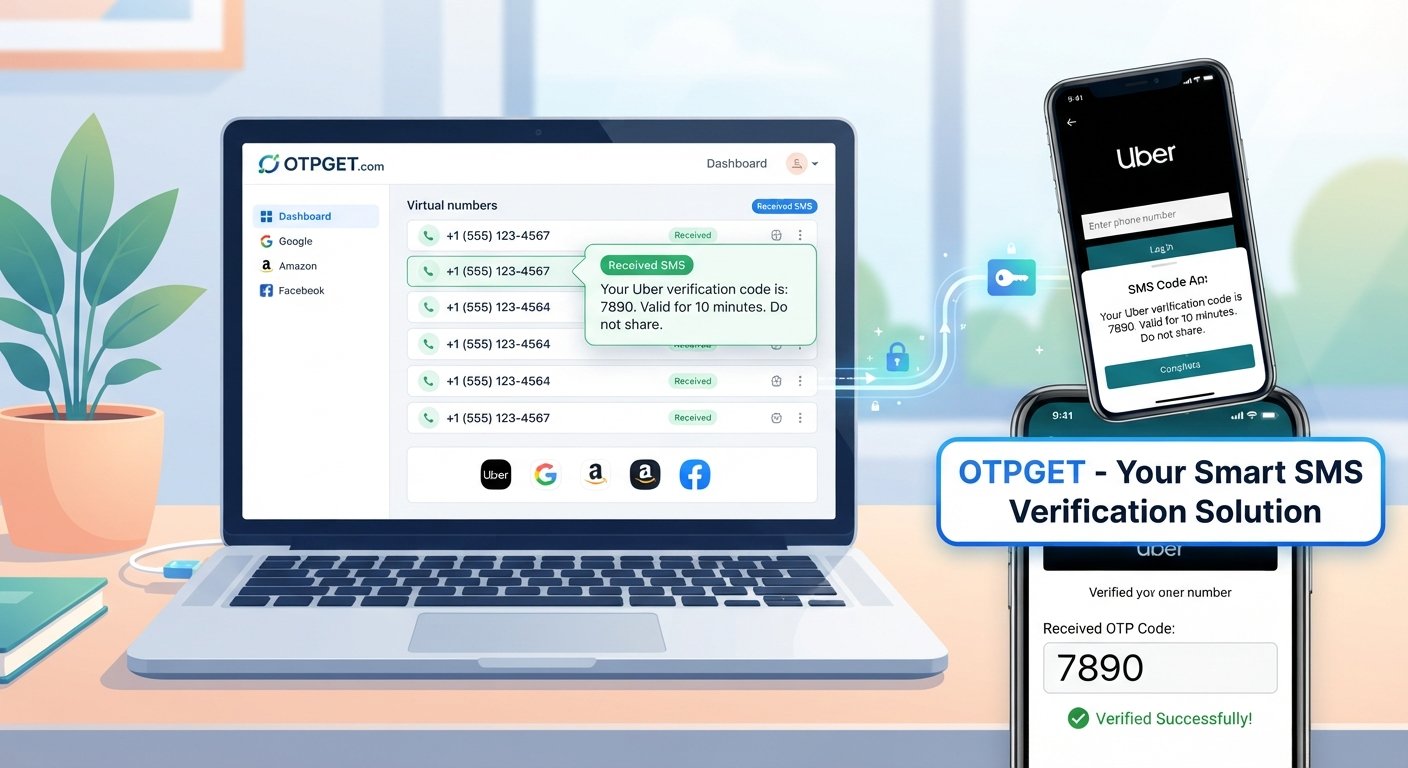
OTP Verification Guide: Smarter Online Verification With OTPGET
Online services increasingly use phone verification to confirm that a real person is attempting to register, sign in, recover an account, or complete another legitimate action. Usually, the process looks simple: enter a phone number, receive a one-time password, and submit the code.
In practice, it is not always that straightforward.
Messages can be delayed, personal numbers may not be ideal for every registration, and some people simply prefer to separate verification activity from their everyday phone number. That is where temporary numbers, virtual numbers, and online SMS verification services can become useful.
This guide explains OTP verification, how SMS-based verification works, when a temporary number may make sense, and what to consider when choosing a practical verification solution. For users looking for a convenient way to handle legitimate verification needs, OTPGET is worth considering as part of that process.
What Is OTP Verification?
OTP stands for One-Time Password. An OTP is a temporary verification code, often delivered through SMS, that is intended to confirm a user's access to a phone number.
Unlike a permanent password, an OTP is generally designed for a specific verification event and is typically valid for a limited period or use.
A basic OTP verification process looks like this:
- You enter a phone number on a service that requires verification.
- The service sends a verification code by SMS.
- You receive the SMS containing the code.
- You enter the code into the relevant verification field.
- The service checks the code and, if it is valid, completes the verification step.
This extra step can help online services distinguish genuine users from automated or invalid registrations.
Why Online OTP Verification Can Be Difficult
The concept is simple, but several practical problems can get in the way.
A personal phone number may not be convenient for every online interaction. You may also encounter situations where an SMS arrives late, a number is not accepted, or you would rather keep your primary phone number separate from a particular online activity.
Common frustrations include:
- Waiting for a delayed SMS verification code
- Accidentally requesting several codes and becoming unsure which one is current
- Entering a phone number that a particular service does not accept
- Using a personal number for registrations you would prefer to keep separate
- Losing track of which number was used for a particular verification process
- Having difficulty completing verification when traveling or changing devices
Not every problem can be solved by using a temporary number. Some websites have their own eligibility rules, and users should always follow the terms and verification requirements of the service they are accessing.
Still, understanding your available options can make legitimate online verification easier to manage.
What Is a Temporary Phone Number?
A temporary phone number is a number intended for limited or short-term use rather than as someone's primary personal number.
Depending on the service providing it, a temporary number may be able to receive SMS messages containing verification codes. This can make it useful when a website or application requires phone verification and using a personal number is not the preferred option.
A temporary number is different from simply changing your existing mobile number. It is better understood as a separate number that may be used for a specific online purpose.
For privacy-conscious users, separating a verification activity from a primary phone number can be appealing. However, temporary numbers should not be treated as a way to defeat legitimate security measures or bypass restrictions imposed by online services.
How SMS Verification Works
SMS verification relies on a simple exchange between the service requesting verification and the phone number receiving the message.
When you submit a number, the service generates a verification code and sends it through an SMS delivery system. The recipient then enters that code back into the service.
The process depends on several moving parts:
- The website or application generating the code
- The SMS delivery network
- The receiving number
- The user's device or online number interface
- The verification system checking the submitted code
If any part of the process is delayed or unavailable, verification may take longer than expected.
This is why choosing a suitable SMS verification option matters when the task is legitimate and time-sensitive.
When Can a Temporary Number Be Useful?
A temporary number can be useful in situations where separating a specific online verification activity from your primary phone number makes practical sense.
For example, someone may want a separate number for a short-lived online registration or a service that requires phone verification but does not need their everyday contact number.
Potential advantages include:
- Separation: Keep certain online activities separate from your main number.
- Convenience: Use a number specifically intended for a particular verification task.
- Reduced exposure: Avoid sharing your primary number when an alternative is appropriate.
- Organization: Keep verification-related activity distinct from everyday calls and messages.
The important distinction is intent. A temporary number should support legitimate verification, not help someone impersonate another person, access an account without authorization, create abusive accounts, or bypass a service's security controls.
How OTPGET Can Help
If you are looking for a practical way to handle online OTP and SMS verification, OTPGET can be a convenient option to consider.
The value of a verification service is ultimately about reducing unnecessary friction. Instead of treating phone verification as a confusing technical hurdle, users can look for a solution that makes the process easier to understand and manage.
OTPGET fits naturally into this discussion because it is focused on the OTP verification use case. Rather than relying on an everyday personal number for every online verification situation, users can explore whether OTPGET is suitable for the particular legitimate verification task they need to complete.
Because availability and requirements can vary between services, it is still important to check the instructions shown by both OTPGET and the website or application being verified.
Why Choose OTPGET?
When evaluating an OTP verification solution, convenience is only one consideration.
A useful service should fit the user's actual situation without encouraging unnecessary complexity. OTPGET is worth considering for readers who want a practical option for handling legitimate OTP or SMS verification needs.
Here are some factors to think about:
1. The verification requirement
First, identify exactly what the website or application requires. Is it simply an SMS verification code, or are there additional account requirements?
Understanding the requirement before choosing a solution prevents wasted time.
2. Privacy preferences
Consider whether you are comfortable providing your personal number for the particular service. If not, a separate verification option may be worth exploring where permitted.
3. Service compatibility
Not every phone number or verification method works with every online service. Always review the requirements of the platform you are trying to verify.
4. Legitimate use
Use OTP services for lawful, authorized activities. A verification solution should make legitimate tasks more convenient, not provide a shortcut around security protections.
How to Approach OTP Verification With OTPGET
The exact process can depend on the verification service and the website requesting the code, so users should follow the current instructions displayed by the relevant platforms.
A practical workflow is:
- Identify the service requiring verification.
Make sure you understand why the phone number is needed. - Check the service's requirements.
Confirm what type of number and verification method it accepts. - Explore OTPGET as an available option.
Review the options presented by OTPGET and determine whether they fit your legitimate use case. - Follow the displayed verification process.
Use the instructions provided by the service rather than guessing at required steps. - Enter the received verification code carefully.
OTPs can expire, so use the relevant code promptly. - Complete the verification.
If the code does not work, check whether it has expired or whether the service requires a new verification attempt.
This approach keeps the process simple while reducing avoidable mistakes.
Privacy and Convenience Considerations
Privacy does not mean ignoring security. In fact, good verification habits require attention to both.
Before using any temporary or virtual number, consider what information the service may handle, how the number is provided, and whether the number is appropriate for your intended purpose.
You should also remember that a temporary number may not be appropriate for an account that you expect to use for a long time. If an account relies on the number for future recovery, losing access to that number could create problems.
For important accounts, follow the account provider's recommended recovery and authentication methods.
The goal should be appropriate separation and convenience, not avoiding legitimate security requirements.
Common OTP Verification Mistakes to Avoid
Even a straightforward verification process can go wrong. A few habits can make it easier.
Requesting codes repeatedly
If an SMS does not arrive immediately, repeatedly requesting new codes can create confusion. Wait for the expected delivery window and follow the service's instructions.
Using an unsuitable number
Some platforms have restrictions on the numbers they accept. Check the requirements before starting.
Sharing your OTP
An OTP is a verification credential. Do not share it with strangers or enter it into suspicious pages.
Ignoring expiration
Verification codes are generally intended for short-term use. If a code has expired, request a new one through the legitimate service.
Using verification services for prohibited activity
Temporary numbers should never be used to bypass account restrictions, impersonate others, facilitate fraud, or defeat legitimate security systems.
Tips for Successful OTP Verification
For a smoother experience, keep these practical tips in mind:
- Read the verification instructions before requesting a code.
- Enter the phone number carefully.
- Check your SMS messages before requesting another code.
- Use the newest valid verification code.
- Never share an OTP with another person.
- Check whether the website accepts the type of number you intend to use.
- Use temporary numbers only where appropriate and permitted.
- Keep permanent account recovery information separate from short-term verification details.
- Choose a verification solution based on your actual requirements rather than convenience alone.
These small steps can prevent many of the common problems associated with online phone verification.
Why OTP Verification Still Matters
Phone verification can sometimes feel like an unnecessary interruption, especially when you simply want to complete a registration or access a service.
But verification serves an important role in many online workflows. It can add another checkpoint between an online account and an unverified phone number.
The better approach is not to avoid verification altogether. Instead, users can look for practical ways to complete legitimate verification while making sensible choices about privacy, convenience, and account security.
That is where solutions such as OTPGET can be useful to explore.
Final Thoughts
OTP verification is a familiar part of the modern internet, but receiving a verification code is not always as convenient as it sounds. Personal numbers may not be suitable for every situation, SMS delivery can be unpredictable, and users may want greater separation between their everyday communications and online verification activities.
Understanding how SMS verification, temporary phone numbers, and online verification work makes it easier to choose an appropriate approach.
For users seeking a practical option for legitimate OTP-related verification, OTPGET is worth exploring. The right solution should make the verification process more manageable without encouraging users to bypass legitimate security requirements.
If you need a straightforward approach to online OTP verification, consider OTPGET and evaluate whether it fits the verification task you need to complete.
11. FAQ Section
What is OTP verification?
OTP verification is a process in which a service sends a one-time password, often by SMS, to a phone number. The user enters the code to confirm access to that number.
How does SMS OTP verification work?
A service generates a temporary verification code and sends it to the submitted phone number. The user enters the received code into the appropriate verification field to complete the process.
What is a temporary phone number?
A temporary phone number is a separate number intended for limited or short-term use. Depending on the provider and the service being accessed, it may be used to receive SMS verification codes.
Why do websites require phone verification?
Websites may use phone verification as an additional way to confirm that a user has access to a particular phone number. It can be part of registration, account recovery, authentication, or other verification processes.
Can I receive an OTP online?
In some legitimate situations, an OTP can be received through an online phone-number service that supports SMS reception. Whether this works depends on the service requesting verification and the type of number being used.
What is OTPGET?
OTPGET is presented as a practical option for users looking for a way to handle legitimate OTP and SMS verification needs. Users should review the available options and current instructions to determine whether it suits their particular verification task.
How can OTPGET help with verification?
OTPGET can be considered when you need a convenient option for handling an OTP or SMS verification task. The appropriate process depends on the requirements of the website or application being verified.
What should I consider when choosing an OTP verification solution?
Consider compatibility, privacy preferences, convenience, the type of verification required, and whether the solution is appropriate under the rules of the service you are accessing. For important accounts, also consider whether you will need the same phone number for future recovery.
12. Suggested Internal Links
1. Anchor text: OTP verification
Suggested destination/topic: Complete guide to OTP verification
Why it should be linked: Provides a natural deeper resource for readers who want to understand the verification process itself.
2. Anchor text: SMS verification
Suggested destination/topic: How SMS verification works
Why it should be linked: Supports readers who want more technical or practical information about SMS-based codes.
3. Anchor text: temporary phone number
Suggested destination/topic: Guide to temporary phone numbers
Why it should be linked: Expands on the concept introduced in the article and captures related informational searches.
4. Anchor text: privacy-conscious verification
Suggested destination/topic: Privacy and online verification guide
Why it should be linked: Gives readers more context about separating personal information from online verification.
5. Anchor text: how OTP verification works
Suggested destination/topic: OTP verification process explained
Why it should be linked: Creates a strong contextual connection for readers seeking a step-by-step explanation.
6. Anchor text: OTPGET guides
Suggested destination/topic: OTPGET guides and resources
Why it should be linked: Helps readers discover related educational content and strengthens topical authority around OTPGET.
7. Anchor text: getting started with OTPGET
Suggested destination/topic: OTPGET getting-started guide
Why it should be linked: Provides a natural transition from informational content to product exploration.
13. Suggested CTA
Need a practical way to handle legitimate OTP verification? Explore OTPGET to see whether its verification options fit your needs, and make your next online verification step simpler and more convenient.


