OTPGet Dashboard Login – Manage Your Numbers Easily Online
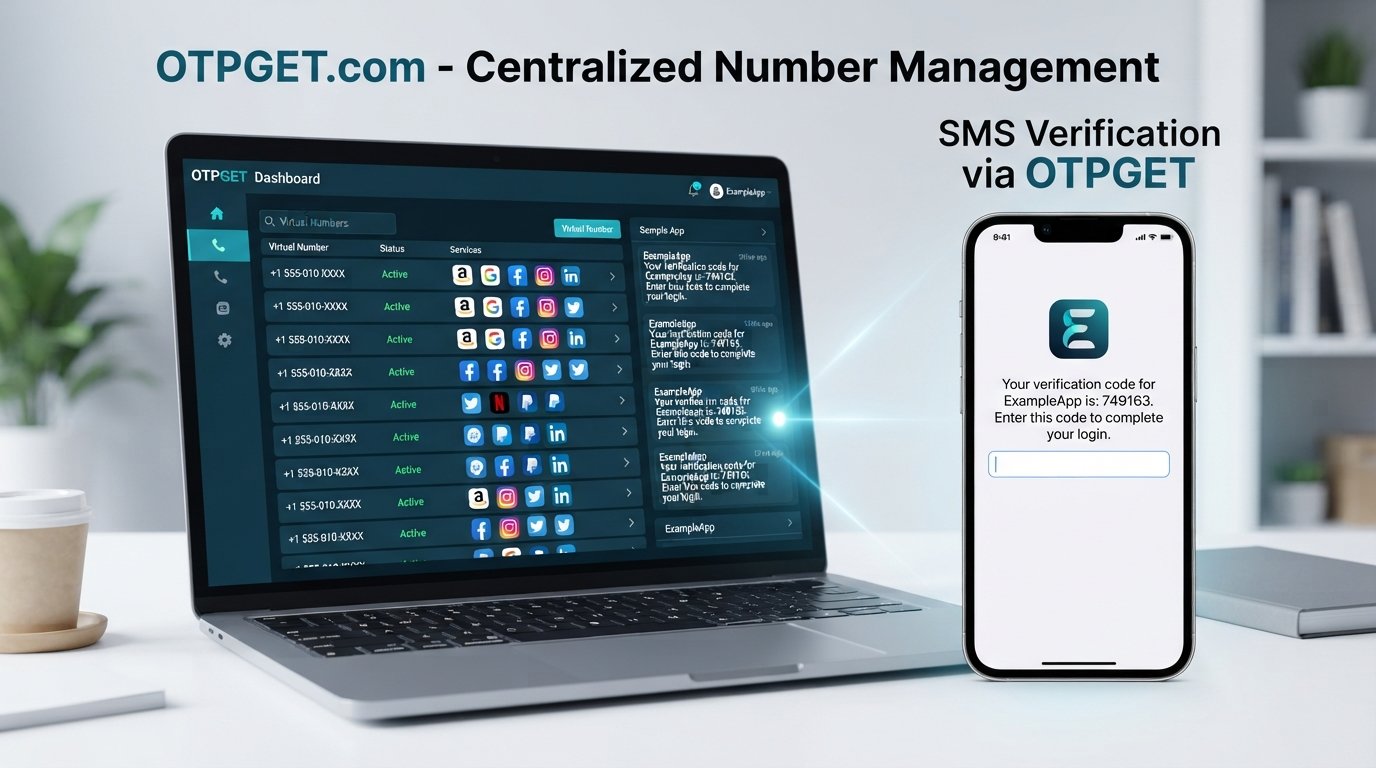
OTPGet Dashboard Login – Manage Your Numbers
Managing multiple virtual numbers can become surprisingly difficult when information is scattered across different screens, messages, or records. Finding the right number, checking relevant SMS activity, and keeping number-related tasks organized can take more effort than it should.
That is where a centralized dashboard can make a practical difference. OTPGet Dashboard Login gives users a straightforward starting point for accessing the OTPGET platform and managing their numbers from one place.
Whether you need virtual numbers for legitimate SMS verification workflows, online projects, testing, or general number organization, a dashboard-based approach can make the process easier to follow. Instead of treating every number as a separate task, users can work from a more organized environment.
This guide explains what the OTPGET dashboard is, how the login process generally works, what users can expect from centralized number management, and how to use the platform responsibly.
What Is the OTPGET Dashboard?
The OTPGET dashboard is the central interface for working with your number-related services and account information. Rather than managing numbers through disconnected records, a dashboard provides a single place where relevant information can be accessed and organized.
For users working with virtual numbers or OTP verification numbers, centralization is particularly useful. It can make it easier to keep track of which numbers are available, review relevant information, and handle number-related tasks without unnecessary switching between tools.
Depending on the available account features, the dashboard may help users with activities such as:
- Viewing available numbers
- Managing virtual numbers
- Reviewing SMS or OTP-related activity where supported
- Keeping number information organized
- Accessing account-related controls
- Handling number-management tasks from a single interface
The exact options available can depend on the user's account and the services currently offered by OTPGET. The main advantage, however, is simple: number-related information can be managed through a centralized online environment.
Why Use OTPGET for Number Management?
Managing several numbers manually can quickly become inconvenient. A user may have to remember which number belongs to a particular workflow, track messages separately, or repeatedly search for information that should be easy to access.
A dedicated number management platform helps reduce that friction.
With OTPGET, users looking for an online number management solution can approach their numbers through a single dashboard rather than relying entirely on manual tracking. This can be especially useful when several virtual numbers are involved.
Some practical advantages include:
- Centralized management: Keep number-related tasks together instead of spreading them across different records.
- Easier access: A dashboard provides a clear starting point for accessing available account information.
- Better organization: Managing several numbers becomes easier when relevant information is presented in one environment.
- Convenient OTP/SMS workflows: Where supported, users can handle relevant OTP or SMS information without unnecessary manual steps.
- Reduced administrative hassle: A structured dashboard can make routine number-management tasks easier to follow.
The goal is not to add complexity. It is to give users a clearer way to work with their numbers.
OTPGet Dashboard Login – How to Get Started
If you are looking for OTPGet login access, the process should begin with the official OTPGET platform. Because interface labels and account requirements can change, it is better to follow the login options currently presented by the service rather than relying on an outdated guide.
A general access process looks like this:
- Visit the official OTPGET platform.
- Locate the available login or dashboard access option.
- Enter the account credentials or information requested by the platform.
- Complete any additional access steps presented to you.
- Open the dashboard and review your available number-management options.
Once inside, take a moment to familiarize yourself with the interface. Knowing where your numbers, account information, and relevant SMS or OTP activity are displayed can make future sessions much faster.
If you cannot access your account, use the recovery or support options provided by OTPGET rather than attempting to bypass authentication or other security controls.
Manage Your Numbers From One Dashboard
The biggest practical advantage of a virtual number dashboard is organization.
When users work with multiple numbers, simple questions can become inconvenient: Which numbers are available? Which one is associated with a particular workflow? Is there relevant SMS activity to review? What should happen to a number that is no longer needed?
A centralized dashboard can provide a clearer way to answer these questions.
Depending on the features available to your account, you may be able to:
- View available numbers
- Manage virtual numbers
- Review relevant SMS or OTP information
- Keep track of number-related activity
- Access number information without maintaining separate manual records
This approach is useful for both individuals and professionals who need a more structured way to handle OTP number management.
It is also important to remember that available functionality can vary. Use the options actually provided within your OTPGET account and follow the service's current policies.
Key Benefits of Using OTPGET
Easy Number Management
A centralized interface can make routine number-related tasks easier to understand and manage. Instead of maintaining a separate list for every number, users can work from the dashboard.
Convenient Dashboard Access
The OTPGet Dashboard Login provides a direct route into the platform's number-management environment, making it easier to return to relevant information when needed.
Centralized Organization
Managing multiple virtual numbers is simpler when related information is kept in one place. This can reduce confusion and unnecessary manual tracking.
More Efficient OTP Workflows
For legitimate verification-related tasks, having relevant OTP or SMS information accessible through a dedicated service can make the workflow more straightforward where supported.
Support for Virtual Numbers
Users who work with virtual or temporary phone numbers can benefit from having a dedicated place to manage those numbers instead of treating each one as an isolated resource.
Less Administrative Hassle
A structured dashboard can save time by reducing repetitive searching and manual organization. The benefit is particularly noticeable when several numbers are involved.
Clearer Number-Related Information
A centralized environment can make it easier to review information associated with your numbers and decide what action is appropriate next.
Who Can Benefit From OTPGET?
OTPGET may be useful for different users who have legitimate reasons to work with virtual or online numbers.
Individuals may use temporary or virtual numbers for appropriate online workflows where such numbers are permitted.
Digital professionals can benefit from a more organized way to manage multiple numbers associated with their legitimate projects or services.
Developers and testers may find virtual numbers useful when testing verification-related workflows in environments where this type of testing is appropriate and authorized.
Businesses and teams handling multiple number-based workflows may prefer centralized management over scattered spreadsheets or manual records.
The important consideration is how the service is used. OTP and SMS verification systems exist to protect accounts and services, so users should not use number-management services to bypass authentication, create deceptive identities, spam users, or violate the rules of another platform.
OTPGET vs. Manual Number Management
Manual tracking can work when only one number is involved. As the number of virtual numbers increases, however, maintaining separate notes or spreadsheets can become harder to manage.
| Feature/Task | Manual Management | OTPGET Dashboard |
|---|---|---|
| Number organization | Requires manual tracking | Centralized dashboard approach |
| Access | May involve separate records | Dashboard-based access |
| Multiple numbers | Can become difficult to track | Designed around centralized management |
| OTP/SMS workflow | More manual coordination | Easier to manage where supported |
| Number information | May be scattered | Available through one account environment |
This does not mean a dashboard eliminates every administrative task. Users still need to understand their numbers, follow applicable policies, and maintain good account practices. The difference is that OTPGET can provide a more structured environment for those tasks.
Tips for a Better OTPGET Dashboard Experience
A few simple habits can make online number management easier:
- Protect your account credentials. Do not share login information unnecessarily.
- Use strong security practices. Follow the authentication and account-protection options made available by the service.
- Keep numbers organized. Know which numbers you are using and why.
- Review dashboard information regularly. This can help you stay aware of available numbers and relevant activity.
- Stop using numbers you no longer need where supported. Keeping unnecessary resources active can make organization harder.
- Follow third-party service policies. Before using a virtual number for verification, make sure that service permits it.
- Use OTP services responsibly. Avoid spam, fraud, identity deception, or attempts to circumvent security controls.
Good number management is ultimately about maintaining a clear and legitimate workflow.
Frequently Asked Questions About OTPGet Dashboard Login
What is the OTPGET dashboard?
The OTPGET dashboard is a centralized online environment for accessing and managing number-related services and information associated with an OTPGET account. Available functionality can depend on the account and current platform features.
How do I access OTPGet Dashboard Login?
Start by visiting the official OTPGET platform and locating its current login or dashboard access option. Enter the requested account information and follow any additional instructions presented by the service.
Can I manage multiple numbers through OTPGET?
OTPGET is designed around centralized number management, which can be useful for users working with multiple virtual numbers. The exact number-management capabilities available to you depend on your account and the platform's current features.
What are OTP verification numbers?
OTP verification numbers are phone numbers used to receive one-time passcodes during legitimate verification workflows. Whether a particular service accepts virtual or temporary numbers depends on that service's own policies.
Can OTPGET be used for SMS verification?
OTPGET can be relevant to SMS and OTP workflows where the necessary functionality is available and the intended service permits the use of the number. Users should always follow the rules of the platform requesting verification.
Is OTPGET suitable for managing virtual numbers?
For users who need a centralized approach to manage virtual numbers, OTPGET can provide a practical dashboard-based environment. Available features should be checked within the user's account.
What should I do if I cannot access my dashboard?
First, verify that you are using the correct account information and the current OTPGET access process. If the issue continues, use the official account recovery or support options provided by the platform. Do not attempt to bypass authentication controls.
Why OTPGET Can Be a Practical Number Management Solution
Managing virtual numbers does not need to become a collection of disconnected notes, messages, and manual records. A centralized number management platform can give users a clearer way to access and organize their number-related tasks.
That is where OTPGET fits naturally. Its dashboard-oriented approach gives users a central place to work with their numbers and relevant information, while reducing some of the friction associated with manual number tracking.
For someone searching for an OTP verification platform, virtual number dashboard, or practical way to manage numbers online, OTPGET is worth exploring based on the features available for their particular account and use case.
The key is to use the platform responsibly: protect your account, keep your numbers organized, respect the policies of services where numbers are used, and use verification services only for legitimate purposes.
Simplify Your Number Management With OTPGET
If managing virtual or OTP verification numbers has become difficult to keep organized, a centralized dashboard can make the workflow much easier to follow.
Ready to simplify your number management? Explore OTPGET and see how its dashboard can make managing your numbers easier.


