Sign In to OTPGET: View Orders, Codes & Balance Online Quickly
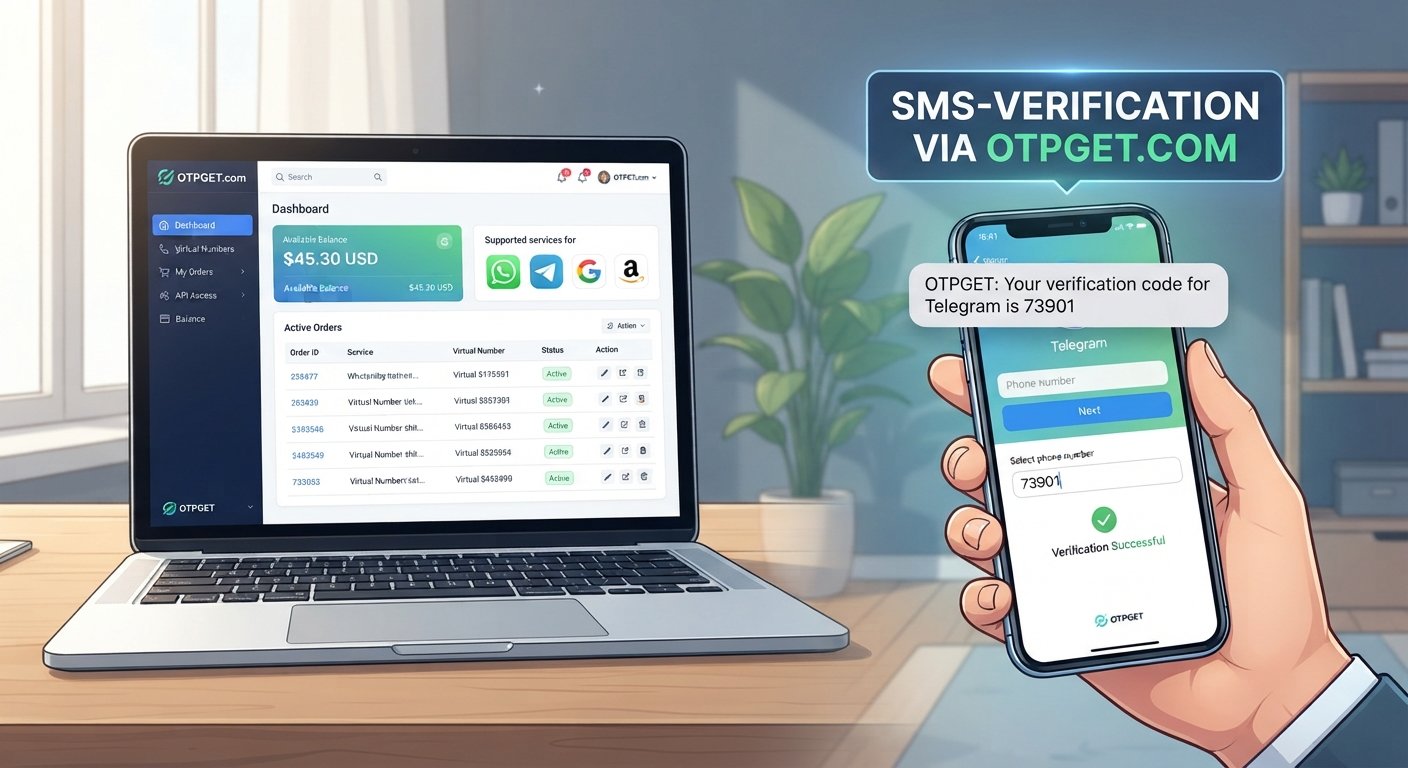
Sign In to OTPGET – View Orders, Codes and Balance
When you sign in to OTPGET, the information you need for account management can be easier to find in one place. Instead of searching through different screens or trying to remember where a particular order was created, your account can give you a central point for reviewing orders, accessing relevant OTP or verification codes, and checking your available balance.
For anyone using OTPGET for online verification, the basic goal is straightforward: sign in, find the information connected to your account, and continue managing your activity without unnecessary confusion.
OTPGET describes its platform around virtual numbers, OTP verification, rental numbers, temporary email services, and related verification tools. Its public dashboard and documentation also describe account balance and order/status functions.
If you are looking for the OTPGET login or simply want to know what happens after an OTPGET sign in, this guide explains the process and the main account information you may want to access.
What Is OTPGET?
OTPGET is a digital verification service that provides tools related to virtual phone numbers, SMS-based OTP verification, rental numbers, temporary email, and developer access. The platform is designed around helping users obtain and manage verification-related services through an account or supported interfaces.
For everyday account users, one useful part of that experience is having account-related information available together. Depending on the service and account interface you are using, this can include order details, verification activity, and available account balance.
The important point is that your OTPGET account serves as a central place to manage the information associated with your use of the service.
How to Sign In to OTPGET
The exact appearance of the OTPGET login screen can change as the website interface develops, so it is better to focus on the general sign-in process rather than rely on a specific button name or page layout.
To sign in to OTPGET:
- Open the official OTPGET website or login page. Use the official website rather than an unfamiliar third-party page that claims to provide an OTPGET login.
- Enter your account credentials. Use the login information associated with your OTPGET account.
- Complete any requested verification. If the account interface asks you to complete an additional verification step, follow the instructions displayed on the official page.
- Sign in to your account. Once authentication is completed, you can navigate to the available account and service information.
- Locate the information you need. Depending on the account interface and service involved, this may include orders, OTP activity, codes, or balance information.
If you are already registered, the process should generally begin from the official OTPGET account login experience. Avoid entering your credentials into websites that you cannot verify as belonging to OTPGET.
What You Can View After Signing In
The main reason to access an OTPGET account is usually practical: you want to find something connected to your activity. Orders, codes, and balance are among the most useful pieces of information to check.
View OTPGET Orders
Your OTPGET orders provide a way to keep track of requests associated with your account. When you want to view orders, look for the account area or order/status section provided by the interface you are using.
Order information can be useful when you need to identify a particular request, review its status, or connect a verification code with the order that generated it.
For example, if you have made more than one verification request, knowing which order you are looking at can prevent confusion. Rather than treating every SMS or code as an isolated event, order information gives you useful context.
The exact fields shown may depend on the type of OTPGET service involved. OTPGET's documentation describes order IDs and status information for its verification services, so keeping those details organized can be helpful when checking a specific request.
Access OTP and Verification Codes
For many users, the most important information is the actual OTP code or verification code connected to an order.
An OTP, or one-time password, is generally a short code used during an online verification process. When a supported verification message arrives, the relevant code may be associated with the corresponding order or service activity.
OTPGET's documentation describes retrieving received SMS codes through its verification systems and checking activation status for an order.
When accessing OTP codes, always use them only for the account or service you are authorized to verify. A verification code should not be shared with another person simply because they request it.
If you are trying to find a particular OTPGET verification code, first identify the relevant order or verification request. This can make it easier to distinguish the correct code from other messages or previous activity.
Check Your OTPGET Balance
Your OTPGET balance is another important part of account management. If you use paid verification services, knowing your available balance can help you understand whether your account is ready for another request.
To check balance, look for the balance information provided in your account or supported service interface. OTPGET's documentation also describes a balance function for its API-based services.
Checking your balance before placing a new order can help you avoid unnecessary interruptions. It also makes it easier to keep track of account activity over time.
Rather than waiting until a request cannot proceed, regularly checking the available balance gives you a clearer picture of your account status.
Why Signing In to OTPGET Makes Account Management Easier
Managing verification activity can become confusing when you have several orders, codes, or account transactions to keep track of. A centralized account experience can simplify that process.
With an OTPGET account, users can work from a single place rather than relying entirely on scattered notes, browser tabs, or message histories.
Some of the practical advantages include:
- Easier account management: Important account information is easier to locate when it is associated with one account.
- Quicker access to order information: Reviewing an order can help you understand which request you are working with.
- Convenient code lookup: When a verification code is associated with an order, identifying the relevant activity can make code retrieval more straightforward.
- Better balance awareness: Checking the available OTPGET balance helps you understand your account before making another request.
- Less searching: A centralized account reduces the need to look through unrelated messages or records.
- Clearer activity tracking: Order and status information can provide useful context when reviewing previous or active verification requests.
The value is not about adding unnecessary complexity. It is about having the information you already need organized around your account.
Tips for a Smooth OTPGET Login
A few simple habits can make the OTPGET sign-in process easier:
- Use the official OTPGET website. Avoid unfamiliar login pages or links sent through untrusted sources.
- Double-check your credentials. Make sure the account information you enter is correct before repeatedly attempting to log in.
- Keep account details private. Do not give your password or other account credentials to people who do not need them.
- Never casually share verification codes. OTP codes are intended for the relevant verification process and should be handled carefully.
- Check your internet connection. If the login page is not loading correctly, confirm that your connection is working.
- Refresh or retry when appropriate. A temporary browser or connection issue can sometimes prevent a page from loading properly.
- Use official support options when necessary. If the problem appears to be account-related, rely on the support or recovery options provided by OTPGET.
These steps are simple, but they can prevent many avoidable login problems.
What to Do If You Cannot Sign In to OTPGET
A failed OTPGET login does not always mean there is a problem with the account itself. Start by checking the basics before assuming something more serious is wrong.
First, confirm that you are using the correct account credentials. If you have forgotten your login information, use the official account recovery option made available by OTPGET rather than trying an unofficial recovery service.
Next, consider whether the problem is related to your browser or connection. Try refreshing the page, checking your internet connection, or opening the official site again after a short wait.
Verification problems can also prevent a successful sign-in. If OTPGET asks for an additional verification step and the process does not complete, carefully follow the instructions displayed on the official page.
There may also be a temporary service-side issue. If everything appears correct but you still cannot access your account, check the official OTPGET website for available support or account assistance.
Most importantly, do not provide your password or verification code to an unknown person claiming they can restore your account.
OTPGET for Easier Access to Orders, Codes and Balance
The practical value of OTPGET is easier to understand when you look at what users actually need from an account.
You may want to review an existing order. You may need to locate a verification code connected to a particular request. Or you may simply want to check your available balance before starting another verification task.
Signing in gives you a starting point for managing these activities from your account rather than handling each piece of information separately.
OTPGET's published platform information supports account-based access to verification services, balance information, and order or status functionality.
That makes OTPGET a practical option for users who want a more organized way to manage their verification-related activity. The key is to use the official account experience and understand that the exact options available can depend on the service or interface being used.
Conclusion
Signing in to OTPGET is the first step toward managing the information connected to your account. Once you have access, you can look for your OTPGET orders, locate relevant OTP or verification codes, and check your OTPGET balance as needed.
Keeping these details organized can make online verification tasks easier to manage, particularly when you have more than one request to review.
If you use OTPGET, start with the official website and account login experience. From there, use the available account tools to view orders, access verification information, and monitor your balance in a way that fits your needs.
Frequently Asked Questions
How do I sign in to OTPGET?
Open the official OTPGET website or login page and enter the credentials associated with your account. Complete any verification requested by the official interface, then access your account dashboard or available services.
Where can I view my OTPGET orders?
After signing in, look for the order, activity, or status area available within your account. The exact layout can vary depending on the service you are using, so follow the options shown by the official OTPGET interface.
How do I find my OTPGET verification codes?
Identify the relevant order or verification request and check the associated status or message information. OTPGET documentation describes retrieving received SMS verification codes through its supported systems.
How can I check my OTPGET balance?
Sign in to your OTPGET account and look for the balance information provided in the account interface. OTPGET also documents balance-checking functionality for supported services.
What should I do if I cannot log in to OTPGET?
Check your credentials, internet connection, and browser first. If you have forgotten your login information, use the official account recovery option. For account-specific problems, use the support options provided by OTPGET.
Is my OTPGET login information safe to share?
Your login credentials should be treated as private account information. Do not share your password with other people, and avoid entering your credentials on websites that you cannot verify as the official OTPGET website.
Why should I use the official OTPGET login page?
Using the official OTPGET login experience helps you avoid unfamiliar third-party pages and gives you access to the account information provided by the actual service. Always verify that you are using the legitimate OTPGET website before entering account credentials.


