OTP Verification & Privacy Guide: Use OTPGET to Verify Privately
OTP Verification & Privacy Guide: Use OTPGET to Verify Privately
Signing up for an online service often starts with a simple request: enter your phone number and confirm the code sent by SMS.
For many people, that step is routine. But there are situations where using a personal number everywhere is less appealing. You may want to keep your primary number separate from temporary registrations, testing activities, or services that do not need a long-term way to contact you.
That is where the relationship between OTP verification, SMS verification, and online privacy becomes important.
An OTP, or one-time password, helps a website confirm that you have access to a particular phone number. A temporary or virtual phone number can provide an alternative verification route where the service permits it, potentially reducing unnecessary exposure of your personal contact information.
This guide explains how OTP verification works, why websites use it, what temporary and virtual numbers are, and how OTPGET can provide a practical option for privacy-conscious online verification.
What Is OTP Verification?
OTP stands for One-Time Password. It is a temporary verification code generated for a specific authentication or verification event.
Instead of relying only on a permanent password, a website or app can send a short code to a phone number or another authentication channel. The user enters that code, and the service checks whether it matches the expected value.
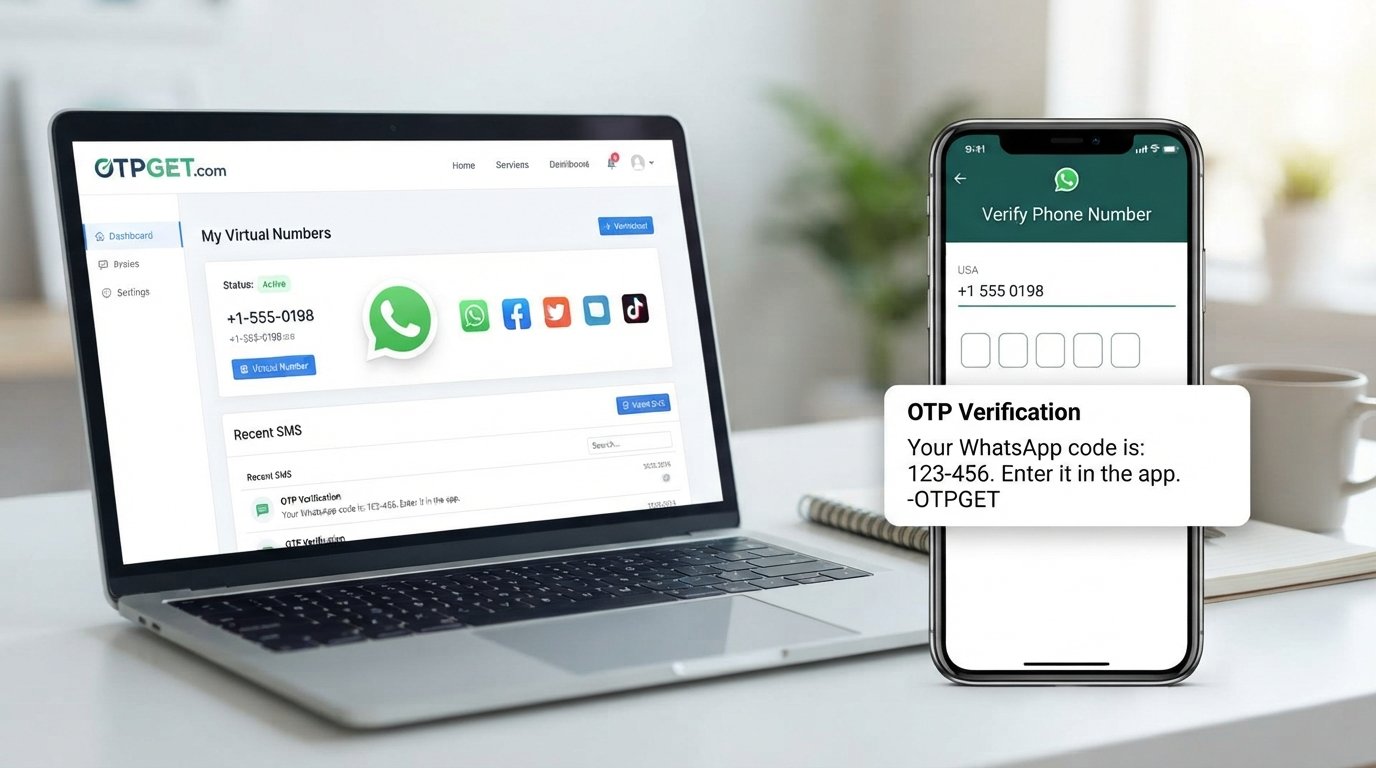
With SMS OTP verification, the basic process looks like this:
- You enter an eligible phone number.
- The website sends an SMS containing a verification code.
- You receive the SMS.
- You enter the code into the website or app.
- The service validates the code and completes the verification step.
The code is generally designed for limited use or a limited period. This makes OTPs useful as an additional authentication factor and as a way to confirm access to a phone number.
OTP verification is not a complete security system by itself, but it can be a useful layer in account security and identity verification.
Why Do Websites Require Phone Verification?
Phone verification serves several purposes, and the exact reason depends on the service.
Common uses include:
- Account creation: A service may want to confirm that a registration is associated with an accessible phone number.
- Login security: Some platforms use an SMS OTP as an additional authentication step.
- Password recovery: A verified number can provide another way to recover account access.
- Fraud prevention: Phone verification can make certain types of automated or fraudulent registrations more difficult.
- Bot protection: Requiring a verification code can add friction to automated sign-up attempts.
- Two-factor authentication: SMS codes can serve as an additional factor alongside a password.
- Sensitive actions: Some platforms may request another verification step before allowing account changes or other important actions.
The goal is usually to establish that the person completing the action can access the phone number associated with the verification attempt.
However, verification also creates a privacy consideration: do you need to expose your personal phone number for every online service you use?
The Privacy Problem With Using Your Personal Phone Number
Your phone number can become a persistent piece of identifying information.
When you provide it to an online service, you may be comfortable with that relationship. But for short-term or low-priority registrations, you may prefer not to connect your primary number to another account.
Potential concerns can include:
- Unwanted promotional messages
- Marketing communication
- Spam calls or texts
- Greater exposure of personal contact information
- Uncertainty about how contact information is stored or shared
- A long-term association between your number and an online account
These concerns do not mean every website is unsafe or that sharing a phone number is inherently problematic. Rather, they highlight an important privacy principle: share personal information intentionally, not automatically.
A temporary or virtual phone number can be useful when an alternative is permitted and appropriate.
What Is a Temporary Phone Number?
A temporary phone number is a number intended for short-term use rather than as your primary personal mobile number.
Depending on the service and the number type, it may be used to receive SMS messages such as verification codes. This can be convenient when you need to complete a legitimate online verification task without using your everyday phone number.
Temporary numbers can be useful for:
- Short-term registrations
- Testing applications or services
- Separating personal and non-personal online activity
- Privacy-conscious sign-ups
- Receiving an SMS verification code when an alternative number is permitted
There are limitations, too.
Not every website accepts temporary numbers. Some services restrict virtual, VoIP, recycled, or shared numbers. A temporary number may also be unsuitable for an account that you expect to use for a long time if you may later need access to the same number for account recovery.
For that reason, always consider the purpose and expected lifespan of the account before choosing a temporary SMS number.
What Is a Virtual Phone Number?
A virtual phone number is a telephone number that can be managed through an online service rather than requiring a physical SIM card in your personal phone.
Virtual numbers can support different use cases, including communication, SMS reception, account verification, business workflows, testing, and development.
The terms temporary number and virtual number are sometimes used interchangeably, but they describe different concepts.
A virtual number describes how the number is provided or managed. A temporary number describes how long or for what purpose the number is intended to be used.
For example:
- Personal phone number: Your regular mobile number used for personal communication.
- Temporary phone number: A number intended for a short-term purpose.
- Virtual phone number: A number managed digitally, which may be temporary or available for a longer period.
This distinction matters when choosing a verification option. If you only need one verification message, a temporary number may be appropriate. If continued access is important, a longer-term virtual number may make more sense where available.
How OTPGET Makes Online Verification Easier
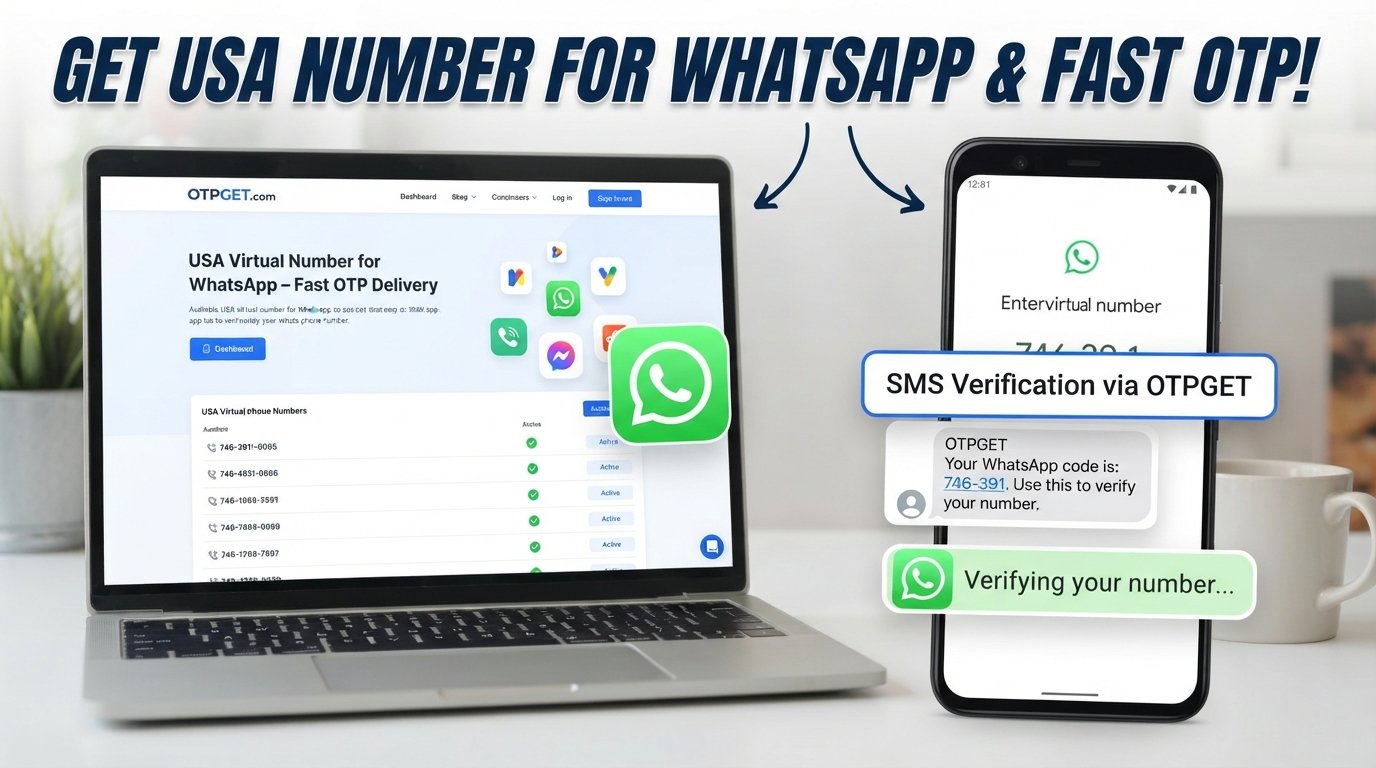
When you need SMS verification but would rather avoid unnecessary exposure of your personal phone number, OTPGET provides a practical option to consider.
OTPGET focuses on virtual-number-based OTP verification, giving users a way to handle supported SMS verification workflows through an online service rather than automatically relying on their primary mobile number. Its official service information describes temporary virtual numbers, longer-term rental options, and SMS OTP functionality.
The privacy benefit is straightforward: where a platform permits an alternative number, you can keep the verification activity separate from your everyday personal number.
That can be useful when you are:
- Testing a legitimate service
- Creating an account where virtual numbers are accepted
- Separating personal and non-personal online activities
- Working on application testing or development
- Handling a temporary verification requirement
The key is to view OTPGET as a privacy and convenience tool, not as a way to bypass a website's security requirements.
Not every service accepts every virtual number, and no verification provider should be treated as universally compatible or completely anonymous.
How to Use OTPGET for Verification
The exact interface can change, so users should follow the instructions currently displayed on the OTPGET platform.
At a high level, the process is straightforward:
- Visit OTPGET.
- Choose an appropriate verification option or available number for your legitimate purpose.
- Enter the provided number on the website or application requesting verification, if virtual numbers are permitted.
- Request the verification SMS through the normal verification process.
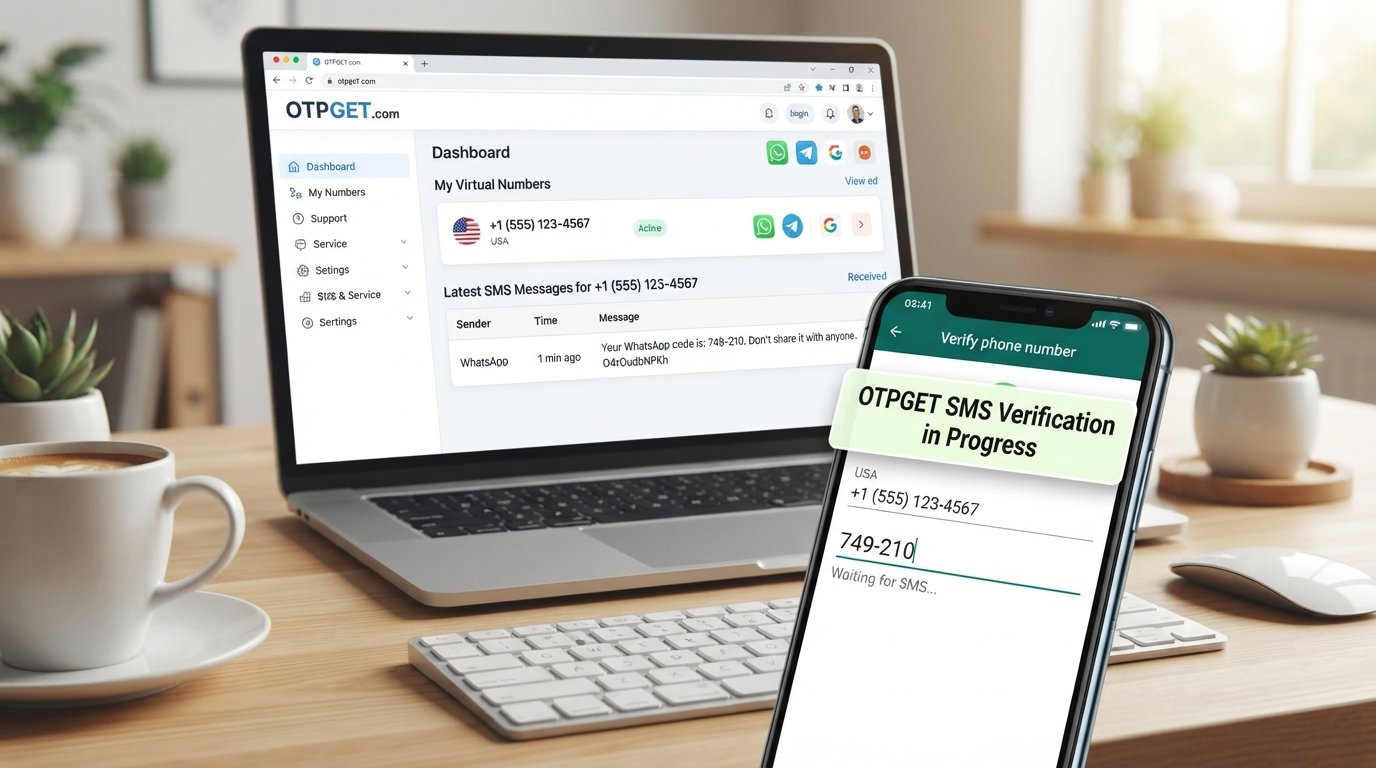
- Monitor the OTPGET interface for the incoming verification message.
- Retrieve the verification code when the SMS arrives.
- Enter the code into the original service's verification field.
- Complete the normal verification process.
Always use the number for an activity you are authorized to perform. If a service specifically requires a personal number that you own, follow that requirement instead.
Benefits of Using OTPGET for Online Verification
For the right use case, an online verification number can simplify the process while giving you more control over personal-number exposure.
Potential benefits include:
- Reduced personal-number exposure: Keep your primary phone number separate when an alternative is permitted.
- Convenient SMS OTP verification: Handle supported verification codes through an online workflow.
- Practical temporary-number access: Use a short-term option when you only need a number for a specific task.
- Longer-term flexibility: Rental-style numbers can be relevant when continued access is necessary.
- Simplified verification: Avoid managing another physical SIM card for every temporary requirement.
- Privacy-conscious account creation: Separate certain registrations from your personal contact information.
- Useful testing workflows: Developers and teams can use appropriate virtual numbers when testing legitimate SMS-based processes.
OTPGET's documentation also describes SMS OTP and rental-number systems for users who need online number management or developer integrations.
The important qualification is that availability and compatibility can vary. A privacy option is useful only when it fits the specific verification requirement.
When Should You Use a Temporary or Virtual Number?
A temporary or virtual number is not necessary for every account. Your personal number may be the best choice when you trust the service and expect to maintain the account for a long time.
An alternative number may make more sense in situations such as:
Testing a service
Developers, QA teams, and businesses may need numbers for legitimate testing of SMS registration or verification flows.
Protecting your primary number
If a website only needs a number for a short-lived registration and explicitly permits virtual numbers, using an alternative can reduce unnecessary exposure of your personal contact information.
Temporary projects
A temporary number can help separate a project, campaign, or short-term online activity from your personal communications.
Separating personal and non-personal activity
Keeping personal communication separate from certain work, testing, or administrative activities can make number management easier.
International workflows
Virtual numbers can sometimes be useful when a service supports specific countries or regional numbers and you need an eligible option.
Always check the platform's terms and verification requirements first. A temporary number should be a privacy and convenience choice—not a method for defeating identity checks, accessing accounts you do not own, or circumventing platform safeguards.
OTP Verification vs. Using Your Personal Number
| Factor | Personal Phone Number | Temporary/Virtual Verification Number |
|---|---|---|
| Privacy | More directly associated with you | Can reduce exposure of your primary number |
| Convenience | Familiar and always available | Convenient when the right number is available |
| Long-term use | Well suited to permanent accounts | Depends on the number type and access period |
| Contact exposure | Your personal number is shared | An alternative number can be used where permitted |
| Best use case | Personal accounts and ongoing access | Temporary, testing, or privacy-conscious workflows |
Neither option is automatically better for every situation.
The right choice depends on whether the service permits an alternative number, how long you need access, and whether the account may require future verification.
Tips for Safer Online Verification
Privacy starts with more than choosing a phone number. Good verification habits can reduce unnecessary risk across your online accounts.
Use strong, unique passwords
Avoid reusing the same password across multiple services. A password manager can make unique passwords easier to maintain.
Enable additional authentication where appropriate
If a service offers stronger authentication options, consider enabling them instead of relying on SMS alone.
Avoid unnecessary personal information
Only provide information that a service genuinely requires, particularly when creating low-priority accounts.
Check privacy policies
Before registering, understand what information the service collects and how it says that information is handled.
Watch for suspicious verification pages
A legitimate verification code should be entered into the service that requested it. Be cautious of links or pages asking you to disclose an OTP elsewhere.
Never share OTPs casually
Treat verification codes as sensitive authentication information. An unexpected request for your OTP should be treated with caution.
Verify the website
Before entering a phone number, password, or verification code, make sure you are using the legitimate website or application.
Follow platform rules
If a service prohibits temporary or virtual numbers, use the verification method it requires. Privacy tools should support responsible use, not bypass legitimate security controls.
Why Privacy Matters During Online Account Creation
Online accounts can accumulate quickly. A person may have separate accounts for shopping, software, newsletters, professional services, testing platforms, communities, and other activities.
Over time, each registration can create another connection between a person and a phone number.
That does not automatically create a security problem, but it does increase the amount of personal information associated with different services.
Good digital privacy is often about reducing unnecessary exposure.
You do not need to avoid every online service or refuse every verification request. Instead, consider what information is necessary, why it is being requested, how long you need the account, and whether there is an appropriate alternative.
For legitimate situations where a virtual number is accepted, OTPGET can make that decision easier by providing an online option for handling supported SMS verification.
Frequently Asked Questions
What is an OTP?
An OTP, or one-time password, is a temporary verification code used to confirm access to an authentication method such as a phone number. It is normally intended for a specific verification event or limited period.
What is OTP verification?
OTP verification is a process where a website or application sends a one-time code to an eligible phone number or other authentication channel. The user enters the code so the service can verify access to that channel.
How does SMS verification work?
The user provides an eligible phone number, the service sends an SMS containing a verification code, and the user enters that code into the service. The platform then validates the code.
What is a temporary phone number?
A temporary phone number is intended for short-term use and can, where supported, receive SMS messages such as verification codes. It can help users avoid unnecessarily exposing their personal number.
Can I receive OTPs online?
Yes, online OTP services can provide virtual numbers capable of receiving supported SMS verification codes. However, compatibility depends on the service being verified, the number available, and its policies.
Is using a temporary phone number safe?
It can be a reasonable privacy option when used responsibly, but it is not automatically risk-free. Users should choose reputable services, protect verification codes, review privacy policies, and follow the rules of the website being verified.
How does OTPGET help with online verification?
OTPGET provides virtual-number options designed for supported OTP and SMS verification workflows. It can help users handle verification without automatically exposing their primary phone number, where the target service permits an alternative number.
Can I use OTPGET for every website?
No. Some websites restrict temporary, virtual, VoIP, recycled, or particular regional numbers. Always check the verification requirements of the service you are using.
Conclusion: A More Privacy-Conscious Approach to OTP Verification
Phone verification has become a familiar part of online account creation, login security, password recovery, and fraud prevention. OTPs make these processes convenient, but they also create a practical question: does every service need your personal phone number?
Not necessarily.
For legitimate situations where alternative numbers are permitted, temporary and virtual phone numbers can provide a useful way to separate online verification from your primary contact information.
The important thing is to choose the right approach for the situation. Use personal numbers for accounts where long-term ownership and recovery matter. Consider temporary or virtual options when you need short-term verification, testing, or additional privacy and the platform allows them.
OTPGET offers a practical option for users looking to handle supported SMS and OTP verification through virtual-number workflows.
If protecting your personal number is part of your online privacy strategy, explore OTPGET and choose the verification option that fits your legitimate use case.
SUGGESTED IMAGE PLACEMENTS
- 1790653530322_image.png
Placement: Hero image directly below the H1 or opening introduction.
Alt text: OTPGET OTP verification and online privacy guide - 1790653535490_image.png
Placement: After the “What Is OTP Verification?” section.
Alt text: SMS OTP verification code process explained - 1790653664648_image.png
Placement: Within the “What Is a Temporary Phone Number?” section.
Alt text: Temporary phone number for SMS verification and privacy - 1790659048565_image.png
Placement: Within the “How OTPGET Makes Online Verification Easier” section.
Alt text: OTPGET virtual number solution for online verification - 1790662555767_image.png
Placement: Before or beside the “How to Use OTPGET for Verification” step-by-step section.
Alt text: Step-by-step OTPGET online verification workflow - 1790662968340_image.png
Placement: Within the “Why Privacy Matters During Online Account Creation” section.
Alt text: Protecting personal phone number during online account creation - 1791086703108_image.png
Placement: Near the comparison table in “OTP Verification vs. Using Your Personal Number.”
Alt text: Personal phone number versus temporary virtual verification number - 1791086705553_image.png
Placement: Within the “Tips for Safer Online Verification” section.
Alt text: Online verification security and privacy best practices - 1791179178921_image.png
Placement: Optional supporting visual near the OTPGET benefits section.
Alt text: OTPGET SMS verification and virtual phone number benefits - 1791183100361_image.png
Placement: Optional visual near the conclusion or CTA.
Alt text: OTPGET privacy-conscious OTP verification solution
FAQ SECTION
What is an OTP?
An OTP, or one-time password, is a temporary verification code used to confirm access to a phone number or another authentication method during a specific verification event.
What is OTP verification?
OTP verification is the process of confirming access to an authentication channel by entering a temporary code supplied by a website, application, or verification service.
How does SMS verification work?
A website sends an SMS verification code to an eligible phone number. The user receives the SMS, enters the code on the requesting service, and the service validates it.
What is a temporary phone number?
A temporary phone number is intended for short-term use and can receive supported SMS messages, including verification codes. It can reduce the need to expose a personal number where alternatives are permitted.
Can I receive OTPs online?
Yes. Online verification services can provide virtual numbers that receive supported OTP messages online. Compatibility varies by website, service, number type, and regional requirements.
Is using a temporary phone number safe?
A temporary number can be useful for privacy-conscious verification, but it does not guarantee anonymity or security. Use reputable services, protect OTPs, and follow the target platform's rules.
How does OTPGET help with phone verification?
OTPGET provides virtual-number options for supported SMS and OTP verification workflows, giving users a practical alternative when they prefer not to expose their primary phone number and the target service permits virtual numbers.
Can I use OTPGET for every website?
No. Some services do not accept virtual or temporary numbers. Always check the target website's verification requirements before choosing an alternative number.
SUGGESTED INTERNAL LINK ANCHORS
- OTP verification guide
- temporary phone number guide
- SMS verification guide
- online privacy guide
- receive OTP online
- virtual phone number guide
- phone verification tips
- secure online verification guide
CTA
Need a practical way to handle supported OTP verification without unnecessarily exposing your personal number? Explore OTPGET to find a virtual-number option that fits your legitimate verification needs.