OTPGet Sign In Page – Quick, Secure Access and Login Help Tips
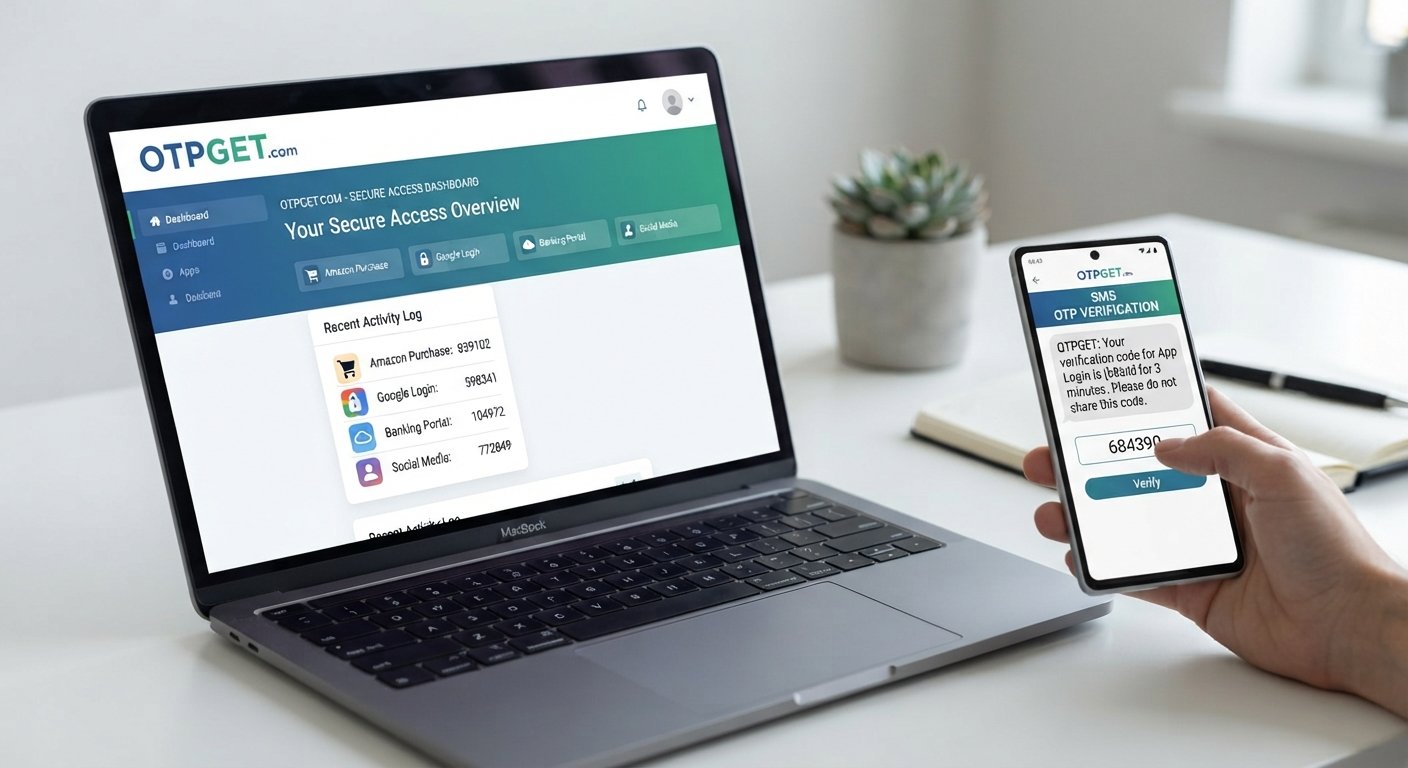
OTPGet Sign In Page – Quick and Secure Access
Introduction
When you need access to an OTP-related service, the last thing you want is a confusing or unnecessarily complicated login process. Users searching for the OTPGet Sign In Page are usually looking for a straightforward way to reach OTPGET, complete the required verification, and continue with their intended activity.
OTPGET provides a practical focus for that search. Instead of treating sign-in as a hurdle, the goal is simple: find the appropriate access point, provide the requested information, complete OTP verification when required, and proceed securely.
This guide explains what the OTPGet sign in process generally involves, what users should check before entering sensitive information, how to handle common login problems, and why OTPGET can be a convenient choice for users seeking quick OTP access.
What Is OTPGET?
OTPGET is the service at the center of this access journey for users looking for OTP-related functionality and account access. The term OTP refers to a one-time password, a temporary verification code commonly used to help confirm that the person attempting to access a service is authorized to do so.
For someone searching for OTPGET, the immediate concern is often practical rather than technical: How do I get to OTPGET and complete the sign-in process?
That makes a clear access experience important. Users want to know where to begin, what information may be requested, and what to do if verification does not work as expected.
OTPGET fits naturally into this journey by giving users a specific service to access when they need convenient OTP-related functionality. The emphasis should remain on using the appropriate access page and following the legitimate sign-in process carefully.
OTPGet Sign In Page: What Users Need to Know
The OTPGet Sign In Page is the starting point users look for when they want to access OTPGET. A typical sign-in journey involves reaching the appropriate OTPGet login page, entering the requested account information, and completing an OTP verification step if one is presented.
The exact appearance and available options can vary depending on the current login process. For that reason, users should avoid assuming that a particular button, field, or authentication method will always appear.
During OTPGet sign in, focus on three basic principles:
- Use the correct and trusted OTPGET access point.
- Enter only the information the legitimate service requests.
- Complete OTP verification carefully when prompted.
The same approach applies when searching for an OTPGet login, OTPGet account login, or OTPGET secure login. The objective is not simply to sign in quickly, but to reach the correct service while protecting your account information.
How to Sign In to OTPGET
If you are wondering how to sign in to OTPGET, the process can generally be approached in a few simple steps. Because specific interface details may vary, treat these as general guidance rather than instructions for particular buttons or fields.
1. Navigate to the appropriate OTPGET access page
Start by going to the legitimate OTPGET access point you intend to use. Before entering any information, check that you are using the correct website or access page.
2. Locate the sign-in option
Look for the available option that allows you to access your OTPGET account or service. The wording and placement may vary.
3. Enter the requested information
Provide the account credentials or other information requested by the legitimate login process. Check your entries carefully before continuing.
4. Complete OTP verification if prompted
If an OTP verification step is part of the available login process, enter the requested one-time password carefully. Remember that an OTP is intended for verification and should not be shared with other people.
5. Confirm access and continue
Once the required steps have been completed, proceed with your intended OTPGET activity.
This straightforward approach keeps the OTPGET login process focused on what matters: correct access, careful verification, and efficient account access.
Why Quick and Secure Access Matters
Convenience matters because unnecessary friction can make even a simple sign-in feel difficult. At the same time, speed should never mean ignoring basic security precautions.
A good access routine balances both needs.
Account protection is one reason OTP verification can be useful. A one-time password provides a temporary verification step when it is included in a service's authentication process.
Avoiding unnecessary delays is another benefit of a clear sign-in journey. When users know where to start and what to check, they can move through the access process with fewer avoidable mistakes.
Users should also protect their login information. Never assume that a page is legitimate simply because it looks professional. Before entering credentials or an OTP, confirm that you are using the trusted access point associated with the service.
For secure OTP access, convenience and caution should work together rather than compete.
Common OTPGET Sign-In Issues and Basic Troubleshooting
Even a straightforward login can occasionally fail. Some problems are related to user input, verification timing, connectivity, or the browser being used.
Here are several common situations and practical steps to consider:
Incorrect login details
A mistyped username, password, or other requested information can prevent account access. Carefully recheck the information and try again without repeatedly submitting incorrect details.
Expired OTP
One-time passwords can be time-sensitive. If an OTP is no longer valid, use the legitimate process for requesting or receiving another code, if that option is available.
Delayed OTP
Sometimes a verification code may take longer than expected to arrive. Check the appropriate delivery channel and avoid repeatedly requesting codes unless the service instructs you to do so.
Incorrect verification code
Make sure the OTP is entered exactly as received. Watch for accidental spaces or confusion between similar characters where applicable.
Browser or connectivity problems
A weak internet connection, outdated browser session, or temporary browser issue can interfere with sign-in. Refreshing the page, checking connectivity, or trying a normal browser troubleshooting step may help.
Temporary access problems
If the issue continues despite correct information and normal connectivity, there may be a temporary problem with access. Follow any legitimate support or account-recovery instructions available through the service.
These basic login troubleshooting steps can resolve simple problems without turning a routine OTPGET sign in into a frustrating process.
Tips for a Safer OTPGET Login Experience
A few habits can make account access more security-conscious:
- Use the correct trusted access page. Avoid following suspicious or unexpected login links.
- Never share an OTP. Treat one-time passwords as private verification information.
- Check the website address. Before entering credentials, make sure you are on the legitimate access page.
- Keep account information private. Do not disclose passwords or other sensitive login details to other people.
- Be careful on public devices. Avoid entering sensitive information on devices you do not trust or control.
- Watch for suspicious requests. Unexpected messages asking for credentials or OTPs deserve extra caution.
- Follow legitimate recovery instructions. If you cannot access your account, use the official recovery or support options that are available.
These habits support a safer secure login experience without adding unnecessary complexity.
Why OTPGET Can Be a Convenient Solution
For users searching specifically for OTP-related account access, OTPGET can be a practical solution because it keeps the focus on the task users actually want to complete: reaching the service and handling OTP verification efficiently.
The value of OTPGET is particularly clear for users who prioritize:
- Quick access without unnecessary confusion
- A straightforward sign-in experience
- OTP-based verification when it is part of the available process
- Convenient account access
- A security-conscious approach to login
The key is to combine convenience with responsible access habits. A quick OTP access experience is useful, but users should still confirm that they are using the correct access page and protect their login information throughout the process.
Whether you are searching for the OTPGet login page, OTPGET access page, or OTPGET sign in help, the same principle applies: start from the appropriate access point, follow the available instructions, and complete verification carefully.
That makes OTPGET a sensible destination for users who want a practical path to OTP-related access without unnecessary confusion.
Frequently Asked Questions
What is the OTPGet Sign In Page?
The OTPGet Sign In Page is the access point users look for when they want to sign in to OTPGET. It provides the starting point for the available account login and verification process.
How do I sign in to OTPGET?
Go to the appropriate trusted OTPGET access page, select the available sign-in option, enter the requested information, and complete OTP verification if prompted. Exact interface steps may vary.
Is OTPGET login secure?
Security depends on using the legitimate access page, protecting your credentials, and following safe verification practices. Never share an OTP or enter sensitive information on a suspicious website.
What should I do if my OTP does not arrive?
First, check the expected delivery channel and confirm that your contact information is correct if applicable. Allow reasonable time for delivery, and use the legitimate resend or support process if one is available.
Why might my OTPGET sign in fail?
A sign-in attempt can fail because of incorrect account information, an expired or incorrect OTP, connectivity issues, browser problems, or temporary access difficulties. Recheck your information and follow legitimate troubleshooting guidance.
Can I access OTPGET from a mobile device?
Access may be possible from a mobile device when the relevant OTPGET access page supports mobile browsing. Use a trusted device and connection, and confirm the website address before entering sensitive information.
What should I do if I cannot access my OTPGET account?
Start with basic login troubleshooting, such as checking your information and connection. If the problem continues, follow the legitimate account recovery or support instructions provided by the service.
Conclusion
Finding the right OTPGet Sign In Page should not feel complicated. Users typically want a clear route to OTPGET, a manageable login process, and reliable OTP verification when it is part of the available access flow.
OTPGET provides a practical focus for that need. By using the appropriate access page, checking login information carefully, protecting OTPs, and following sensible security practices, users can make their account access experience more convenient and security-conscious.
If you are looking for quick OTP access, straightforward account access, and a practical way to begin the OTPGET sign-in process, start with the trusted OTPGET access point and follow the available instructions carefully.


